Featured

10 Best Apps for Daycares

Running a daycare center in a digital-savvy culture has its pros and cons. One of the biggest benefits is the ability to streamline, organize, and improve every operation at your childcare business with the help of apps. From offloading repetitive administrative tasks to keeping track of invoices and tuition, there are several apps available today that make daycare management easier than ever. How do you choose the right one? 

Let’s look at some of the best apps for daycares so you can compare and discover the solution for your business. 

Daycare Apps for Business Management

It’s not easy to run a business and provide top-quality childcare services around the clock. A business management app can significantly relieve some of the workload that you put into your administrative and managerial tasks each day. Here are a few examples that work well for daycares.

Daily Connect

The Daily Connect app is a full-stack childcare management platform that you can keep with you at all times—on your smartphone, tablet, or computer. It includes many useful features, including:

  • Classroom management
  • Staff-teacher communication
  • Daycare calendars
  • Custom reports 
  • Administrative controls
  • Secure document storage
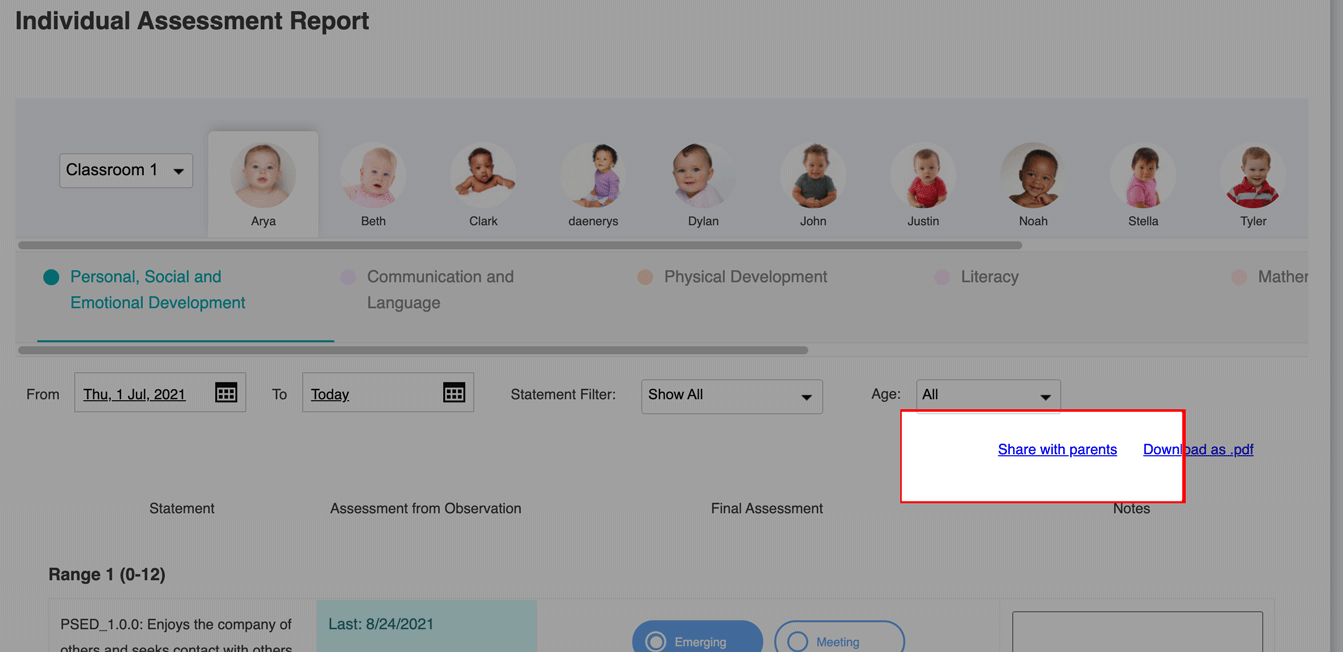
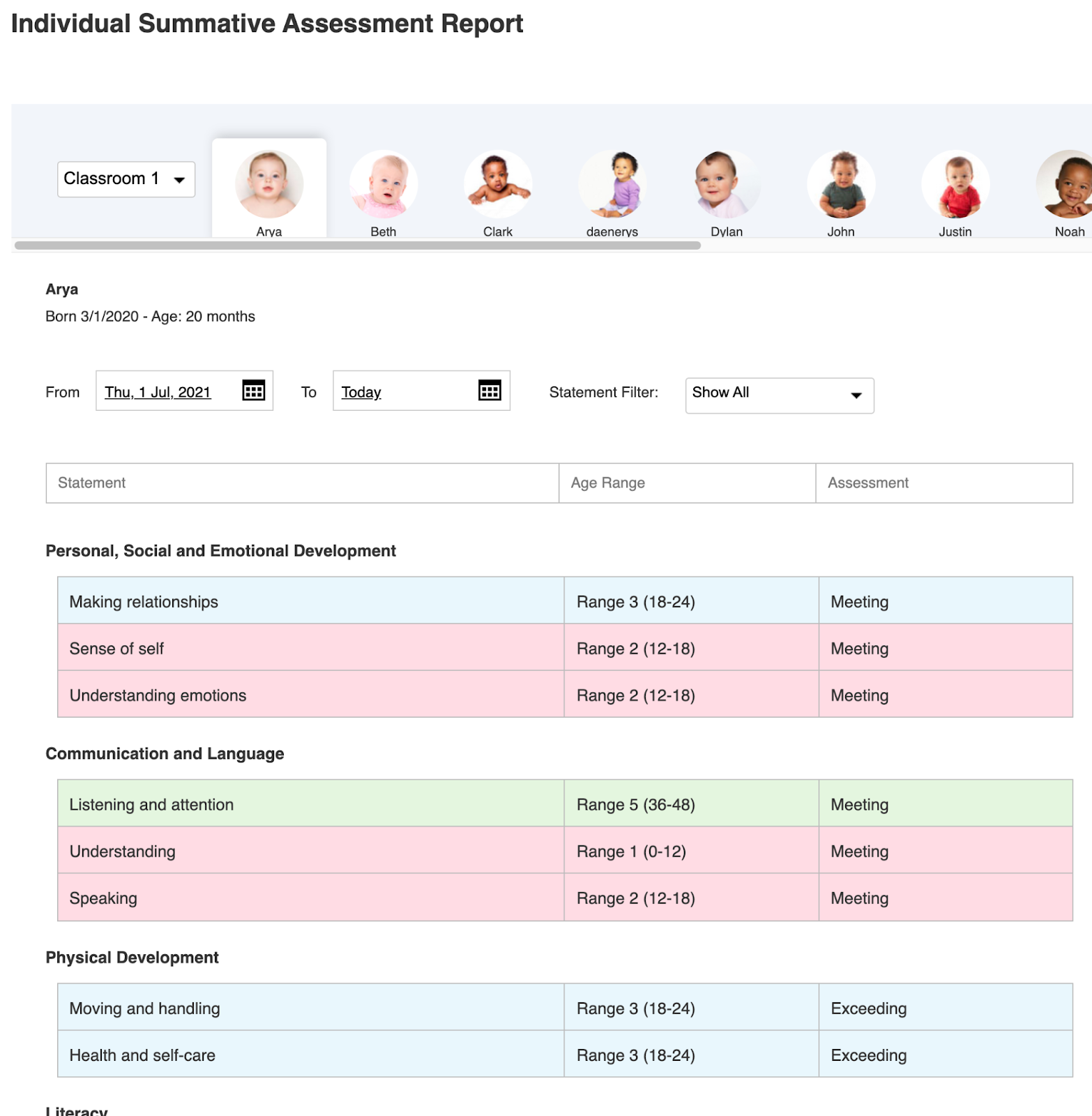
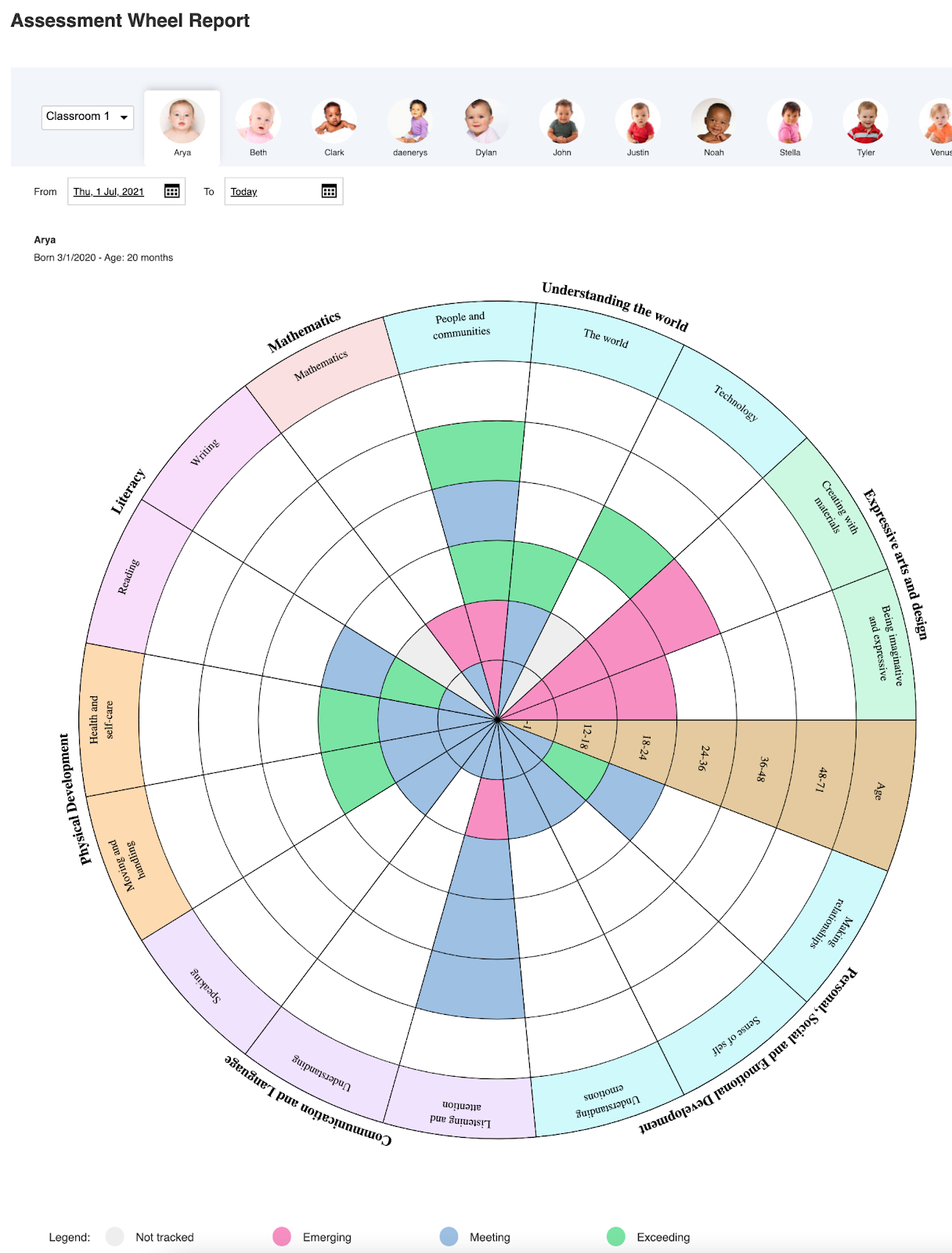
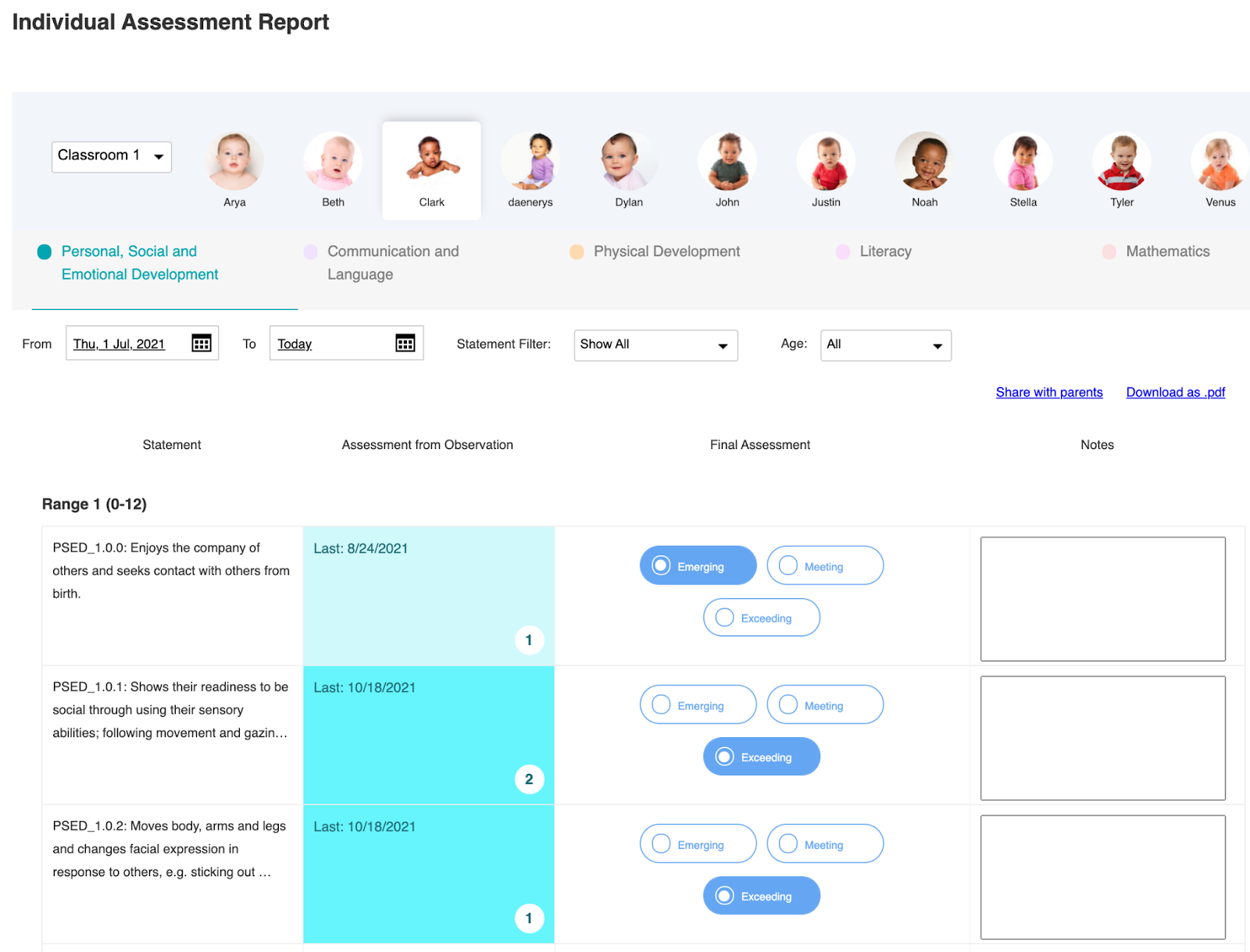
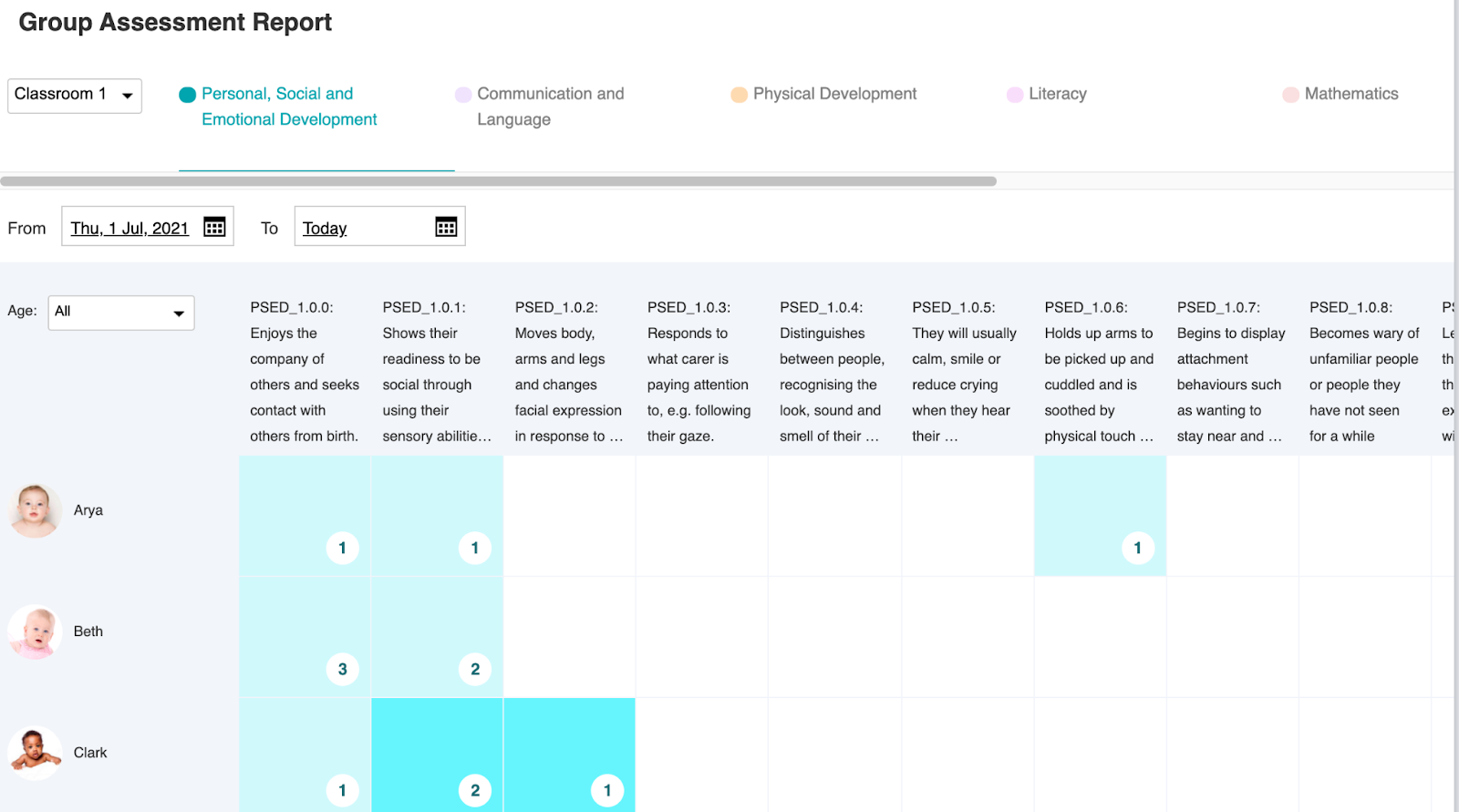
  • Child learning assessments
  • And more

Since Daily Connect was designed specifically for daycare providers, it has everything you need to make your daycare center more efficient and successful. 

Asana

Asana is a popular project management app that can help small businesses like daycare centers stay on track. In the app, you can create tasks, set urgent deadlines, share daily to-do lists, automate recurring projects, and assign responsibilities to team members. 

The app’s visual “Timeline” feature makes it easy to view progress on business goals at a glance. It’s flexible, easy to use, and integrates with many software applications like Apple and Google.

Google Workspace

Google Workspace is extremely affordable (sometimes free) with multiple productivity apps that businesses use daily. Email, document storage, digital calendars, reminders, Google Drive, and even generative AI tools simplify your business workflows. It also integrates with many different services, making it a versatile and convenient option for everyone on your team.

Best Apps for Parent-Teacher Communication

Phone calls, emails, surprise in-person appearances—parent communication can get a little messy while running a daycare. Fortunately, there are apps that enable secure, instant communication between parents and teachers so everything stays in one app. You no longer have to track down multiple contact lists to get ahold of parents, either.

Slack

Slack is mainly known as a business communication tool but can be effectively adapted for daycare settings. It offers a user-friendly, app-friendly interface for instant messaging, file sharing, and group sharing.

One of the most useful features of Slack is its standard format of organizing different “channels.” Each channel can be set up for specific classrooms, topics, announcements, and even private group updates for staff. Many parents who work in business settings or work from home already use Slack, too, so it could add a level of convenience to their daycare communications.

Remind

The Remind app is a school communication platform designed specifically for educational settings. It facilitates quick and secure messaging between teachers and staff, teachers and administrators, and teachers and parents. 

This app gives you the option to send updates, announcements, and reminders directly to parents’ phones. It also includes features like group messaging and even language translation. It’s a helpful app for daycares with a multicultural focus, empowering you to communicate with everyone in your community no matter the language barrier. 

ClassDojo

ClassDojo is a well-known classroom app designed for behavior management and direct messaging with parents. Teachers can quickly update parents on their child’s behavior and share meaningful classroom moments in real-time. The app can help daycare leaders ensure a positive classroom environment by encouraging good behavior and keeping parents in the loop.

Financial Management Apps for Daycare Businesses

How do you manage the financial side of daycare? There are a few options. It mostly depends on your payment structure, financial goals, and digital preferences. Here are a few daycare-savvy financial apps to consider. 

QuickBooks

One of the most well-known financial and accounting apps is Quickbooks. Daycare providers can use Quickbooks to track payments, tuition, parent invoices, expenses, and financial projections for the coming year. 

This app also includes features that let you create and send invoices, manage payroll, and automate your financial reports. This could be a great option if you want to improve the overall financial health of your business. 

Wave

It’s easy to get started with Wave, an accounting service for small businesses. Its free features include invoicing and financial tracking. However, for the more advanced features like receipt scanning, expense reports, and discounted online payment rates, you’ll have to choose the Pro Plan. 

Wave’s user-friendly desktop interface and mobile app simplify daycare finances without needing extensive accounting knowledge. Plus, it’s easy for parents to make payments online and automatically receive copies of their receipts. 

Expensify

Expensify is another financial management app that daycare centers can use, particularly for managing business expenses. With the app, you can scan business receipts and automatically view expense reports for a clear picture of where your money is going. For daycare centers that lose track of expenses such as food, classroom supplies, utilities, or building repairs, Expensify is a useful option. 

Helpful Education Apps for Daycare Centers

Let’s not forget about education apps you can use for the kiddos. From educational assessment reports to fun lesson planners, here are a few of the most popular learning apps for daycares. 

Lesson Planner Pro

Lesson Planner Pro is an innovative tool that uses generative AI to enhance your lesson plans and daycare curriculum. With the app, you can brainstorm, create, organize, and share different lesson plans based on your classrooms and educational preferences. You can also customize your own templates to reuse for easy planning month after month, and compare classroom activities with ECE learning standards

Khan Academy Kids

Khan Academy Kids is a widely popular learning engagement app loved by teachers, parents, and kids. With its large library of fun educational content, Khan Academy Kids is a helpful resource for gathering developmentally appropriate lesson ideas and online games. Use it as a supplemental tool in the classroom or suggest specific app activities to parents so they can learn with the child at home. 

Planboard

Planboard is another lesson planner tool that daycare directors can use to establish learning assessments, lesson plans, and ideal outcomes. Teachers can customize their own templates as well as document their students’ progress throughout the year. However, its features are limited and users report a steep learning curve within the app’s many features. 

The All-in-One Daycare App: Daily Connect

The right daycare app can help you turn your business into an organized, successful childcare business. Look for an app that includes all of the above features including business management, financial organization, parent communication, and educational support. 

While every app covered in this article has its uses, Daily Connect is the only option that was designed specifically for daycares—bringing you and your community all the digital features you need. Go with the all-in-one solution for total daycare management! Start a free trial of the Daily Connect app at your daycare today. 

Featured

10 Fun Home Daycare Setup Ideas

Starting an at-home daycare center is a rewarding journey. You get to nurture young minds, help your local community, and create a safe, supportive environment for children. But having a daycare business inside your home can also be challenging. You must balance work and personal life, ensure the safety of children, and maintain the comfort of your own family—all while staying organized in both aspects of your home. 

From sanitation standards to organization and equipment, there’s a lot to consider when setting up your daycare. Here are some fun ideas on how you can maintain balance, ensure kids’ safety and entertainment, and run your daycare business smoothly. 

1. Personalize Your Home Daycare Setup

If you want to make your in-home daycare setup fun, unique, and inviting, consider your personal style in relation to the goals you have for your daycare. While your childcare space needs to foster joy, learning, and curiosity among children, you can do so in a way that stays true to your home.

  • What kid-friendly interior design elements can you implement in the daycare area? 
  • What would make you (and your students) feel most at ease with having a daycare in your home?
  • What color palettes, artwork, and furniture styles blend well with your home and function well with children?

You don’t have to make your space a stuffy, sterile, or generic environment someone might expect in a daycare. Get creative with it and have fun.

2. Divide Spaces Into Clearly Distinguished Areas

Having some kind of border or barrier that distinguishes your personal spaces from daycare spaces draws a clear boundary. Some ideas you can try include:

  • Using large, sturdy furniture pieces as room dividers 
  • Establishing semi-permanent baby gates to block off personal rooms 
  • Having convertible storage spaces that hide childcare supplies during off-hours
  • Buying separate child-sized furniture for meal areas, play areas, and activity areas
  • Implementing area rugs, color schemes, and lighting to distinguish childcare areas as separate from your home 

You can also use fun, colorful signs that display certain rules for your space, such as “No Child Zone” or “Closed Area.”

3. Rethink Your Main Entrance

Think about where your daycare area is located in your home. If you have a large home that people have to walk through to get to the daycare, it might make you (or some parents) uncomfortable. 

If there’s a way to facilitate an alternative entrance to your daycare area, set up an appealing walkway that guides customers through. For example, you can create a stone path to the side gate, set up a sign at the back entrance, or welcome families every morning through the garage. 

4. Creative Daycare Safety 

Childcare is all about safety. But ideally, this doesn’t involve intense bars on the windows or rigid fixtures that seem out of place.

You can get creative with daycare safety items. For some items, you can even DIY (do-it-yourself). Here are a few examples:

  • Hang a framed, aesthetically pleasing emergency exit map in a visible spot on the wall.
  • Replace faucets with child-safe knobs that prevent the hot water from being turned on.
  • Store chemicals and dangerous objects away from the children’s restroom. Instead, use the under-sink storage for a first aid kit, art supplies, extra toys, or spare clothing.
  • Customize a first aid kit in every room.
  • Implement safety protocols into the daily schedule so they become a natural part of the learning environment.
  • Arrange children’s furniture, equipment, and toys in a layout that flows with the rest of the space.

When setting up your daycare for safety, prioritize multi-purpose furniture and equipment that’s suitable for kids’ dynamic and engaging activities.

5. Your Daycare Nap Area

There are a few ways you can make your daycare nap area fun and functional. 

Use calming colors in the room. Provide plenty of soft pillows and blankets and encourage kids to bring their favorite stuffed animal for comfort. 

Use soft, dim lighting during nap time such as night lights or filtered light that glows through the curtains. You don’t want the room to be too bright, but you also must be able to supervise as children nap. If your neighborhood is noisy, consider playing a white noise machine or soft lullaby music in the background to drown out distracting sounds.

6. Diaper and Restroom Area 

Ensure the diaper-changing area and restroom are equipped with everything you need to maintain proper hygiene. Make it appealing to children, signaling it’s a safe and welcoming place. Hang colorful, calming mobiles that contain friendly animals. Additionally, you can decorate the walls with nature-inspired artwork or cheerful murals. 

Use fun, toy-shaped containers to store baby wipes and diapers. Place large labels that contain text and cute designs indicating the trash bin, laundry basket, and dirty diaper pail. 

For children who are potty training, secure a portable child-sized toilet seat that’s gender-neutral and easy to clean. 

7. Daycare Meal Area

Snack and lunchtime are two of the most socially exciting moments at daycare. Make the meal area a vibrant and spacious place. To keep things fun and lively, consider trying these ideas:

  • Use seasonal or holiday-themed tablecloths that are reusable
  • Provide colorful plastic bowls and plates 
  • Decorate surrounding walls with friendly food pictures or basic table rules
  • Assign each child’s chair with their own name tag to prevent fighting over seating

If you have additional daycare staff, make sure they have access to a list of children’s food allergies. 

8. Outdoor Play Area

Set up an outdoor play area for children so they can be active, socialize, and reap the many health benefits of playing outside. Whether the playspace consists of a small sandbox or a large swingset in the backyard, prioritize safety and sensory play options.

Plan seasonal activities like a water balloon toss in the summer and a local nature walk in the fall. If you don’t have an outdoor play area directly on-site at your home, consider taking the kids on a walk to a local park or nearby soccer field (as long as their parents consent). 

9. Indoor Activity Areas

The indoor play space is the central location of your daycare—it’s where the most activity takes place. Therefore, children need plenty of options to stay engaged, entertained, and educated throughout the day.

  • A kids’ reading lounge with many colorful books to read
  • An arts and crafts table for guided activities
  • An imaginative play area with a dress-up bin, costumes, and props
  • A sensory play area with toys of various textures, shapes, and uses
  • A builders’ play area with options to set up Legos, blocks, puzzles, and other floor games
  • Plenty of multi-player toys and equipment for children to interact with one another

For added structure to playtime, create an activity calendar and a daily schedule. Having a consistent routine helps kids understand what to expect each day, encouraging a more pleasant experience for everyone.

10. Daycare Management System

There’s more to your daycare program than its physical setup. Administrative tasks, expenses, enrollment, tuition, and paperwork are important aspects of running a successful daycare from your home. It’s a good idea to have a digital system that can handle all these important factors—specifically a childcare management platform designed for daycare providers. 

A daycare management software helps you:

  • Track attendance 
  • Communicate with parents 
  • Log learning assessments 
  • Receive online payments 
  • Automate childcare invoices
  • Manage staff
  • And more 

When setting up your daycare at home, consider a trusted childcare software like Daily Connect.

Set Up Your At-Home Daycare With Daily Connect

No matter what layout, style, or setup you choose for your daycare center, you have to manage your business effectively. The Daily Connect app for home daycare centers has all the features to support your daily activities, safety standards, child records, parent communication, and more. 

Enhance your daycare setup with convenient technology to oversee every part of your operation. Get started with Daily Connect for free to see how it works!

Featured

How to Manage Childcare Enrollment

Efficient childcare enrollment processes are crucial for any successful childcare operation. As important as enrollment is, it takes a lot of work and preparation to manage its ever-changing demands alongside all the other administrative, managerial, and business tasks every day. 

With all the paperwork, waitlist management, communication with families, childcare tours, and marketing strategies that go into enrollment, how can you keep up? Let’s discuss some of the best tips on how to manage childcare enrollment more efficiently.

Creating a Better Childcare Enrollment Process

To have a smoother enrollment experience for you and your customers, it helps if you streamline the process as much as possible. Here are some important points to consider when setting up a more automated process.  

Provide Clear Policies and Procedures

The first step to effective enrollment is to establish clear and transparent enrollment policies. Think of how you can define more specific policies and procedures so families can understand what to expect upfront. 

Parents who are looking for childcare often review these policies carefully to make sure your program aligns with what their child needs. It’s a good idea to make policy documents readily available for customers who are interested in moving forward with the enrollment process so they can make an informed decision promptly.

Here are some examples of policies you can include in your enrollment forms:

  • Age requirements
  • Documentation requirements 
  • Tuition requirements
  • Enrollment/Payment deadlines
  • Childcare schedules 
  • Learning frameworks 
  • Teaching philosophies
  • And more 

With these clear expectations stated in the beginning, you encourage a smooth and organized enrollment for all. 

Prioritize Communication With Families 

Consistent communication with families and enrollees is essential as you welcome new children into your program. 

For communication during this crucial time, remember to:

  • Provide regular updates on the family’s enrollment status
  • Update families as waitlist positions change 
  • Provide necessary documents on time
  • Send follow-up emails or phone calls within 24 hours 
  • Respond to inquiries 
  • Keep families informed 

This type of proactive communication builds a sense of trust between you and children’s parents. It also keeps you top of mind so that parents remember to continue the enrollment process through to completion. 

Streamline Enrollment Paperwork

One of the most overwhelming parts of enrollment is the heavy amount of paperwork involved—for both providers and parents. 

If you haven’t already, switch to a digital platform that handles online forms. This not only minimizes the risk of both parties losing important documents but also automates a lot of the delivery and signing activities required.

Electronic signatures are a secure alternative to physical signatures, which saves time. More importantly, secure cloud storage equips you and your business with quick, easy access to records while ensuring confidentiality.

Leverage Childcare Technology

Technological tools designed specifically for childcare businesses not only improve your enrollment strategies but also simplify everyday business processes. Childcare management software includes helpful features like contactless sign-in, online billing, learning assessment tools, staff management, and more. 

Enrollment Features to Look for in a Childcare Management App

If you’re ready to adopt a new childcare management app to optimize how your business runs, look for the following enrollment features in addition to daily capabilities. 

Online Storefront and Waitlist Management 

A childcare software that includes an online shop where parents can fill out applications, send advanced payments, and monitor their placement on the waitlist simplifies enrollment year-round. 

Having an online platform where people can submit their documents and you can receive enrollment payments creates an automated flow of income for your business. It’s also convenient for busy parents who prefer to pay online. 

Shared Onboarding Forms

The ability to customize and manage enrollment onboarding forms online gives families an easy way to complete required forms at any time. If there are any mistakes or missing information in a document, you can inform parents so they resolve the issue digitally. 

Additionally, an online onboarding process gives families a good first impression of your business. Instead of being limited to paper forms, snail mail, or in-person transactions, parents see that you’re serious about serving your customers and making their lives easier. 

With the option to access their documents online at any time during their child’s enrollment, parents likely feel a sense of transparency and confidence in your childcare services. 

Digital Signatures and Contract Management 

Contracts are what clearly state the expectations between you and your customers, and legally bind both parties to the stated agreements. With a childcare management app like Daily Connect, you can create and share important documents with families who need to complete specific items. 

In addition to managing contracts based on family enrollments, a secure online platform also keeps track of signatures and reduces time spent on sifting through the filing cabinet. It also reduces your business expenses of paper and ink, which are two of the most costly products companies spend money on annually. 

Online Payments and Enrollment Fee Collection 

A secure online payment system collects deposits, onboarding payments, tuition costs, enrollment fees, and other forms of payment. 

With enrollment features from Daily Connect, you can customize the user interface with your childcare center’s branding, making the experience more professional for customers.

Online payment collection allows parents to choose a payment method including credit card, debit card, ACH payments, and autopay options so they never miss a payment.

Daily Connect: Improve Enrollment at Your Childcare Center

With clear enrollment policies, effective communication, and the right software system in place, you can streamline your childcare enrollment process to make everyone’s lives easier at your childcare center. Additionally, you open up opportunities for your business and for local families who need your services. 

With enrollment features like online payments, waitlist management, custom onboarding forms, and digital contracts, the Daily Connect app provides comprehensive solutions to childcare centers that need more streamlined processes. 

To see how our childcare management app can benefit your enrollment and your entire operation, download the Daily Connect app for free today.

Featured

What Certifications Do I Need to Open a Daycare?

Opening a daycare is an ambitious and rewarding career choice. In the U.S., we need more childcare professionals to provide the essential care families need for their kids. But how do you start a childcare business safely, legally, and affordably?

First, you need to know which certifications you need to run a childcare business. What certifications and requirements do you need to meet first?

It depends:

  • What type of daycare are you opening?
  • What educational background do you have?
  • Where are you located?
  • What are your business goals?

All these things affect what you need to open a daycare business. Let’s look at the requirements and certifications you should consider when opening a daycare in 2024.

Nationwide Requirements for Opening a Daycare 

While the licensing and business requirements depend on your state and county, there are national certifications that equip you to work with children. Obtaining these certifications before offering childcare is crucial.

First Aid and CPR Certifications

Childcare providers need to know how to respond to unexpected emergencies to maintain the safety and health of children in their care. Therefore, CPR and First Aid training are essential. Emergency response skills equip you to respond to life-or-death situations such as choking or cardiac arrest. Complete a certified CPR training near you. Certificates are valid for two years.

Food Safety in Childcare 

Daycare operators must obtain food handling and safety training. Since you handle snacks for growing children, preparation must be sanitary and nutritious. The food safety certificate is based on the USDA guidelines: “Clean, Separate, Cook, Chill.” You can find online or in-person Food Safety training to obtain a certificate. 

Child Development Associate (CDA Credential)

Having some level of credibility in early childhood education (ECE) is a major plus. It’s also highly valued by parents looking for childcare. Whether you have a college degree or not, a Child Development Associate credential is the most commonly recognized certification in the ECE profession. 

While it’s not required, the CDA is a comprehensive training program that equips childcare providers with 120 hours of knowledge, skills, and readiness to support children in early development. Unless you have a bachelor’s or master’s degree in a field related to childcare, it’s a good idea to obtain a CDA to strengthen your competency and expertise.

Daycare Requirements That Vary by State

Many daycare certifications vary by state. For example, some states require you to be part of the Quality Rating and Improvement System (QRIS), whereas others do not. 

Additionally, one of the most important aspects of childcare operation—licensing—differs from state to state. 

Childcare License

To operate a daycare legally, you likely need to be approved for a specific childcare license. Some states don’t require small, at-home family childcare operations to be licensed, but others do. 

Look up your state’s requirements on the Administration for Children & Families licensure web page. If you find that your daycare requires a license to operate, begin the training and application process before initiating a business plan.

Childcare Provider Requirements 

Again, the required standards for childcare providers are specific to your state of residence. Requirements often include:

  • You are at least 18 years of age
  • You have a high school diploma or GED
  • You pass criminal background checks
  • You undergo state and federal fingerprinting 
  • You have some level of ECE background or credentials

Keep in mind that these are typically the minimum requirements. The more qualified, prepared, and experienced you are, the better your chances are of your daycare doing well. 

Business License

Receiving income from your daycare is considered a business. Every state has different business laws but often involve registering your business, paying a fee, and preparing important tax information. Check with your state’s business licensing department for:

  • Whether or not you require a business license to open a daycare
  • What steps you need to take to register your business (if necessary)
  • Safeguarding your daycare business (trademarks, taxes, legal advice, etc.)

In some states, if you want to operate a small at-home daycare independently and have no intentions to grow, a business license may not be required. Talk with a business advisor if you need clarity on your situation.

Capacity Requirements (Child-to-Staff Ratios)

Capacity laws—often known as child-to-staff, child-to-provider, or group ratios—are important to follow. These rules prevent inefficient supervision and encourage childcare manageability. 

Group ratios vary by state but typically look something like 1:10 (1 childcare provider for every 10 children present), 1:7, or 1:14. It also depends on the size of the facility and children’s age.

Learn more about daycare supervision and group ratios at childcare.gov.

Fire, Health, and Safety Inspections

You can expect your state or local childcare department to conduct a facility inspection before you’re cleared to open your business. Daycare centers that operate out of a home must meet health, safety, and emergency codes. This verifies that your home or facility is suitable for children and customers.

Employee Background Checks

Daycare owners aren’t the only ones who need to pass criminal background checks. All supporting staff must also be able to clear a series of federal and state background screenings to ensure the safety of children in a vulnerable setting such as childcare. You can find employee and background check regulations on your state’s licensing department website, 

Home Daycare Insurance 

You may also need home daycare insurance to protect your property and assets from financial disasters. Even if you’re not required by your state to obtain insurance, it’s a good idea. Kids can get rowdy, things can break, and accidents happen. Protect your daycare (and home!) from irreparable or unaffordable damages.

More Resources for Opening a Successful Daycare Business

Opening a daycare involves meeting a lot of complex, specified requirements. More importantly, running a successful daycare business after it opens is a nonstop responsibility. You have to ensure compliance, safety, comfort, marketability, adequate care, and effective education to best serve your community. 

Fortunately, digital tools and resources help busy daycare providers keep track of all the essential details of running a business smoothly. With a daycare management app like Daily Connect, you can organize your certifications and ensure all daycare tasks get completed. 

Want to get a head start? Download the Daily Connect app today for a demo.

Featured

How to Open a Daycare in Canada

Opening a childcare business is a rewarding opportunity with lots of potential. You get to serve families in your area, nurture children through their early stages of development, and pay other hardworking childcare professionals the wages they deserve.

To learn how to open a daycare in Canada, read further. We share the most important things to consider when starting your new business to increase your chances of success.

1. Understand Canadian Daycare Regulations

To operate a childcare business legally, daycare owners must follow specific licensing requirements. The Canada Health Act outlines these requirements including Early Childhood Education and Care (ECEC) licenses and insurance. 

Adhering to regulations protects you from legal conflict, holds you and your employees accountable for providing safe and supportive childcare, and ensures trust with parents and authorities. 

Licenses and permits vary depending on your location, including:

  • Federal
  • Provincial
  • Municipal 

You can look into which requirements apply to your business by filling out the form on BizPal. Type in your location and select your industry from the drop-down options, then research the results.

2. Obtain Your Canadian Childcare Licenses and Permits

Each Canadian province has its own governing body that ensures compliance with childcare licenses and permits. In every location, obtaining the required license can take time. Prepare to begin the application process before you want to officially open your business

The licensure process entails:

  • Training and certifications 
  • Application submission 
  • Providing detailed business plans
  • Paying required application fees
  • Undergoing home/facility inspections
  • Waiting for approval 

Typically, childcare business owners are required to have several types of permits and licenses. They include the following. 

Childcare Business License

Most Canadian municipalities require daycare businesses to be registered. If you offer a service for commercial purposes, you need to register your business. To do this, you need to fill out applications, pay the necessary fees, and provide proof of compliance. 

Active Childcare License

To find which types of licensure and regulations you must abide by, you first need to know what type of childcare business you’ll operate. Generally, all childcare services require a license. 

However, there are a few exceptions:

  • Relatives who provide free childcare
  • Individual nannies and babysitters hired directly by the family to provide care in the child’s home
  • Children’s camps that provide care for kids ages 4 and older
  • Private schools that provide care for children ages 4 and older

Unlicensed childcare homes can legally provide care to up to 5 children if the providers’ children present are under 4 years old and there are no more than 3 children younger than 48 months old. However, unlicensed home care providers are required to provide written notice to parents about the lack of licensure.

Health and Safety Permits

In addition to business and childcare licenses, many childcare centers must obtain health and safety permits. This means your business agrees to operate with safe practices regarding food handling, emergency preparedness, fire safety, sanitation protocols, and facility occupancy.

3. Establish a Daycare Business Plan

A childcare business plan is your roadmap to success, presenting operational and financial milestones to complete. It helps you realize your goals, connect with ideal customers, fulfill your marketing needs, and more.

To get started, brainstorm these main points:

  • What are the mission statements and core values of your business?
  • Who are your ideal customers? (Suburban families, busy city-dwellers, etc.)
  • What marketing strategies will reach your target audience?
  • Which unique selling points make your daycare stand out from the rest?

To learn more about creating a daycare business strategy, read: How to Write a Childcare Business Plan.

4. Organize Your Daycare Finances

Another important thing to consider when starting a daycare in Canada is your business finances. 

Research the startup costs for childcare in your area or hire a financial planner to help guide you. Expenses include location costs, daycare equipment, licensing fees and renewals, staffing, utilities, supplies, renovations, and more. 

If you need help funding your childcare operation, look into the available options. There are small business loans, investors, savings incentives, and government grants available which you may qualify for. 

5. Set Up Your Daycare Location

The physical location of your daycare is a place to provide comfort, safety, play, and learning opportunities for your students. Whether you operate your daycare out of your home or at a designated facility, here are a few factors to prioritize to ensure the best environment.

  • Activity zones: Set up age-appropriate activity zones indoors and outdoors. Areas should be stimulating enough for learning and engagement, but not too distracting or chaotic that they overwhelm kids.
  • Comfort: Have a way to adjust lighting, temperature, ventilation, and the amount of open space in your daycare setting. Children have a hard time focusing and cooperating if they’re uncomfortable.
  • Safety and sanitation: Set up your space to abide by safety standards. Consider storage, entry/exit points, accessibility, furniture, and learning supplies. Store cleaning chemicals away from child access.

If your province requires you to pass a daycare inspection to become licensed, follow all the guidelines laid out in your training to ensure you pass.

6. Hire Daycare Employees

Even if you plan to operate as a solo provider at first, you might need to hire childcare staff as you grow your business. Recruiting employees means you’ll need to advertise job openings, interview qualified applicants, conduct background checks, and train your new hires. 

After hiring, establish further training and development opportunities for employees to encourage staff retention and growth. Canadian organizations like CCCF (Canadian Child Care Federation) have plenty of professional development resources for daycares and childcare centers that you can refer to.

7. Create a Daycare Curriculum

A well-developed childcare curriculum and activity plan are important if you want to provide the most enriching daycare experience possible. Create a thoughtful, well-rounded learning curriculum for your students. It not only ensures kids learn essential ECE skills but also proves your professionalism to families. 

Childcare Activities and Lessons

Your daycare’s curriculum, activities, and lesson plans depend on what age and developmental needs your students have. 

  • Infants and toddlers need plenty of sensory exploration, adult supervision, social-emotional learning, and language exposure.
  • Preschoolers need lots of activities that build cognitive skills, creativity, social/behavioral skills, and school readiness.

Start thinking about how your daycare’s daily schedule will go. You can adjust it as needed, but aim to set up a balanced daily routine so kids feel at ease. 

Additionally, remember to balance play, learning, nourishment, and rest. Kids need indoor and outdoor play, group activities and alone time, naps, patience, plenty of structure, and of course— snacks. 

8. Sign Up for a Canada Childcare Management Software 

Starting a daycare business in Canada can be a fulfilling, meaningful career. But you need to plan extensively, obtain (and maintain) licensure, follow all the guidelines, and set yourself up for success.

Start your childcare business on the right track with the help of a childcare management software like Daily Connect. Powerful yet easy-to-use features equip you and your staff to stay organized, communicate with parents, enable online billing, monitor child learning outcomes, and more. 

Begin your professional childcare career with confidence and support! To get started, download the Daily Connect app today for a free trial. 

Featured

How to Start a Childcare Business in Florida

Opening a childcare center is a rewarding business option for professionals who are passionate about helping families. You can have a lasting impact on kids’ lives and serve as a positive steward of child development in your community, all while making a decent income.

If you’re looking to open a childcare business in Florida, there are several important standards you need to follow. Here’s how to prepare to become a successful childcare provider and business owner in your state.

Obtain a Florida Childcare License 

Before opening your business to the public, you need to get licensed. This is required by law for any childcare service that offers paid care for more than five children.

Most counties in Florida operate under the state’s regulatory office, the Florida Department of Children and Families (Florida DCF). View their website for details regarding childcare licensing and regulations

Note: Several counties have specific, local licensing agencies that regulate local childcare programs instead of the DCF. These counties are Boward, Palm Beach, Hillsborough, Sarasota, and Pinellas. If you live in one of these areas, contact your nearest childcare office for licensing.

Types of Childcare Licenses in Florida

Getting a childcare license takes time, money, and dedication. Depending on the type of childcare center you plan to operate—plus any additional requirements in your area—the licensure requirements vary. 

For every licensing process, you can expect to:

  1. Complete childcare training, background screenings, and other pre-license tasks.
  2. Fill out and submit your childcare license application(s).
  3. Undergo a facility inspection for health and safety.  
  4. Pay a licensing fee.
  5. Wait to be approved.

Let’s look at the main types of childcare centers and their different obligations.

1. Child Care Facility 

A Florida Child Care Facility is defined as any provider who extends care to more than five children unrelated to them and receives payment for this care. 

The childcare owner must be 21 years of age or older and meet these requirements:

  • 40-Hour Child Care Training: Providers must complete the required 40-Hour Introductory Child Care Facility Training which covers necessary rules, regulations, health and safety policies, mandated reporting, and child development courses. 
  • Director Credential: The facility operator must obtain a Director Credential before licensure, which provides the skills and regulatory training necessary to direct a facility. 
  • Staff Credential: You must have an active Staff Credential and follow staff-to-child ratios of no more than one teacher per 20 children. 
  • Licensing Fees: $25-$100 

For step-by-step instructions on how to get licensed as a Child Care Facility operator, contact the Florida DCF online.

2. Registered Family Day Care Home

A Family Day Care Home applies to any residence owner who provides regular care for at least two children who are unrelated to them in exchange for payment. 

The owner of a Family Day Care Home must be at least 18 years old and operate their childcare business from home. There must be at least one additional care provider present in case of emergencies, regardless of the number of children. 

Other requirements include: 

  • 30-Hour Family Child Care Training: Complete 30 hours of training and pass the competency exams that cover home rules, health and safety, mandated reporting, child development, and behavioral observations. 
  • Additional Training: Complete 0.5 units (5 hours) of continuing education on child literacy, as well as CPR and safety certifications.
  • Licensing Fee: $50 

For home daycares, you are also required to pass a home inspection before your childcare license is approved.

3. Large Family Child Care Home

A Large Family Child Care Home is similar to a Family Day Care Home, except it operates with additional full-time employees. Therefore, more children are typically enrolled. There are also stricter regulations. 

The primary operator of a Large Family Child Care Home must be at least 21 years old and fulfill these requirements:

  • Active Childcare License: You must have had a valid Family Day Care license for at least two years in a row within the past five years. 
  • Staff Credential: You must have already maintained a Staff Credential for at least one year.
  • Continued Training: Complete 30 hours of training for Large Family Child Care Homes in addition to your previous 30-hour training, and maintain CPR and safety certifications.
  • Employees: Have one or more full-time, legal adult employees during business hours. Always abide by staff-child ratios.
  • Fire Inspection: You must pass a fire inspection. 
  • Licensing Fee: $60

Large Family Child Care Homes need to pass recurring health and safety inspections to operate legally.

Comply With Standards, Policies and Guidelines

In addition to licensing, Florida childcare centers are obligated to follow specific rules and guidelines during operation. These policies ensure the overall health and safety of everyone involved in your program, from parents to staff to kids.

It’s crucial that you’re familiar with Florida policies and guidance, as these prevent your business from legal conflict and physical danger. Standards inform your procedures for emergency plans, injury response, cleaning and sanitation, food preparation, illness and disease response, and more. 

Follow a Childcare Business Plan

Whether you create a business plan yourself or seek professional counsel, following a strategic plan encourages better outcomes for your entire childcare center. It’s essentially a step-by-step guidebook to help you achieve start-up and long-term goals. 

Consider financing, scheduling, pricing, staffing, marketing, and other standard operating procedures when developing a business plan. For a more detailed walkthrough of this process, read: How to Make a Childcare Business Plan.

Create a Florida Childcare Curriculum

After you arrange your licensure, secure your policies, and launch a business plan, don’t forget about the childcare curriculum. The state of Florida’s Department of Early Learning highlights developmental standards, offering program guidance and child assessments that benefit the kids in your care.

Use these resources to your advantage when developing your childcare lesson plans and curriculum. These tools help you and your staff make informed decisions that best support children in early development. 

Use the Daily Connect App for Childcare Management 

Today, childcare centers often rely on secure technology to plan, operate, and manage their business. Daily Connect, the leading childcare management app, streamlines your processes and helps you stay organized so you can:

  • Remain compliant
  • Offer parent billing online
  • Log child attendance
  • Track child assessments 
  • Manage lesson plans
  • Communicate with parents and staff 
  • Manage employees
  • And more 

If you’re opening a childcare center in Florida, we’re here to help. Set up a free Daily Connect account to get started on the right track. Download Daily Connect today for childcare management features and future business insights.

Featured

Boost 2024 Enrollment With Summer Camp Enrollment Software

Summer camp is a “right of passage” for many kids. It’s a time for them to have fun, make friends, learn new skills, and enjoy the outdoors in a safe, enriching environment. 

Proper camp management is essential to providing the best experience for your campers. On top of all your other duties as a camp director, you have to make sure enrollment numbers stay up year after year. Many summer camps turn to digital platforms to not only manage their programs but to improve overall enrollment. 

Using summer camp enrollment software is efficient, cost-effective, and user-friendly for all people involved. Parents enjoy the convenience and security of digital enrollment. The specific needs of children are addressed for a better camp experience. Camp counselors and staff are well-equipped to operate the programs as smoothly as possible. 

There are many ways a camp management and enrollment software can improve your program. Here’s how it specifically supports enrollment. 

What is Summer Camp Enrollment Software?

Summer camp enrollment software (also called camp management software) streamlines the entire camp process, from the moment of registration to the return home. 

Camp management platforms like Daily Connect serve as an all-in-one solution for camp directors, staff, schools, and parents. 

Features include:

  • Online registration forms
  • Online payment processing 
  • Parent-counselor communication tools
  • Secure sign-in/sign-out
  • Camper photo and video updates
  • Other camp management features 

Let’s look at how these features boost two important entry points of your camp: enrollment and onboarding. 

7 Ways Summer Camp Registration Software Improve Your Onboarding Processes

The registration process is where every camper’s journey begins. However, adopting summer camp software results in much more than convenient online registration forms. 

1. Build Trust With Parents

Summer camp is a big milestone in many kids’ lives. Parents choose to trust you with their child and first need to know you’ll ensure their safety, integrity, and care. 

The first step of parent trust begins during the enrollment process. After looking into your summer camp programs and deciding to sign up their child, parents expect an easy, legitimate enrollment process. Providing them with secure online forms and cohesive language and branding shows your consistency and professionalism, solidifying their confidence from the start. 

2. Accept Online Payments

With camp registration forms come payments. Online billing is the preferred method of payment for services today, meaning parents are likely to pay for camp enrollment on their smartphone or computer. This prevents camp payments from getting lost in the mail, late payments via cash, and overpriced credit card fees through in-person card readers.

Online payments give parents the option to manage their child’s summer camp funds even after enrollment. If a child wants to add a premium activity to their camp experience, parents can choose to pay instantly so he or she gets put on the list. 

3. Manage Camp Capacity and Activity 

Summer camp isn’t all fun, games, and freedom. Even before campers arrive, camp program management involves a lot of names and numbers:

  • Camp schedules 
  • Activities by age group
  • Cabin and chaperone assignments
  • Frequent headcounts
  • Rotating responsibilities of campers (for example: dish duty, trash pick-up)
  • Sign-ups for extra recreation 
  • Staff meetings
  • Camp capacity per session 
  • Camper attendance 

With an online camp enrollment platform, leaders and staff gain easy access to all the working details they need to be aware of. This equips your team to manage and monitor essential camp operations with greater responsibility. 

4. Ensure a Consistent Onboarding Experience for Everyone

Registration software for summer camp provides a system that your camp can follow season after season. Once the camp enrollment process is set up, you and your staff know what to expect.

Online registration forms are automatically delivered to your camp management system so you don’t have to manually enter camper information or risk losing track of crucial details. Your team can review real-time registration numbers, activity capacity, payment status, and parent messages. 

5. Collect All Required Forms

While every camp is different, there’s often more than one summer camp enrollment form during registration. Required forms can include:

  • Registration: The most important form detailing child and family information, emergency contact, consent clauses, and other notices.
  • Medical form: A list of a child’s health conditions, allergies, medications, or insurance contacts.
  • Fee Waiver/Scholarship form: If applicable, some campers may qualify for financial support and must fill out this form.
  • Volunteer/Chaperone form: An optional form a parent can fill out if they want to apply to be a volunteer chaperone.
  • Travel Consent form: A document that tracks the departure, transit, and arrival of the camper.
  • Feedback form: A survey that campers and parents fill out upon the child’s return home, providing feedback to the organization.

With digital enrollment software for summer camp, all of these forms can be easily distributed and collected online. 

6. Integrate With Camp Management Software

Many youth camps use camp management software that organizes events, staff schedules, camper activities, and more. With the right camp enrollment software, all necessary information can be integrated into the camp management system for accuracy and ease. 

7. Set Expectations Before the First Day

In addition to receiving and keeping records of camp enrollment forms, you can provide families with camp emails or PDFs so they know what to expect. Include camp contact information, activity schedules, disclaimers, meal plans, packing lists, and more. This allows parents to go over camp expectations with their child so they can instill confidence and excitement before the first day.

With camp management software, you may also set up an automated email response that sends this information to parents and campers. Whenever a child is registered and payment is received, a confirmation email is delivered to the family. Then, another “Welcome” email prepares families with useful information and clear expectations. 

A Summer Camp Management System for Better Enrollment 

In our digital-first society, paper documents no longer appeal to busy families trying to pay for childcare and kids’ camp services. It’s important to have a reliable, digital system in place so you can manage every aspect of enrollment and beyond. 

Daily Connect’s new camp enrollment features make it easy for you and your team to manage summer camp programs. If you want to get more organized, have a smoother enrollment process, and increase your camp enrollment numbers for years to come, schedule a featured demo with Daily Connect today. 

Featured

Top 3 Ways to Track Childcare Attendance

Being a childcare provider involves many complicated tasks. Contrary to stereotype, childcare is so much more than supervising and playing with children day after day. You have to be on top of everything: schedules, food allergies, safety regulations, signs of child maltreatment, and many other moving parts. 

Every major priority of a childcare center comes down to classroom attendance. Therefore, your attendance tracking system must be quick, effective, and reliable for all who use it. 

How can you choose the right childcare attendance tracking method to keep your business running smoothly? Here are some considerations to point you in the right direction.

Why is it Important to Track Attendance at a Childcare Center?

It’s crucial to accurately keep track of attendance every day, no matter the size or scale of your childcare business. 

Here’s why:

  • Licensing—different states have different requirements for childcare licensing depending on the number of children enrolled. Plus, if your childcare center ever gets audited or inspected, having consistent and accurate attendance records prevents you from potential legal trouble.
  • Billing—knowing when, where, and by whom each child was checked in/checked out is what calculates your tuition and billing. If a child skips a day, leaves sick, or gets picked up late, it impacts a parent’s invoice and your revenue.
  • Staffing—tracking exact childcare attendance numbers lets you know whether you should hire more staff. It dictates when to rotate employees throughout the workday and notifies you when to send extra staff members home early.
  • Safety and security—slacking off on attendance tracking can put children and staff at risk. Forgetting a headcount could result in missing children. Leaving “pick up” information blank could mean an unauthorized adult took a child home. Losing track of which children switch to different areas might cause confusion or safety concerns.
  • Trust—maintaining accurate attendance sheets strengthens trust with parents. They receive accurate childcare bills and can rest assured that trusted adults always have a close eye on their children while at daycare.

Daily childcare attendance logs also extend beyond sign-in and sign-out. You may have to keep track of when children leave to use the restroom, go play outside, or move to a different classroom. Keeping detailed logs of attendance and headcounts also benefits your staff, ensuring every classroom follows child-to-teacher ratio laws to avoid employee overwhelm.

3 Ways to Track Childcare Attendance

There are three widely used ways that childcare centers track attendance today, each with its set of pros and cons. Whether you currently have an attendance tracking system in place or you’re starting a childcare center and want to know your options, you can use the information below to improve your daily attendance log.

1. Paper Attendance Sheet

Paper sign-in and sign-out attendance sheets are the traditional way that some childcare centers still track attendance today. A weekly childcare attendance sheet is typically printed out via a premade template and then later stored in a filing cabinet for ongoing records.

The information on your attendance sheets might vary by state or regional requirements. But attendance sheets typically include similar items, laid out in an easy-to-read table:

  • Month, Year
  • Days of the week
  • Date
  • Child name
  • Sign-in time + name or signature of parent/authorized adult
  • Sign-out time + name or signature of parent/authorized adult 
  • Teacher or staff initials confirming in/out times
  • Checkboxes for important notices such as absence, snack allowance, sick check, or incident report
  • In/out times for children who switch classrooms 
  • Notes
  • Times and totals of group headcounts 

Some childcare centers are more detailed with attendance sheets whereas others only include basic check-in/check-out. Again, you have to be aware of your local childcare regulations to know what to include in an attendance log.

Pros: Easy to use, widely known, handwriting makes attempts at tampering with information very obvious.

Cons: Easy to misplace, prone to messy wear and tear, active log information is visible to anyone, requires excessive use of paper/ink, staff handwriting may be hard to read.

2. Attendance Spreadsheet on a Computer

Some of the downsides of paper sheets include fragility, loss, and excessive usage of office supplies. With digital spreadsheets, tracking childcare attendance stays in one place and feels more streamlined. Spreadsheets are ideal for logging data into tables, and that data can be easily calculated or corrected when necessary. 

Attendance spreadsheets can include the same information as paper attendance sheets. The information is easier to read since it’s typed and can be easily shared with childcare directors, teachers, support staff, and digital storage systems. 

However, relying on a computer station or carrying around a laptop all day is inconvenient in childcare settings. Trying to use spreadsheets on smartphones or tablets can also be challenging. Parents and employees might need help learning to use the spreadsheet interface. Staff may forget to log crucial information when the spreadsheet is out of sight. 

Pros: Organization, easily legible, digital storage, automation options.

Cons: Lack of intuitive user interface, difficulty logging real-time information, unrealistic for on-the-go attendance tracking required of teachers and staff.

3. Childcare Attendance Tracking App

Digital childcare platforms help streamline daily processes including child attendance. Childcare management apps like Daily Connect offer advanced features that cover all the important aspects of attendance. 

Using the Daily Connect childcare app makes attendance logs easy and secure for everyone. Since the app is developed specifically for childcare providers, its user interface is easy to learn, simple to use, and completely mobile, which helps teachers and staff stay on top of everything. With contactless sign-in, parents can safely check in their children which automatically inputs the timestamp into your childcare reporting software.

Daily Connect is especially useful when you need to report childcare attendance online for compliance purposes. Because it fully integrates with Kinder Systems’ new Kinder Connect, childcare providers also use Daily Connect to manage childcare subsidy details.

Pros: Easy to use, comes with multiple childcare management features, ideal for cross-classroom communication, compatible with any daycare size, simplifies attendance recording for compliance, trusted by parents and childcare staff. 

Cons: Requires a subscription. 

Improve Your Childcare Attendance Tracking Process

Protect your childcare business by improving daily attendance tracking. Since childcare attendance is the most important data for your operation, you need the most effective system in place—and the tools to help your staff uphold it all.


Today, childcare software is the best solution for attendance logs and beyond. With the Daily Connect app, you get a handful of comprehensive management solutions plus the most secure, intuitive attendance software for childcare providers. Get a head start today with the Daily Connect free trial.

Featured

6 Major Childcare Trends for 2024

2023 was a stressful year for childcare. While positive changes took place, funding setbacks took a toll on families and childcare providers across the country. Many childcare centers struggled to hire and retain staff, increasing the cost of childcare and resulting in substandard employment environments. 

Looking ahead, 2024 will bring a new set of challenges and opportunities. To consider what you can expect this coming year, here are several childcare trends for 2024. 

The U.S. Childcare Landscape: 2024

Since funding from the American Rescue Plan (ARP) ended in September of 2023, the nation experienced many subsidized childcare closures, impacting millions of families. Strained employee wages and benefit cuts led a portion of the workforce to seek different jobs. As a result, the major focus of childcare from all angles this year is affordable care options. 

Affordability and equity impact all aspects of childcare including employment, cost of care, customer satisfaction, and child learning outcomes. Consider the following trends as 2024 unfolds.

1. Increasing Childcare Fees

The average household spent $700 per month on childcare during the third quarter of 2023. With federal funding on hold until further notice and the current pattern of inflation, early childhood education (ECE) centers need to raise their prices to stay in business and pay their employees. 

Efforts are being made to restore different forms of federal funding to keep childcare centers afloat. To relieve the costs and make childcare affordable for families, this essential industry needs funding. 

2. Funding Concerns and the 2024 Election

Even though large federal subsidy programs are over—  including ARP’s $40 billion lifeline— childcare funding remains in some states. For example, California legislation recently invested $2 billion into publicly-funded childcare programs and forgiving delinquent charges for families. 

Nationwide, lower-income families widely rely on federal funding to meet their childcare needs so parents can work. With rising care costs and ongoing state budget concerns, childcare is already a big topic in the 2024 election. 

President Biden previously tried to pass childcare reforms for low-income households while political parties explored where funds should go. As of January 2024, there’s no confirmed outcome, which means the 2024 election will likely play a big role in the future of childcare.

3. Childcare Staffing Challenges: Cultural and Economic Issues

Hiring competent childcare workers is still a struggle in today’s economy. Country-wide funding complications trickle down to affect the hiring process of childcare centers, from large childcare branches to small at-home daycares.

The staffing shortage is said to demand large public investments to recover. Since the beginning of the COVID-19 pandemic, childcare as an industry has lost tens of thousands of workers. Although one of the most important jobs in society, childcare professionals receive one of the lowest average wages in the country (about $11.00 per hour). It’s not only difficult to hire new employees, it’s also become increasingly difficult to retain staff.

Funding concerns and a lack of employee satisfaction have shed light on another important issue in recent years: cultural disparities in the workplace. Whether child development is undervalued in society or childcare as a profession is viewed as insignificant, the fact is that childcare staff deserve a livable wage. These social and cultural topics will continue to be addressed in 2024.

4. Innovations in Childcare Technology

One trend to look forward to in 2024 is the continued growth of education technology. Specifically, childcare technology solutions are entering classrooms and home daycares to support care providers and the families they serve every day.

There is an increased adoption of childcare software among directors and staff. Management software offloads administrative tasks and automates important business duties like parent invoicing and child learning assessments. This technology is a cost-effective way to organize tasks, manage childcare staff, and handle childcare finances.

From educational apps designed for young children to childcare management software for teachers and staff, innovative technology will help navigate every change to come in the ECE workforce. 

5. Focusing on Mental Health, Early Learning, and Development

Childcare is more than hiring a babysitter. It takes hard work, compassion, dedication, and patience to nurture children through the early years of their lives. In 2024, the science of child development and early education is more important than ever. 

Childcare professionals understand more about young children’s brains and how they learn, positioning them as crucial members of the educational community. Moving forward, childcare trends will continue to explore topics of early learning, child development, human communication, and mental health, with an emphasis on how these impact cultural and social diversity. 

6. Families Seeking In-Home Care Options

With more parents still working from home, families who can’t afford traditional childcare are considering micro-care options. Instead of paying local childcare centers to provide socially-enriched programs, parents might prefer in-home childcare such as hiring a nanny for more affordable, one-on-one care.

That said, it’s not sustainable for parents who work from home to have their children under the same roof during work hours. Other home-based childcare options include small home daycare centers, family-run childcare offered as needed, and discounted daycare provided by religious or non-profit organizations. 

Family, friends, and neighbor caregivers (FFNs) are also more popular options among parents seeking more affordable, home-setting childcare. Although FFNs may not be licensed childcare providers, the right person can still provide quality care in any setting as long as they follow local childcare laws. 

Harness the Childcare Opportunities in 2024

To be the best childcare provider you can be, you need to stay aware of the challenges and opportunities in your field. One of the best ways you can do this is to keep up with changing trends, both locally and nationally. 

By hiring the right employees, navigating federal funding setbacks, advocating for childcare policy changes, and adopting reliable technology, you can set your childcare business up for success.

As 2024 begins with an unpredictable childcare environment, there are plenty of opportunities within reach. To help you through every part of the journey, Daily Connect offers digital tools and features to enable higher standards of care. Get your free trial today to harness the childcare management solutions every childcare provider needs.

Featured

How Effective Staff Management Prevents Childcare Employee Burnout

Early childhood educators are highly susceptible to burnout. As a helping profession that’s constantly influenced by socioeconomic changes and funding imbalances, childcare employees often report feeling undervalued and overworked. 

No matter what role a childcare employee fulfills, all are at risk of exhaustion. Directors, teachers, assistants, support staff, behavioral specialists, and activity supervisors may all experience the negative effects of burnout at some point in their careers. 

Whether you run a childcare business or offer at-home daycare services, you must know how to prevent team burnout. To learn the effective staff management strategies that mitigate childcare employee burnout, here are some tips.

Childcare Staff Burnout: A Crucial Issue

Childcare workers are necessary, invaluable members of society. They support the healthy development of young children, help socialize and educate their communities, and give back to families. 

But because of this, childcare workers can easily fall into physical exhaustion, mental overload, and emotional depletion. These types of burnout negatively affect your business and even the customers you serve. 

Why is burnout such a big issue in childcare? Some of the main reasons include:

  • Structural Issues — Certain state policies and social inequities pose challenges to both parents and childcare providers, impacting the industry at local and national levels.
  • Staff Shortages — After decades of rising childcare costs and declining employee pay, many childcare businesses now struggle to find qualified staff members.
  • More Sick Days — Being around groups of young children every day increases the spread of illnesses, such as the seasonal cold and flu. Childcare tends to log more employee sick days than other occupations, which then demands extra hours and increased effort from other staff. 
  • Funding Imbalances — Education districts across the U.S. are working to level out childcare funding. Unavailable funds contribute to overworked staff, understocked supplies, and dissatisfied parents.
  • Common Caregiver Traits — The personalities of childcare workers vary, but there are underlying values that attract people toward caregiving roles. Childcare providers are often caring, compassionate, giving, and nurturing, which are admirable traits. However, these traits make it easier for team members to overextend themselves for others while neglecting to care for themselves.

All of these factors point to why it’s important to encourage employee work-life balance and maintain realistic expectations within the workplace. 

To prevent (or at least mitigate) the various paths that lead to burnout, you need to establish a healthy, supportive culture in your childcare business. This begins with effective staff management. 

8 Tips to Manage Childcare Employee Burnout

Your employees rely on you for scheduling, payroll, time off, team development, and everyday work structure. Here are eight ideas to help you manage your childcare staff better to defeat burnout.

1. Know the Signs of Burnout

Educate yourself on occupational burnout so you can spot the signs early. It’s important to regularly check in with staff individually and as a team so you can listen to how they feel about their career, work-life balance, and role at your childcare center. If you notice an employee burning out, you can address the causes and help them make healthier adjustments. 

2. Schedule Proactively 

Improve your staff scheduling skills. Give staff plenty of notice about their shifts so they can manage their time and implement work-life balance. Post the schedule at least two to four weeks ahead so they have time to plan, request time off, trade shifts with coworkers, and communicate any issues with you. 

3. Train Staff on Burnout Prevention

In some of your team meetings, consider offering personal and professional resources that discuss burnout prevention. Ideas include hiring an expert to deliver a training session, helping staff develop healthy routines that match their lifestyle, handing out anonymous Q&A cards regarding burnout, and hosting social-emotional education workshops.

4. Offer Paid Time Off

Other than burnout, another important reason to optimize staff management is to give your team the time off they deserve. Time off allows rest, which gives employees the chance to recharge and restore. Create an environment where people feel comfortable taking time off and where team members can hold each other accountable to take breaks.

5. Express Your Appreciation

One key to burnout prevention is the feeling of purpose and motivation. Your employees want to be appreciated, feel motivated to work well, and know that they’re contributing toward a meaningful goal. Express your gratitude regularly. Vocalize the strengths you see in your employees. Share company wins, exciting news, and special accomplishments. 

You can also show your appreciation by:

  • Surprising employees with gift cards on their birthdays
  • Spontaneously buy lunch for the team one day
  • Arranging seasonal team parties
  • Taking your staff out for a team dinner to celebrate the end of the year

Everyone wants to feel seen and valued. Even if it doesn’t seem like it, expressing your appreciation makes a big difference. Don’t overlook your staff.

6. Pay Your Childcare Workers Well

One of the leading contributors to childcare burnout is inadequate pay. Many childcare centers offer minimum wage, which can attract “bare minimum” effort resulting in higher turnover rates. Pay your staff a higher rate compared to local competitors. Offer pay raises based on performance, holding annual staff reviews to go over strengths and areas for improvement. 

When you pay your staff well, it motivates them to do a good job. It promotes an attitude of professionalism, trust, and security among your team members, letting them know they’re valued. 

7. Structure Your Classroom Management 

Student-to-teacher ratios in childcare centers can get hectic. Manage your classroom numbers to ensure ratios are being followed at all times. This avoids giving teachers and staff too much responsibility, making them feel overwhelmed and overworked. 

Be consistent with daily cleaning, taking inventory of classroom supplies, planning snacks/meals, and other essential classroom tasks. Use digital tools that help employees carry out their classroom management duties and communicate with other team members.

8. Give Childcare Staff the Tools to Be Successful

Your employees should have all the tools they need to succeed. Childcare management software helps you and your team offload tedious administrative tasks, allowing everyone to spend more time interacting with the children and improving the workplace. 

A childcare management app also enables the team to log attendance, track classroom ratios, submit incident reports, organize documents, and share lesson plans all in one place, making your employees’ jobs a lot easier.

Prevent Childcare Burnout: A Better Approach to Staff Management 

Top-notch staff management is one of the most effective ways to prevent childcare burnout. By creating a more structured, supported work environment, your team will be more inclined to love what they do and always do their best.

To manage your childcare center and your employees more efficiently, start using a childcare software that includes staff management features. Get a free trial of the leading childcare management app, Daily Connect, today!

Featured

Introducing Daily Connect’s New Branding

Today, we’re excited to unveil a fresh look and feel to the Daily Connect platform. We’re updating our logo and brand colors, but don’t worry – everything you love about Daily Connect is staying exactly the same. 

Meet Our New Logo

Our new logo reflects our commitment to innovation, user experience, and the seamless connection between parents and childcare providers. It serves as a visual representation of all the different people involved in the childcare process: from kids and parents to teachers, managers, and childcare center owners. 

Blending multiple colors with a seamless design, you’ll notice our new logo appearing everywhere in the next few weeks, from the app you and your customers use every day to our website and emails.

New Look and Feel, Same Daily Connect 

Our new logo comes on the back of a year jam-packed with new features. In 2023, we’ve launched a wide range of popular new features, including:

  • Staff Management Tools
  • Reimagined Parent Billing Experience 
  • New Reporting Tools
  • Attendance Forecasting
  • New Learning & Development Frameworks
  • And More!

It’s been a busy year full of creating great experiences for our users, and we’re excited to round it off with our new brand identity. 

Toward the Future, Together

At Daily Connect, it’s always been our goal to create a supportive community where parents and childcare providers collaborate to ensure the highest possible standards of childcare. This rebrand is a testament to our continued commitment to providing the best tools possible for this shared journey.

As we approach the holidays, we want to express our deepest gratitude to our incredible community for your continued support. Your feedback has been instrumental in shaping Daily Connect, and we can’t wait for you to experience the benefits of our reimagined platform.

Thank you for being part of the Daily Connect family. Here’s to new beginnings and a brighter future for childcare management!

Featured

A Guide to Managing Your Childcare Employee Scheduling

If you’re a childcare director who has staff members, one of the most important parts of managing your business is employee scheduling. The team schedule determines whether or not you have enough staff members to provide childcare every day. It also enables you to comply with licensing requirements and to uphold an orderly, caring learning environment.

As a childcare business owner, it takes a special balance to avoid both overstaffing and overworking your employees. It also takes a lot of planning and preparation to ensure ideal child-to-teacher ratios. This way, children get the attention they need to thrive while employees feel fulfilled at work. 

To help you better manage your staff in your business, here are some tips for childcare employee scheduling.

Childcare Employee Scheduling: Key Considerations

To improve how you manage staff while staying on track with scheduling, you first need to know all the moving parts that go into it. Keep these aspects of your business in mind when creating your staff schedule.

  • Operation and Enrollment: Audit how busy your childcare center is, and what may need to happen when you’re growing the business. This informs you of how many staff members to hire and retain.
  • Time Off, Vacations, and Sick Pay: Every employee needs time off. Whether it be sick days, vacation time, or paid time off, you need to track all the details in the schedule— and adjust accordingly.
  • Payroll Accuracy: Schedule accuracy coincides with payroll accuracy. When you pay attention and manage the schedule correctly, you make sure your employees earn the right amount of money for hours worked. This prevents worker disputes from arising.
  • Teacher-to-Child Ratios: Every day, your childcare operation must follow teacher-to-child ratios. This is required by law, and it also relieves your staff from becoming overworked or burnt out. 
  • Staff Roles: Different employee roles demand specific duties and privileges. For example, there might be an assistant director, teacher, teacher’s assistant, and support staff. The schedule accounts for all required staff at all times.
  • Activity Calendars: Certain activities require more or fewer staff to be on the clock. When planning events and activities, think ahead about the staffing schedule to save everyone from last-minute changes.

How do you put all these considerations into the schedule? It takes lots of organization, planning, and good communication. 

How to Manage Childcare Employee Scheduling 

Here are some practices you can adopt to manage your childcare staff schedule more effectively.

Know Your Employees

Childcare is a business that prioritizes human connection. Your employees are an integral part of this business, so developing positive relationships with them is key. 

Get to know your employees. Treat them as valuable individuals, not just people whose names are on the payroll. Learn their interests, priorities, and needs—both on and off the clock. When an employee feels like an appreciated, important member of the team, they’re motivated to stay at their job.

Pay Attention to Detail

The larger your childcare center, the more classrooms you have to manage. This means there are more children, families, employees, and bills to keep track of. 

Your level of attention to detail can make or break the employee schedule. From knowing employees’ names and roles to organizing (and remembering) everyone’s time off, every detail matters. It also shows you care. 

That said, if you need help being more detail-oriented with the schedule, consider hiring an assistant or using a digital scheduling platform

Update the Schedule in Advance

One sure way to stress out your employees: post the schedule last minute. This takes a toll on your staff and your overall childcare business. 

To avoid this, plan to organize the schedule in advance. Many successful childcare centers have a consistent timeline for scheduling. For example, set a goal to release the upcoming staff schedule every two weeks for the following two weeks. This way, employees know when to show up for a shift, and can request coverage or schedule changes ahead of time.

Be Flexible to Accommodate Employee Needs

While consistency and organization produce effective schedules, employees still need room to voice their needs when necessary. Life happens. Employees get sick, loved ones pass away, and unexpected emergencies arise. Adopt resources and protocols that allow your employees to feel accommodated when the time calls for it.

This may look like:

  • Allowing staff members to trade shifts when agreed upon
  • Assigning higher-level staff to fill in when a team member can’t show up for a shift
  • Understanding quarterly schedule changes for staff attending college 
  • Partnering with other local childcare centers to arrange staff substitute programs

Although schedule changes can cause inconveniences, it’s a natural part of management. As a childcare director, your job is to make sure there’s enough room for flexibility while maintaining enough boundaries to hold staff accountable.

Use Childcare Staff Management Software

It takes a lot of brain power to keep track of the childcare staff every day, week, month, and so on. Fortunately, with the right technology, childcare providers can automate certain aspects of scheduling to make the process easier.

Many childcare owners use some type of management software or employee scheduling app to help with this. Typically, you can input staff members’ names, job details, and availability to get a full view of how they fit into the schedule. This is helpful because it offers a 360-degree view of what you’re working with, so you can optimize who works when.

Proactive Staff Scheduling Tools for Childcare Centers

The best way to manage your childcare staff is to remain thoughtful and proactive. Using employee scheduling software can keep you and your staff members on track, no matter what stage of the business you’re in.

The employee scheduling feature from Daily Connect supports childcare management at all levels. You can assign staff roles, keep track of employee documentation, add private notes to reference during scheduling, and manage schedules in-app. 

Additional Daily Connect features include parent billing, child attendance tracking, learning and assessment reports, and secure parent-teacher communication. To improve your staff scheduling, communication, and overall childcare management, download Daily Connect for a free trial.

Featured

7 Staff Management Tips for Childcare Directors

The number one priority at your childcare center is to provide excellent service to children and families. However, high-quality service is only possible with the right childcare employees. Teachers and staff not only represent your childcare center to your customers, but they ensure it operates smoothly day after day. 

If your staff management is lacking, your childcare employees may not work their hardest or perform their best. This can negatively affect all other aspects of your childcare center, from enrollment to state compliance.

The success and reputation of your childcare center depend on effective management. In other words: your ability to be a good team leader. To learn some of the crucial staff management tips for childcare directors, keep reading. 

The Importance of Staff Management in Childcare

Employee management is the foundation of any successful business. It determines how your team communicates, works toward goals, interacts with customers, and fulfills essential roles. Over time, how you manage your childcare employees can ultimately grow or ruin your business.

Thoughtfully implementing better staff management practices ensures your employees are not only happy at their jobs but also perform to the best of their abilities. An effective approach to team management boosts employee morale, reduces staff turnover rates, and improves the overall quality of care your staff gives to children. 

7 Childcare Staff Management Tips

Build your team and improve your childcare environment with these seven helpful tips!

1. Improve the Onboarding Process

Employee management begins with recruitment. How you hire is just as important as who you hire. The right team members can make a huge difference in your childcare business, but they’re only as good as your onboarding process. 

From writing the job listing to completing the final training day, set your staff members up for success by having a step-by-step recruitment plan. To manage competent, caring team members to help run your childcare center, you first have to find the right hires. Don’t waste time on the wrong ones.

2. Simplify the Staff Schedule

Staff scheduling at childcare centers is never the easiest task. You might have part-time college students, full-time teachers, on-call substitute staff, or a “classroom parent” all on your payroll. Every staff member has a unique schedule, and you want to find where they fit into your childcare operation.

Companies that honor the work scheduling needs of service workers tend to experience higher revenue and greater staff retention. Give your employees a way to easily communicate their availability, upcoming time off requests, and changes in hourly needs. A staff management tool encourages childcare directors and staff to be on the same page throughout the year. 

3. Equip Staff With the Right Training and Certifications

Although childcare employment rates are expected to decrease by 2032, this industry always has a high demand for competent staff. When properly trained and compensated, childcare providers can have a rewarding career that lasts a lifetime — and benefit your business year after year. 

Empower your childcare staff with the resources they need at all points in their employment. From initial training to ongoing professional development opportunities, maintain a growth mindset. Notice staff members who are capable of further growth, and help them pursue their potential.

4. Have Clear Expectations and Communicate Well

No matter what role they serve, your employees need to know what you expect of them. They also need to know how they’re performing. Communicating expectations upfront is essential, especially for staff members who work closely with children. 

Positive feedback makes employees feel appreciated and valued, while constructive criticism helps them work on areas of improvement. Both are key to good management. If expectations are confusing for your team, you may have to revise your policies and procedures, create SOPs, or adopt some kind of digital management system. 

5. Engage Your Leaders and Support Staff

How often do you hold team meetings? Engagement among staff members is another important part of management. A lack of team engagement has been shown to influence employee stress levels nearly four times as much as their work location. 

If your team is showing up, doing their job, and leaving each day without a sense of team camaraderie, it’s time to plan some team-building experiences. Many childcare teams do this once a month or once per quarter, but you can set up times that best work for your team.

6. Prevent Childcare Employee Burnout

It’s easy to feel overworked in childcare. This is humble work that requires a lot of energy, effort, and care. To prevent staff burnout, foster a work environment where employees feel safe to voice their needs and opinions. Allocate time off for staff members each year. Incentivize healthy work-life balance. 

One big way to prevent overworking your childcare team is to always follow staff-to-teacher ratios in the classroom. This allows every staff member to give attention and care to each child without feeling overexerted while at work. 

7. Use Technology to Make Everyone’s Job Easier

Classroom management tools minimize administrative tasks such as learning supply inventory, attendance tracking, and incident reports. In the same way, staff management tools for childcare centers help you and your employees minimize confusion and excess tasks. 

With the right platform, a staff management tool relieves you (the childcare director) of tedious busy work. Instead, it automates everyday tasks. From scheduling to employee records to teacher communication, staff management software makes everyone’s job easier. 

Best Childcare Staff Management Solution: Daily Connect

To bring together all the moving parts of staff management, you need a system that can handle it all. Childcare centers often rely on childcare management software to organize things like attendance, parent communication, automatic invoicing, and learning assessments. 

With Daily Connect, you get all these features plus a simplified staff management tool. 

Manage your childcare center and make it easier for your employees to thrive. Daily Connect helps you manage your staff schedule, keep track of staff-to-child ratios, and communicate with your support staff.

Want to see how it works? Get a free trial to try our childcare staff management features today. 

Featured

New Feature Roundup: Fall 2023

In addition to the launch of our all-new Staff Management features on Daily Connect, we’re excited to announce the launch of several other features on Daily Connect this Fall. 

Over the past few weeks, we’ve released several new features that will make small but noticeable improvements to the lives of childcare professionals using Daily Connect. Today, we’re rounding up those new features. 

Our new features include:

  • Updated Children Reports
  • Improvements to Parent Billing Features
  • New Learning & Development Frameworks

Below, we explore each of these features in more detail and share what you need to know to start using them today. 

Updated Children Reports on Daily Connect

We’ve added three new types of reports that can be viewed on the Children section of your Daily Connect account. They include:

Birthday Reports: this report lists every child’s birthday for a specific month. You can print it out and share it with classroom staff to ensure that you never miss a birthday celebration. 

Children Roster: this new report lists all the information you need to have handy for licensing requirements, including each child’s legal name, address, and the role of each parent, caregiver, authorized pickup person, and emergency contact. 

Allergy Report: easily view a list of each child’s allergies in one report. 

Additionally, Daily Connect no longer requires an email address for caregivers who are Emergency contacts or Authorized Pickups.

Improvements to Parent Billing Features

Since we launched our Parent Billing tools, they’ve quickly become one of our most popular features, making it easy for childcare centers around the country to ensure they get paid on time, every time, while managing subsidies, split payments, and more.

After listening to feedback from our users, we’ve made the following improvements to our Parent Billing tools:

  • Users can now specify the time at which an invoice from a billing program will be sent.
  • Users can add sibling discounts or other discounts for specific children and specific billing programs.
  • Childcare centers with multiple locations can now create and view various reports.
  • Transactions can be easily exported in a CSV file.
  • Users can easily save and reuse charges in invoices via the Charge Library.

New Learning and Development Frameworks

Daily Connect supports dozens of learning frameworks, from state-level standards in states across the U.S. to national frameworks in countries including the UK and Australia. 

We recently expanded this list of learning and development frameworks, adding the following:

  • EYFS Development Matters framework for UK users (in addition to the Birth to 5 framework). 
  • Personal Judgement Report for users in the UK. Nurseries and childcare centers can use this report to record their Baseline and 2 Years Check, or for any other type of assessment tracking.
  • The Desired Results Developmental Program (DRDP) framework for assessments and observations.

You can view a full list of the learning frameworks and state standards supported in Daily Connect here: Learning Frameworks and State Standards 

Do you have an idea for a new feature that could make a big difference to your daily life running a childcare center? We’re all ears – many of our most popular solutions come directly from feedback from our users. 

Contact us today at support@dailyconnect.com to share your ideas.

Featured

A Guide to Staff Management Tools for Childcare Centers

As with any successful business, childcare centers thrive when effective systems and operations are in place. One of the most important aspects of everyday operations is staff management tools for childcare centers. 

Your teachers and staff manage every interaction at your childcare center. They teach the curriculum, ensure the safety and comfort of every child, and communicate regularly with families. All of these responsibilities are essential to good childcare. As the childcare director, it’s your job to ensure your team members stay equipped and excited to fulfill their roles. 

Whether you’re new to having a childcare team or you need a simpler way to manage your employees, there are a few things you should know. Keep reading to learn about the latest childcare staff management tools that help you manage your business, both in and outside the classroom.

What are Staff Management Tools for Childcare Centers?

Staff management tools allow you and your employees to stay in sync with each other at work. Typically, these tools are featured in childcare staff management software that organizes everything your employees need to fulfill daily, weekly, and long-term expectations. 

Management software ultimately helps you be a better manager, as it supports your childcare work schedule, employee requirements, and classroom duties.

There are several features to look for in a staff management tool for childcare centers. Let’s cover the essentials. 

Key Features of Childcare Staff Management Software

Managing childcare staff is not an easy part of your job. However, it’s just as important as the quality of care you provide to children. With the key features below, your business will run a lot smoother. 

1. Scheduling 

The biggest part of staff management: handling the schedule. Each of your employees has a life. Therefore, individual availability varies widely. It can be challenging to organize an ever-changing work schedule with so many different preferences and needs of your team.

Digital staff management tools make it easy for childcare directors and staff to keep up with the schedule in advance. You can plug in a staff member’s availability and designated hours per week, which the software will automatically display whenever you make (or change) the schedule. For multiple classrooms, the schedule also determines where each employee works.

2. Managing Teacher-to-Child Ratios

Whether there are multiple classrooms at your childcare center or you operate one home daycare with multiple teachers, everyone must follow staff-to-child ratios. An employee management software for childcare is a helpful tool to keep track of staff-to-child ratios and classroom group sizes. 

This feature helps you remain compliant with ratio laws and regulations. It makes sure your childcare center is adequately staffed. Most importantly, following the ratio allows employees to give appropriate care and attention to each child without being overwhelmed. 

3. Recording Employee Work Hours

A solid staff management tool enables you and your employees to keep track of their working hours. It gives your team a way to clock in and clock out each day, determine when to take a break (whether paid or unpaid), and log any absences such as sick days or “no call, no show”s.

Recording accurate employee timesheets is crucial for your business. It determines how much employees get paid each paycheck and prevents misunderstandings that can lead to litigation. Your staff management tool helps automate and calculate these important factors.

4. Organizing Staff Vacations and Time Off

When you or your staff have plans to take time off, a staff management tool can seamlessly integrate it into the schedule. You can review and approve/deny employee time off requests in advance, plus rearrange your staffing needs when necessary. 

5. Documenting Employee Information 

Whenever you hire a new employee or promote a staff member, it’s necessary to keep track of their work-related information. This includes their training status, certificates, contact information, employee reviews, incident reports, and more.

Staff management software logs important documents so you can organize and update everyone’s childcare credentials. For example, new employees might be in college obtaining a teaching degree but already have completed their CPR/First Aid certification and background check. You’ll want to make a note of that and upload new credentials as they become available.

6. Security Features and Access Permissions 

One major benefit of having employee management software is the option to customize which features each team member has access to. All employees should get access to their schedule and timesheet log. But you likely don’t want every staff member to have access to management settings, confidential documents, or administrative intel. 

With childcare software that has staff management tools, you can grant or deny access to employees at the click of a button. For example, teachers may need to help manage the schedule of support staff, and a team member might need a special one-time password to fix a timesheet mistake they made. Through a staff management system, these settings are secure.

7. Classroom Management Tools

The best childcare staff management tools allow you to integrate classroom management features. Teachers and staff need to communicate, sometimes digitally, about lesson plans or learning assessments. Support staff may need to submit staff-to-child ratio numbers, request new supplies, or upload incident reports.

Classroom and staff management are two sides of the same coin. It’s important to find some type of childcare software that can handle both parts of your business, and as a result, empower everyone to succeed. 

Daily Connect: A Complete Childcare Staff Management Solution

As a leading childcare management platform, Daily Connect helps childcare center professionals adopt the tools they need to thrive. Childcare teams can now stay organized in every way with features like:

  • Employee scheduling
  • Classroom ratios and teacher communication 
  • Parent-teacher communication
  • Parent invoicing and billing 
  • Center-wide event calendar
  • Student learning assessments 
  • And more.

With Daily Connect’s new staff management features, childcare centers can manage everything in one place. From parent billing reports to teacher credential documents and everything in between, our digital system streamlines your business. Childcare management tools help you not only manage staff but also run your childcare center more efficiently. 

To improve your childcare center and staff management, get started with Daily Connect. Begin your free trial today.

Featured

Daily Connect Launches All-New Staff Management Features

We’re excited to announce the release of a major new feature on Daily Connect: Staff Management. 

These new features, which will be rolled out to all Professional + accounts over the coming weeks, give administrators the tools they need to better manage their childcare center staff. Our users have been asking for these features for a long time, and we’re excited to unveil them. 

With Daily Connect’s new Staff Management features, you can do the following:

  • Manage Role & Privileges: you can choose to give staff access to a specific classroom, all classrooms, or administrative tools like Parent Billing by specifying their account type. 
  • Add Employee Information: record information including each employee’s hiring date, employee number, home address, childcare certifications, and other documentation. You can also add private notes only visible to administrator-level accounts. Use these to track employee performance and record any observations or notes. 
  • Manage Employee Schedules: create a weekly digital schedule for each employee so everyone knows their shift pattern well in advance. You can record absences and vacations, and it’s easy to adjust the staffing schedule based on your needs and attendance. 

Here’s an overview of how you can use Daily Connect’s new Staff Management tools to better manage your employees. 

View Childcare Staff Schedules in Daily Connect

Often, the teachers in your childcare center will work a predictable schedule that follows the same set hours every week. However, as the weeks go by, it’s likely that there will be some exceptions to this schedule. 

Perhaps someone takes a sick day or has to leave early one afternoon to go to an appointment. Or maybe one of your team members is taking a few days of vacation and you need to adjust the normal schedule to ensure you’re covering their hours. 

The screen below shows the Regular schedule for a specific staff member who is scheduled to work Wednesday through Friday each week. In the Actual section, the hours each staff member actually worked are recorded. This is recorded automatically when staff sign in and out of the Daily Connect application using their personal PIN code. 

In the example below, we can see that Isabelle worked as scheduled on Wednesday and Friday, but took unpaid time off on Thursday. 

Manage Childcare Staff Schedules in Daily Connect

Administrators can also use Daily Connect’s new Staff Management tools to ensure that their childcare center is appropriately staffed. In many states and countries, childcare centers are required to stick to certain children to teacher ratios. These tools help childcare center directors ensure they are meeting these licensing requirements. 

Below, you can see a Weekly Schedule in Daily Connect for a small childcare center’s staff. Directors can easily understand what hours each employee is scheduled to work and can see which classroom they have been assigned to work in during that time. 

Administrators can also toggle this view to see a staff schedule by classroom. In this section, administrators can also view the scheduled attendance for each classroom, making it easy to ensure there are always enough staff in the classroom to satisfy licensing requirements. 

Staff members can view their personal schedule at any time in the Daily Connect app. 

Manage Childcare Staff Time Cards on Daily Connect

Administrators can view timecards for every member of staff, seeing a list of all the clock-in and clock-out times for each staff member. 

Make sure you remind your staff to sign in to Daily Connect when they start work, and to sign out when they’re leaving. If your staff forget to sign in or sign out, you can manually add their hours to their time card. 

To learn more about clocking in and clocking out, visit our Help Center

Building for a Better Future: Daily Connect

We’re excited to roll these features out to all Professional + subscribers over the coming weeks at no extra cost. 

If you have any questions about how to use these features, don’t hesitate to visit our Help Center or contact our Customer Support team. Together, we’re excited to continue innovating new ways to help you build a better, more successful business.

Featured

How to Start a Childcare Business in Texas

Opening a childcare business in Texas is a meaningful opportunity to make an impact in children’s lives while pursuing a fulfilling career. Being the second-most populated state in the U.S., there’s a steadily growing demand for quality childcare centers throughout Texas. But before opening your doors, it’s crucial that you know what to expect. 

To provide the best childcare services, you’ll need to abide by state laws. This means you need childcare licensure and an understanding of regulatory standards. Whether you’re an experienced childcare professional or opening your first in-home daycare, navigating the state’s licensing process can be complex. However, it’s all necessary to ensure the safety and well-being of your customers.

Keep reading to learn the requirements for starting a daycare in Texas as we explain the most important steps.

Know the Childcare Licensing Requirements in Texas

Before you open a childcare or daycare center, you need to become properly licensed. To get a childcare license in Texas, providers have to meet specific requirements according to the state. Texas childcare regulations ensure that childcare operators follow health and safety standards while delivering adequate education to children in their care.

There are a few different childcare license options to consider, depending on the type of childcare business you plan to open. Licenses fall under two main categories. 

  • Child Care Center-Based Provider: any preschool, daycare, before- or after-school program, and other school-aged childcare operated at a facility outside of a home residence. 
  • Child Care Home Provider: any daycare, education program, or supervision provided to unrelated children in a household that isn’t the child’s home. There are three types of childcare homes in Texas: Licensed, Registered, and Listed.

Each type of childcare and its licensure requirements are explored in more detail below. 

Licensed Child Care Center

All categories of childcare centers in Texas must operate as Licensed Child Care Centers by law. There are three main types of childcare centers, all of which do not qualify as in-home daycares.

  • Child Care Center: Provides care for 7 or more children (under 14 years of age) for at least two hours per day, for three days per week or more.
  • Before/After School Program: Provides care for children ages 3-11 outside of school hours at least two hours per day, three or more days a week.
  • School Age Program: Provides care for children ages 3-11 and offers education, recreation, and adult supervision for at least two hours per day, three or more days a week.

Whether you run a preschool, daycare, school-age program, or childcare franchise, you must have this type of license. All business operations must be offered at a location outside of your home.

Registered Child Care Home

To obtain a Registered Child Care Home license, you must operate within your own home as the primary caregiver. Childcare must be offered continuously for at least four hours per day, three days a week during school hours for up to 6 children at a time (13 years or younger). After normal school hours, you can also provide care for up to 6 additional children, adding up to 12 total.

Licensed Child Care Home

To operate a Licensed Child Care Home, you can provide care for up to 12 children under the age of 13 from your own home. Hours of operation must be less than 24 hours per day but at least two hours per day for three days of the week or more. Many providers who are learning how to start an in-home daycare in Texas fall under this category. 

Listed Family Home

If you offer a small babysitting or daycare service from your home, you must operate as a Listed Family Home. You can provide care for up to three children who aren’t related to you. Care is provided for at least four hours per day, three or more days per week; or four hours per day for at least 40 days of the year.

Complete the License Application for Texas Childcare Providers 

The application process for Texas daycare licensing varies on the type of childcare you run. However, the overall application expectations are similar— just make sure you review the required documents and tasks you’ll need to provide. 

Here are the four main steps.

1. Pre-Application Training

Both in-home daycare applications and childcare center business applications require a pre-application class. This class is designed to familiarize you with all the standards and safety regulations necessary to be a competent childcare provider. The specific class you take will also guide you through the process required for your license type.

2. Complete Texas Childcare License Requirements

In addition to filling out a thorough application, Texas licensure requires childcare providers to complete several tasks. These include but are not limited to getting background checks, acquiring permits, signing up for liability insurance, scheduling an on-site inspection, and paying fees.

3. Submit Licensing Applications 

Submit all the forms needed for your childcare business. Contact the Texas Health & Human Services Child Care Regulation Department for a complete list of application requirements for both in-home daycares and childcare centers.

4. Create Your Texas Childcare Licensing Account Online

You’ll need to create an online account to submit and receive updates on your application status. This account will also help you renew your licenses when necessary (typically every two years).

Maintain Texas Daycare Compliance

Once you get licensed, you still need to keep up with Texas state childcare regulations to remain compliant. It’s helpful if you plan to renew your daycare permits, licenses, and insurance around the same time each year — or every other year, as necessary. That way, you can avoid any penalties or lapses in coverage that negatively impact your business. 

Implement Texas Early Education Guidelines

The early education guidelines for Texas give providers a framework for what to teach their students. A daycare center is more than a safe space for children to play while their parents are at work. It’s also a nurturing environment where young kids learn the social, emotional, and foundational learning skills they need for healthy development. 

When developing a childcare curriculum, be sure to carefully include the state guidelines and best practices. You might also prepare to track child assessments and class learning outcomes in some form of digital software to stay organized.

Refine Your Childcare Business Plan

While creating a childcare business plan might seem like a lot of work, it’s a good idea to establish one before opening your daycare. Your business plan guides you through every step required to not only open but also operate a successful childcare business. Having a business plan helps you stay professional and on track with your goals over time.

Utilize a Texas Childcare Management Software: Daily Connect

When you start a daycare in Texas, you’ll want to streamline your everyday tasks as much as possible. No matter what type of childcare business you have, the Daily Connect childcare management software benefits providers who want to succeed in the Lone Star State.

From parent-teacher communication to secure documentation storage, Daily Connect’s features are tailored to help you save time and resources every day. Features include:

  • Automated Parent Invoicing
  • Online Parent Billing
  • Comprehensive Childcare Center Management
  • Child Attendance Tracking
  • Thorough Learning Assessment Records
  • Effective Parent and Staff Communication
  • Thoughtful Daycare Lesson Plans
  • And more

To support the full capabilities of your daycare, get started with your free trial of Daily Connect. Click here to set up your Texas childcare center for success today.

Featured

How to Start a Childcare Business in New York

As the fourth most populous state in the U.S., New York has a high demand for essential family services like childcare. Because of this high demand, there are important childcare laws and regulations in place to protect kids when receiving care from professionals. 

With such a great need for more licensed childcare providers in New York, starting your own daycare business is lucrative and necessary. But how do you start a childcare business in New York and set yourself up for success? 

First, you must learn what’s required — especially the legal and financial boxes you’ll need to check. In this article, we share the most important things you need to know about how to start a childcare business in New York. Keep reading to make sure you get started on the right track!

Understand New York Childcare Licensing Laws

You may be wondering, “How hard can starting a daycare center be? I’ve nannied plenty of children.” Truth is, there’s a lot more work that goes into an official childcare business.

If three or more children are under your care for which you receive payment, you need to get a childcare license. This includes smaller in-home daycare programs and alternative childcare options like Montessori preschools.

According to New York’s Office of Children and Family Services (OCFS), any childcare business operating without a license in New York is subject to legal penalties. Equally as important to know, there are five different childcare licenses that protect providers and customers — all of which have varying definitions and standards. 

Five Types of Childcare Licenses in New York 

Before opening a daycare center, you should know which scope of care you want to provide as well as your ideal classroom size. In New York, there are five types of childcare situations considered by the state, each requiring a different approach to licensing.

  1. Child Day Care Center: A childcare operation that consistently provides care for more than 6 children for at least three hours per day, taking place at a non-residence facility. 
  2. Family Day Care Home: A daycare operation that provides care for 3-6 kids for at least three hours per day, located in a home residence. 
  3. Group Family Day Care Home: An in-home daycare operation that provides care for 7-12 children for at least three hours per day.
  4. School-Aged Child Care Program: A non-residence childcare operation that offers enrolled care throughout the school year to 7 or more children under the age of 13.
  5. Small Day Care Center: A non-residence childcare operation that provides care for 3-6 children for at least three hours per day. 

Read the complete definitions of these five types of childcare in Part 413, Section 2b of the New York State Child Care Regulations.

Apply for a Childcare License in New York 

Even though the licensing requirements might look somewhat different depending on which program you want to run, the general application process looks the same. Here are the four steps you can expect to take when getting a New York State childcare license.

1. Complete Your Orientation 

Before applying for a New York childcare license, complete the online orientation. In the orientation, you’ll learn about the intricacies of New York childcare licensing rules and regulations, as well as the provider expectations for the type of daycare you want to run.

2. Submit Your NY Childcare Applications and Fees

After you complete the orientation, you’ll receive information on how to fill out your license application. Don’t be surprised to learn that filling out the applications is a lengthy, detailed process. You’ll have to provide:

  • Personal and financial information
  • Home addresses
  • Professional references
  • CPR/First Aid Certifications
  • Criminal background checks and fingerprinting 
  • Daycare floor plans
  • Compliance agreements
  • Education records 

New York State childcare applications are often dozens of pages long. Review the samples online to help you get everything prepared ahead of time. 

3. Undergo an Inspection from OCFS

As part of your application, an analyst from the state Office of Children and Family Services will schedule an inspection with you. Depending on the location and type of daycare business you’re applying for, the inspector will go through your facility to verify if it meets all the health and safety requirements. 

4. Obtain Your Daycare License Status

After you complete all the steps required to get licensed, you have to wait to hear from OCFS. If you’re approved, they’ll send your license in the mail. Once you finally receive your official license, it’s time to start setting up your New York childcare or daycare center.

Ready to launch your new daycare? Learn how to write a childcare center business plan first!

Create a Curriculum of NY State Early Learning Standards

An important part of planning for your daycare is developing a curriculum. Make sure you include the New York State Early Learning Guidelines when making your lesson plans. These guidelines make sure you facilitate a learning environment that encourages children to stay on track of developmental milestones for their age group. 

When making your curriculum, it’s also a good idea to plan when (and how) you’ll conduct learning assessments throughout the year. To make sure you keep up with New York Early Learning Standards, consider a digital platform that organizes each framework and tracks the learning assessments of your class. 

Follow New York Childcare Standards and Policies 

Opening your daycare business is only the first step. It takes a lot of consistent hard work and dedication to not only remain open, but to thrive.

You and your staff must remain compliant with New York state childcare laws. You’re encouraged to follow yearly, monthly, weekly, and daily policies and procedures to keep everything running smoothly. Notable examples include: 

  • Submit license and insurance renewals on time.
  • Keep records of daycare attendance, staff-to-student ratios, and staff training.
  • Educate your employees on Mandated Reporter laws and enforce these on an ongoing basis.
  • Make sure all staff and/or volunteers pass state background checks.
  • Always complete incident reports promptly and save copies for your records.
  • Uphold all health and safety standards daily.

In addition to all of this, setting up detailed schedules and SOPs (standard operating procedures) will help everyone at your daycare facility perform their best. 

Set Up Daily Connect: Childcare Software for New York Daycares

There are a lot of action steps and documents to keep track of when trying to start a New York daycare center. There’s an even bigger list of things to manage once you have to run your business! To help you stay organized and on track, rely on one of the most powerful tools in the industry: the daycare management software from Daily Connect

The Daily Connect app helps New York daycare professionals streamline and scale their businesses with features like:

  • Parent Billing Automation 
  • Childcare Operation Management
  • Child Attendance Tracking 
  • Learning Assessment Records
  • Parent and Staff Communication Platform
  • Daycare Management Resources 
  • Daycare Lesson Plans
  • And more

See how Daily Connect can help you manage every aspect of your New York daycare. Click here to get started with your free trial today. 

Featured

How to Start a Daycare in California

Opening a daycare center can be a rewarding, profitable career choice. Done right, you can help a lot of families in your area while experiencing the joys of nurturing children. In the state of California, it’s not always easy to open a business — there’s a lot of paperwork, applications, and licensing requirements to complete first.

Let’s be honest: As one of the top 10 most expensive states for childcare, there’s a lot of complexity surrounding the California childcare system. Whether it be parents trying to find affordable childcare or schools striving to pay teachers more, California education is not all sunshine and beach waves.

This, however, doesn’t mean that opening a daycare business in California is a burden. In fact, we need more qualified childcare providers to step up and fill this important role. If you want to open a daycare and make a living you can be proud of, keep reading. Here’s how to start a daycare business in California. 

Know the Childcare Licensing Requirements in California

One of the most important things you need to do correctly when working in childcare is to get licensed. Legally, you must obtain a childcare license if you plan to offer childcare services to more than one family. It’s against state law to operate a childcare business without one.

If you want to nanny for several families at a time or open a small home daycare in your area, you’re obligated to complete the California Childcare Licensing Program. It’s necessary to abide by California’s state laws surrounding childcare, health and safety standards, and business expectations. 

There are two types of childcare licenses for daycare centers in CA:

  1. Family Childcare Home License for a smaller daycare that you operate in your home. This business model is called a family childcare home (FCH).
  2. Childcare Center License for actual childcare centers (CCCs) that are held at a facility, organization, or commercial building. 

Depending on what type of daycare you plan to start, prepare to get licensed before opening your doors. There are specific requirements and laws to follow for obtaining a license for either a FCH or CCC business.

Apply for a California Childcare License 

You know that you need a childcare license to start a daycare business, but how do you actually get one? Here’s the step-by-step process you can expect. 

1. Take the Orientation

Attend a CA childcare licensing orientation either in-person or online. Remember to select which type of license you’re pursuing (FCH or CCC), as the orientation processes differ. Here, you will learn the requirements of starting a daycare business. You’ll also learn more about the next steps. There is a small, non-refundable fee to receive an orientation. 

2. Study California Childcare Laws and Regulations

After your orientation, you need to study the licensing laws for your type of daycare. This way, you can know the important health codes, safety procedures, and legal responsibilities to uphold in your business. 

3. Complete All Licensing Fees and Forms 

Once you know the laws and requirements for your daycare, it’s time to apply for licensure. Both FCH and CCC childcare applications require you to complete and submit several forms. You’re also required to pay a few application fees that vary in price. As part of your application, you’ll sign an agreement to pay annual fees to renew your license. 

For a detailed list of California childcare license forms, visit the state Department of Social Services page for childcare licensing.

4. Prepare for a Daycare Inspection

If you apply to open a family childcare home (FCH), you’ll need to accept a licensing inspection from a state program analyst. This inspection makes sure that your home is safe, clean, and suitable for children. 

5. Anticipate License Approval

The last and hardest step in the California licensing process is to wait for approval. Someone from the licensing program will deliver your status within 60 to 90 days. 

Have a Daycare Business Plan

In addition to licensure, a childcare business plan is integral to your success as a provider. A business plan covers everything you’ll need to open and operate your daycare center, from finances and learning objectives to marketing and customer management. 

A daycare business plan includes things like: 

  • Financial planning
  • Scheduling
  • Pricing and tuition 
  • Hiring staff
  • Marketing 
  • Curriculum 
  • Education software 

Every daycare is unique, so your business plan might look different. To learn what to include in your business plan, read this free guide: How to Write a Childcare Business Plan

Include California Learning Frameworks in Your Curriculum

Planning involves writing a daycare curriculum for your students. In California, you need to include the state learning frameworks for early childhood education (ECE). 

California’s Learning & Development Foundations cover which skills and knowledge students are expected to achieve. Depending on which age group(s) of students attend your daycare, you’ll likely focus on foundations for toddlers and foundations for preschool

Read through these learning frameworks carefully when developing your curriculum. Part of being a successful daycare provider is making sure you support the learning and development of children in your care. If you help kids aim for age-appropriate learning outcomes, the families you serve will be grateful. They may also support you by recommending your daycare to others.

Set Yourself Up for Success With Daycare Policies & Procedures

Completing the licensing requirements, having a business plan, and finalizing your learning frameworks might seem like a lot, but you’re just getting started! The real work is all in how well you comply with the rules and regulations. Your license requires you to follow these rules every day in order to maintain a safe learning environment. 

To set your customers and yourself up for success, implement thoughtful daycare policies and procedures. These help you, your staff, and your students understand the necessary actions to take at your daycare. 

Download Daily Connect: Software for California Daycare Centers

Hundreds of California childcare centers trust Daily Connect to support every aspect of their business. As a California-based childcare management software, it’s one of the most helpful tools to adopt when opening a daycare. 

From parent-teacher communication to documentation storage, the features from Daily Connect save you time and money every day. Features include:

  • Parent Billing
  • Childcare Center Management
  • Child Attendance
  • Learning Assessment Records
  • Parent and Staff Communication
  • Daycare Management 
  • Daycare Lesson Plans
  • And more

To get a free trial of the full Daily Connect app, click here to get started. 

Featured

7 Back to School Tips for Childcare Center Owners

Back to school season is an exciting time! If you’re a childcare provider, you know that it can also come with some inevitable stress. Summer quickly comes to an end, and you suddenly realize you still have to plan this year’s events, enroll new students, make sure you restock class supplies, and organize your budget.

Fortunately, this fresh start is a great time to think about important changes in your business and how you can improve your childcare center. If you need some back to school tips for childcare centers, keep reading. Learn how to level up your classroom and business this year. 

7 Tips to Improve Your Childcare Center in 2023-2024

As you get ready to welcome new and returning childcare students, here are the essential tips for back to school preparation. 

1. Prioritize Your Staff

Your business wouldn’t be successful without the care and hard work of your team. Put your employees first, as they set the foundation for all other childcare operations. 
Be proactive by:

  • Planning consistent team meetings throughout the year
  • Deciding how you’ll express appreciation for your staff, both privately and publicly
  • Providing professional development opportunities to teachers and staff
  • Setting the standard for positive attitudes and effective communication

Make sure you know how to hire the best childcare staff if you need to focus on recruitment. Equally as important, set up some kind of staff retention strategy so that your team can thrive in a supportive work culture.  

2. Revise Your Childcare Curriculum

Revise your curriculum for the coming year. If you’re an experienced childcare provider, reflect on what lesson plans worked well in the past and what needs to improve. Keep in mind the latest childcare education trends so you can provide more engaging, entertaining lessons. 


If you’re new to running a childcare business, create an ECE curriculum before opening your doors. Your curriculum should follow ECE guidelines and learning milestones. Implement your own teaching philosophy as well. This step is crucial because it informs which supplies your class needs and lets you know how your classroom will need to be structured.


Starting a new childcare business? Check out How to Open a Childcare Center to learn more.

3. Set Up Your Classroom

One of the most important (and fun!) parts about back to school childcare is preparing your classroom. Whether your childcare business is in your home or at a facility, creating a healthy learning environment is vital to student success. 

Here’s a basic checklist when setting up your classroom for the new school year:

  • Thoroughly clean the entire classroom, from walls and furniture to toys and books. 
  • Rearrange any furniture as necessary. Check if anything needs repairs.
  • Decorate the bulletin boards, art areas, and doors with a new school year theme.
  • Purchase and organize all the learning supplies your class needs for the next several months. 
  • Go through books, toys, games, and other supplies that may need to be replaced or thrown away. 
  • Check that all required licenses, evacuation maps, and health code certificates are displayed correctly. 
  • Start taking inventory of all items so you can purchase backup supplies as needed. 

Make your classroom fun and inviting while also ensuring it has the structure it needs to facilitate a fantastic school year. 

4. Plan the Childcare Center Event Calendar

Take some time to plan the yearly calendar for your childcare center. Mark important dates like holidays and school closures. 

Create your center event calendars and schedule time for you to finalize event planning throughout the year. Events may include field trips, community events, classroom celebrations, themed days like crazy hair day, and graduation ceremonies. If your childcare center offers after-hours care or summer care, include that in your calendar planning.

Once you finalize the calendar, share it with your childcare center community. You want to give parents, teachers, and staff plenty of time to confirm their availability. Many childcare centers provide yearly calendars with general dates, then send updated calendars with more details at the beginning of each month.

5. Check Your Licenses and Certifications 

Before the school year begins, make sure all of your childcare licenses and certifications are up to date. In most states, this requires you to submit a renewal application and pay a licensing fee 30 days before the anniversary date.

Keeping all your licenses and certifications organized year after year makes this process a lot easier. Mark your calendar to do this every year so you don’t forget. Even better, set up some kind of digital system to keep all important childcare documents organized. Many providers use childcare management software that automatically notifies you of important dates.

6. Upgrade Parent-Teacher Communication Platforms

Whether you use email, a CRM, or a parent-teacher communication app to keep parents informed, give it an audit. Do you need to add new customers’ contact information to the system? Do you need to create classroom email lists? Is it time to switch from outdated customer management software to a more user-friendly one?

Many childcare centers rely on technology to automate and protect digital communication with parents. A childcare management platform that includes parent contact features is a great way to save time and keep parents informed.

7. Switch to a Digital Billing Platform

An even more influential way to improve parent-staff communication is to digitize parent billing. Instead of sending invoices and bills via snail mail, it’s easier for parents to receive recurring invoices every month in their emails. 

A digital childcare billing system lets you automate invoices, due date reminders, and late payment notices so parents are more likely to pay. It also diversifies payment methods so parents can pay online, while also having the option to pay cash or check. 

The best part about digital billing is that it helps you with financial duties as a childcare owner. Bookkeeping integration, secure payments, and classroom budgeting can be managed all in one place, making it easier to control your business income and expenses. 

Set Up Your Childcare Center for the Best Year Yet

As a childcare provider, you always want the best for the families you serve. Every back to school season is an opportunity to start fresh and become one step closer to your long-term goals. With these tips, you can start off the school year with inspiration and a plan. 

To support you and your childcare center this school year, Daily Connect is proud to equip your business with the features it needs to succeed. Make your job easier both in and outside the classroom with learning assessment analytics, staff/parent messaging options, automated parent billing, and more. 

Go back to school prepared and empowered with the Daily Connect childcare management platform. Get a two-week free trial to try out all the features today. 

Featured

The Ultimate Guide to Hiring Childcare Workers

Having the right employees is crucial to running a successful childcare business. Teachers make sure young students stay on track with learning outcomes, while support staff help educators and directors complete important everyday tasks to ensure children’s needs are met. But how can you find the right employees when it’s time to hire? 


Today, finding the right childcare workers is of vital importance. It’s no secret, however, that it’s becoming increasingly difficult as the job market continues to fluctuate
Whether you’re hiring your first staff members for your childcare business or you need to meet high turnover rates at your daycare, there are several hiring requirements today. Keep reading to learn how you can hire (and retain) great childcare workers.

Finding Qualified Childcare Staff

Before you begin the hiring process, know what you want in an ideal new hire. What skills, personality traits, availability, or formal training will a staff member need for the position? Once you determine this, it’s time to get applicants. Here are some tips on how.

Create a Job Ad

Your job listing should include a clear title. In the description, include a list of requirements, qualifications, and expectations for this position. List your top childcare policies so applicants get a sense of what your business is all about. Include any benefits, growth opportunities, and other helpful information that might attract interested employees. 

Publish Job Listings to the Right Platforms

You can share your job listing both online and in person. Online platforms that promote business networking include LinkedIn, Nextdoor, and Indeed. Family-specific platforms like care.com or local community forums are also good options. 


In person, you can post bulletins at your local library, gym, church, or coffee shop. Make sure to include your website or contact information so applicants can reach out. 

Inform Your Network You’re Hiring

Sometimes, the best hires occur from an existing connection. Let your colleagues, friends, and family know that you’re hiring, as well as where they can refer someone to apply. 

Conducting Interviews With Childcare Applicants

The typical interview process for childcare employees consists of an initial phone call, an in-person interview, and an on-site interaction with the kids.

Phone Screenings

The interview process begins with a phone screening with individual applicants that live up to your requirements. This is a chance for you and an applicant to introduce yourselves, discuss the position in more detail, and get a sense of whether or not they might be a good fit.

In-Person Interviews

If you want to move forward with an applicant, arrange an in-person interview. This is the official job interview where you consider a person’s skills and ability to cooperate in a childcare environment. 


Here are some questions to cover in the interview:

  • What is your experience in childcare (or with children)?
  • What interests you in childcare work? 
  • In a specific scenario where X happens, what would you do? (Role-play the situation.)
  • As a childcare provider, you’ll need to undergo background checks. How do you feel about this? 
  • Tell me a little bit about your interests and hobbies outside of work.
  • What are some of your weaknesses in team settings?

The in-person interview is a chance for you to gain information about a person’s communication style, experience, and overall competencies.

On-Site Interactions

After the interview, schedule some time for a “trial shift” where the person comes in to interact during childcare hours. This allows you to observe how the person engages with kids. It doesn’t have to be a complete shift — even 15-30 minutes will give you a glimpse into how they carry themselves and the ways they react to others. Do this before making a job offer. 

Onboarding and Training New Childcare Employees

If someone checks all the boxes and you like how they engage with children at your childcare center, it’s time to arrange their first day on the job. Their first day will be a day of onboarding.


Onboarding is when you help new hires acclimate to their new job. New employees should:

  • Receive a tour of the childcare facility
  • Complete new hire paperwork 
  • Get to know the staff and students
  • Learn about daily tasks, policies, and expectations 
  • Receive an official training schedule or timeline 
  • Learn any childcare software necessary for the job

Every childcare center is slightly different, but these items are crucial to enable new hires to succeed. Typically, training lasts several days or weeks, or until the new employee is ready to carry out duties confidently without help. Remember to stay open to any questions they may have during their first month of employment.

Retaining Your Childcare Center Employees

Once you’ve made a good hire and they’ve completed the training process, your efforts aren’t done. Retaining employees and making sure they’re fulfilled at their job is another goal in itself — one that’s well worth the effort on your part.


Most people want to feel recognized, appreciated, and supported in social situations, especially when it comes to the workplace. Focus on upholding a positive team culture that encourages personal growth, professional development, and financial incentive.
Here are some ideas for retaining great childcare workers long-term:

  • Have a pay raise strategy (yearly or performance-based)
  • Encourage professional development (training, schooling, promotions)
  • Offer team activities (quarterly staff events, weekly meetings, employee of the month programs)
  • Give private and public appreciation to staff (verbal thanks, thank you cards, public praise)
  • Stay consistent (avoid changing policies or expectations unless necessary)

Above all, make sure you (as the boss) have a good attitude. Give positive and constructive feedback to staff. Say something when you see a staff member do something commendable. Delegate tasks that coincide with someone’s strengths, and offer help where there are weak points. Take care of your business, and be a leader who helps others learn to lead. 

Childcare Management Software: Daily Connect for Teachers and Staff

Know what to look for when hiring, conduct professional interviews, improve your training process, and maintain an ideal work environment. All these things encourage your childcare employees to thrive.


Hiring employees is one thing; managing and retaining a team is a whole different part of success. Two key parts of employee satisfaction are structure and communication at your business. In childcare today, this often requires digital software that makes the job easier on you and your team. 


The leading childcare software, Daily Connect, encourages better communication and staff retention. Not only does the app streamline everyday tasks like learning assessments, parent billing, and reporting features, but it also helps you and your staff stay organized. It allows teachers and staff to communicate between different classrooms, access daily checklists, keep track of attendance, and more. 


Get the tools your childcare center needs to become a more welcoming, organized workplace for everyone. Take the extra work out of childcare management so you and your staff can focus on what matters: being present at a job that serves your community. Get started with a free trial of Daily Connect software today to support your next hire. 

Featured

Quick Guide to Creating the Ultimate Parent Daily Reports

Parent daily reports are a regular part of early childhood education, particularly among daycare and preschool centers. As a childcare provider, delivering daily reports to every parent can sometimes be challenging. There are many details to keep track of, from sleep times and potty breaks to achievements and learning milestones. 


Every child is unique in their behaviors and daily needs, which means you have to stay highly attentive and organized when writing daily reports. Remembering all the details to include doesn’t always come naturally, especially when you have many children or even multiple classrooms to keep track of.

How is a daily report written, and what are some ways you can optimize the reporting process? Here is a quick guide to creating the best parent daily reports. Keep reading to learn all the tips.

Why Create Daily Reports for Parents?

A parent daily report — also called a daily sheet, daily progress report, or behavioral report — lets parents and guardians know how their child experienced their time at daycare. It’s a key element of parent communication.


Daily reports are necessary and often anticipated by parents of young children. Early childhood education is an optional but statistically beneficial phase in child development, and many parents miss their young kids after sending them to daycare all day. Parents want to know how their child felt, behaved, learned, and interacted with other children each day. 


Daily reports help you share this useful information with families. Not only does a report show parents that you’re actively involved in their child’s development, but it also allows parents to catch up on the moments they feel they missed. 

The Parent Daily Report Checklist

To make things easy, here’s a list of what to include in a daily report for parents to help both you and your customers.

1. Milestones 

Begin daily sheets with some milestones: what went right for the child that day? What did the child learn or overcome? What fun activities did he or she enjoy? Were they a good example to their peers? What seemed most interesting and engaging to the child? Give positive feedback and share the special moments.

2. Activities

List any new or noteworthy activities a child took part in throughout the day. You might also want to include activities the child didn’t participate in, as well. This informs parents of their child’s struggles, dislikes, and areas that could use improvement. 

3. Behavior and Mood

Behavioral reports are an important part of daily sheets. Be honest with parents about their child’s behavior, from outbursts or social challenges to “off days” and mood changes. Sometimes, a child behaves differently at childcare than they ever would at home. Communicating this to parents lets them know the whole picture of how their kid interacts.

4. Sleep

Sleeping and napping are important for young children, but not every child naps the same every day. Some kids might get cranky before nap time and feel better after some sleep. In the daily report, record whether or not a child napped, how long they slept, and what helped them fall asleep. Even if a child didn’t fall asleep, let parents know if they rested silently, and for how long.

5. Meals and Snacks

Let parents know how much their child eats at daycare. This helps parents learn about their child’s appetite, nutrition, and food preferences when they’re away from home. If a child tries a new food and likes it (or asks for seconds), tell their parents! It’s a delight to hear and can help families plan new meals together. Also, inform parents when their child refuses to eat.

6. Bathroom 

Some children become potty trained earlier than others, which is normal. Daycare kids often need their diapers changed or help going to the bathroom and washing their hands. Report to parents the frequency and necessary details of their child’s bathroom needs, including any irregularities or accidents.

7. Health 

Whether it’s a runny nose, an upset tummy, or an overall sense of seeming “run down,” keep parents updated on any health symptoms that come up during childcare. Of course, if the child vomits or has a fever, they need to go home. But other milder symptoms are important to relay to parents as well. 

8. Pictures 

As a bonus, you can include pictures in parent daily reports. Parents love to see their children learning and growing. They also want to see visual proof of certain incidents, such as a bee sting, injury, or displays of abnormal behavior. You can easily share photos by making parent reports digital, which is a readily accessible option for daycare businesses today. 

Sending a Daily Report to Parents: Digital Benefits 

Digitizing your childcare daily reports can save you time, money, and confusion. With the help of a childcare software or app, your daily reports offer several added benefits to parents.

Instant Notifications 

When daily reports are available on a digital platform, you can send instant notifications to parents. If a child gets injured, for example, you can upload a picture of the incident and deliver notifications to parents’ email or smartphone without disturbing them via phone call. 

Parent-Teacher Messages

If a parent needs to quickly communicate with childcare providers but can’t make a phone call, they can send you or your staff a message. This lets you receive messages without waiting on an email. It also gives you a secure, convenient way to reply to parents. 

Secure and Reliable Childcare Organization 

Digital parent reports in childcare are a secure way to maintain records so nothing ever gets lost. It’s also reliable for both you and your customers, as everything’s stored in one place. Digital reports help you stay organized in your business and help parents keep their child’s records clutter-free. 

Take Parent Daily Reports to the Next Level With Daily Connect

To set up a daily report template and get all the benefits of making your parent reports digital, Daily Connect is the best solution. 


As a leading childcare management software, Daily Connect helps daycare and preschool providers save time and efficiency. For parent reports, you can:

  • Send automatic, digital reports to parents once they sign their child out.
  • Deliver a daily summary plus a breakdown of all category entries.
  • Save money and resources on paper and ink.
  • Delegate reporting tasks to support staff so you can be more productive.
  • Securely communicate with families.
  • Easily reference past reports for learning assessments or legal purposes.

The best part about offering digital daily reports to parents is that it’s convenient for everyone involved. To see how you can improve daily reporting for your childcare, daycare, or preschool business, sign up for a free trial of Daily Connect

Featured

Daily Connect Ranked #1 Daycare Software, Receives Perfect 100/100 Score

It’s official: Daily Connect has been independently recognized as the best daycare software available in 2023. 

The award, from top review platform GetApp, is based on ratings from you – our users. We’re grateful you value all the hard work our team puts into making a daycare software platform that helps you run your business more effectively. 

Daily Connect received a perfect 100 out of 100 score, outperforming other daycare software platforms on every measure. 

Who Determines This Award?

The Daycare Software Category Leader rankings are published each year by GetApp, a leading online review platform for software products. Scores are calculated based on five criteria:

  • Ease of Use
  • Value for Money
  • Functionality
  • Likelihood to Recommend
  • Customer Support

Daily Connect received a perfect 20/20 score on each metric. Scores are based on user reviews left on the GetApp platform. 

This award comes on the back of the four awards Daily Connect received last year, demonstrating our continued commitment to investing in a better experience for childcare center directors, classroom staff, and parents alike. 

Toward a Better Future, Together

Our team’s hard work doesn’t stop here. We’re thankful to the childcare professionals and families that use Daily Connect every day and are inspired to continue working hard to make our platform better than ever. 

We’re excited to build a better future together. If you have an idea for how we could improve Daily Connect, get in touch by contacting us at support@dailyconnect.com. Many of our most popular features come directly from ideas from our customers. 

Interested in trying Daily Connect? New users can enjoy a free two-week trial. Sign up today

Featured

How to Open a Preschool

How to Open a Preschool

Opening a preschool is a worthy ambition that can greatly benefit your community. Preschool is an ideal experience for young children. It helps families find the early childhood education their kids need at this crucial stage of development. 

If you want to start a preschool, you’re likely driven by a passion to make a positive impact on the lives of families in your community. Although passion helps sustain your mission, running a preschool requires much planning, dedication, and commitment to the operations that make it work. Keep reading to learn the step-by-step process of how to open a preschool. 

Why Start a Preschool?

In addition to serving children and families in your area, starting a preschool has many rewards. Owning a preschool is a fun, high-energy business that allows you to constantly learn and grow. As a preschool owner, you’ll have more control over the business aspects such as the operating hours, educational approach, and income potential.

If there’s a need for preschools in your area and you have what it takes — including the desire — to start one, that’s reason enough. But where do you begin? Here are 10 things you must first consider.

10 Steps to Set Up a Preschool

Before opening a childcare business or preschool, you need to have a plan. From ideation to budgeting to hiring, know what to expect when setting up your preschool business. 

1. Know the Licensing Requirements

All childcare providers need to be fully licensed before they can legally offer childcare as a service. The licensing process requires an orientation, an application process, plus state and local approval. To learn about the requirements in your area, visit the National Database of Childcare Licensing Requirements here.

2. Make a Preschool Business Plan

While you’re getting ready to obtain licensure, dedicate some time to developing a business plan for your preschool. A business plan gives you a high-level overview of everything you need to effectively run your business. This plan includes: 

  • Your mission
  • Startup and operating business budgets
  • Policies and procedures
  • Employee pay rates
  • Tuition, fees, and payment methods
  • Parent-teacher communication
  • Marketing strategy 

Some preschool owners hire professionals such as a financial planner or a lawyer to help them with a more robust business plan. But if that’s unrealistic for you, don’t let it hold you back from starting your own plan. You can refine it as you go.

3. Develop a Preschool Curriculum 

As a preschool teacher, you help your students with many important aspects of child development. Based on your education, experience, and research, develop an age-appropriate curriculum to facilitate learning. Include early childhood education milestones and quarterly goals for the class. Also, come up with plenty of fun lesson plans and activities for the kids. 

4. Find a Location

Where will your preschool take place? Whether you rent a space, own a separate facility, or offer preschool out of your home, you’ll need to include the financial and upkeep details in your business plan. Calculate rent, utilities, maintenance fees, monthly supplies, and meals. These costs will help you gauge how much to charge for tuition and services.

5. Buy Preschool Materials

Aside from learning supplies, you can’t open a preschool without the appropriate materials. Toys, bulletin boards, safety equipment, computer monitors, storage cubbies, chairs, and tables are examples of typical preschool equipment necessary for your students. Again, calculate all these costs into your opening budget, as well as estimated replacement or repair costs.

6. Hire Employees

Most preschools operate with a preschool director, preschool teachers, and support staff. Before opening your preschool, start the hiring process. As the owner, you get to set the requirements and expectations for your employees. What level of education does someone need? Are you willing to train someone with the right attitude and skills? How will you support and pay your staff?

Since this is a childcare environment, you’ll need to run initial and yearly background checks on all employees. Once you hire a team, make sure you have options to help them advance further if they’re eager. Educate yourself on how to retain employees to ensure a secure, nurturing environment for your young students. 

7. Set Up a Childcare Management Software

Childcare management software streamlines a lot of important business tasks for you so you can focus on being present with students. Childcare software helps with:

  • Parent billing
  • Curriculum planning
  • Attendance
  • Learning assessment records
  • Parent-staff communication
  • And more

Consider setting up a childcare management software before opening your preschool so you have a way to get organized. 

8. Market Your New Preschool 

Marketing can be included in your budget or you can promote your business at no cost. Free marketing options include:

  • Word of mouth: tell family, friends, and local businesses you’re opening a preschool.
  • Social media: announce your new services on websites like Facebook, LinkedIn, and Instagram.
  • Flyers: post flyers or brochures at local coffee shops, libraries, gyms, family clinics, etc.
  • Local listings websites: post your preschool launch information on sites like Angi, Craigslist, Nextdoor, etc.

If you have the budget, consider hiring a marketer to publish paid ads on Google Search, social media, and more. 

9. Start Getting Customers

Once the word is out and you’re ready to start the business, start enrolling students into your new preschool. Remember, this is your business, so you get to choose who enrolls. While enrollment might be low in the first year, as your business grows you’ll be surprised at the demand for preschool care. 

10. Never Stop Learning

Opening your preschool center is only the beginning. You’re in charge of managing and maintaining it for years to come. Keep up with early childhood education trends, learn the latest science of child development, and improve your communication skills. The best teachers are lifelong learners themselves, so continue to fuel your passion as your business grows.

Daily Connect: The Ultimate Preschool Software

Opening a preschool is not easy, but it’s a worthwhile endeavor. Whether you’re opening a new location or starting your first preschool ever, knowing how to do it the right way is sure to bring you a meaningful profit. 

With so many obligations as a preschool owner, you’ll likely need a digital software to help you stay organized. Daily Connect, one of the leading childcare and preschool software apps, makes it easier for preschool owners to open and run their businesses. 

Start your preschool off right with the help of the Daily Connect app. Get a head start today with a free two-week trial

Featured

A Guide to Types of Fees at Childcare Centers

Different types of fees at your childcare center are all necessary parts of running a childcare business. While childcare is an essential and rewarding career, it doesn’t happen for free. You and your staff need to get paid. 

That said, childcare fees are not greedy or “bad.” They’re simply a way to account for additional services you provide for the families who entrust their children to your care. Fees can also incentivize positive behaviors among your parent customers, such as picking their kids up on time and paying their childcare tuition before the due date.

Keep reading to better understand the different types of fees at childcare centers, and how you can set up a fee structure that suits your business. 

A Primer on Fees at Childcare Centers

Before enforcing childcare center fees, you need a way to communicate the costs and reasoning to parents. The most important thing to have in place is some kind of childcare payment policy. This is an official agreement that parents sign, stating they understand the pricing structure and fees, along with the potential consequences of unpaid childcare bills. 

In general, make sure you’re clear, transparent, and fair about childcare fees. Don’t charge unnecessary, unexpected fees that aren’t in the payment policy. Be sure to communicate ahead of time if any policy terms are going to change, so parents aren’t taken by surprise. 

Fees = An Ethical Part of a Childcare Business Model

Remember, fees are a normal, ethical part of doing business. As a childcare provider, you need to make a profit so you can continue offering the best services possible. Fees cover all the extra time, resources, premium services, and even little inconveniences that add up to cost money. 

Childcare fees also allow you to pay your employees fairly and on time. They ensure you’ll be able to afford the right amount of childcare supplies, cover rent and maintenance costs, and maintain a responsible business budget.

7 Types of Fees for Childcare Businesses

When establishing your childcare or daycare fee structure, here are the top items to consider. Every childcare business is different, but these are the most common fees exchanged between parents and teachers. 

1. Tuition Fees

Tuition is the amount of money a family pays for ongoing childcare. Fees vary depending on the frequency of childcare (such as daily, hourly, weekly, etc.), the child’s age, and enrollment availability. You can set tuition per hour, as a package plan, or customize it per family based on their needs. Typically, tuition is charged monthly and delivered by invoice to parents. 

2. Late Payment Fees

When parents don’t pay tuition on time, childcare centers charge late payment fees. For example, this might be a $45 fine for every week the bill is late. The fee incentivizes on-time payments so parents don’t have to pay extra. Late payment fees also make up for the financial nuisance of waiting on expected tuition to go through. Be clear about late fees and due dates in your payment policy.

3. Late Pickup & Early Drop-Off Fees

One of the most common fees in childcare is the pickup/drop-off fee. Parents are busy; it’s normal for them to need early or late childcare sometimes. However, this isn’t always the most convenient situation for your business, especially with set operating hours. Many childcare centers charge something like $20 for every 30 minutes a parent utilizes excess childcare.

4. Onboarding Fees

Also called a registration fee, onboarding fees help you cover costs and materials for new students. This fee may also include things such as family welcome packets, parent handbooks, branded T-shirts, and adding new contacts to your childcare management software. Include this fee in the initial tuition payment upon enrollment.

5. Meals and Snack Fees

Some childcare centers include snacks in tuition; others offer them at an additional cost. Some families prefer to pack a lunch for their child to bring to daycare; others find it helpful to pay a childcare provider to prepare kid-friendly snacks. Calculate the costs of food, determine whether you want to offer it as an add-on, and keep track of which families pay for meals.

6. After-Hour Care Fees

Childcare and daycare centers often charge premiums for families who want early morning, evening, or even holiday childcare. Since these times are outside of typical care hours, parents can expect to pay higher hourly fees plus any other additional costs required. It’ll be helpful to establish these premium prices beforehand, and make parents aware of their options. 

7. Other Service Fees

Transportation, unscheduled “drop-in” care, and special activities such as field trips all cost money. Clearly outline any other possible fees under additional services in your payment policy so parents are charged fairly.

Daily Connect: A Complete Childcare Billing Solution

No matter what types of childcare fees you charge, it’s crucial that you have a way to easily collect and organize all payments. Childcare billing software is one of the best things you can use for your business, especially when it comes with features that streamline your billing processes. 

At Daily Connect, we help childcare centers manage their everyday operations better. With our new parent billing features, you get all the support and digital insights you need to take control of billing, invoices, and fees. These features include:

  • Automated invoicing — instantly schedule invoices, reminders, and late notices 
  • Multiple payment options — receive ACH transfer, credit/debit card, cash, or check
  • Split payment options — allow families to split their childcare bills
  • Organized reporting dashboard — view all unpaid, paid, unprocessed, and late bills next to parents’ contact information 
  • Subsidy and scholarship logs — remember special funds and financial aid customers
  • Fields for additional fees — keep track of every additional fee, fully customizable for your childcare center

In addition to our newest billing features, you get all the other benefits of the Daily Connect app for childcare and daycare management. Keep track of business performance, child attendance, learning assessments, parent-teacher communication, and more. Digitally organize important documents such as incident reports, daily checklists, and childcare licensure renewals.

If you’re ready to make your childcare fees and overall business structure easier and more streamlined, the Daily Connect app is for you. Click here to get started with a free trial of all these features today. 

Featured

Daily Connect Launches Revamped Parent Billing Tools

At Daily Connect, we’re all about finding new ways to make our users’ lives easier. One way we’re doing that is through the introduction of our completely redesigned parent billing solution. 

These new tools, which are being rolled out to all Professional+ users over the next few weeks, make it easier for childcare providers to send invoices and collect payments from the families they work with. 

With advanced features including automation tools and reporting dashboards, Daily Connect’s new parent billing solution gives childcare center owners and operators the flexibility to build a payment program that works for their business. 

Read on as we explore some of the key features added in this update.

Key Features of The Daily Connect Parent Billing Platform

Parent Billing integrates directly with your existing Daily Connect account, meaning administrators can manage invoicing and payments from exactly the same app they already use to manage attendance, scheduling, parent messaging, and more. 

The powerful new features include:

New Payment Options

With customizable payment options, administrators can choose to have parents pay however is most suitable for them. This includes:

  • Multiple Payment Methods: accept payments via credit/debit card, ACH transfer, cash, or check. Parents can pay directly from their Daily Connect app, or via a link sent to them in their email invoice.
  • Split Payments: parents can split their childcare bill in any way they like, with multiple people able to contribute towards tuition payments. 
  • Support for Subsidies and Scholarships: easily reconcile your subsidy invoices and payments right from the Daily Connect platform. 
  • Credits and Discounts: add credits and discounts to parent invoices to make sure the correct amount is always displayed. 
  • Additional Charges: add all relevant charges, including tuition, meal plans, after-care, onboarding fees, field trips, and more. 

All of these new features are in addition to the existing Parent Billing features on the platform, which enable childcare providers to email parents invoices and seamlessly collect payments online. 

It’s your payments, your way – making life easier for you and your families. 

Automated Parent Billing for Childcare Centers

Chasing payments is time-consuming and frustrating. But with Daily Connect’s new automation features, that frustration will soon be a thing of the past. Features include:

  • Auto-Pay: parents can set up auto-pay to ensure you always get paid on time. 
  • Recurring Invoices: send automatically repeating invoices at the end of each billing cycle, cutting down on the amount of time staff need to spend manually calculating and sending invoices.
  • Late Fees: automatically add a late fee to invoices when parents miss a payment deadline. 
  • Notifications: you’ll receive a notification when parents pay their bill, meaning you always know when money is coming in. 

Together, these new features will save you and your staff countless hours every month, freeing you up to spend more time on the parts of your business you enjoy the most: being with the children. 

Reporting Tools

Understand how your childcare business is performing with reporting tools and real-time dashboard features built directly into the Daily Connect app:

  • End-of-Year Reports: quickly understand how your business performed over the past year with powerful reporting tools that help you identify new opportunities for growth. There are reporting tools for parents to see what they spent too.
  • Real-Time Dashboard: access a live payment dashboard in the Daily Connect app that clearly displays completed, pending, and upcoming payments, so you can understand your business’s financial position at a moment’s notice. 

Make use of these reports for your own analysis, or share them with your accountant or business manager – they’re there to help you be more successful. 

Clear, Low Transaction Fees

These new payment features will be rolled out to all Professional+ accounts over the next few weeks. 

Your monthly subscription rate will remain the same, but there will be transaction fees applied to every payment you collect. You can decide whether to pay these yourself or transfer the cost to your customers. 

There are no set-up fees, recurring monthly fees, or contracts: the only fees associated with using our new Parent Billing tools are the transaction fees outlined below. 

Transaction fees are calculated as follows:

Credit/Debit Card Payments

Each payment will be assessed a 2.9% transaction fee. Here is an example. 

For a $250.00 weekly invoice you send to a parent, there would be a transaction fee of $7.25 ($250.00 x 2.9%). As the childcare provider, you have two options:

  1. Make customers responsible for this fee. When the customer pays their invoice, they would see the charge of $250.00, plus a $7.25 transaction fee. Their total would be $257.25, and you would receive $250.00.
  1. Pay this fee yourself. When the customer pays their invoice, they would see the charge of $250.00. They would pay $250.00 and you would receive $242.75.

ACH Transfers

Each payment will be charged a $0.99 transaction fee. Here is an example of how this works using the same example $250 payment as above.

For a $250.00 weekly invoice you send to a parent, there would be a transaction fee of $0.99. As the childcare provider, you have two options:

  1. Make customers responsible for this fee. When the customer pays their invoice, they would see the charge of $250.00, plus a $0.99 transaction fee. Their total would be $250.99, and you would receive $250.00.
  1. Pay this fee yourself. When the customer pays their invoice, they would see the charge of $250.00. They would pay $250.00 and you would receive $249.01.

Cash or Check: there are no fees associated with offline payments including cash and check payments. 

Start Using Our All-New Parent Billing Features Today

We’re excited to roll these features out to all Professional+ subscribers over the coming weeks. You’ll receive an email and an in-app notification when these features are activated on your account. 

If you have any questions about how to use these features, don’t hesitate to visit our Help Center or contact our Customer Support team. Together, we’re excited to continue innovating new ways to help you build a better, more successful business.

Featured

How to Create Payment Policies For A Childcare Business

While childcare is an essential profession in society, it isn’t a charity. At the end of the day, you and your staff have families to feed and lives to live. You all need to get paid for your hard work and service. 

It’s common practice for childcare providers to have a payment policies to make sure parents pay for childcare on time. If you’re wondering what makes a good childcare payment policy or how to improve your existing one, keep reading. Here are the top things to include in a payment policy, plus several ways you can encourage parents to pay on time. 

What is a Payment Policy for Childcare?

Payment policies outline how, when, and what methods customers can use to make payments responsibly. As a consensual agreement, a payment policy can also put legal protections in place for everyone involved, from customers to business owners. The bottom line is that payment policies help you, and by extension your staff, get paid on time.

Childcare payment policies, often thoroughly explained in the parent handbook, cover all the details parents need to understand how to pay for childcare services. Whether it be tuition amounts, late fees, add-on services, billing, or online payments, your payment policy should inform customers of their financial expectations and options. 

What to Include in a Childcare Payment Policy

While policies can be customized for your childcare center, there are several things every childcare provider should include in their payment policy. 

Tuition Fees

The first and most important item on the list for your payment policy is childcare tuition. This is how your business makes money. Tuition is the set fee that covers the cost of childcare. Whether parents enroll their children for daily care or only twice a week, they should be aware of the tuition owed.

Late Fees and Penalties 

Childcare centers often charge late fees for invoices that are paid past the due date. Late fees motivate parents to make payments on time so they don’t have to incur higher childcare bills. Late fees also help your business recover from the inconvenience of late payments. A late fee can be anything from a $45 flat fee or a $10-per-day charge for every day the bill is late. 

Other Fee Agreements

Other fees that may be part of your childcare business include meals, after-hours childcare, enrollment fees, drop-in childcare, field trips, and merchandise. Every childcare center is different: some may include all items in the parent invoice while others may prefer to collect payments on demand. Include these fees, descriptions, amounts, and payment method options in your policy. 

Invoice Delivery

Before you get paid, you need to send out invoices to all of your childcare customers. Many childcare centers send invoices via email, postal delivery, or in person. Invoices list all items that parents are being charged for, such as tuition, late fees, snack fees, and more. Decide how you’ll deliver invoices, and set consistent dates for delivery — as well as reminders.

Payment Timelines

Be clear about how frequently parents are expected to pay their childcare bills. For example, will they be expected to pay tuition weekly, monthly, or quarterly? What day of the week or month are bills due? Do you expect parents to pay by a specific time of day, such as by 6:00 pm on Fridays? Be as detailed as possible to make sure parents understand their payment obligations.

Payment Methods

Once parents know how much they owe, when they’re expected to pay, and the potential consequences of late payments, they need to know how they can pay you. Your parent handbook should clearly outline:

  • Acceptable payment methods (credit/debit card, cash, check, ACH bank transfer)
  • Any processing fees that may apply
  • Links and instructions for online payments
  • Details on what happens if a payment is denied or returned, such as a bounced check

Make sure parents know about their available recurring payment options, as well. Many parents today prefer to pay online. 

Childcare Financial Assistance 

If your childcare business works with financial assistance programs, you may want to include a section explaining this process in your payment policy. It may also be helpful to share financial assistance resources, links, or hotlines in the parent handbook for anyone who may need that option. 

Childcare Termination Clause 

It’s valid to include terms for childcare termination in your payment policy. For example, a “three strikes” rule may state that if a parent or guardian fails to pay tuition for three billing cycles in a row, their child will be removed from care. 

This clause can also explain steps to avoid termination of childcare, such as arranging parent-teacher meetings to discuss temporary financial struggles. Encourage understanding and communication with parents, but also have firm boundaries so your business is not taken advantage of. 

Review Policies With New Customers

Even if you create the best payment policy in the industry, parents still need to read it. The reality is that some parents don’t read the full agreement. Make an effort to spend some time with each new family and clearly explain the payment policy. Even if it’s just ten minutes during enrollment, verbally communicating the most important policy points can make a big difference.

Support Parent Billing and Childcare Payments With Daily Connect

As a leading childcare management app, Daily Connect supports childcare providers with all the tools they need to manage payments. From helping you create a thorough childcare billing strategy to managing invoices and late fees, our new parent billing features support childcare centers every step of the way.

Here’s what you can expect with the Daily Connect app:

  • Collect different types of payment from parents
  • Choose a multi-payment option (50/50 between parents or guardians)
  • Track business performance year-round
  • White label the app to represent your brand
  • Reduce late payments with conveniently scheduled recurring payment options
  • Automate billing and late fee reminders so parents never forget a payment
  • Enjoy the Daily Connect dashboard to track payments and financial reports in one place

Whether you’re currently wanting to improve your childcare payment policy or you simply want to ensure it’s followed effectively, the Daily Connect app is your solution. 

Get started with Daily Connect and enjoy our all-new parent billing and childcare management features. To see how it works, reach out for your free trial today.

Featured

11 Ways to Be a Better Babysitter

As the African proverb goes, “It takes a village to raise a child.” In our modern society of nuclear families and busy schedules, babysitters and nannies help their communities experience this timeless village analogy. 

In many ways, babysitting is a rewarding and promising career. Many families could not thrive without the invaluable support of their babysitter. Some sitters work their way from minimum wage side gigs to full-time, 6-figure nanny careers. Others grow into established childcare professionals, from opening their own businesses to becoming influential teachers.

Whether you want to become a nanny or are considering raising your rates in the future, you should know what makes a great babysitter. Keep reading to learn how to be a better babysitter, and why it matters.

Why Should Babysitters Aim to Get Better?

As a babysitter, you’re as multifaceted and unique as the families you serve. There are no two babysitters who are the same, and there is no such thing as a perfect babysitter. Your goal is to be the best babysitter that suits the lifestyle, expectations, and childcare needs of the family. 

Here’s why improving yourself as a babysitter matters:

  • Experienced, highly-skilled babysitters earn more money.
  • If you’re great at your job, you’ll get word-of-mouth referrals from parents.
  • As a babysitter, you play a crucial role in child development! This is an honorable role that you should strive to be the best at.
  • Whether you’re a parent or want to be one someday, babysitting familiarizes you with what children need to grow and learn.
  • There are many types of babysitters and nannies. From traveling au pairs to live-in nannies to temporary babysitters, the more skills you develop means you’ll have more qualifications for your preferred job. 

That being said, there are several qualities and skills that most parents look for in a babysitter or nanny. As with any other service-based job, there’s always room for improvement (and higher pay).

11 Ways Babysitters Can Improve Their Services

As someone interested in childcare, you might already have personality traits that make a great babysitter: compassion, gentleness, discipline, responsibility, and light-heartedness. Soft skills are important, but hard skills and communication are equally vital to improving your service. Here are some tips.

1. Develop a Mindset of Service 

To be a better babysitter, let go of the stereotypical anecdote where a grumpy 16-year-old neighbor has to take care of a few bratty kids. Babysitting and nannying are responsible service jobs. You are serving families and contributing to society by allowing parents to work, get stuff done, and even take some much-needed time off. 

While some people may raise an eyebrow or question why you chose a babysitting career, remember: you are getting paid to help raise a generation. Adopt a positive mindset and a “can do” attitude, then show up with confidence.

2. Prioritize Education

Education is crucial for yourself and the children you care for. You should:

  • Continue to learn and take classes on child development and child psychology. 
  • Constantly observe the latest trends in education and child entertainment. 
  • Create a log of fun ideas, learning activities, age-appropriate books, and safe experiences you can provide.
  • Organize educational activities in a curriculum planning app if your role involves tutoring, teaching, or homeschooling.

Remember, the best teachers are learners. The best babysitters value teaching and learning. 

3. Be Clear About Expectations

Discuss expectations upfront with parents. Be sure you know your own expectations from the beginning. How many children can you watch at once? Will you cook, clean, and change diapers? Are you willing to be a mommy’s helper early in the morning? What do the parents expect from you, and how will you know if they’re pleased or disappointed? 

Be clear about expectations on all sides, even with kids who can understand rules and tasks. You can always start with strong boundaries and then relax them a bit as earned. Beginning with zero boundaries and then trying to enforce new ones can be difficult. 

4. Improve Your Communication

How can you communicate better with parents? Aside from daily summaries and incident reports, some parents love to get little updates via photo or text. Childcare-parent messaging apps are useful if you want to securely share videos of the kids throughout the week, and easily keep all your clients’ conversations in a professional app. 

5. Be Organized and Prepared 

Staying organized makes your job easier, relieves parents of excess tasks, and encourages kids to stay on track with their daily routines. Here are some aspects of babysitting you can organize better:

  • Your work schedule(s) and availability 
  • Child schedules and appointments
  • Learning supplies and materials you need to bring
  • Household supplies and materials parents need to restock
  • Activity agendas 
  • Lesson plans
  • 5-10 minute warnings for activity changes 
  • First aid kit
  • Emergency phone numbers

More importantly, organizing helps you stay prepared for unexpected situations. Injuries, safety risks, conflict, bad behavior, and miscommunication are all normal parts of babysitting. Remain aware of your surroundings and pay attention to the kids no matter what. 

6. Keep Records of Daily Activities 

In addition to staying organized, the best babysitters keep notes of significant events that occur each day. This can include child achievements, behavioral issues, meals and snacks, nap times, potty training wins and misses, injuries, learning activities, and more. Keep a journal or digital log so you never forget to inform parents of details they want to know. 

7. Get Rid of Unnecessary Distractions

If you want to be a good babysitter or nanny, you need to be aware of the things that distract you from doing your best. 

  • Are you tempted to scroll through your phone during mealtime? 
  • Do you get easily frustrated when a child talks back to you? 
  • Are you waiting for the day to end instead of staying in the present moment?

Work to eliminate distractions and improve your focus. Limit your phone notifications and usage, remember to not take a child’s behavior personally, and aim to engage and attend to the kids first.

8. Welcome Feedback and Criticism

Every job comes with feedback and sometimes criticism. As someone who’s providing care and quality time to children, parents may sometimes have different ideals and expectations than you. Stay open to suggestions, strive to understand parents’ expectations, and always take criticism as an opportunity to grow.

9. Honor Boundaries 

Every family has different values, discipline methods, priorities, and lifestyle habits. Children grow and learn best when there’s consistency and structure, so maintain the family’s wishes and boundaries. This includes:

  • Daily routines and schedules
  • Nutritional preferences
  • Rules and consequences
  • Screen time limits
  • Acceptable toys
  • Chores
  • Playtime with neighbors and friends 

Also, if there are any extra household tasks you’re responsible for, always do your best job at those as well. 

10. Let Yourself Have Fun

The best babysitters know how to have fun while maintaining a safe, structured environment. Let yourself be silly, laugh, and be active with the kids — all children need to enjoy and explore positive experiences! Having fun also encourages you to stay sane and feel rewarded on the job. And let’s face it: nobody wants a babysitter who’s boring and serious all the time. 

11. Automate Your Admin Tasks

Whether you babysit for one family or have multiple households on rotation each week, every babysitter or nanny role comes with some administrative tasks. From scheduling and transportation to parent communication, automated babysitting apps can help you save time. These software tools help you focus on what matters most: spending time with the children.

Daily Connect: The Ultimate Babysitting App

Set yourself up for success to be the best babysitter you can be by using a digital management tool. The Daily Connect app helps you implement all these skills and everyday actions into your service so you can improve, stay organized, communicate better, and get paid more.

See how the Daily Connect Babysitter app works. Click here to begin a free trial today.

Featured

17 Montessori Preschool Activities

The Montessori education model favors hands-on, self-directed learning because of the many ways it enhances each child’s natural learning. Through play, group activities, and everyday tasks, Montessori preschool students discover their capabilities, which nurtures a lifelong love of learning.

If you run a Montessori preschool or daycare, here are some Montessori preschool activity ideas to use in your classroom. 

Individualized Montessori Preschooler Activities

Self-guided learning requires solo activities where children can engage, play, and complete interesting tasks that don’t require a group effort. These activities are popular among Montessori classrooms today, helping children develop confidence and real-world skills.

1. Cleaning Toys

One of the main key learning areas of a Montessori classroom is practical life skills. To help kids learn the basics of caring for their belongings, a great activity to try is “cleaning the toys.” Set up a station with a bucket of mild soap and water, a pitcher, a sponge, and a washcloth. Allow children to clean their favorite set of toys, helping when you see a need for assistance. 

2. Pour and Scoop

Pouring and scooping is a natural, tactile activity young children practice. In a Montessori setting, you can apply this motion to nearly any subject: math, art, sensorial learning, and more. Set up a station with a tray, scooper, cup, and the materials to pour. These can include beads, sand, seeds, small toys, rice, liquids, or buttons. 

3. Snack Helper

Another practical life skills activity is to make snack helpers a regular part of the daily routine. Create a rotating schedule of students who will help prepare snacks. While the rest of the class is involved in their activities, the assigned student(s) can help the teacher prepare or hand out food. This teaches responsibility, etiquette, and service. 

4. Button Frames

This activity involves fabric attached to wooden frames. Holes are sewn into the fabric so students can practice buttoning and unbuttoning the cloth. This helps them learn dressing, hand-eye coordination, and motor skills.

5. Puzzle Maps

Puzzle maps of all shapes and sizes are essential for Montessori classrooms. They not only introduce children to geography but also give kids an activity that encourages fine motor skills and organization. 

6. Memory Cards

Memory cards, also called classification cards, are popular Montessori preschool activity options. Kids learn to find, name, and remember specific objects in their immediate environment. Many times, teachers pair these memory cards with physical objects, such as toys, kitchen items, and pictures. 

7. Sound and Letter Tracing 

Similar to letter tracing, sound tracing is a great activity for kids to learn the basics of spelling and language. Children trace letters outlined on paper displayed with objects they can recognize, such as “A for apple.” While they trace, they sound out the object.

8. Float and Sink

One learning objective of Montessori preschool is to help students distinguish between opposites. Float and sink activities present students with the opportunity to learn about weight and volume, then make predictions. Prepare a jar of water and multiple small objects. Students guess which objects will sink or float, then test them out for themselves. 

Montessori Preschool Activities for Groups

Group activities help children learn social-emotional skills, conflict resolution, spatial awareness, and community collaboration. Here are some excellent group activities for preschoolers.

1. Name Games

The Name Game encourages memory, social play, and respect for others. Sit every student in a circle, and present each student’s name to the class. Then, everyone sits with their eyes closed, and the teacher silently selects someone as “it.” That student goes and taps every student on the shoulder one by one until someone guesses the correct name of the child who’s “it.” 

2. Mystery Bag

The Mystery Bag game is great for sensory play and memory. The teacher places everyday objects into the bag, such as nail clippers, a brush, and small toys. Each student takes a turn reaching into the bag without looking and has to try to identify the objects in the bag using only touch. 

3. Nature Study

Another great sensory activity is Nature Study. Gather several items from nature, such as fallen leaves, twigs, flowers, pebbles, or feathers. Giving each child a magnifying glass, have them take turns looking at different objects and describing to their classmates what they see or think about it. 

4. Scavenger Hunt

Scavenger hunts are always fun, educational group activities. Create themed scavenger hunts, such as finding specific colors, shapes, and object uses (cleaning, cooking, etc.). You can also set up an outdoor scavenger hunt identifying items of each season or vegetables in the garden.

5. Play Pretend (Role Playing)

Group role-playing or “playing pretend” is an essential part of early childhood education. These group activities can be guided, or you can give more creative freedom to children in what roles they want to imagine. Fun ideas include dinosaurs, popular animated characters, animals, and “playing house.”

6. Feather Race

Feather races allow children to observe speed, weight, and time. It also encourages them to be present as they interact with a group and a shared object. Demonstrate how feathers fall, float, and react to air by blowing. Give each student a feather and a partner, then have them race the other teams’ feathers across the class.

7. Put Our Work Away

Clean-up time is a necessary part of any preschool classroom. It also makes a helpful Montessori preschool group activity. Challenge kids to see who can pick up the most number of items for a prize. Instruct the class to pick up five items and put them where they belong, supervising them to offer guidance. 

8. Opposite Game

The Opposite Game is similar to Simon Says. Children simply do the opposite of what the teacher instructs them to do. For example, you can say, “Stomp your feet hard!” and children must lightly tap their feet. Or you can instruct the class, “Say ‘purple’ in a very loud voice,” which means the group will whisper ‘purple’ quietly. 

9. Culture Show and Tell

As a circle activity, gather the class and do some show and tell. Prepare some common items from different cultures, and welcome the children to raise their hands to explain what it is. This encourages learning of cultural diversity, and students feel excited to explain the items from their cultures to different students. 

More Activity Ideas With Montessori Lesson Plans

To help you better organize activities and lesson plans for your classroom, a Montessori childcare software is a great solution.

With the Daily Connect app, you get more than 270 lesson plans created specifically for Montessori preschool teachers. Each lesson plan includes:

  • Activity descriptions for teachers and staff
  • List of materials required for each activity
  • Learning objectives and targeted Montessori learning centers for each activity 
  • Learning outcomes for success
  • Video explanation for each activity

In addition to these helpful lesson plans, the Daily Connect Montessori app provides teachers with the digital tools they need to improve every aspect of their classroom. 

  • Teachers and staff can record every child’s learning assessment directly in the app.
  • Teachers can upload pictures, record special moments, and attach notes to securely share with parents. 
  • Set up invoices and online billing for parents.
  • Track learning assessments for students and the whole class.
  • Manage check-in and attendance digitally, with ease.

To learn more about Daily Connect for your Montessori preschool, contact us today for a free demo of how the app works. 

Featured

April 2023: New Daily Connect Feature Round-Up

Spring has arrived, and so have new features on Daily Connect!

We’re excited to continue releasing new features that make life easier for childcare center directors, preschool teachers, in-home daycare providers, and others. This month, we’re releasing three new features that make for easier record-keeping and planning for childcare providers all over the world. 

Read on to learn more about the new features we released. Got an idea for a new feature that would make a big difference to your childcare center? Get in touch today: many of our most popular features come from requests from our customers! Email the team at support@dailyconnect.com with your ideas. 

Customization of Incident Reports

Incident reports play an important role in documenting the bumps and scrapes that happen at daycare businesses. Kids can be careless: they might run into each other, trip over, or have some other type of accident – it happens all the time! 

Recording these incidents not only keeps your business protected, but also means you can share information about exactly what happened with families. In some states and countries, childcare providers are required to document every incident and collect parent signatures to comply with licensing requirements. 

You can now customize incident reports and create custom fields that you need to be included on the incident report. Here are a few examples of custom fields that you can add:

  • Nature of injury
  • Description of injury
  • Where it happened
  • Actions taken by staff
  • Treatment applied
  • Witness
  • And more….

In addition to this, staff members and parents can both sign the incident report to show that they have reviewed the document. 

Incident Reports can be customized under Settings > Customize Labels > Incident Reports

Customization of Schedule Options

With the growing popularity of remote work, some parents no longer need full-time daycare for their children, instead only sending their kids to you for a few days a week. 

That means you have to think a little harder about scheduling to understand which children will be in attendance, and on what days.

To make that process easier for you, we’ve made it possible for you to customize the scheduling options that are listed on the child’s schedule page (under Settings > Customize Labels > Schedule). 

Instead of adding a whole day, you can now add Morning, Afternoon, Short Day, or None as attendance options. 

This feature is only available for Professional+ subscriptions. 

Child Documents and Notes

Last month, we announced the release of new features to store child and family information on a central child profile page. 

This month, we’re adding the ability to upload documents to each child’s profile, such as enrollment forms or any information filled out on paper forms. Teachers and administrators can also add extra notes. 

Both documents and notes are only visible to the staff of your childcare center, and cannot be viewed by families. 

This feature is only available for Professional+ subscriptions. 

Start Using These New Features Today

These features have been activated for all eligible Daily Connect accounts. If you experience any difficulty learning how to use them, visit our Help Center or contact the team. 

Got an idea for an improvement or new feature that you’d like to see in Daily Connect? We’d love to hear about it: contact us at support@dailyconnect.com to share your idea!

Featured

How to Start an In-Home Daycare Business

Starting a home daycare business can be an extremely rewarding career move. If you love taking care of children and have the space to run a daycare from your home, there’s a good chance your business will be in high demand. Independent daycare jobs can pay well, especially if you know how to set up the business side of things correctly.

Whether you want to start a small in-home daycare, a scalable childcare business, or a Montessori daycare within your home, keep reading. Here’s how to start an in-home daycare business.

1. Create a Plan

In a perfect world, you’d be able to open your doors to the families in your community and start making a living doing what you love right away. But it takes time and lots of planning to effectively open up a home daycare center

To start, you’ll need to form a plan for every major aspect of your daycare business. Here’s what that entails. 

Daycare Name

You’ll need to establish a business name. Ideally, choose a name that stands out, is easy to remember, and describes a little bit of your unique childcare approach. 

Cost of Services

How much will you charge for daycare? If you have no idea where to start gauging your prices, take a look at some local childcare centers and compare pricing. Ask families and friends what they’d pay for at-home daycare. Read up on the industry. And, of course, factor in your business finance needs for operating a daycare.

Daycare Budget

There are legitimate business costs involved in starting a home daycare. Before you offer childcare to the public, you need to know your daycare budget. This includes operating costs, projected revenue, expenses, emergency funds, and more. How will you fund your home daycare? Are you prepared for the financial obligations? 

Work-Life Balance

Lastly, be honest about your ability to maintain a healthy balance between work and life. You need to prepare some clear boundaries and stick to them. Is there a designated area of your home for daycare? Will your own kids be present during work hours? How will you manage organizing, meal preparation, and cleaning for both work and home? There’s a lot to consider.

2. Know the Requirements 

As with any other childcare business, there are federal, state, and county at-home daycare requirements you must follow. Unless you’re simply nannying or babysitting, you legally cannot operate a daycare without a license.

There are important licensure requirements that childcare providers must obtain and renew. A license holds you (the owner) and employees accountable for the children in your care. It also prevents irresponsible action and protects you from legal trouble. Similarly, daycare insurance protects you from potential crime, liability issues, and property damage.

Another requirement to know about is capacity. How many children can you care for at one time? More importantly, what are the local and state laws regarding at-home childcare numbers? Look into resources from www.childcare.gov and select your state to learn about the legal requirements and limitations. It’s also wise to contact a legal expert directly. 

3. Prepare Your Home for Daycare

You’ll need to gather everything you need to set up your home as a daycare. This includes equipment, supplies, and learning materials. It also includes safety, family-friendly decor, and a welcoming atmosphere.

Make sure everyone in your home is in support of you running a daycare business from the home. The last thing you need is conflict from the people you share a living space and home workspace with. Use common sense. If there are roommates or family members who might not accommodate a safe space for children, consider other childcare business options

Additionally, make sure you childproof your home to protect the young children who will be in your care. It’s also suggested that you have enough space for a designated childcare area so children can focus on learning free of distractions.

Read More: Safeguarding Your Home Daycare: What Experts Have to Say

4. Legitimize Your Daycare Business

There are a few things to cover when it comes to the business side of childcare:

  • Pricing
  • Marketing
  • Parent communication
  • Billing and invoicing

Once you know the cost of your services, you can decide on what type of business model you want to run. This includes the daycare schedule, billing methods, payment due dates, and childcare curriculum. It also includes your teaching philosophy, childcare niche, and customer turnover processes. 

Are you going to publicly market your daycare? If so, how? Most home daycare providers start gaining customers through word-of-mouth referrals or through families they know in the community. Later on, you can consider childcare marketing, local promotion, and SEO.

Another important aspect of the business is professional communication with your customers. Parent communication can make or break a successful daycare business, so set yourself up for the best outcome by getting clear on these expectations. Many childcare providers use a secure daycare management app that includes parent-teacher messaging. 

5. Don’t Overcomplicate Your Home Daycare Business

There are a lot of steps to starting a home daycare business. It can sometimes get overwhelming. But one thing you don’t want to do is overcomplicate the business so much that you fail to start. 

You absolutely need the right licensing, funding, equipment, and supplies to start offering childcare. However, you don’t need extra fancy details to officially open and run a successful daycare. Don’t worry about having an expensive childcare website, social media following, or perfect five-year goal in order. Start with the foundations. You can always grow and improve.

6. Stay Organized and Grow Your At-Home Daycare

Once you start a daycare business from home, you might be surprised at how fulfilling the entrepreneurial side of it is. With the right environment, a solid plan, and a wholehearted commitment to serving your customers, it’s likely that you’ll attract more business over time.

Whether you scale your daycare business or simply need help staying organized, a childcare management platform is an ideal solution. It helps you manage the important things:

  • Daily activities
  • Parent communication
  • Parent billing
  • Health and safety logs
  • Learning assessments
  • Sign-in and attendance

Daily Connect, the most comprehensive childcare software on the market, helps new daycare providers set themselves up for success. Recognized by Capterra as the Best Value Childcare Software 2022, it’s the most affordable and accessible solution on the market today.

Start your free trial of Daily Connect in-home daycare software today to see how it can help you organize and scale your business.

Featured

How to Make a Budget for Your Daycare Business

Whether you run a daycare business at your home or you’re starting up a new childcare center, one of the most important aspects of success is a reliable budget. Without knowing the numbers in your business, it’s nearly impossible to scale — much less remain organized in so many important tasks.

Maybe you’re wondering why your daycare business is struggling to gain traction. Or maybe you want to make sure your new childcare business will make a predictable profit in the first year of operation. No matter the case, you need a plan. 

Here’s how to make a budget for your daycare business.

What is a Budget?

A budget is a financial spending plan that helps you organize and allocate your money in order to achieve specific goals. Personal budgets prevent you from overspending by listing out your monthly spending obligations such as rent, food, entertainment, luxury items, savings, and home maintenance. 

A business budget is similar to a personal budget but instead focuses on professional objectives. Your childcare business budget might include revenue goals, marketing campaigns, payroll, preparing for taxes, opening a second location, and more.

Creating a daycare business budget prepares you to effectively start your childcare business, attract customers, predict expenses, and utilize profit. Since every daycare center is different in both size and operation, you need to consider all the business factors unique to your daycare before finalizing your budget. 

Why Do Childcare Centers Need Budgets?

Like any other business, childcare centers and daycares need budgets to run smoothly. Your childcare business budget encourages you to continually make more money, even after the costs it takes to operate the business. 

A daycare budget also makes it possible for you to pay your hardworking employees. Without a budget, you wouldn’t be able to calculate a decent pay rate, much less financially strategize your hiring and promotion processes.

Equally as important, childcare center budgets accelerate your business growth. No business becomes successful by accident. It takes a lot of planning, strategic action, and hard work to achieve a significant profit. None of this would be possible without a valid budget, which reveals the exact numbers you’re working with.

Daycare and childcare center budgets guide you in nearly every business decision. You will turn to your budget over and over in every domain of business:

  • Licensure costs and renewals
  • Insurance
  • Equipment and supplies 
  • Employee pay
  • Marketing
  • Technology
  • Cleaning 
  • Health and hygiene 
  • Facility upkeep
  • Accounting 
  • Legal assistance 
  • Emergencies 
  • Teaching and training
  • Social activities
  • Entertainment
  • Other professional demands 

Every aspect of your daycare business has a cost, which is why a budget is so essential. Ultimately, it sets the foundation of your business from startup to success.

How to Make a Budget for My Childcare Business

Now that you know why a budget is so important for your daycare business, here are some crucial first steps toward creating (and following!) a financial plan.

Understand Your Revenue

Revenue is the amount of money earned from your entire daycare business before you consider any costs. Another term for this is “gross sales.” This includes money from:

  • Enrollment
  • Childcare tuition 
  • Core services
  • Fees
  • Grants
  • Optional “premium” services like food, early drop off, and more

In a daycare business budget, revenue is typically calculated on a monthly, quarterly, and annual basis. 

When starting a daycare business, monthly revenue might change as you get used to budgeting and managing everyday demands

However, you can predict monthly revenue by figuring out roughly how much each customer pays you, and multiplying that by your number of customers.

Childcare Center Business Expenses

Expenses are any costs you pay to operate your business. This includes licensure, rent, payroll, utilities, daycare snacks, learning supplies, maintenance fees, insurance, and more.

There are three main types of expenses to be aware of: startup, fixed, and variable. Be sure to go through all possible expenses and include these in your daycare budget.

  • Startup Costs include all the money required to start and open your daycare. Will you run your business at home or at a facility? Do you need to get trademarked? What furniture do you need to buy for your business? How much are the equipment and supplies for your daycare? Do you need funding, such as grants or loans? These are all important startup costs.
  • Fixed Expenses are any regularly recurring business costs such as rent, a mortgage, software subscriptions, insurance, and more. These expenses are predictable and steady, remaining the same from month to month (that’s why they’re called fixed expenses!).
  • Variable Expenses are business costs that vary from month to month. These include staff wages, bonuses, meals and snacks, utility bills, marketing expenses, facility maintenance, housekeeping supplies, legal fees, emergency costs, and other miscellaneous demands.

In your daycare budget, expenses are subtracted from your revenue. The purpose of this is to not only keep track of all the dollars in and out, but to also notice if there’s any overspending. After all, you’re not running your daycare business to lose money: you want to make a profit!  

Profits 

In your daycare business, profit is the remaining money you keep after paying all business expenses and taxes. With this business profit, you need to be able to pay yourself, set aside enough money for future taxes, and build business savings, which is useful for emergencies and future growth. 

When you do your childcare accounting year after year, you can adjust operations, expenses, tuition costs, and service prices to strategize for growth. It’s extremely helpful to use some sort of digital accounting or budgeting system, as automating this in an organized way saves so much time. 

Childcare Software to Help With Your Business Budget

Whether you start a small daycare from your own home or you open a multi-location childcare center, having the right budget in place is key to your success. Many successful childcare owners today use childcare software to help stay on track with their daycare budget.

Not only can childcare software optimize your budget, but it can also streamline many other areas of your childcare business. From parent billing and invoicing to student learning and assessments, childcare apps make it easy to manage everything in one place.

Daily Connect, the most comprehensive childcare software, was recognized as the ‘Best Value Childcare Software 2022’ by Capterra. If you want to start your daycare center with the tools you need to thrive, Daily Connect is the most affordable solution on the market. 

Create, manage, and operate your daycare budget with Daily Connect. Try out our free trial today.

Featured

Daily Connect Launches Five New Features

At Daily Connect, we’re always talking to our users to learn more about the product improvements that would make Daily Connect an even better solution for their day-to-day childcare operations. 

We use this feedback to create meaningful new features that save our users time, create a better parent experience, and make life easier. 

This month, we’re excited to announce five new features:

  1. Children and Family Information
  2. Authorization Levels for Parents and Caregivers
  3. Weekly Schedules & Absence Tracking
  4. Attendance Forecasting
  5. Scheduled Classroom Changes

These changes are all live in the Daily Connect app now and users can begin using them from today. 

Curious about how to best use each of these features? Read on for a brief overview of each new tool. 

Children and Family Information

These new features make it easy for childcare centers and daycare owners to store all the information they need to have available on children and families in one central location. 

Users can now add the following information to a child’s profile:

  • Status: Active, Inactive, Removed, or Graduated
  • Full Legal Name
  • Address
  • Medications
  • Immunization History
  • Registered Pediatrician and other Physicians

These improvements to our record-keeping function help childcare providers better satisfy licensing requirements and other legal requirements put in place by local governments. 

What other information would you like to see in this section of Daily Connect? Reach out to the team today at support@dailyconnect.com to share your opinion!

Authorization Levels for Parents and Caregivers

The chances are it’s not the same person picking up the child every day from your care. Multiple people might be involved in a child’s care: Moms, Dads, Aunts, Uncles, Grandparents, Nannies, and more. 

When you create multiple caregivers for each child, you can now specify each person’s relation to that child. Additionally, you can assign a level of permission to that individual’s account. The four available levels are:

  • View Child Information
  • Edit Child Profile
  • Authorized Pickup Person
  • Emergency Contact

Here are a couple of examples of how this might work in practice. 

  • A Grandparent can be authorized to view the child information, but cannot edit the child profile or pick up the child from childcare.
  • A parent carpools several children from their neighborhood to childcare and needs to be added as an authorized pickup person for another two children, but doesn’t need to be able to view or edit their child information. 

You can learn more about this feature here:

Weekly Schedules & Absence Tracking

You can now indicate the planned weekly schedule of a child. You can also easily record no shows and expected absences. This can be helpful to forecast attendance, and also to communicate planned absences with staff.  

It’s also possible to keep a record of when the child started childcare and when you expect them to graduate from your care.

You can learn more about these features by visiting these articles:

Attendance Forecasting

With Daily Connect’s new attendance forecasting tools, it’s now possible for your childcare center to predict what attendance will look like in the coming weeks and months. This can help directors make better decisions about staffing levels and generally be better prepared for what the future holds. 

The Attendance Forecast Report displays expected attendance. This prediction is calculated using each child’s weekly schedule, their start and end date, any upcoming scheduled absences, and scheduled classroom changes.  

To learn more about this feature, read this article:

Scheduled Classroom Changes

Over time, children will move between classrooms as they celebrate birthdays and grow older. 

But there’s no need for you to manually have to move a child every time they graduate to the next classroom. You can automate these classroom changes by setting rules based on each child’s age. For example, “When Jacob turns 3, move him from the Orange Classroom to the Apple Classroom”.

Alternatively, you can schedule classroom changes manually ahead of time. 

When a change is scheduled, the Daily Connect app will deliver a notification a week before the change to give staff a heads-up about the coming move. On the day the change goes into effect, you don’t have to do anything: the child is automatically moved into their new classroom.

This feature also works with our new Attendance Forecasting feature, helping teachers accurately plan for attendance in every single classroom. 

To learn more about Scheduled Classroom Changes, visit this page:

Start Using These New Daily Connect Features Today

All these new features are available to Professional+ subscriptions only. You can upgrade to a Professional+ subscription in the Settings > Billing/Subscription Plan page. If you already have a Premium+ plan, there is no charge to upgrade. 

If you have any ideas for new features like these that would make a big difference to how you use Daily Connect in your childcare environment, we’d love to hear them! All of our most popular features come from requests from our users. 

To share your thoughts, email the team at support@dailyconnect.com

Featured

How to Collect Payments for My Childcare Business

Whether you run a childcare business that’s a small, in-home daycare or a multi-location franchise, you and your employees deserve to get paid on time. It all comes down to one thing: parent billing

Regardless of the size, location, or type of childcare center you operate, making sure parents pay on time involves the same strategies. Curious about how you can make billing easier for your entire business? Keep reading to learn how to optimize your payment processes.

5 Ways to Collect Childcare Center Payments

Whether you prefer online options or in-person payments, set up a payment process that aligns with your childcare billing schedule

There are five main ways that childcare providers collect payments today. You may want to welcome all types of payment or encourage digital payments for ease in your business.

1. Cash

Cash is an easy way for some parents to pay for childcare. However, it’s not the most ideal option for your business. With cash payments, you must visit the bank to deposit the bills, which takes extra time and organization. Ultimately, cash is a valid form of payment but encourage parents to choose electronic options for convenience. 

2. Checks

Paper checks are typical methods of payment within childcare centers. Checks can be mailed or dropped off by parents in person when they see your childcare director. As with cash, handling checks requires a lot more organization and responsibility. Once you receive payment, it’s your job to make sure it gets to the bank on time and then wait for the funds to clear.

3. Debit/Credit Cards

Credit and debit cards are the preferred form of payment for many busy parents. 80% of adults prefer using cards over cash for financial transactions today. It’s easy for parents to pay with a card on-site while they’re picking up or dropping off their child. Plus, it quickly transfers funds to your business. Parents can also use cards for one-time or automated payments online.  

4. Autopay

Autopay is a great option for parents who want to ensure instant childcare bills get paid at the beginning of every billing cycle. They simply set up their payment details once and the bill processes automatically upon the due date. 

5. ACH Transfer

ACH bank transfer is another instant option for payment. Parents don’t have to opt-in for autopay with this option, but it allows payments to be completed in full. There’s less of a wait time for childcare businesses to receive funds since payments are usually transferred within hours or days. 

Using Online Parent Billing and Payment Software

Whether you collect all five methods of childcare payment or you want to prioritize online automation, using a parent billing software makes the process more effective and organized. If you want to accept any type of payment, anytime, anywhere, turn to a platform like Daily Connect. You can receive payments in person, over the phone, or even through mobile devices.

How to Handle Late Payments 

Late payments are a common occurrence in the childcare industry. Parents are busy and every family has different financial circumstances, so a few late payments are expected.

However, if late payments are a constant struggle at your childcare center, there are a few things you can do to encourage parents to pay on time

Most importantly, remember: having a billing software that keeps track of invoices, due dates, how much a parent owes, and late fees relieves you of constantly having to chase late payments. In the meantime, here are some ways to promote fewer late bills.

Update Childcare Center Policies

Parents have to agree to your childcare center’s policies before they can receive childcare. Make sure your parent handbook and policies clearly explain tuition due dates, payment methods, late fees, and other charges. Agreeing to these standards of late fees and other consequences, parents are more likely to pay on time. 

Set Up Automated Billing Reminders

If your email list is integrated with a parent billing app or childcare software, schedule automatic billing reminders for all families in your class. You can also create automatic reminders as app notifications or text messages so parents don’t forget the bill is due soon.

Send Due Date and Late Payment Notices

You can also set up automated emails to deliver urgent notices regarding childcare tuition. Instantly send invoices via email and automate follow-up reminders for deadlines and late payments. For example:

  • Send email reminders for unpaid invoices on the payment due date
  • Send email notices for day-late payments
  • Send email warnings for payments and late fees that are 3 or more days overdue 

With most childcare billing software, you can customize these automated reminders to suit your billing cycles.

Confronting Parents Who Repeatedly Pay Late

At every childcare business, there are a few families who constantly miss or avoid payments. Part of running a successful childcare center is knowing how to confront these customers with kindness while remaining firm on your pricing model.

If you need to have a difficult conversation with parents, remember to stay polite even in this frustrating situation. You can direct them to local or state resources for childcare financial relief, but in the end, it’s up to the parents to cover childcare. Explain that you want the best for their child, but that it takes a lot of resources to operate a busy childcare business. 

Your business is not a charity, and unfortunately — as stated in your tuition agreement and customer policies — termination of childcare services will occur if costs remain unpaid. 

Easily Collect and Manage Childcare Payments

As a childcare provider, you have an overwhelming amount of daily tasks to complete. You deserve to focus on what matters most in your business: the children. 

Instead of spending valuable time and energy trying to get paid every month, upgrade your parent billing and payment systems to work for you. With comprehensive childcare software, you can automate invoices, send instant email reminders, and collect secure daycare payments every time.

Our leading childcare management app, Daily Connect, integrates parent billing features while streamlining every other aspect of your childcare business. Get a free trial today to try it out for yourself!

Featured

Guide to Creating and Sending Invoices for Daycare Businesses

As a childcare owner, you and your staff provide an essential service to the families in your community. But running a daycare business isn’t always easy. You know more than anyone that it takes dedication, time, and hard work. 

From keeping track of every child’s schedule to constantly managing tuition and late fees, handling invoices for daycare businesses is an extremely time-consuming task. Whether you operate a small, in-home daycare or a multi-million dollar childcare center franchise, the billing and invoicing process is generally the same. The good news is it doesn’t have to be so overwhelming. 

If you want to manage all your childcare invoices more efficiently, keep reading. Here’s your guide to creating and sending invoices for your daycare business. 

What is a Childcare Invoice?

A childcare invoice is a financial document that lists every billable item a parent needs to pay. An invoice can be paper or digital. Either way, they notify families what they need to pay and how to pay it. 

A childcare invoice should include:

  • Line items and their costs (services, fees, add-ons, etc.)
  • Total childcare bill amount
  • The parent or legal guardian’s address
  • Childcare payment information 
  • Payment due date
  • Childcare contact information 

Itemized invoices give parents a complete view of what services they’re paying for. This includes monthly or weekly tuition plus any late fees, taxes, or special childcare add-ons a parent consents to. 

For example, one family might agree to pay monthly tuition at a fixed rate, plus additional costs for hot lunch provided by the childcare center three times a week. Another parent may pay for occasional hourly care and prepare a packed lunch for their child. Every family is different, which is why having an invoicing system in place is so important. It eliminates confusion.

No matter what a family pays, due dates and multiple payment methods allow customers to pay childcare bills correctly and on time. After the due date, most childcare centers charge a late fee as outlined in their childcare center policies. 

How to Send Childcare Center Invoices

Many childcare business owners use digital invoicing and parent billing systems today. However, there are several invoice options you should consider to cater to different preferences.

Mail

Send an invoice in the mail to the parent or guardian’s address. Upon receiving the invoice, they can then pay their bill using cash, check, credit/debit card, or online.

In-Person Invoice Notices

You can physically deliver invoices to parents when they drop off or pick up their child from daycare. This is a good way to remain approachable and attentive to customers. It also encourages open communication between you and the parents.

Email Invoices

Automatically email invoices throughout every billing cycle so parents have early notice of what they owe. Then, they have the option to pay online, bring cash or check to you before the due date, or mail their payment. 

Parent Billing Software or Childcare App

Use parent billing or childcare software to automatically send, notify, and receive all forms of childcare payment. Automatic mobile payment options are ideal for many parents today. Nearly 94% of millennials claim they prefer to use mobile payments when available, so this is likely to be the best fit for most childcare businesses.  

How to Create a Childcare Center Invoice

No matter what method your daycare center uses to send invoices, you must first decide how you’ll create them. Whether you care for several children or dozens of fully-enrolled classrooms, here are a few options.

Manually Type Your Childcare Invoices

The old-fashioned way to send invoices is to manually calculate tuition and fees every parent owes and then create individualized documents. Today, some businesses still use word processors, spreadsheets, and Google Docs to draft these out. However, this method can be time-consuming and leave room for error.

Use an Accounting Software

There are several popular accounting platforms that businesses use today, and daycare centers can benefit from such options. These platforms organize expenses, handle payroll, and integrate with tax documentation software to make finances organized and accessible. Examples include Quickbooks, Zoho, Xero, and FreshBooks.

Set Up a Childcare Billing Software 

An option one level above accounting software is a childcare management software, ideally one that comes with billing and invoicing features. Because this technology is developed specifically for childcare businesses, it makes billing and payment processing easier for everyone as it integrates with every other aspect of your center. 

Whether your childcare tuition is at an hourly, weekly, monthly, or seasonal rate, using childcare software lets you streamline the billing process. Payments are secure, parent billing is automated, and bills can be paid and tracked directly within the childcare app.

How to Automate Your Childcare Center Invoices

When it comes to automated billing, a childcare management platform offers the most customizable features. 

Here are some tips to automate your childcare invoices:

  • Make sure parents understand billing due dates and late fees in your childcare policies.
  • Establish clear, consistent billing cycles. For example, childcare bills are due every other Monday or every first of the month.
  • Create a recurring invoice schedule. For example, invoices are sent weekly, bi-weekly, or monthly, depending on your billing cycle. Make sure to send invoices before the due date.
  • Set up automatic email reminders or app notifications for parents. Reminders can be sent 3-5 days after sending an unpaid invoice, the day a payment is due, and the day a childcare bill is considered late.
  • Encourage customers to set up automatic payments for recurring childcare. That way, parents always pay on time and avoid late fees. They can also adjust their settings in the childcare app to accommodate the family budget. 

In addition to being convenient for parents, childcare billing software makes your job a lot easier. You can accurately manage payment information for every customer, save time with automatic invoices, and observe financial data to make wiser business decisions.

Best Childcare Management Software With Invoice Features

Set up everything your childcare center needs to automate and keep track of all invoices. With the most comprehensive childcare management software, Daily Connect, you can take full control of everything from tuition and parent billing to curriculum planning and learning assessments. Managing invoices for daycare businesses transforms from a nightmare to a piece of cake.

No matter what size, location, or type of childcare program you run, Daily Connect will help you optimize all the business aspects of it. Reach out to get a free trial of Daily Connect today.

Featured

8 Ways to Get Parents to Pay Childcare Tuition on Time

Some of the biggest challenges that childcare providers face have to do with tuition. Whenever a family misses a payment or skips covering the cost of their childcare plan, it can negatively impact your childcare business. You might struggle to budget correctly or even lack the funds to meet payroll or buy supplies.

You and your employees deserve to be paid without complication. Your childcare business provides a lot for the families in your community, and it’s only fair that parents compensate providers for such a valuable service. However, it’s common for childcare workers to feel overwhelmed and underpaid. Fortunately, there are ways to encourage parents to pay on time. 

Read on to learn how you can equip everyone at your childcare center to handle tuition payments accurately and with ease.

1. Set Clear Policies and Expectations

The first thing you need to do to ensure on-time parent billing and childcare tuition payment is to have a clear set of payment policies. These policies are part of the contract signed during enrollment so parents have clear expectations upfront. Policies set up not only the basic timeline for payment schedules and methods but also outline any potential consequences for late payments.

These policies aren’t to be harsh, but to simply protect you and your business from financial hardship. Many childcare centers charge late fees for unpaid tuition, which discourages parents from putting off their bills. 

2. Enable Online Payment Options

One of the best ways to make it easy for parents to pay on time and avoid late fees is to enable online payments. There are a lot of online childcare tuition payment processing options available for little to no cost for your business.

Some benefits of online payment include: 

  • Helps your financial records 
  • Caters to customers who prefer online payment
  • Delivers accurate invoices
  • Quicker transactions for your childcare business 
  • Increased security and early detection of fraud
  • Integration with smartphone apps 

Since a majority of families manage their money online today, equipping them with online options for childcare billing is extremely practical. You can set up childcare billing software to help you manage every online payment detail.

3. Develop Good Parent-Teachers Relationships

Focus on nurturing positive relationships with the families you serve. Get to know the children’s parents and make them feel valued just as much as their children. 

If a family is struggling to pay their bills, you want them to feel comfortable coming to you with a fair warning about tuition issues. If parents are uncomfortable or feel they might be judged for missing a payment, they may be more likely to avoid payments, late fees, and communication. 

Of course, many of these financial situations are outside your control. However, remaining open to discussion and maybe even negotiation during a difficult time can make the tuition process a lot easier for everyone while keeping integrity intact. 

4. Accept Multiple Payment Types

Even though online payments are ideal for many parents today, other tuition billing options such as cash, checks, and credit cards are still widely preferred. A 2022 survey found that 88% of millennials use cash every month, and nearly 40% of millennial parents still write checks. 

The easier it is for your customers to pay for childcare tuition, the more likely they are to pay on time. Make it easy for everyone by catering to different people’s preferences. 

5. Post Monthly Reminders On-Site

Despite so many improvements with digital automation in the childcare industry, a lot of your business still takes place in person. It might be helpful to post door signs that read, “Remember to pay childcare tuition by [date] to secure your child’s spot!” at the beginning of the month or whenever your payment cycles conclude. 

Listing a paper reminder on-site doesn’t have to seem greedy. You can make it celebratory and fun. Maybe write it as a thank you, or share a “win” that happened thanks to every parent paying their bill on time for the quarter.

6. Encourage Parents to Set Up Autopay

Sometimes, a late payment has nothing to do with the circumstance that someone can’t afford tuition. It may simply be that someone has too many other financial obligations to manage all at once. 

If a parent struggles to remember their childcare payment, encourage them to set up autopay. An online billing system will charge a customer’s preferred bank or credit/debit card every month as a recurring payment. This is especially helpful for those who prefer a “set it and forget it” approach to bills, or for those who want digital control over their budget. 

7. Automate Email Invoices and Receipts

Automation can benefit practically any aspect of a childcare business. Tuition invoicing and childcare billing is high on the automation priority list. Here’s why:

  • Emailed invoices give parents a clear breakdown of every item they’re paying for, from monthly tuition to late pick-up fees and everything in between. 
  • Detailed childcare receipts can be necessary for sensitive family obligations such as childcare financial assistance, tax purposes, or court hearings.
  • Automated invoices and receipts save your childcare director and staff time, money, and energy that they’d spend manually sending these important items. 
  • Digital invoices and receipts are less likely to get lost or misplaced, unlike documents delivered in person or by mail.

Again, every childcare customer lives a different lifestyle and has their own unique set of preferences. Allowing parents to go digital with automated emails and billing is a welcomed convenience for many.

8. Use Childcare Software to Keep Track of Parent Billing

To reap the benefits of many of the points above, a lot of childcare providers use a childcare management software to ensure parents pay childcare tuition. Not only do these digital platforms and apps assist with parent billing and tuition, but they also streamline time-consuming administrative tasks.

With a childcare management software like Daily Connect, you get everything you need to:

  • Automate billing
  • Send digital invoices
  • Receive multiple types of payment
  • Organize documents and policies digitally
  • Keep track of your budget 
  • Manage your childcare accounting 
  • Communicate securely with parents
  • Record child learning assessments
  • And more

The best part about this type of childcare software is that it has features that help your at-home daycare, childcare franchise, or even Montessori preschool. No matter what approach your business takes to childcare, digital software is customizable. You can tailor it to your brand and the ways your childcare center operates. 

Tools to Make It Easy to Pay Childcare Tuition

Whether you’re thinking of starting a childcare business or you already run a well-established daycare, set yourself up for success with the best childcare tuition processes. 

Ready to access the tools you need to grow enrollment, improve parent billing, and take charge of your childcare business? Reach out to Daily Connect to learn more about our affordable software. Get started with a free trial today.

Featured

How to Set Up a Montessori Preschool Classroom

Many parents seek a Montessori education for their young children today for its many benefits. It’s a different form of education that focuses not only on social and academic development but the “whole” development of each child. The educational model values cognitive and cultural differences and prioritizes hands-on, interactive learning.

Because Montessori education is so unique, it often requires childcare providers to organize their classrooms in a specific way. Montessori preschool owners can often receive more income and pay employees better, as a majority of families seeking this type of early childhood education expect to pay more for tuition. 

While Montessori classrooms are appropriate for any age group from daycare to high school, this article will focus on preschool. If you’re a preschool provider interested in starting or improving a Montessori classroom, here are several things you need to know.

5 Steps to Set Up a Montessori Preschool Classroom

One thing that anyone new to a Montessori school will notice is that it’s a relaxed and simple space. The philosophy behind Montessori preschool is that when children focus on one task at a time — free of unnecessary distraction — their learning and development thrive. 

Another standard of the Montessori classroom is its flexible rotation of “learning centers” or learning areas. Instead of straight rows of desks, chairs, and storage shelves, there are typically five stations throughout the room, each designated for a specific pillar of Montessori learning. 

1. Know the Montessori Pillars and Principles

Before setting up your preschool classroom, learn about the main principles and pillars of Montessori education. These important concepts can be learned through Montessori teaching materials and organizations worldwide. 

The ten educational principles established by Maria Montessori are:

  1. Respect for the child
  2. Absorbent minds
  3. Sensitive periods
  4. Educating the whole child
  5. Individualized learning
  6. Prepared environment
  7. Freedom of movement and choice
  8. Intrinsic motivation
  9. Independence 
  10. Auto-education

The pillars and principles are basic learning frameworks that will inform every decision in your classroom. When practiced, these concepts encourage healthy development in children and establish their love for lifelong learning. 

2. Plan a Montessori Preschool Curriculum

Once you know the key learning frameworks, plan your Montessori preschool curriculum. This gives you and your staff a plan for the learning objectives throughout the class. It also informs how you set up your classroom for intentional learning.

When creating a preschool lesson framework, make sure you include these key things:

  • Learning objectives 
  • Materials used in each lesson (whether individual or group)
  • Relevant notes to help teachers or support staff lead the activity
  • Rules and guidelines for children to follow
  • Corresponding Montessori pillars or learning areas (if applicable)

To help you develop the best curriculum for your class, use a digital preschool management software to organize everything in one place. Software like this provides you with helpful teaching resources online and also allows you to record learning assessments, quickly access and edit lesson plans, and communicate with staff and parents. 

3. Purchase Classroom Equipment

For Montessori equipment, you need tables and storage shelves that are easily accessible to young children. Many Montessori preschool classrooms include miniature kitchenettes, sinks, drawers, and coat hangers to encourage practical life skills like cooking and putting belongings away.

When it comes to classroom supplies, toys, and learning materials, things look a bit different than in regular preschools. Here’s a list of Montessori classroom materials you should prioritize for preschoolers:

  • Moveable alphabet
  • Pink tower
  • Constructive shapes
  • Sandpaper letters and numbers
  • Puzzle maps
  • Number counters
  • Cylinder blocks
  • Brown stairs
  • Botany cabinet
  • Touch boards (texture boards)
  • Thermal tablets
  • Beads, bead chains, bead frames

Many of these items are specific to early Montessori education, which you can easily find with an internet search. If you need help getting started, look into Montessori classroom start-up sets that include basic furniture, supplies, and equipment to set a classroom foundation. 

4. Create Learning Centers in the Montessori Classroom 

The Montessori classroom setup is a cornerstone of its teaching philosophy. There are five key learning areas in every Montessori class. These are physical centers in the classroom where children go to engage in hands-on, self-led activities. 

Here are the five learning centers to establish, as well as what each center means:

  • Language: materials that teach the alphabet, reading, writing, and communication skills.
  • Sensorial: activities that engage one or more of the five senses.
  • Math: a station that stimulates problem-solving, counting, numeration, and comparison.
  • Practical life: a unique space that equips children to practice self-care, courtesy, daily chores, and caring for others.
  • Cultural: an important area that teaches respect, understanding, and engagement between different cultural aspects of the world. This center often changes monthly.

In Montessori classrooms, these five areas aren’t visually separated. The room remains open, free-flowing, and communal. Teachers and staff remain attentive to all children, with the ability to offer individualized guidance to any child in need. 

5. Aim for a Minimalist Decoration Style

Vibrant, ever-changing decor is often expected in traditional preschool classrooms. But in Montessori spaces, there’s a focus on minimal design. The idea is “less is more”: children get to focus on their interests, classmates, teachers, and activities without being distracted by highly-stimulating visual surroundings.

From the walls to the toys to the furniture, Montessori classrooms tend to be full of clean, natural materials like wood and cloth. While this might seem old-fashioned, it promotes ease and calm for optimal learning. But you’re not limited to white walls. Every Montessori teacher sets up their classroom differently — many add modern elements and educational artwork.

Lastly, be sure to keep your classroom clean and clutter-free. This encourages children to help maintain the classroom environment while promoting an orderly learning space. 

Set Up the Best Montessori Classroom for Preschoolers

The way you set up your Montessori classroom is one of the most important steps to teaching well. However, the number one thing you can do to ensure optimal Montessori learning is to create a solid curriculum, and then set up your classroom to accommodate the plan.

Today, there are digital tools to help childcare owners like you make the most of their Montessori classrooms. Using a childcare software that supports the Montessori framework, such as Daily Connect, can help you keep every element of your Montessori classroom running efficiently.

Whether you’re just starting to set up your classroom or you want help changing your existing layout, Daily Connect can help. Start your free trial of our Montessori preschool platform today.

Featured

10 Common Challenges in Opening a Childcare Center & How to Overcome Them

Opening a childcare center is an exciting and respectable goal to work toward. Today, there are growing opportunities and increasing demands for quality childcare, and you may be the best person to provide this to your community. But there are some expected (and unexpected) challenges you’ll need to be prepared for.

The good news is, any challenge can be overcome when you have a solid business approach. It takes work, but there are plenty of resources available to help you get there. 

If you’re opening a childcare center or daycare, keep reading. Here are some of the most common challenges to expect and the best ways to overcome them.

1. Securing Funding

Many aspiring childcare owners run into unexpected costs. From rent to equipment to marketing fees, childcare is a financially demanding endeavor. Many directors pursue public grants or government aid when first getting started.

Overcome initial funding challenges by starting with a realistic budget. It takes money and energy to open a daycare or childcare business, so it’s wise to work out all the numbers before diving in. 

2. Finding a Location

It can be difficult to find a childcare location. You have several options:

  • Offer daycare in your home. You’ll need the necessary licenses and permits. Plus, you must be careful to abide by limited enrollment numbers for home daycare.
  • Rent a space. In addition to paying for licensure and certifications to operate, you’ll have to cover the cost of rent, utilities, and supplies.
  • Purchase a facility. Some childcare facilities are purchased as commercial buildings, which means you’ll invest a lot of money. But there are trade-offs: you’ll be able to grow your business rapidly without as many limitations.

Consider what part of town that’s best suited for your business. What clientele are you serving? Do you want to grow a commercial brand or an independent daycare? These are all things to decide before finding a location.

3. Buying Childcare Equipment

Different early childhood education models require different equipment. For example, large facilities need plenty of tables, chairs, cubbies, and storage equipment while Montessori daycares use specific learning tools. Whatever the case, creating a great indoor learning environment for your kids is a great investment.

This can be a challenge because the equipment is expensive. It also takes time to set up. To overcome challenges in finding equipment and supplies, consider sourcing from online shops, TeachersPayTeachers, used furniture stores, teacher supply collectives, and more.

Take exact measurements of your space so you don’t have to deal with the hassle of exchanges and returns. Get help finding deals, ordering equipment, and setting up larger items so you don’t burn out before opening your childcare center.

4. Getting Licensed 

Licensure is required to operate legally and safely in the United States. Get clear on all the federal, state, and local regulations to avoid setbacks and prevent legal trouble.

Another way you can overcome licensing challenges is to stay up to date on annual renewals. Schedule digital calendar reminders, pay fees on time, and organize all your documents digitally so you have everything you need in one place.

5. Hiring and Training Employees

With the current staffing shortages, it’s extra challenging to hire competent childcare employees. You may need to offer higher pay or more promising career opportunities than your competitors in order to hire and retain teachers and support staff.

It can also be challenging to find the right type of people to hire. Remember: it’s not all about the educational background of a potential staff member— other factors are important, like compassion, communication skills, and willingness to constantly learn. 

6. Creating Childcare Curriculum

If you’re new to the childcare industry, you need to know how to educate young children in an environment where they feel safe enough to explore the world around them. Creating an early childhood education (ECE) curriculum is crucial to providing childcare as a service.

Overcome the confusion by focusing on the specific categories of ECE. Break down annual, seasonal, and monthly lesson plans to hit all the main learning assessments within the school year. 

Another way to develop ongoing curriculum plans is to stay involved in a community of supportive, knowledgeable educators. This will not only help you on your way to becoming an established business owner, but it’ll keep you motivated toward a greater cause. 

7. Acquiring Your First Customers

Marketing, promotion, outreach, enrollment— there are so many steps that go into acquiring your first customers. How can you do it all? 

Here are several helpful strategies you can use to start attracting parents to choose your childcare center.

  • Share the word: Tell your friends, family, acquaintances, coworkers, and local community members about your new childcare or daycare. Tell them what makes it stand out and ask them to refer potential parents or employees your way.
  • Run online ads: Marketing your childcare center on Facebook, Google, Instagram, Yelp, and other platforms can have a big return on investment. You don’t have to run paid ads, but in the right situation, they can help. 
  • Market yourself locally: By posting flyers on gym bulletin boards, community announcement platforms, and other places families frequently visit, you can build interest in your business. Also, consider making a website and investing in SEO (search engine optimization) so locals can find you online.

Need help getting more childcare customers? Read our Ultimate Guide to Increasing Childcare Enrollment.

8. Communicating With Families

One surprising challenge many new childcare centers face is the amount of effort it takes to communicate with parents. Children can indeed be difficult to manage, but you’ll likely learn that sometimes, the children’s parents are even more emotionally demanding.

To overcome this challenge, make sure you maintain positive communication no matter what. Always make an effort to understand a difficult confrontation, and keep the kids’ best interest in mind. It’s financially difficult for many families to pay for childcare, so consider offering various plans and payment options.

9. Establishing Business Processes

Everything from time management to accounting can put lots of stress on childcare business owners. Overcome the headaches by establishing a solid business process ahead of time. Here are the main points of a business process:

  • Parent billing
  • Payroll
  • Accounting 
  • Parent-teacher communication
  • License compliance
  • Child learning assessments 
  • Staff development
  • Curriculum 

Come up with systems and procedures to operate from, ensuring your whole team— as well as your customers— know what to expect from your services. 

10. Managing and Maintaining Your Childcare Center

Once your childcare center is up and running, you need to focus on not only your business processes but also the management and maintenance of every aspect. It can be challenging to manage everything by yourself, which is why many providers rely on childcare management software

Childcare management software allows instant secure parent messaging, automatic billing, contactless check-in, learning assessment reporting, and more. Think of it as a digital administration and management tool to help you set up and run your business.

Ready to overcome all the challenges that come with opening a childcare center? Reach out to Daily Connect today for a free trial of our supportive management tool.

Featured

Daily Connect Awarded Best Value + Easiest to Use Childcare Software in 2022

As we approach the holiday season, the team at Daily Connect has some exciting news to share.

This year, Daily Connect has been recognized by Capterra as the Best Value Childcare Software 2022, as well as the Easiest to Use Childcare Software 2022.

These awards are independently selected by Capterra, the top source of reviews for the childcare industry. The awards are based on independent reviews from users of every different software platform in the childcare software category, and are awarded to the top providers each year in several categories.

Let’s take a closer look at the awards.

Best Value Childcare Software 2022 – Daily Connect

Daily Connect was voted the Best Value Childcare Software in 2022.

We know running a childcare business is hard. That’s true whether you run a multi-location childcare business that cares for thousands of children, or a home daycare that cares for less than ten.

We’re committed to offering transparent, up-front pricing that works for every childcare business – no matter what size you are.

With an affordable minimum monthly subscription price of $8.99 and pricing that changes based on how many children are in your care, we aim to make things simple.

It’s not just the price that matters though. We offer a free two week trial to all customers

Subscriptions can be paused or canceled at any time with no cancellation fees. Do summer holidays mean you have fewer children than usual? You can snooze children from your account – we’ll adjust your bill downwards accordingly so you only pay for what you use.

This year, we’ve launched a wide range of new features, including support for the Montessori learning framework, private events, and new attendance tracking tools – with no price increases for our existing customers.

Here’s what our users have to say:

“I think it’s great value for the price!” – Amy N

“This app is incredible. Price was so affordable” – Emily P

“Daily Connect is easy to use and the price is great!” – Tamara N

Interested in learning more? 

View your Daily Connect price here with our Interactive Pricing Tool

Easiest to Use Childcare Software 2022 – Daily Connect

In addition to being voted the Best Value Childcare Software in 2022, Daily Connect was also recognized as the Easiest to Use Childcare Software.

At Daily Connect, we’re committed to adding new features that make life easier for our users. That means more efficient classroom management for teachers, better communication tools for families, and improved management tools for childcare center directors.

With a web application and support for all major tablets and smartphones with dedicated apps, Daily Connect is easy for everyone to use, whatever device you have.

But don’t just take our word for it, here’s what independent reviewers from Capterra had to say about Daily Connect:

“I needed an easy to use and access program to communicate with my childcare client families. This ticks all of the boxes.” – Nichol A

“I highly recommend Daily Connection to everyone that owns a daycare! It’s super fast and effective for daycare owners to provide updates to families.” – Erin R

“We enjoy most all features on this app and use it in 3 centers we have from Infant through Preschool. We are always discovering new things we can use it for and new tricks with in it.” – Courtney W

Did you know that many of our most popular features come from ideas generated by our users? If you’ve got an idea for a new feature that would make a big difference to your day to day life working in childcare, we’d love to hear it – contact the team here.

To Our Customers: Thank You

Of course, neither of these awards would be possible without the support of you, our customers.

We’re extremely grateful you’ve chosen Daily Connect to help run your childcare business, and we’re excited to see where we can go together in 2023. We’re excited to launch some amazing new features that will improve the app even further.

Until then, we thank you again for your support and wish you, your staff, and all your children and families a happy holiday season!

Featured

2023 Childcare Industry Trends

As the dust continues to settle from the aftermath of the COVID-19 pandemic, education centers continue to adapt. There have been advances and setbacks in early childhood education environments, and childcare providers have survived serious stress. Although health and safety risks are less of a concern today than two years ago, other strains persist.

It’s important to stay aware of industry demands, trends, and developments in order to provide the best care possible to families in the real world. Looking ahead, 2023 is expected to bring relief as well as some challenges.

If you work in early childhood education, keep reading. Here are some important 2023 childcare industry trends you should know about. 

1. Local Childcare Funding Instead of Federal 

Even years before the pandemic— from 2011 to 2019— childcare industry employment gradually dropped by 11%. Strained further by the COVID-19 lockdowns and a lack of funding for businesses, those in the childcare industry have had to be adaptive and relief-focused. 

Funding recently granted by the American Rescue Plan of 2021 is set to expire in 2023. Further aid from the Child Care and Development Block Grant (CCDBG) will end in 2024. To prevent childcare closures and a lack of affordable care, many childcare centers need alternative funding options. 

Because of this, state funding initiatives will likely emerge in order to replace aid to childcare providers and families. In Colorado, a state child tax credit was set in place that allowed families to claim in 2022. Massachusetts, Maryland, and other states have also passed tax credits and deduction options to obtain childcare relief.

2. Impacts of Legislation on Childcare

New laws could affect the childcare industry, as it greatly impacts the parents the industry serves. While federal child tax credits and other programs are a topic within themselves, other political factors will impact childcare in 2023.

  • Inflation Reduction Act of 2022: This federal law relieved the cost of pharmaceuticals, health insurance, tax filing, and climate expenses for many. But unfortunately, it excluded an extension on the child tax credit many parents were relying on to pay for childcare and even reverse childhood poverty. 
  • The push for new childcare benefits: Stay updated on upcoming legislation and bill proposals, as many are still fighting for continued childcare support for parents of preschool-aged children. 

Because social and economic changes have such a large impact on families in the U.S., legislative news is something to keep in mind when running a childcare center. 

3. Educational Changes: STEM and SEL

For some time now, the traditional education model has been getting an overhaul. From the Montessori learning model to mission-driven daycare programs, many parents now value pedagogical frameworks that stand out from the norm. 

Over the past several years, STEM topics (Science, Technology, Engineering, and Mathematics) have been taking the spotlight in education. One reason for this is that employers are realizing many new hires entering the workforce lack critical STEM skills. Introducing technical skills early on— even as early as preschool— helps kids develop into tech-literate individuals. 

But STEM alone won’t encourage the well-rounded development that kids need. On the other side of this educational coin is a focus on social and creative learning. Creative problem-solving, social-emotional learning (SEL), and hands-on makerspaces are emerging concepts that may continue to grow in 2023 and beyond.

4. Hiring Amidst Staffing Shortages

For childcare centers in the United States, a big focus for 2023 will be recruiting and hiring competent employees. The staffing shortage is still affecting even the most well-paying education businesses. Unfortunately, professionals who work in early childhood education centers often receive little more than minimum wage.

To improve the hire and retention rates of qualified teachers and staff, childcare centers will likely have to offer more pay to potential employees. They may also need to think of ways to incentivize job benefits to attract qualified candidates. Nationally, the projected pay raise for childcare workers 2022-2023 rests at about 10% on average, although state pay raises will vary. 

5. Larger Demand for Childcare Technology

Childcare and daycare centers continue to evolve as technology advances. With so much education-specific tech available today, many childcare providers are turning to management software to help run their businesses.

A childcare software fulfills some crucial roles for providers:

  • Optimizes everyday business operation 
  • Gives parents and guardians easy access to their child’s progress 
  • Promotes automatic billing and on-time payments
  • Easily tracks attendance
  • Offers contactless sign-in options
  • Tracks learning and assessment data for individual students and the classroom
  • Allows secure digital parent-teacher communication 

For small, at-home daycares and large facilities that offer hybrid classes, everyone involved in childcare benefits from this type of management technology. 

6. Optimism for Early Childhood Education

Despite financial and legislative unknowns, childcare leaders admit to being hopeful about the educational climate in the future. More classrooms are resumed in person. Cultural and social movements have sparked a significant focus on child development, and policymakers are making careful decisions that put children and families first. 

At a societal level, more people— whether it be parents, politicians, future teachers, or charity groups— have been prompted to take a closer look at education. Here are some factors that will likely receive active attention this coming year:

  • Social-emotional learning
  • Healthy cognitive development
  • Neurodivergent learning support in education 
  • Collaborative opportunities for educators across specialties 
  • Mental health
  • Innovative methods of teaching, both in and out of the classroom
  • Accessible and equitable curriculum programs
  • Family empowerment and problem-solving strategies 

No matter what happens in 2023, remember that change is inevitable. Families are always looking for more effective and affordable childcare. Childcare professionals view industry improvement over the next few years as crucial— and possible. 

Growth Strategies Through the 2023 Childcare Industry Trends

Whether your childcare center is thriving or struggling to survive, there are ways to proactively adapt to these 2023 childcare industry trends. 

If your childcare center needs help with funding, look into state grants and initiatives to replace federal relief. If you need to hire new employees, consider revisiting your overall business strategy to adjust a pay increase. Pay attention to the rise in advocacy for child development, sociocultural support, and widespread education. Get involved in your local community. Follow the trajectory of positive change.

For an affordable childcare management system that helps providers stay compliant and get organized at any time, the Daily Connect app is full of solutions. From parent billing to staff communication to projected learning outcomes and child assessments, it helps childcare providers stay consistent in our ever-changing world. 

To get started with the right childcare management software for your business in 2023, contact Daily Connect today

Featured

What Are the Five Key Learning Areas for Montessori Early Learning Centers?

Montessori is a type of education that encourages self-paced, guided learning. Since it’s quite different from the traditional classroom, its goals are specific: to foster motivation, social awareness, and the “whole” development of every child. Today, there are many preschools and daycare centers that are continuing to adopt the Montessori philosophy. 

The Montessori framework consists of five key learning areas. These five areas are educational concepts as well as physical “stations” throughout every Montessori classroom. They are:

  1. Language
  2. Sensorial
  3. Math
  4. Practical Life
  5. Cultural

Whether it’s a group lesson or independent activity, these five areas are important to all forms of child development— emotional, social, cognitive, and physical. Because these five areas strive to integrate whole child development, some parents prefer Montessori environments over regular childcare settings or preschools.

Here’s an overview of the five key learning areas for Montessori early learning centers.

1. Language

In early education, children begin to develop language and learn how to communicate with others. Oral language comes first, starting with word formation, sentence structure, and other basic literacy skills. In preschool and kindergarten, children learn basic letters of the alphabet, phonics, and early reading and writing.

Montessori language learning areas often contain picture books and writing supplies. They also include listening activities and story time. Two popular tools that Montessori teachers use are sandpaper letter tracing toys and a movable alphabet. These help kids explore the alphabet in immersive, hands-on ways. 

2. Sensorial 

Children learn how to understand and respond to their external environments through their five senses: touch, sight, sound, taste, and smell. The sensorial learning area in a Montessori program focuses on interactive materials and activities that nurture these senses as well as “proprioception” — the awareness of where your body parts are in space.

Teachers often engage children in isolated sensory experiences such as:

  • Color blocks
  • Texture items
  • Scented bottles
  • Matching shapes 
  • Puzzles
  • Thermic tablets (wood, fur, cork, etc.)
  • The Pink Tower

Sensory activities are effective for all learning types. In the Montessori classroom, learning activities can even be adapted to further support children who might have sensory-stimulation issues. 

3. Math

Mathematics sets children up to expand their learning in technical subjects throughout their education. In the math area of Montessori learning, children learn basic counting, numeration, and comparison. They also become familiar with some of the problem-solving skills they need to master self-guided learning for a lifetime.

For the math area, Montessori classrooms use number rods, abacuses, measuring sticks, sandpaper numbers, beads, and other materials. Math activities are designed to build upon previous knowledge, helping kids experience both concrete and abstract math concepts. The outcome is not only to learn basic concepts but also to develop mathematical minds.

4. Practical Life

Practical life skills are a major part of the Montessori framework. Unlike traditional schooling, Montessori classrooms teach children how to be self-sufficient in daily life. This includes lessons on cleaning, cooking, manners, and caring for others. 

Teachers often facilitate positive practical skills activities for early education students. These include:

  • Self-care: preparing lunch, tying shoes, and folding laundry.
  • Courtesy: helping a friend, greeting parents, and helping teach another student.
  • Self-control: walking in line, waiting turns, and practicing refined movements.
  • Environment care: gardening, picking up litter, decorating, and cleaning.

The idea of practical skills in Montessori is that if children learn life skills early on, it sets them up to be responsible, resourceful individuals as they grow into society.

5. Cultural 

Cultural studies are one of the many reasons parents choose Montessori education for their young children. The cultural studies learning area equips kids with an understanding of the greater world. They explore topics of history, geography, art, and science through a lens of diversity— meaning, there are many ways to live life.

Teachers help children recognize and respect differences as positive traits instead of something to be avoided. Many classrooms introduce foreign languages, maps, cultural observances, and different styles of music. Children are encouraged to express themselves and their family culture. Kids learn many different social and emotional skills that are useful for lifelong learning. 

Support the 5 Montessori Learning Areas With Childcare Software

To support each of these learning areas, Daily Connect offers a unique childcare management software for Montessori programs. Along with the full-featured childcare app, Montessori learning centers can access extra tools and resources they need to achieve learning outcomes.

Here’s what the most recent Montessori learning framework update includes.

Montessori Lesson Plans

There are more than 270 lesson plans across the five areas of Montessori learning. There are different lesson plans suitable for ages 0-6. Each lesson plan contains supporting materials for teachers, such as:

  • Lesson descriptions
  • Equipment and supplies checklists
  • Expected learning outcomes
  • Instructional videos (when necessary)

Having a set of lesson plans can provide teachers and students with more structure through the Montessori classroom.

Observations and Assessments

Within the app, teachers can record their observations and learning assessments for every child. Observations reveal how well each child is progressing through each of the five skills, and these results can be shared between teachers, parents, and other learning facilitators.

Assessment data can be analyzed at a classroom or individual level. Plus, coordinated reports can be synced and shared between classes, homeschooling coursework, hybrid learning, and more.

If you already use Daily Connect, you can give these features a try! If you’re looking to switch to a new childcare software that suits Montessori programs specifically, the Daily Connect app may be a great option.

Daily Connect for Montessori Early Learning Centers

Overall, the Montessori learning framework continues to grow in popularity. It’s suitable for all styles of learning. Its learning outcomes ultimately help children develop into independent, capable, and well-rounded individuals through their education years.

If you operate a Montessori early learning center or are thinking about opening a new one, let the Daily Connect app help. In addition to supporting the five learning areas, the software also helps with:

  • Lesson planning
  • Childcare licensing requirements
  • State learning frameworks
  • Parent billing
  • Staff-to-parent communication
  • Employee management 
  • Attendance tracking
  • Childcare accounting 
  • And more

Ready to get started? Reach out to Daily Connect today for your free trial. 

Featured

Free Childcare Center Opening Checklist

If you’re opening a childcare center, it’s an exciting time. Even though it’s a worthwhile venture, inevitable stresses come with any new business— many of which catch new childcare business owners by surprise. 

To prepare for success, you need to have a plan. If you want to create a sustainable, thriving childcare center, you have to do everything right. That way, you can avoid major pitfalls, lead your business with confidence, and establish the type of credibility families want in a childcare provider.

Whether you’re planning to open a brand new facility, a home daycare, or your next franchise location, this free childcare center opening checklist is for you.

Here’s what’s inside our free childcare center opening checklist:

  1. Licensing
  2. Business Plan
  3. Financing
  4. Location
  5. Childcare Policies
  6. Employees
  7. Equipment
  8. Marketing
  9. Billing Software
  10. Childcare Management Technology

Let’s start at the beginning and review each of the items in our free childcare center opening checklist in order.

1. Licensing

From the start, you want to protect your childcare center. To operate legally, childcare centers must be officially licensed by the state’s Department of Children and Family Services.

Licensing regulations differ from state to state, and different countries will have their own requirements too. Get clear about the childcare licensing requirements in your location, including any fees, annual renewals, state safety laws, and more. Sometimes, it can be helpful to contact a state licensor directly.

Consider other requirements and certifications that may be useful beyond state licensing standards. CPR certifications, early childhood education (ECE) credits, and a Childcare Director’s Certificate may be necessary.

2. Business Plan

A business plan is essential if you want to fulfill not only the minimum requirements to run a childcare center, but also reach big-picture goals in the future. 

With a business plan, you have a step-by-step guide to building a lasting and profitable business. From your mission statement to annual goals to a list of standard operating procedures (SOPs), an effective business plan has everything you need to scale and serve.

Read more about Childcare Business Planning here.

3. Financing

It’s better to clearly outline a budget than to guess how much it “might” cost to open a childcare center. Include financial projections in your business plan, and track every financial detail you can possibly think of. 

What will the cost of licensing be per year? What is your budget for rent and utilities? How much will you need to pay your employees? Sort through all the numbers before opening your doors. 

Many childcare business owners open with the help of business loans. If this is something you need to look into, consider how much you want to grow enrollment every year, as locking into one location or contract may put limitations on growth. 

4. Location 

There’s a common slogan for in-person businesses: “location, location, location.”

Where you choose to operate your childcare center can make or break its potential for success. Decide if you’re going to run a private daycare, a niche-specific childcare program, a large childcare company, or something different— then consider the best location for it.

For example, maybe you’re offering childcare to a diverse population in a big city, in which case you’ll need a safe yet easy-to-find building. Or if you open a smaller daycare in the suburbs, you might prefer to operate out of your home. No matter where you open your business, remember to clarify city laws and childcare licensure ahead of time.

5. Childcare Policies

Policies and procedures are necessary because they provide documented legal protection against anything that could go wrong in your business. 

Childcare policies also set clear expectations for your employees and customers. Many state licensing laws require childcare providers to have these policies and procedures in place. They may include:

  • An employee handbook
  • Childcare enrollment paperwork 
  • Incident report forms
  • Parent-teacher communication forms
  • Staff evaluations 
  • Health and safety procedures 
  • Mandated reporting
  • Emergency action plans
  • Privacy policies 

Creating policies and procedures is a whole process in itself. For best results, you might want to hire a specialist so you know what to include in each one.

6. Employees

Your business needs employees to function. For you to deliver on your childcare business plan, fulfill your educational philosophies, and hit your business goals, put plenty of effort into hiring the right staff.

What’s important to you when it comes to employees? Do they need rigorous educational training or would you prefer staff members who are passionate to grow in the field of child development? Do you want an assistant director to help you run your business or are you planning to hire support staff only? 

Know what you want and need. Determine which type of employee culture would benefit your childcare in the classroom and as a work unit. Create clear guidelines and rules for your staff. Most importantly, always strive to be a positive example to the team. 

7. Equipment 

How will you furnish and decorate your childcare center? This is something to consider before, during, and after securing a location. 

Equipment and supplies for your business include everything from tables and workstations to craft supplies and snacks. Here are some must-have items:

  • Sanitation supplies
  • Child hygiene products
  • Age-appropriate toys
  • Educational materials
  • Walkie-talkies for staff
  • Naptime cushions or sleeping pads
  • Electronic devices for the classroom
  • Storage equipment and cubbies

Depending on your childcare business, you might require unique supplies. For example, a Montessori daycare will look a lot different than a traditional preschool. Make a list of items your childcare program will need ahead of time so you know what to buy. 

8. Marketing

These days, online marketing is one of the best ways to stand out in any industry. The same is true for childcare. How will you market your business?

  • Have a website. Aim to rank for search terms like “childcare center in [your area]” on Google by investing in SEO. You can also run paid ads on mega-platforms like Google, Facebook, and Yelp.
  • Use social media. Promote your business on Facebook, Nextdoor, Angi, or Instagram. Hire a social media manager if necessary. Want to stand out? Provide free, educational content for parents in your area.
  • Spread the word. Where can you share your childcare center with locals who need your service? Post banners or flyers at local gyms, libraries, community centers, college campuses, or anywhere else parents may frequent. Tell your friends and family to share the news with their communities.

Marketing is a long-term strategy. It’s important to sustain a marketing plan year after year. You never know when enrollment might get low or if someone might withdraw from your program, leaving you short on funds.

9. Billing Software

Ideally, childcare centers should have digital billing software with the option for automated payments. Not only does this make it easier for parents to pay tuition, but it also makes accounting easier for childcare providers.

Here are some features to look for in childcare billing software:

  • Automatic invoicing
  • Credit/debit card payment options
  • ACH transfer options
  • User-friendly online dashboard
  • Affordable processing fees
  • Childcare accounting integrations

Childcare financial software helps relieve you of manually calculating bills and fees for customers. Spend less time crunching the numbers and more time providing excellent care and education to the kids. 

10. Childcare Management Technology

No matter what aspect of childcare you need to plan for— and eventually, organize on a daily basis— a childcare management software is an invaluable tool. 

Childcare software helps you:

  • Securely store essential documents
  • Track licensing requirements and renewals
  • Follow learning frameworks
  • Record student learning assessments 
  • Manage staff schedules
  • Communicate with parents
  • Automate and organize childcare funds
  • Receive billing
  • And more

Opening up a childcare center is a lot of work. You have to pay attention to all the details that will ultimately set the foundation for the families you’re committed to serving. 

To make checking everything off your list easier, start using the best software for new childcare centers. Get a free trial of Daily Connect today.

Featured

New Features Roundup: Fall 2022

At Daily Connect, we’re committed to releasing new features that make life easier for our community. In recent months, we have released several new features, and today, we’re rounding them up. 

New features released in recent months include:

  • Support for the Montessori Learning Framework
  • Geofencing Security Features
  • Private Events
  • Upgrades to Sign In and Attendance Tracking

In case you missed them, let’s take a closer look at what each of these features allow you to do. 

Montessori Learning Framework

Daily Connect now supports the Montessori Learning Framework, in addition to over 50 other state and national learning frameworks

Montessori Early Learning Centers and Preschools can use these features to plan lessons, and track each child’s learning and development according to the Montessori curriculum. 

Daily Connect now has 270 Montessori lessons built in –– with every lesson created by a certified Montessori educator. Every lesson contains a list of objectives, the materials required for each activity, instructions for teachers, expected outcomes, and in most cases, a video explaining the activity. 

Learn More: Daily Connect Adds Support for Montessori Learning Framework 

Geofencing Security Features

Protecting the security of your childcare business is important. This new feature prevents staff from accessing your Daily Connect account from anywhere outside of your facility. If you opt to enable it, your staff will only be able to login to Daily Connect while connected to your childcare center’s WiFi network. 

This prevents staff from clocking in and out while they’re not at work, and also prevents staff from accessing data outside of your facility. To turn this feature on, navigate to the Authorized IP Addresses page in the Settings section of your Daily Connect account. 

Learn More: Daily Connect Adds Geofencing Security Feature

Private Events

This feature allows Daily Connect users to create private events in their Daily Connect account. These events are only visible to staff, and cannot be seen by parents. 

This has been one of our most-requested features of late, and we’re excited to unveil it. You can create private events for lesson plans, meetings, staff training, and more events that parents don’t need to know about. 

Events can easily be changed from private to public. 

Learn More: Add Private Events to Your Daily Connect Calendar

Upgrades to Sign In and Attendance Tracking

In preparation for the start of the new school year, we made several upgrades to our sign in attendance tracking features. Together, these serve to improve the sign-in process, adding an additional layer of security and making it easier to track attendance. 

One addition was the launch of a Paper QR Code for sign-in, removing the need for childcare centers to keep a tablet at the entrance of their facility. Users can now print out a paper version of their QR Code and place it at their entryway, freeing up an additional device that previously was only used for sign-in. 

We also added the ability for childcare centers to prevent parents from manually signing their children in and out. Activating this feature prevents parents from signing their children in or out unless they use a QR Code or PIN Code, eliminating confusion over attendance and billing. 

Finally, we made improvements to the Attendance Dashboard on the Daily Connect Web Application, making it easier for administrators to view which children and teachers are currently checked in to your facility. 

Learn More: Daily Connect Adds Extra Attendance Tracking Features

Do you have an idea for a new feature that would make a meaningful difference to day-to-day operations at your childcare business? We’d love to hear it! Contact us today at support@dailyconnect.com

Featured

NEW: Add Private Events to Your Daily Connect Calendar

We’re pleased to announce that Daily Connect now allows you to add private events to your calendar. This has been one of our most-requested features and we’re excited to let our community know that it has now been launched. 

Private events are only visible to you and the staff at your childcare center – parents cannot see them. 

Types of Private Event

Users can set any type of event to be private: lesson plans, menus, and more. Events can easily be changed from private to public at any time. Here are a couple of examples of events that could be made private:

Lesson Plans

Creating a lesson plan as a private event allows you to plan lessons in advance without sharing them with parents. Staff can use this to coordinate lesson plans, submit their lesson plans for review by administrators, and more. 

Staff Meetings

If you have a weekly staff meeting, or a staff training session, there’s no reason to share that with parents. Instead, create a private event in Daily Connect so that all your staff members know exactly when the meeting is. 

How to Make an Event Private

It’s easy to make an event either private or public right from the Daily Connect app. 

Private events are shown in the Daily Connect application the same as any other event, but with a small lock icon on top of the event icon, as shown in the image below. This is similar to the overlay lock icon shown for private entries and notes

To make an event private, check the option ‘Only visible to Staff (private)’ when creating the event. You can always make the event public later on by editing the event and uncheck the option. 

Calendar events are only available to Premium+ and Professional+ subscriptions. Contact us if you have questions about upgrading your subscription.

Featured

6 Montessori Early Childhood Trends

Childcare trends continue to shift as education and society recover from significant disruptions. After the COVID-19 pandemic, families had to adjust nearly every aspect of their lives. Daycare centers had to adapt to new health protocols, educational methods, and social learning goals. New educational technologies became norms as the world evolved faster than ever.

Since the Montessori education framework is different from traditional schooling, there are notable Montessori early childhood trends here that require unique solutions. Known for its problem-based learning and freedom of exploration, Montessori is one of the fastest-growing types of childcare today.  Parents who admire the early development of a successful mindset prioritize these methods.

What are the current issues and trends in early childhood education? If you’re a Montessori childcare professional, Daily Connect has a bunch of new features available to help you stay ahead of the trends.

Keep reading to learn more about Montessori Early Childhood Trends including:

  1. Montessori Hiring Challenges
  2. Adoption of Education Technology
  3. Childcare Tax Credit Changes
  4. Push for Developmental Tracking
  5. More Accessible Learning
  6. Caring About Social and Local Policies 

Let’s dive in and explore each of these Montessori early childhood trends in more detail.

1. Montessori Hiring Challenges

Before the pandemic, it was already tough for Montessori preschools and early learning centers to find great employees. Since many families were forced to find at-home care for children during COVID lockdowns, many daycare workers turned to individual nanny jobs to maintain income, or even left the childcare industry entirely. Even now that things are going back to normal, Montessori preschools still struggle with staffing and hiring.

Montessori Early Learning Centers face unique challenges and opportunities in the current staffing crisis. Because Montessori is such an unconventional learning environment, it was initially catered to wealthier, suburban families. Now, Montessori childcare is more widespread. Prices for childcare vary— and so do payroll budgets. 

It’s often more difficult to hire teachers and staff because the Montessori childcare requirements are different. Montessori teachers must have special qualifications and training, so childcare centers have to get more creative. They have to be willing to pay higher salaries to staff as the barrier to entry is higher. 

2. Adoption of Education Technology

Education technology, or EdTech, is one of the fastest-growing trends in early childhood education (ECE). The market for education technology is expected to grow to more than $605 billion by 2027, and early childhood education isn’t excluded from this powerful trend.

Does technology belong in ECE? Only if childcare centers want to address all areas of operation effectively:

  • Hiring and training
  • Parent-staff communication
  • Recording learning assessments
  • Tracking attendance
  • Managing child incident reports
  • Childcare billing and accounting

There are even EdTech companies that focus mainly on childcare and preschool, such as Daily Connect. Daily Connect offers a wide range of features for Montessori preschools, including support for the Montessori Early Learning framework.

3. Childcare Tax Credit Changes

One positive thing that came from the coronavirus pandemic was the increase in childcare tax credits for families. In 2021, many parents were able to send their kids to childcare again thanks to this financial support. Some enjoyed the benefits of affordable Montessori education for the first time.

However, in 2022, the child and dependent care tax credit went back down to its original funding level. This leaves families concerned about affordability, although the topic of increasing childcare tax credits remains up for debate by politicians.

4. Push for Developmental Tracking

Since Montessori is a more free flowing learning environment with a less rigid curriculum, teachers must have the tools they need to track learning and development. The five main areas of learning in Montessori are Language, Cultural Subjects, Mathematics, Sensorial Education, and Practical Life Exercises . Montessori centers need a way to accurately observe each child’s development in these areas.

Childcare learning assessments equip teachers to analyze data on the progress of individual students, as well as the classroom as a whole. Parents also like to be informed of their child’s progress and areas of struggle. With progress reports, both parents and educators can make informed decisions with the child’s best interest in mind moving forward. 

With digital learning assessment software from Daily Connect, Montessori teachers and parents obtain the important developmental information they need throughout the year. They can access real-time reports, compare child assessments to state standards, and share child portfolios to stay on top of developmental management. 

5. More Accessible Learning

Every child is different. This is why so many parents are turning to Montessori today: it’s an excellent way to encourage kids of all learning styles to grow into curious, confident learners for life. 

Today, Montessori educators are stepping in to help kids who struggle to learn in traditional school settings. Montessori is trending especially in previously underserved communities, providing affordable and hands-on learning to kids of all demographics. The Bezos Academy is a great example, tailoring community-specific education to families in need of preschool programs.

Since the beginning, many families have turned to Montessori because it focuses on mixed-age and multicultural lessons in everyday lessons. Kids learn to respect and admire each other’s differences at a young age. Typically, foreign languages are observed and taught. Social-emotional learning is a big priority. All of these things are increasingly relevant in today’s world, and Montessori combines these values at its core.

6. Caring About Social and Local Policies 

With changes in childcare tax credit, efforts being pushed for remedial learning, and social concerns at an all-time high, childcare and Montessori preschool centers care more about what’s happening around them. With this comes an increase in attention to social and political measures. 

Parents, caregivers, and childcare workers are becoming more involved in policies that affect kids. From social cooperatives to human rights to voting, educators and leaders of the next generation have big concerns about making the future a better place for kids today. 

Equipping Your Montessori Childcare Center for 2023 Trends

With so many changing Montessori early childhood trends, Montessori childcare centers are increasingly turning to digital solutions that help organize many of their daily operations.

From parent communication to cloud-based documentation storage, Montessori schools rely on apps like Daily Connect to stay organized no matter what new trends may emerge.

To get started with a free trial for your Montessori program, contact Daily Connect today. 

Featured

Childcare Accounting: An Introductory Guide

As a childcare business owner, it’s crucial to monitor and manage your finances properly. Not only do you need to make sure that you and your staff get paid, but you also need to keep track of supplies, vendors, and future budgeting efforts that allow your childcare center to thrive. 

Since your top priorities every day are caregiving and teaching, it can be easy to let the financial details slide. But come tax season or the end of the school year, all childcare directors must take an honest look at where they stand.

Whether you want to improve your existing accounting process or you desperately need to fix your finances, here’s what you need to consider when getting your childcare accounting in order.

Top 8 elements of childcare accounting:

  1. Childcare Business Bank Account 
  2. Budgets and Projections 
  3. Billing
  4. Receiving Payments 
  5. Tracking Expenses
  6. Childcare Bookkeeping
  7. Covering Payroll
  8. Childcare Accounting Software

Let’s explore each category below. 

1. Childcare Business Bank Account

Many childcare directors start as independent providers, sometimes even receiving money under the table. But as your business grows, you need a way to legitimize your income. It’s a good idea to open a business bank account. 

There are several reasons to do this:

  • It encourages financial responsibility 
  • It helps you track business expenses 
  • It makes your accountant’s job easier
  • It protects you from legal trouble 

If you plan to operate as an LLC (limited liability company), you need a business bank account to guarantee legal separation between you and your business. This protects you and your assets (such as your savings, car, and home) in the event of any lawsuits. 

2. Budgets and Projections 

When done correctly, accounting enhances your budgets and projections. If you plan to grow your business, you first need to get your books in order. When you can’t seem to reach new business goals, you need to look at previous years to make adjustments. 

Setting up healthy accounting habits when you’re starting a childcare business sets you up for success in the future. When you accurately project your finances from the beginning, you’ll also be able to save money for taxes and not face a surprise when it’s time to file.

3. Billing

Unless your childcare business has a way to automatically bill families for services, you risk wasting time and money on managing every invoice. Setting up an automated billing software that links to an accounting system allows you to:

  • Send recurring invoices
  • Track payments and late fees
  • Deliver custom invoices (for special events like field trips, class parties, etc.)
  • Adjust tuition when necessary (for government aid, payment plans, or price increases)

Digitally managing all these important details of your business makes life easier and leaves little room for missed payments. 

Using a Digital Parent Billing Software like Daily Connect makes it easy to send invoices and collect payments.

4. Receiving Payments 

Billing and receiving go hand-in-hand. With so much technology today, there are better ways to accept payments than just cash, card, or check. 

You should have a way to accept payments online. Parents often prefer the option to set up automatic payments and keep track of all their childcare bills. Taking online payments allows your childcare business and your customers to manage their finances more responsibly.

There are childcare management apps that help organize everything: attendance, parent billing, teacher communication, learning assessments, and more. This helps childcare centers record and bill appropriately, since everything is in one place. 

5. Tracking Expenses

Today, accurately tracking financial information is easier than ever. Business owners no longer have to spend hours manually crunching their numbers in spreadsheets every week. Automatic accounting in your business allows you to see every detail, from total profits to payroll to specific spending budgets.

During tax season, having a well-tracked list of business expenses can help you save. You’re permitted to deduct certain costs including: 

  • Payment processing fees
  • Marketing expenses
  • Employee training materials
  • Childcare supplies
  • Classroom equipment
  • Meals and snacks
  • Some utilities

You’ll need to talk with an accountant or tax specialist to find out how to properly categorize and deduct your expenses. Having everything tracked year-round is a huge help.

6. Childcare Bookkeeping and Accounting

Some childcare providers handle their own bookkeeping needs; others hire out. Either way, accurate bookkeeping is the first step to business accounting. What’s the difference? And which should you do?

Bookkeeping is when you organize and track all of your business finances. Accounting is when someone interprets and represents all the financial data tracked. Accounting proves the results of your financial decisions. It helps you make more informed choices moving forward. 

As with any other business, taxes can be hard. Whether you do your own bookkeeping, automate it with software, or pay someone else to do it for you, you should hire a qualified accountant when it’s time to file your childcare business taxes.

7. Covering Payroll

You know this already: employees have to be paid. Not only paid, but paid accurately for every hour they worked. There need to be systems in place to calculate employees’ wages, hours, time off, and all the other details that come with employing a hardworking staff.

Since you’re a business owner, you also need to be able to pay yourself. Mismanaging or overspending childcare business funds can lead to some ugly financial outcomes. 

8. Childcare Accounting Software

To tie all the above points into one, a childcare accounting software makes financial management easier for business owners. When you need to upgrade your childcare accounting, software is a great option. 

From bookkeeping every month to accounting come tax season, using a childcare accounting app helps you:

  • Organize funds from business accounts 
  • Manage childcare budgets year after year
  • Automate invoices to parents and guardians 
  • Receive and manage payments online
  • Accurately manage your books
  • Make sure your staff get paid on time

There are plenty of accounting software options available today. But finding one that specifically caters to childcare centers like yours makes a world of a difference. 

Accounting Solution for Childcare Business Owners

There are so many moving pieces at a childcare center. Kids to supervise, incident reports to fill out, parents to call, people to pay— it all needs to get done somehow. And so does the financial side of your business.

To get started with comprehensive childcare and daycare software that includes accounting features, reach out to Daily Connect. We provide childcare centers of all sizes with the digital tools they need to sustain and scale.

Contact us today for your free demo.

Featured

Daily Connect Adds Support for Montessori Learning Framework

We’re excited to announce the addition of the Montessori Learning Framework into our Daily Connect app. This new learning framework has now been added and is available to all Daily Connect users. 

This new module contains learning activities for ages 0 – 6 years, spread equally across each of the five Montessori areas of learning: Language, Cultural Subjects, Mathematics, Sensorial Education, and Practical Life Exercises. 

In all, there are 270 new activities in the Daily Connect app, each designed by a certified Montessori educator. This transforms the way Montessori schools across the world use Daily Connect. 

Not a Montessori school? You’ll still be able to access these 270 activity ideas and use them to create fun new learning experiences for the children in your care!

How to Access the Montessori Framework in Daily Connect

By navigating to the ‘Lesson Plans’ tab, you’ll be able to access our comprehensive Montessori lesson plans. This lesson plan is available to all teachers, but directors have the option to remove it if they don’t want it, or modify it to suit their needs. 

You can use these to add a lesson to the calendar, save a lesson entry on each child’s timeline, or to save an assessment for children under the Observation category. 

What’s Included with Each Lesson Plan

Each lesson plan includes the following:

  • The materials required for each activity
  • Objectives
  • A step-by-step description of how teachers can lead the activity
  • Expected outcomes
  • A video explaining the activity*

Every activity directly corresponds to one of the Montessori areas of learning, with nine different activities for each age group. 

*Not every activity includes a video, but most do. 

Montessori Assessment Tools

To access this learning framework, head to the ‘Childcare Settings’ page in the Daily Connect app, and navigate to the ‘Learning Framework’ tab. Use the dropdown menu to change your learning framework to ‘Montessori (0-6 Years old). 

Use Daily Connect’s assessment tools to track development progress of children in each learning area and visualize each child’s progress in dynamic and advanced graphs and reports that you can share with educators and with parents.

Daily Connect: Committed to Helping Montessori Early Learning Centers Grow

At Daily Connect, we’ve been a proud partner to Montessori Early Learning Centers, Daycares, and Preschools all over the world for many years, with more Montessori schools joining every month. 

We’re excited to continue adding new features that help our Montessori schools deliver better learning experiences. If you’re a Montessori School, we’re always interested to learn how we can support you better. Don’t hesitate to contact us for feedback and suggestions by emailing us at support@dailyconnect.com

Featured

10 Childcare Worker Skills

Contributing to the upbringing of future generations is a truly important job that’s also extremely rewarding. If you run a childcare business or you’re considering a career in early childhood education, there are a few required skills you must have in your wheelhouse. Whether you’re looking to hire or get hired, consider these top ten childcare worker skills you need to thrive in the industry. 

1. Integrity 

Children learn more from what you are than what you teach.” Author and intellectual W.E.B. Du Bois understood the power of leading by example. It’s true: there’s no more important trait a teacher can have than integrity. 

Your character seeps into every aspect of your life, from relationships to financial decisions to work ethic. If you want to be the best childcare professional you can be, it all starts with being the type of person children can look up to. 

2. Communication

Teaching is a job of constant communication with children, staff, and parents. Kids need age-appropriate ways of being listened to and guided, which many early childhood education professionals are keenly aware of. 

You must be able to demonstrate and explain new things to various types of learners, which can take practice. Childcare also requires clear, calm, and direct communication when dealing with conflict, which often comes up when managing young children. 

3. Organization

Planning and organizing are everyday necessities for childcare workers. Children need a healthy level of routine and order as they learn basic mental and social skills during early development. If left without the safety and structure they need from you, the class unwinds into chaos. 

From lesson plans to daily checklists to field trips, you’re in charge of making sure your team and your students have the best experience possible. 

Do you struggle to stay organized in your childcare business? Check out this article for some tips: 6 Ways to Run Your Childcare Center More Smoothly.

4. Enthusiasm 

Engaging children in daily learning activities takes a little enthusiasm and a lot of involvement. Kids pick up on the attitudes and behaviors of their caregivers, so remaining positive and enthusiastic is a major skill to focus on.  

Studies show that excitement and curiosity have a ripple effect in teaching. Students tend to focus more on a subject when a teacher displays real interest in it. You want to be present and excited to teach, but not overly enthusiastic to the point of coming off as ingenuine.

5. Patience 

Small kids aren’t the easiest group of humans to manage on a daily basis. Their brains are developing rapidly. They need someone who can remain calm when helping them learn to regulate their emotions and develop reasoning skills.

Childcare professionals need patience. Not only are you required to support different phases of learning, but you’re also required to approach different personality types throughout your business— from rowdy kids to gossipy teachers to challenging parents. 

6. Creative Thinking

It’s not all hard work when running a daycare. Teachers benefit from playful, imaginative thinking at any moment on the job. From initiating art projects to calming a child’s temper tantrum, to be successful, you have to be able to take on issues in a creative way.

If your class becomes fixated on a minor interruption, you need to creatively guide them back to focus. When a student refuses to share or clean their toys, it helps if you can come up with fun strategies to encourage positive action. 

7. Problem-Solving

As with any other business, problems are inevitable. Conflict resolution and problem-solving are essential skills to improve upon as a childcare worker. When it comes to interpersonal issues and technical difficulties, you have to be able to be resilient in the face of unexpected challenges. 

On a regular basis, you’ll be pressed to consider differences and come up with solutions on the fly:

  • Following childcare policies and laws in everything you do
  • Respecting families with different beliefs and backgrounds
  • Caring for children with different attitudes, abilities, and learning styles
  • Facing class-wide concerns or emergencies
  • Adjusting the class schedule or environment as necessary 
  • Managing team conflict 
  • And more 

No matter what challenges arise at your childcare center, it’s on you and your team to respond appropriately. 

8. Classroom Management 

While you don’t want to be too authoritative with a classroom of young children (there’s plenty of room for play!), you need to be able to demand respect and maintain the direction of the class. Your students look to you as the leader of the group, and knowing how to lead effectively requires good management skills.

Classroom management can always be learned and improved, and it doesn’t mean every child should sit still and stay silent all day. It’s about creating a healthy learning environment, building positive relationships with students, and upholding behavioral expectations for all. 

9. Stress Tolerance

One of the most overlooked but widely beneficial childcare worker soft skills is being able to remain calm under stress. When emotions run high or a big issue comes up, you can’t break down or give up. You have to remain calm, professional, and caring.

It’s not always easy to adapt to stressful changes. You have to lead with your passion and composure to focus on what’s important— the families and children you serve. It’s what will keep everything afloat when times get tough. 

10. Tech Literacy 

To be an efficient childcare provider, you need to know how to use the latest technology. A lot of childcare equipment today has a digital component. Learning tablets, computer games, electronic toys, smart thermostats— basic technology is an everyday staple. 

Many childcare centers today also use some type of computer software to manage daily operations. Others use childcare management apps to track attendance, maintain parent communication, record learning outcomes, and more. You have to be open to learning new digital gadgets and tools, especially ones that help your business.

No matter how great your skills are, tech tools help you manage every detail of your childcare job. To learn more about how childcare software can help, reach out to Daily Connect.

Featured

Daily Connect Adds New Geofencing Security Feature

At Daily Connect, the security of all our users is of the highest importance to us. All day, every day, the childcare professionals around the world who use Daily Connect look after something truly priceless: children. 

Today, we’re announcing the release of a new security feature to our app: geofencing. 

What Does the Feature Do?

This feature prevents staff from using Daily Connect anywhere outside of your facility. If you choose to enable this feature, your staff will only be able to log in to Daily Connect while connected to your facility’s Wi-Fi network.

How Do I Enable This Feature?

To turn this feature on for your childcare center, navigate to the Authorized IP Addresses pages in the Settings of your Daily Connect web application (or click here). On this page, you’ll be given the option to add a list of IP addresses that are permitted to access the Daily Connect application. 

There’s no need to look-up your IP Address – the Daily Connect App will recognize it, and you can add it by clicking ‘Add my current IP Address to the authorized list’. If you’d like to add additional IP Addresses, you can do that here. 

If you don’t want to activate this feature, you can ignore this article. Nothing has been changed in your existing Daily Connect account. 

Who Is This Feature For?

This feature only limits access for classroom and teacher accounts: administrators and families will still be able to access Daily Connect from anywhere. 

By using this feature, you can prevent staff from clocking in and out while they’re not at work. Your teachers will be unable to log in to Daily Connect, save new information, or access your data unless they are connected to your WiFi network. If they try to connect from a different location, they’ll be automatically logged out and won’t be able to log back in. 

This feature is only available for Professional+ subscriptions. 

Tips to Increase Security at Your Facility

In addition to Daily Connect’s built-in security features, there are several steps you can take to ensure your childcare center’s data is well-protected. These include:

  • Regularly updating passwords and using passwords that are hard to guess (contain uppercase and lowercase letters, numbers, and symbols).
  • Make sure you have the most recent version of the Daily Connect app downloaded. 
  • Add passcodes to the lockscreens of classroom devices like computers and tablets. 
  • Delete all photos and videos from your devices after they have been uploaded to the Daily Connect app.
  • Make sure classroom staff only have a teacher level account, not an administrator account reserved for childcare center owners and managers. 
  • Forbid staff from sharing their login information. 
  • If you’re using the sign-in kiosk on a shared device for your parents to sign-in/out their children, make sure to ‘lock’ the sign-in kiosk page. This way, parents won’t be able to exit the page and potentially view private information from other families.

By following these internet security best practices, you’ll know you’re doing everything in your power to keep your facility secure. 

Got questions about this new feature or any other Daily Connect security features? Reach out to the team at support@dailyconnect.com

Featured

Montessori Preschool vs. Childcare Center: Key Differences

In today’s ever-changing educational climate, anyone interested in early childhood education has to study different research-backed frameworks. Parents, teachers, cognitive scientists, and childcare professionals who care about child development have likely heard of the Montessori method, a learning approach that’s quite different from the traditional classroom. 

But what is the Montessori method? And why does it matter in today’s learning environment? Read on to explore how Montessori preschool works and how it’s different from traditional childcare.

What’s the Difference Between Montessori Preschool and Regular Preschool?

Private club, bohemian art program, cult: these are all assumptions that have been made about Montessori schools by uninformed observers. But the real, key difference between Montessori preschools and regular preschools is its focus on holistic (or “whole”) child development.

Since the Montessori method prioritizes student engagement and interest in learning rather than traditional benchmark milestones, the classroom dynamic is noticeably different from a traditional preschool. Learning objectives focus on equipping kids with social-emotional skills for life while helping students retain the intellectual outcomes of preschool at their own pace.

When comparing Montessori vs. traditional preschool operations, here’s how Montessori differs. 

Unique, Child-Centered Learning Philosophy

The overall philosophy of Montessori schools is that kids who learn a growth mindset early in life tend to have greater levels of educational success for a lifetime. Since all children have natural skills and interests, fostering a learning space where they’re free to explore their abilities sets them up to become well-rounded, capable, and resourceful individuals in society. 

While traditional preschools primarily focus on academic and social development, Montessori schools aim to supplement all aspects of growth:

  • Social/Cultural
  • Physical
  • Emotional
  • Intellectual
  • Spiritual (depending on the school)

As with any learning structure, Montessori isn’t for everyone. But some parents choose its unconventional approach to support their child’s unique needs and strengths. Several influential figures who attended Montessori preschools include Jeff Bezos, Julia Child, Larry Page and Sergey Brin (founders of Google), and Steph Curry.

Teachers Focus on Guidance Over Instruction

At most Montessori schools, you’ll often see teachers as guides who engage with every child at specific moments in daily learning. Instead of standing in front of the class to teach one lesson, teachers roam the room, observing which students need help and approaching them one-on-one. There are often several teachers in one class for supervision and guidance.

For a preschool curriculum, Montessori teachers present the main objective (for example, shapes) and then engage students as a group. The class might try to find as many circle objects as they can, trade objects with other students, or paint a poster containing all the shapes they learned.

Clean and Minimal Classroom Layout

For preschool Montessori activities to be the most effective, the atmosphere needs to be conducive to focus. You might find the walls of a Montessori classroom minimal compared to the conventional colorful, busy preschool bulletin boards filled with every art project. This isn’t to discourage art— in fact, it’s to encourage a sense of calm and creativity.

Classroom equipment— such as coat hangers, shelves, tables, and countertops— are often lowered to allow kids to help with everyday tasks. Students are expected to be responsible and cooperative, meaning they practice cleaning, preparing snacks, organizing, and retrieving play items on their own, with teacher guidance when necessary.

Independent Learning is Encouraged 

When preschoolers are inside, children are encouraged to freely pursue workstations that capture their interests. “Work” time is when kids engage in hands-on activities and problem-based learning. This early sense of responsibility is said to enhance executive functioning development, which is the ability to practice planning and self-control. 

Independent, self-directed learning also immerses children with their environment. Regular preschool activities allocate “playtime” as a separate category from classroom learning, which can sometimes limit children from achieving intense focus on interests that enhance their learning style.

Multiple Age Groups in One Class

One of the most unique things about Montessori learning is the welcoming environment for mixed age groups. At a Montessori preschool, you often won’t find separate classrooms for two-year-olds, three-year-olds, and four-year-olds. Instead, you’re likely to find multi-aged classrooms with students ages three to six, all learning and working at different levels. 

Mixing age groups allows peer-to-peer interaction to result in leadership and a sense of community. The older children can help guide and support younger children, and the younger students develop a healthy respect for those they look up to. 

Staff Member Involvement 

At most Montessori preschools, the teachers, directors, and assistants are all trained in the Montessori method. Together, they work to help each child achieve the most optimal learning outcome possible based on his or her background, needs, and interests. 

Some Montessori employees may get hired for their specialized training or qualifications, like bilingual education or parent coaching seminars. Montessori tends to be heavily involved with parent communication, as the community is a major tenet of Montessori philosophy.

Promotes Diversity and Inclusion

Montessori preschool activities can be adjusted to suit students of all abilities and backgrounds. Special needs children can often adapt and benefit from Montessori classrooms, since every child receives guidance at the level of learning they’re currently at. 

As a child physician and educator, Maria Montessori set out to teach kids from the supposedly “least-qualified” corners of society at the time. She claimed, “We must help children from the very beginning. We must give them the right environment because they have to adapt themselves to a strange new world.”

Today, it’s not uncommon for Montessori preschool programs to offer cultural studies, language studies, and other lessons that focus on diversity. One core value Montessori education continues to uphold is an appreciation of different worldviews, cultures, and abilities that comprise the real world. 

Different Price Points

Montessori preschools can sometimes be more expensive than regular childcare or daycare programs. However, there are Montessori programs that cater to local communities with sliding-scale tuition options. Program prices might range by age groups, while others might range by days of attendance per week.

Montessori Education for Preschools

Whether you’re starting a Montessori preschool or enrolling your child into a Montessori program, it’s important to know these key differences before taking the leap. Some students thrive in these programs, while others require a little more step-by-step structure provided by standard childcare providers. 

While every childcare center is different in its own way, a Montessori preschool program can enrich a child’s life during some of their most important formative years. With a tight-knit community, the freedom to explore self-directed curiosity, and a diverse group of students in the classroom, it’s up to you to decide whether or not Montessori schools are the ideal option. 

Regardless of which route you choose for your childcare business, you still need technology to help you run everything efficiently. To learn more about how childcare software can help you run your Montessori preschool more effectively, try out Daily Connect for free.

Featured

How to Start a Montessori Preschool

Montessori education has been around for over a century, and families continue to choose Montessori preschools for their young children. The Montessori style is self-paced, student-centered, and focuses on a child’s whole development— physical, emotional, social, and mental. 

Running a Montessori school for early childhood education can be rewarding and beneficial to your whole community. If you’re thinking of opening a childcare center that fosters this alternative learning environment, keep reading to learn how to start a Montessori preschool.

Why Start a Montessori School?

When you start a Montessori preschool, you’re committing to offering a robust education to children of all learning styles. In fact, Dr. Maria Montessori first developed this type of school for children who were formerly unwilling or unable to learn in traditional education settings. 

The Montessori method:

  • Focuses on hands-on learning 
  • Cultivates independent thinking
  • Encourages self-guided activities 
  • Is inclusive of children with special needs
  • Welcomes mixed-age learning environments 

Other benefits of opening a Montessori preschool include serving a diverse population, collaborating with innovative childcare experts, and earning a higher income.

Opening a Montessori School or Daycare

Since a majority of Montessori schools and daycares are privately run, the process of starting one is slightly different than opening a childcare center. Let’s explore every step of the process. 

Get Montessori Certified

To become a Montessori director or teacher you need to go through a certification process. This proves that you understand the Montessori teaching model and philosophy, and have the training required to deliver Montessori education to your class. You can find education programs to become certified on the American Montessori Society website.

Know the Local Regulations

There are state and local licenses you need to obtain to legally run a childcare center. For private schools, the regulations vary from state to state. Learn about all the rules and regulations you need to open and run your business safely. If not, you put your preschool at risk of getting fined or shut down.

Create a Montessori Business Plan

You might want to form a business plan when starting a Montessori school. Think about everything you need to open your doors and start serving families. 

A preschool business plan includes:

  • Creating a budget
  • Making a schedule 
  • Observing your competition 
  • Finding a facility
  • Making a curriculum 
  • Hiring staff 
  • Purchasing supplies and equipment 
  • Getting organized for everyday operations 

Research the average cost to start a Montessori preschool. If you need to fundraise or look for grants before opening, include that as part of your business plan. 

Establish a Curriculum

Set up the curriculum your Montessori school will implement throughout the class. Because the Montessori approach tends to be more exploration-focused than other preschool programs, your curriculum should include the five main themes of Montessori teaching.

  1. Practical Life: A child engages with their environment while learning independence, order, and basic functions through life. This includes exploring curiosity, caring for others, caring for the self, and caring for the environment.
  2. Sensory: Children learn through all five senses, and learn to pursue discoveries that were sparked by the senses. This includes using sight, touch, taste, smell, and hearing to learn about the outer world.
  3. Math: Children learn math at a gradual pace and must understand basic concepts before moving on to abstract applications. 
  4. Language: Class engagement helps kids expand their vocabulary and language skills, as well as improve communication development. Many Montessori schools incorporate multiple languages in the classroom, as it encourages children to develop different modes of listening and comprehension.
  5. Cultural: Children learn about change and how to respect people’s sense of importance in the world. This is learned through lessons on history, art, science, and geography, as well as group activities.

Pick a Location

Where will you operate your Montessori school? If you don’t already have a location in mind, start looking at local places to rent or buy. When you get a location, you want to design it to encourage optimal Montessori learning.

Your location needs to facilitate an organized environment, allow for meal preparation (by teachers and children), have a shared group area, stations for individual learning, and have age-appropriate storage. You also want to consider outdoor space to play and multiple classrooms for different age groups.

Get Special Equipment

To teach preschool with the Montessori method, your classroom needs some special equipment. Aside from the standard preschool furniture and supplies, many Montessori schools have:

  • A wide variety of sensory materials like foam toys, musical instruments, and beads
  • Hands-on “personal life” items like toy kitchens, toy irons, child-sized brooms, non-toxic cleaning products
  • Maps and 3D globs
  • Movable alphabets
  • A pink tower 

The type of equipment and supplies you select should align with your curriculum, and cater to the special niche of students you plan to market towards (if applicable).

Hire Montessori Employees

You’ll need a team to help you run your Montessori preschool. It can be challenging when hiring employees for Montessori schools because not all candidates with childcare backgrounds will have Montessori experience.

However, many Montessori preschool directors leave room for growth in the hiring process. For example, if a potential hire has a good educational background, a great attitude, and is willing to learn more about the Montessori method, they can be a good fit for the job. 

Set Up Tuition

Calculate how many students would be ideal for your program and how much tuition needs to be to run a successful Montessori business. Many Montessori schools charge more than public childcare centers or franchises because they’re privately funded and supported by families who are willing to invest in this type of education. 

When setting up tuition, consider offering two or three different options to families. This allows parents to choose how often their child attends your school based on their family schedule. 

Market Your Preschool

After you’ve arranged a lot of the logistics of your Montessori preschool and are ready to open your doors, you might want to market yourself in-person and online. Marketing lets local families know you’re open for enrollment. When done correctly, you can capture the interest and unique values of the families who are looking for a new Montessori school like yours. 

Here are a few things to consider when marketing your preschool:

  • Get a website. A good website can help people find you via Google Search and showcase your values, programs, and facility to those looking for local preschool options.
  • Share brochures around town. Get the word out by leaving free pamphlets at local libraries, cafes, medical offices, or parks. 
  • Post announcements online. You can post free announcements on educational platforms or invest in paid advertising for your local directories.

There are many other ways to market your preschool successfully using social media, referrals, and newspapers.

Use a Childcare Management Software

Today, it can be extremely difficult to organize everything you need to start a Montessori preschool. Many childcare centers, both private and public, use digital software to help them manage their business.

A childcare app like Daily Connect helps Montessori directors manage parent communication, class attendance, learning assessments, and even Montessori curriculum guidelines. These types of software also allow you to stay up to date with state inspections and communicate with staff.

Featured

Daily Connect Adds Extra Attendance Tracking Features

At Daily Connect, we’re constantly working hard to add new features that make life easier for our users – childcare professionals around the world. 

In a recent update, we added several new features to our attendance tracking tools. Together, these will improve the sign-in process, add additional security features, and make it easier for administrators to track attendance. 

These features have now been activated on all active Daily Connect accounts. Read on to learn more about how you can start using them and the benefits you can expect to see. 

Paper QR Code for Sign In Kiosk

Since launching in 2020, Daily Connect’s digital sign-in kiosk has evolved to become a popular feature that’s widely used. The digital sign-in kiosk allows parents to sign-in or sign-out their child digitally, either by using a unique PIN code or by scanning a QR code displayed on a device. 

To use this feature, many childcare providers have set up a tablet at the entrance of their facility, or alternatively, have used tablets or smartphones used by teachers in individual classrooms. 

This latest update removes the need for these dedicated devices. Instead, you can print out your QR code and place this at the entrance to your facility. Parents just have to use their Daily Connect app to scan the code to sign their child in and out. That makes for a smoother childcare sign in process and frees up an additional device that was previously only used for the sign in process. 

To print your QR code, navigate to Settings > Sign In Kiosk in the Daily Connect web application. You can still collect parent’s signatures and ask sign-in survey questions with this option, and teachers can use the QR code to clock in too. 

One thing to keep in mind is that this sign-in method is not the most secure. Parents and teachers could take a photograph of the QR code and use this to sign in when they’re not at your facility, causing confusion. 

If this is a concern, either change your QR code on a regular basis. You can do this by navigating to Settings > Sign-In Kiosk > Print Code > Reset Code in the Daily Connect web app. 

Preventing Manual Sign-In and Sign Out

To add an additional level of security, we’re adding a new option that gives childcare centers the ability to not allow parents to sign-in using the Daily Connect mobile app, unless they use a QR code or PIN code. 

Sometimes, parents can sign in and out from home when using the Daily Connect app. That can cause issues with billing, timing, and more for administrators, and if it happens too often, it’s best to turn this feature on. 

You can disable manual sign-in and out in the Settings > Sign In Kiosk in the Daily Connect web application. 

Easily View Children Sign-In and Sign-Out Times

We’ve also made improvements to the Attendance Dashboard on the Daily Connect web application. In addition to the list of children and teachers that are currently at the facility, the dashboard now also shows children and teachers who have already signed out for the day. 

Additionally, you can toggle the In/Out toggle on the right of the Attendance Dashboard to view the children who have left and check what time they signed out. 

Together, these features will significantly streamline the sign-in and sign-out process, helping teachers and administrators save time every day. 
Did you know that many of our new features start with feedback from Daily Connect users like you? If you’ve got an idea for a new feature that would make a big difference to the way you run your childcare center, reach out to support@dailyconnect.com to let us know.

Featured

10 Tips to Help Your Childcare Center Stand Out From the Competition

As a childcare provider, you want to offer the best service possible to the families who trust you with the care of their children. But how can you do this in a way that sets you apart from other daycares? Read on to learn the ten best tips to make your childcare center stand out from your competition. 

What Makes a Childcare Center Stand Out?

Three key things make an exceptional childcare program. Consider these the “Three E’s”.

  • Engagement: This encompasses all the ways that you interact with your childcare clientele, from children and staff to parents and the public.
  • Environment: What is the indoor and outdoor environment like? Do families feel welcomed, comfortable, inspired, and cared for? The overall atmosphere of your childcare center says a lot about the program.
  • Experience: Every experience a child has at your facility holds weight in the eyes of a parent or guardian. Daily activities, your disciplinary approach, and learning outcomes all reveal what you have to offer compared to the rest of the local childcare options.

A 2019 survey on early childhood care arrangements found that parents’ top criteria for choosing a childcare center (in order of priority) are:

  • Reliability 
  • Flexible times for care
  • Staff qualifications
  • Program activities 
  • Learning opportunities

When looking for top-quality childcare, parents don’t just want to know not only what makes your childcare center different. They also want to know why that matters and how you’ll be invaluable to their child’s early development. Here’s how to make it clear.

1. Put Relationships First

You run a business that’s both social and relational at its core. In fact, it’s likely you got into childcare because of your caring personality and compassionate drive to help kids in your community. But to truly stand out from any average childcare provider, all your employees have to genuinely connect with families on a personal and professional level.

How do your employees carry themselves? Do your staff members exude the attitudes and actions you want your program to represent? How is parent-teacher communication? Lackluster relationships throughout your business often result in mediocre care. Strive for healthy relationships all around, as it sets a foundation for the whole customer experience. 

2. Prioritize Your Childcare Facility 

The physical condition of your childcare center matters not only to families and children but to state licensing inspectors as well. Neglecting the cleanliness of your facility or running a class size that’s too large could potentially put you out of business.

Indoor and outdoor equipment should be clean, functional, and safe. Age-appropriate materials and toys are encouraged so families and inspectors can see how kids interact. Make a monthly task to clean and decorate the classroom. Keep things educational and playful while showcasing student progress on class bulletin boards.

You want useful equipment (but not too much) and a mentally stimulating learning environment (but not too distracting). If you ever want to scale your childcare business, consider moving to a bigger facility so you can maintain accurate staff-student ratios.

3. Share Your Philosophy

Get clear on what your mission statement is: why is childcare important to you? What do you hope to offer the families who enroll in your program? What has your educational or personal background taught you about child development? 

You can explain your learning philosophy to prospective parents, on your website, or during employee training. People don’t make childcare decisions solely based on what is tangibly offered— they also make decisions based on emotions and beliefs. Your philosophy might be the only one that aligns with what a parent is looking for in a daycare. Share it.

4. Invest In Branding and Website Design

Branding your business and having a website for people to browse can bring in new families with ease. Using best childcare website practices like optimization and marketing, customers can find you while searching for childcare in their area. 

5. Utilize Your Love for Childcare to Educate Others

If you love education and networking, seek leadership opportunities outside of your own business. By being of service to your larger community, you can establish yourself as an expert, thought leader, and friend. 

Think about what specific childcare topics you’re passionate about. Could you teach a parenting course about how to encourage naps in stubborn sleepers? Do you have a recommendation for the local education district? Have you always wanted to start a support group for single moms? 

Contributing free, supplemental resources show you’re serious about child well-being. This can build trust with your community and attract new customers along the way.

6. Offer Multiple Pricing Packages

Today, parents live unconventional lives. For many, there’s no standard nine-to-five work schedule anymore. Parents want childcare options that work for their lifestyles.

Make your childcare center stand out by offering multiple programs and pricing packages. For example:

  • Full-time childcare (4-5 full days a week)
  • Part-time childcare (2-3 partial days a week)
  • Flexible childcare (1-3 days a week, partial or full)

Some childcare providers choose to negotiate with families on scheduling, pricing, or both. Consider tuition and parent billing options that work best for your business and the families you serve.

7. Host Events and Fundraisers

Plan seasonal events at your childcare center. Holiday parties, barbecues, and fundraisers are great ways to bring families together and nurture your customer relationships. It also makes kids feel excited and connected, which is important for social-emotional learning.

While other childcare centers might do the bare minimum, supervising kids until the parents return for pick-up, you can go above and beyond to establish a tight-knit community.

8. Contribute to Employee Development

Every one of your staff members is different. They may be with your business long-term or for only a season as they pursue higher education. No matter what the case may be, pour into team development. 

Your business wouldn’t be possible without your employees. Coworker camaraderie is essential to the overall communication and success of your childcare center. Your team has to operate with a good balance of fun, maturity, problem-solving, and trustworthiness. 

While employee development might not be obvious to parents looking for childcare, the underlying result will be clear in everything you do to manage your childcare business.

9. Create Enrichment Programs 

Are there services offered at your childcare center that others don’t have? Think about what makes your program one-of-a-kind. 

Maybe you have bilingual staff and offer a multilingual program for cultural diversity. Or perhaps you tend a class garden where students learn to grow vegetables. Do you have a knack for introducing kids to STEM? Make sure you highlight any enrichment options at your daycare. If you don’t have any, consider creating some.

10. Use Technology to Enhance the Parent Experience

In childcare, one of the best ways to stand out from your competition is to have some sort of technology that parents can use to interact with you. Childcare apps like Daily Connect allow parents to pay bills online, access a shared childcare calendar, and receive important text and photo updates from childcare providers.

Thanks to childcare software, parents can stay involved throughout the day instead of missing out on their child’s precious milestones. This option truly stands out for families looking for quality childcare they can trust. 

To learn more about how to differentiate yourself from other daycare options and effectively manage a successful childcare business, reach out to Daily Connect for a free trial today.

Featured

11 Things to Include on Your Childcare Center Website

Families today turn to the internet when searching for childcare. As a childcare provider, one of the best ways to attract new customers and share your service with your community is to have a great childcare center website. It’s a key ingredient in your marketing funnel, which guides families through every step of the scouting and decision-making process.

Here are some of the most important things to include on your childcare center website that’ll benefit your business and the families you serve. 

1. Good Web Design 

Internet users today can distinguish an impressive website from a lousy one. When it comes to the design and layout of your site, you want to provide parents with a professional and streamlined experience. 

Your homepage should be appealing and clear enough for visitors to want to navigate the rest of your site. Have clear CTA (call to action) buttons and a comprehensive menu with links to pages that have useful information.

2. Mobile Responsive Design

When creating or updating your childcare website, make sure it’s compatible with mobile browsing. Professional web designers know how to make all site elements look and function properly on mobile. Since more than 50% of mobile users browse the web on their smartphones, responsiveness is a must. 

3. Professional Photos 

Include high-quality images throughout your site. A great way to attract prospective parents is to include original photos of your childcare center. Avoid stock photos if you can, as they come off as cheesy and unoriginal. 

4. Social Proof (Testimonials)

Before making a decision, people want to know what other customers are saying. Make sure your site is peppered with testimonials and positive reviews from happy families. These can include quotes, stories, and preferably a name and photo. You can include past and current parent testimonials. 

5. Video Tour

Parents want to see what your facility looks like before they reach out for an in-person tour. Upload a short video featuring the director, key staff members, and equipment throughout your campus. It’s a great way to showcase a “day in the life” at your childcare center. 

6. About Page

Your about page is where site visitors go to learn what your childcare center is all about. Things you can share on your about page include a brief founding story, mission statement, and tagline. It’s also helpful to share a few of the following items in depth.

Your Childcare Philosophy 

What is your approach to childcare? Share what makes you different from other local childcare providers. This can include a special curriculum, unique on-site features, or stand-out enrichment activities.

Staff Introductions 

Including staff members’ photos, names, and roles lets parents see who their child will be interacting with every day. It encourages interested families to move forward with their childcare signup. 

Classroom Gallery

Post a few pictures of kids playing, learning, and enjoying their time at your childcare center. You can even include a gallery of classrooms, amenities, and play areas so that parents get a feel of the learning atmosphere.

7. Programs Page

The programs page is where you can inform site visitors about what your childcare center offers. It’s a page to showcase how it’s run. Here are some important things to include. 

Ages Groups and Learning Frameworks 

If you have various programs (for example, infants, toddlers, and age four), break them down on your programs page. Include the learning frameworks and developmental outcomes you use for each group.

Schedules 

Listing the hours of operation, a seasonal schedule, and notable events on your website allow parents to compare your availability with their childcare needs. 

Tuition Information 

It might feel strange to publicly share the pricing and tuition of your childcare center. But this can notify parents that you’re being transparent and professional upfront— two qualities essential to reliable childcare. 

Tuition and pricing details can include: 

  • Commitment period 
  • Plan options (part-time or full-time childcare)
  • Free visitation or trial session 
  • Discounts for enrolling multiple children 
  • And more

You don’t have to share every term or fee in your tuition information online— that’s for the parent handbook. If you’re hesitant about including prices, you can write “starting at” dollar amount. 

8. Parent Portal Page

A parent portal is an online platform where families can access their information and communicate with your childcare center. You have a few options to consider when setting up a parent portal page.

Childcare Application 

Some childcare providers prefer in-person applications. But you can also accept them online, especially if your facility is used to multiple programs running year-round. Allow prospective parents to download, upload, and submit applications directly to you online. 

Program Calendar 

Once enrolled, maintaining a program calendar online lets parents easily keep track of their child’s class schedule. 

Communication Methods

To avoid a cluttered email, many daycare and childcare centers provide direct message options to legal guardians. They do this through online and mobile parent communication apps, many of which are featured in childcare software. 

Payment Processing 

Having an online payment system makes your life as a childcare director much easier! It ensures parents can easily pay their childcare tuition on time— no more forgotten checks, confused pay schedules, or late fees. Many childcare payment systems allow recurring payments, which parents prefer.

9. FAQ Page

When someone visits your site to learn about your childcare services, they likely have questions. Having a page for frequently asked questions (FAQs) informs site visitors of all the details they need to know and decreases the number of busy phone calls.

Examples of FAQs to answer include: 

  • Is there a diaper changing station? 
  • Are snacks provided? 
  • When does pick-up time end?
  • What will my child learn?
  • Does my child have to be potty trained to attend childcare?

If parents have any questions that aren’t listed on the FAQ page, they can inquire through a phone call or contact page. 

10. Contact Page

A contact page is one of the most important pages to have on your childcare website. This is where people go to directly contact you for any reason: enrollment opportunities, payment errors, program questions, and more.

Make sure you have a clear (and clickable) phone number on your site, as well as links to email, social media, and mailing address. Also, include a contact form where people can submit questions and concerns directly from your site.

11. Blog Page

For a more Google-friendly website, a blog page is a good idea. Posting quality content helps readers and search engines view your site as educational and authoritative, ultimately improving your site rank. Blogs also help with childcare SEO (search engine optimization).

Website Integrations and Advanced Childcare Center WebsiteTechnology 

Having a professional website can be a huge asset to your childcare center. But it’s not the only piece of technology you need to run a successful childcare business. There are affordable mobile apps and digital childcare tools that help you organize, manage, and improve your business at all times. 

Once your website is ready to go, you can integrate it with childcare management software. A childcare software handles parent communication, learning assessments, attendance tracking, billing, and more. It’s the perfect tool to use alongside a robust site when marketing and maintaining your childcare center year after year.

Curious about how to improve your online childcare management? Reach out to Daily Connect to get a free trial of this type of childcare software today. 

Featured

20 Ways to Improve Your Childcare Business

It’s summer break in the northern hemisphere. The sun is out and childcare is slow (or closed). As a childcare provider, now is your chance to rest and recharge. It’s also one of the best times for you to reevaluate your business so you can prepare for the new school year ahead. 

If you’re a childcare business owner, you’ll want to use the summer slowdown to consider ways you can improve. Here’s a list of ideas to further your childcare business success, categorized by each main category of a childcare operation. 

Childcare Enrollment 

Keeping your doors open and your enrollment at its peak is vital to your business. How can you improve the enrollment rate and make sure families keep signing their kids up for your program?

1. Have a good website

A website is a place where potential customers can learn about you. A good website helps people find you online, gives locals a way to contact you, and effectively promotes your business 24/7 with good marketing.

2. Market your childcare center

Having a childcare business strategy includes marketing. You can do this through your website, social media, local education bulletins, and word of mouth. Marketing can be free or paid (or both).

Learn More: The Ultimate Guide to Growing Enrollment in Your Childcare Center

3. Create a referral program

Start a referral program to spread the word about your childcare or daycare. Incentivize enrolled families to recommend your business to their friends and family by offering them a tuition discount or token of appreciation, like a gift card for a local restaurant.

ECE Standards and Learning Assessments

Following Early Childhood Education (ECE) standards upholds your reputation as an educator and helps your students learn. Learning assessments and ECE go hand in hand. There’s always room for improvement, and it’s a surefire way to improve your childcare business.

1. Learn something new

You don’t want your teaching methods to get stale or outdated. It’s important to keep learning and improving your knowledge of child development. After all, the best teachers are eager learners.

2. Revamp your curriculum

Review your curriculum and last year’s learning outcomes. What areas need to be updated? How can you provide a better learning structure for your students?

3. Digitize childcare learning assessments 

If you don’t have digital learning assessments that let you observe classroom insights, consider switching to one. These let you keep every assessment in one place and give access to assistant teachers so they can help children who need extra support. 

4. Incorporate all learning styles 

Different kids have different styles of learning. Are you currently teaching in ways that cater to each kind? Go through your teaching style and notice any gaps in your class learning outcomes

Learning Environment 

Maybe your childcare operation is solid but you need to focus on improving your childcare business’s physical location. Maintaining a clean, safe, and organized facility is key to childhood learning.  

1. Upgrade to new equipment 

If there is any broken or outdated equipment at your center, plan for necessary upgrades. Check the condition of items including tables, chairs, electronics, sleeping mats, changing tables, learning supplies, and safety devices. 

2. Improve checklists to stay compliant 

Review the daily/weekly checklists you and your staff use to stay in compliance with health and safety regulations. Is there anything your team frequently missed in prior years? Consider making these checklists digital to make sure everything gets done.

3. Set up a security system 

If your childcare center is larger or in a busy location, you might want to set up a security system. This can include a safety camera of the entrance or lobby, password protection for computers, and secure child check-in for parents.

Tuition and Bookkeeping 

Every business owner wants to improve their finances— no matter what stage of business growth you’re in. What does that look like for childcare providers?

1. Use a childcare accounting program 

If you’re still relying on spreadsheets or bank statements, you need some kind of accounting software to get organized. Check out a childcare-specific bookkeeping program to help you out. 

2. Switch to online billing 

Childcare accounting includes keeping track of parent payments. If cash and checks are overwhelming every month, get a digital billing software to make your life easier.

3. Revise your budget and pricing

Sometimes, your pricing and tuition fees fluctuate. Things like an increase in demand, economic inflation, or employing new staff members affect your costs. Every year, revise your budget and adjust accordingly so you can give families early notice if tuition increases.

Managing Employees

Without teachers and staff, childcare wouldn’t be possible. Here are ways you can improve your business for the whole team.

1. Use digital management 

Allow staff to communicate with each other and with parents through digital management tools, like Daily Connect

2. Offer staff education and team building 

Focus on improving the culture and expertise of your team. Good leaders encourage continued learning and practice team-building exercises. 

3. Check in with staff regularly and welcome feedback 

Evaluate how approachable and receptive to feedback you are. Your staff should be comfortable coming to you with questions, concerns, and ideas that help improve childcare. 

4. Make a recruitment plan

If you run a childcare facility or at-home daycare, you’ll most likely reach a point where you need to hire more staff. Going into the new school year, determine a plan of action for hiring. This helps you when hiring for the first time or when an existing staff member quits. 

Parent-Teacher Communication

Parents want their children to be in the hands of someone they fully trust. Improving your parent communication is essential to keeping parents informed and children safe. 

1. Send a monthly email newsletter 

Write a monthly class newsletter to send to parents once a month. This can be brief but should include upcoming events, requests, and highlights of your program. 

2. Communicate digitally with parents 

A lot of parents these days aren’t always available for phone calls or emails. Use a digital childcare app that offers secure parent-teacher communication through direct messaging.

3. Use a childcare CRM tool

Customer Relationship Management (CRM) software helps you keep track of leads, existing customers, and important details for everyone who contacts your program. There are childcare CRM tools for childcare owners like you.

Improve Your Childcare Management

A childcare management software can help you improve every aspect of your business. It’s a good idea to find right one and get set up before the new school year starts. 

Apps like Daily Connect are multi-featured, affordable, and extremely helpful for growing your childcare business year after year. To get started with a free trial, reach out to us today.

Featured

How to Get a Childcare License for Your Daycare

Anyone who runs a childcare business is responsible for providing the care and protection that children need in their developmental years. To make sure childcare owners are compliant with these standards of care, they need to meet licensing and certification requirements.

If you’re wondering how to get a childcare license for your new daycare center, you’ve come to the right place.

Why Get a Childcare License?

Having a childcare license proves that you can be trusted by parents, employees, and local childcare organizations. Getting a license reflects your ability to abide by government standards related to:

  • Heath and sanitation 
  • Indoor and outdoor recreation safety 
  • Teacher-student ratios 
  • Emergency responses
  • Employment background checks 
  • Nap time and sleep routines
  • Food and snack preparation 
  • Incident reporting 
  • Curriculum frameworks 
  • And more 

If you need help learning about all the daycare licensing requirements for your business, find a local Childcare Resource and Referral Agency to contact. 

What Type of Childcare License do You Need? 

To figure out what type of license you need, there are a few things you need to consider. First, different countries, states, and even local counties have different requirements for licensing, so do your research. Second, licensing requirements vary based on enrollment, affiliation, and type of childcare. 

Most facility-based childcare centers must be properly licensed. Many at-home daycare centers must be licensed unless you only care for a small group of children. There are several licensing exemptions for both childcare centers and home daycares, depending on the area. Let’s review each type of licensing. 

Child Care License for Childcare Centers 

Since childcare centers are often the most frequented type of childcare business, licensing and regulation are a top priority. If you plan on opening a childcare center or daycare with plenty of room to scale your business, get licensed early so you have everything you need to do so safely and legally. 

Family Child Care Home License

Some providers run at-home daycares or family childcare homes. Not all of these daycare providers are required to be licensed, but many are— especially those that are more established or have a larger student capacity. You need an in-home daycare license if you want to employ staff members and enroll more than a handful of students.

Exemptions from Child Care Licensing 

Some religious and private daycare programs are exempt from obtaining a childcare license. Other in-home daycare providers don’t need a license if they’re only caring for children of the same household, whether in the family’s home or the home of the provider. Babysitters and nannies are also exempt from needing a license.  

Always check with your local department of childcare to make sure you meet the requirements for licensing or exemption. In some cases, even with an exemption, childcare programs are still put on record with local childcare offices.

How to Get a Childcare License

The step-by-step process of getting your childcare license depends on your area. But there are a few general expectations you can have going into the process.

  • Have the right level of education. To provide the nurturing environment and early childhood education young kids need, you need to have some sort of education. 
  • Attend an orientation. In most U.S. states, you’ll need to sign up and attend a pre-application orientation for interested childcare providers. This will cover everything you need to know about applying for a license and opening a daycare
  • Fill out an application. Complete the required childcare licensing forms and send an application to be reviewed by the state department of childcare. This often includes your personal information, compliance agreements, financial statements, etc. 
  • Undergo background checks. Licensed childcare providers must pass criminal background checks and fingerprint scans. You may also have to be cleared by state child abuse organizations. 
  • Pay required licensing fees. Once you send in all applications and screenings, you pay a licensing fee. 
  • Receive an on-site inspection. Before you can open your daycare business, your location (whether in-home or at a facility) must be inspected and approved.
  • Wait for your license to process. After all the steps have been completed, you may need to wait to receive your licensure status. If you pass, you’re now ready to operate.

Getting a childcare or daycare license is a thorough process. Getting a license is the minimum requirement for providing adequate childcare. But remember: the logistics of running a professional daycare business don’t stop at license approval.

What You Need After You Become a Licensed Childcare Provider

Once you’ve gotten licensed, the process isn’t over. Even though you can show you’re capable of providing childcare that meets all the health and safety standards, you still need to keep up with implementing them. This is in the best interest of your staff, your company, and your customers. Here are some things to prepare for.

Keep Records at Your Daycare Business 

Make sure to keep records of everything in your business. This includes:

  • Annual license updates
  • Inventory of supplies 
  • Tuition and billing 
  • Attendance records 
  • Developmental assessments 
  • Learning frameworks 
  • Cleaning schedules 
  • Nap and sleep schedules 
  • Incident and injury reports
  • Mandated reporting 
  • Food allergies
  • Emergency protocols 

Failing to meet these requirements can get your childcare business shut down because it means you’re failing to maintain professional levels of care. One of the main reasons you must keep track of your records is to make sure you’re also prepared for random inspections. 

Be Prepared for Periodic Inspections 

As a licensed childcare business, you are subject to random state or local childcare inspections. This means a childcare authority can arrive unannounced to make sure you’re meeting all the rules and regulations that comply with licensing, as well as treating the children with respect in a healthy learning environment. Successfully coming through inspections is much easier if you ensure all of your records are well organized and easily accessible at any time.

Receive Legal Coverage

At some point, you might consider legal guidance for your childcare business. Legal assistance isn’t only for times of trouble. It can act as a protective measure and potentially save your business. You can prepare and safeguard yourself for situations such as someone trying to copy your brand, unreasonable disputes from parents, financial reconciliation, and more.

Manage All of Your Childcare Details in One Place

Getting and staying licensed for your childcare business may seem overwhelming. Fortunately, today there are a lot of digital tools available for busy daycare and childcare centers to keep track of everything in one place. 

Having some type of childcare management software can help you and your team manage all licensing requirements throughout the year. From signed documents and learning assessments to incident reports and health checks, childcare software has everything you need to run your business legally and efficiently. 

Ready to take charge of your licensed childcare business? For all your documentation and daycare management tasks, Daily Connect has you covered. Reach out and start your free trial today. 

Featured

Everything You Need to Know About Childcare Billing Software

As a childcare provider, you have many responsibilities to keep track of every day. Staying on top of the billing process is a common challenge for many providers. Your finances are the main resource that allows you to run your business, so having some type of digital childcare billing software is crucial. It makes sure your doors stay open, your supplies remain stocked, and your employees get paid on time. 

To help you find the support you need, we’re sharing everything you need to know about childcare billing software. 

What Does Childcare Billing Software Do?

Unless you use some type of childcare software to help you with billing, it can be overwhelming to effectively manage this process. You, your accountant, and the families you serve can all benefit from a childcare center billing software. Here’s how.

Easy Invoicing 

Have you ever sat down at your computer at the end of the month to realize how much time is wasted creating new invoices for each family? Sending invoices manually means you have to wait for parents to send their payment, then sometimes wait days for tuition payments to process. 

With childcare billing software, you can set up automatic recurring invoices every month. You can also customize childcare bills for each family. Some childcare platforms even allow you to record late pickup fees as they occur, so you never forget an extra charge. 

Online Payments

Charging and receiving childcare payments online is a lifesaver for business owners. With online billing, you can:

  • Set up recurring billing 
  • Accept online payments via credit card, debit card, or ACH bank transfer 
  • Let parents access their own online dashboard via desktop or mobile app
  • Securely keep parent credit/debit card information on file to process approved transactions for things like supplies, field trips, or fundraisers 

All billing platforms require small fees for online payment processing. These are typically around 3% of the payment. Childcare billing platforms involve similar processing fees, but some allow you to process offline payments for no extra charge. You can receive payments via cash or check and still log the financial information all in one place, saving you extra costs. Online payments are still affordable as they only charge a minimal fee. 

Childcare Business Bookkeeping 

Sorting through spreadsheets every tax season is no fun, which is why the best childcare billing platforms include an organized system packed with your most important financial details. You can use it to make life easy for you and your accountant come tax time.

Here are some ways childcare software helps your recordkeeping: 

  • View your progress year after year
  • Save yourself the trouble if you ever get audited
  • Project revenue on a month-to-month basis
  • Notice any gaps in your billing system 
  • Track late or missed payments

The longer you use a childcare billing software, the more you can learn about your business’ tuition trends and growth over time, setting you up for success. 

Financial Safety and Security 

Billing platforms for childcare centers are favored for their bank-level security. One major benefit of using a childcare software is that it’s safer and more secure than generic payment processors like Venmo or PayPal. 

Bank transfers are safely processed on time, whether parents make a one-time payment or set it up to recur every month. Plus, you’ll never miss a payment due to security warnings. 

Parent Communication 

Childcare billing platforms include parent communication features. This allows streamlined updates between teachers and families. Billing systems give parents access to payment policies, digital invoices, payment receipts, late notices, and more. 

Here are some examples of what childcare software can do for your parent communication:

  • If you’re planning on raising your tuition fees next year, you can inform families ahead of time so they can prepare financially. 
  • If a parent doesn’t use online payments but tends to forget to pay on time every month, you can set up automatic email reminders to help them out. 
  • If a parent’s credit card expires in your system, you can send them a direct message asking them to update their information to continue automatic payments. 

With so many benefits of the top childcare billing software available, choosing the right one will aid your business from every angle. It’s also a good idea to know your options if you’re planning to start a childcare business. That way, you’ll begin on the right track equipped with everything you need to grow your business. 

Childcare Billing Software vs. Generic Billing Software

A lot of childcare and in-home daycare providers think they should save money on monthly subscriptions and simply use a generic payment processor instead. But you might want to consider the risks and rewards associated with both types before making a decision. 

  • Generalized billing platforms often aren’t any cheaper than specialized childcare software, and don’t guarantee security or childcare features your business needs. 
  • Childcare billing platforms integrate with other digital aspects of your business, as they’re created with you— the childcare provider— in mind.
  • Childcare billing systems come fully prepared with everything you need, from learning and assessment records to attendance tracking and more. That way, you can have everything in one place. 
  • Billing platforms catered toward childcare businesses let you customize your invoices with the name, contact details, and logo of your childcare center. 
  • Using a generic payment processor can make you seem unprofessional to potential customers. Having software set up throughout your childcare center gives the impression that you take your business seriously.

Need help setting up a billing process for your childcare business? Check out the Quick Guide to Childcare Billing for more guidance.

Best Billing Software for Childcare Centers

Opting into a billing software created specifically for childcare businesses makes admin tasks easier, saves you financial stress, and improves the lives of the parents you support. If you’re ready to invest in the best billing software for childcare, there are great options available. 

When searching for the right childcare platform, consider:

  • Your budget
  • Classroom size
  • Additional software features you need 
  • Ideal level of parent-teacher communication
  • Payment security 
  • Software integrations 
  • What you need to switch from an existing childcare software to one that includes billing 

Want to use a childcare app that does it all? Daily Connect is an affordable, full-featured childcare billing software for childcare and daycare providers like you. Schedule a free demo today to see why it’s loved by daycares, preschools, and childcare facilities nationwide. 

Featured

How Much Does it Cost to Start a Daycare Business?

Opening a daycare business comes with a lot of financial demands. According to Freshbooks, the average cost to start a daycare business or open a childcare center or daycare is $10,000 to $50,000. Of course, costs depend on the location, enrollment, and type of daycare you open. But before blindly investing in various daycare costs, you should know what to expect. 

Here are some ideas on how to budget for a daycare business plan.

Daycare Business Expenses You Need to Consider

At the end of 2021, a public health survey from NPR and Harvard showed that nearly 40% of parents face challenges finding adequate childcare. Opening a daycare for young children is a good, essential deed in today’s society (and a profitable business venture), as there are more families in need of childcare than there are licensed providers. 

But what exactly does it cost to start a daycare business, and how should you budget for these? Here are some of the main financial variables:

  1. Location 
  2. Administrative costs 
  3. Daycare equipment 
  4. Hiring and paying staff
  5. Marketing 
  6. Accounting 
  7. Daycare management software

Let’s dive into each of these sections further so you can begin effectively planning your daycare business!

1. Daycare Location 

Daycare centers are often located either in someone’s home or at a childcare facility. There are unique expenses associated with each, so we’ll break down the most important ones for both.

Cost to Start a Daycare Business: In Home Daycares

When you open an at-home daycare center, you skip having to pay monthly rent for a commercial space. But you still need to cover the spike in your utility bills, proper licensure, and any renovations required for your daycare operation. 

For home-based daycare, note that you may be limited in the number of children you’re allowed to enroll. So if you hope to scale your childcare business, finding a rental may be ideal. 

Cost to Start a Daycare Business: Rented Location

If you open a childcare center at a rented or owned facility, costs increase. You cover rent, loan payments, and maintenance/repairs. Childcare center rent tends to cost $1,000 to $5,000 per month, depending on size. 

2. Daycare Administrative Costs

There are a handful of administrative expenses you can’t avoid as a childcare provider. Primary admin requirements include:

  • Licensing and certification fees
  • Liability insurance (home daycare vs a facility)
  • State and federal business fees
  • Professional development (staff training, leadership materials, etc.)
  • Remote activities (field trips, transportation, etc.)
  • Legal fees (lawyer, trademark, etc.)

Factor in every license and certification you and your employees need to operate legally. Keep track of how often each must be renewed, as you’ll likely pay for each renewal. If you don’t know what forms you need to get fully up and running, contact your State Department of Children and Family Services for guidance. 

3. Childcare Equipment & Supplies

What supplies do you need at a daycare center? From furniture and safety equipment to snacks and art supplies, you can expect to pay several thousand dollars at startup. For ongoing inventory, you’ll likely pay anywhere from $100-$600 per child every month. 

Here’s a list of basic necessities when it comes to childcare supplies and equipment: 

  • Tables and chairs
  • Cubbies and storage 
  • Toys and electronics
  • Arts and crafts supplies
  • Gates or room dividers 
  • Housekeeping materials (trash bags, baby wipes, etc.)
  • Cribs or cots for naptime
  • Office supplies 
  • Kitchen materials 
  • Changing tables 
  • Safety equipment (fire alarms, first-aid, PPE)

The investment it takes to get all these supplies might seem overwhelming but remember: your tuition will start to cover all these expenses and leave you with a profit once you’re operating smoothly. 

If you need extra support when starting your business, read the 6 Key Elements of a Daycare Startup Business Plan.

4. Hiring Daycare Staff

You can’t run a business at scale without quality staff. Even if you run solo for now or only need to hire one assistant, eventually you’ll want to recruit and hire employees to work at your daycare business. You deserve help, your staff deserves a fair wage, and the kids you care for deserve the extra attention. This is a worthy investment. 

The cost of hiring employees includes paying for job listings, hourly wages, benefits, training, and background checks. 

5. Marketing Your Daycare Center

These days, it’s uncommon to not need some sort of marketing strategy for a new business. If you have a wide network and already serve in the childcare industry, it’ll be easier to reach customers word of mouth. But if you’re new to setting up a daycare, advertising can help get you found by your community. 

You can choose one or all types of marketing for childcare: 

  • Local self-promotion: Print flyers, business cards, or brochures. Post promo materials at libraries, schools, coffee shops, medical offices, and wherever there’s a local bulletin board.
  • Digital marketing: Use paid Google ads, your website, or social media to market your daycare business. Paid ads vary from $10-$100 per listing, depending on competition and the platform. If you’re clueless about marketing but want the best results, hire an expert. 
  • Network marketing: If you’re not into direct advertising, you can join community forums and local online directories. You’ll want to create a profile showcasing your service, mission, and contact information. 

6. Accounting and Payment Processing Fees

To organize your finances properly, you’ll have to spend a little bit of money. Hiring an accountant to cover your bookkeeping and tax preparation is a smart choice— this can cost a few hundred dollars. 

Another cost to consider when opening a daycare center is payment processing fees that come with online billing. Most payment processors charge a set amount (usually something like $0.35 per transaction) plus a percentage of the incoming payment. They do this to cover their operation costs.

7. Childcare Management Software 

Running your daycare business gets a lot easier when you have some sort of digital management system to keep you organized. A childcare software provides you with every tool you need to receive tuition payments, organize your curriculum, track children’s learning assessments, and even communicate with parents. 

Daycare management platforms are often charged based on their subscription tiers plus a one-time setup fee. The average cost ranges from $49 to $199 per month, depending on the company and your enrollment size. Fortunately, there are some great, affordable management apps designed specifically for daycare centers, such as Daily Connect.

Learn more about childcare software here: The 10 Best Childcare Software Platforms for Daycare Centers.

Is the Cost of Starting a Childcare Center Worth It?

Anything worthwhile requires a significant investment. But if you’re committed to serving the families in your area with the childcare they desperately want and need, managing the daycare startup cost is worth it. When done right, you can ensure a profitable return on investment.

If you’re new to the childcare business— or if you’re already operating from home but want to grow— you can start using a childcare management app to help you organize your expenses. Daily Connect exists to help daycare providers like you achieve business goals and support the kids they care for. Reach out to learn more about daycare startups or start a free trial today.

Featured

How to Choose the Right Childcare App

Using a childcare software application helps you run your business toward success. It can improve the daily operation of your childcare center, encourage a better quality of care, enhance interpersonal communication, and skyrocket learning outcomes. If you’re trying to find the right childcare app, here’s how.

What is a Childcare Management Software App? 

Childcare management software is a set of digital programs that combine administrative, financial, and managerial support to childcare providers and daycares. It’s a streamlined database that saves time, gets you organized, and keeps important records of all things related to your childcare business. 

Many childcare software solutions operate in a consolidated app that teachers and parents can use with ease. Some of the benefits of using a childcare app include:

  • Improves communication between staff 
  • Increases trust in parent-teacher relationships 
  • Saves time during operation hours
  • Automates scheduling, emailing, and billing 
  • Organizes essential documents
  • Promotes consitent curriculum and learning 

Overall, a good app gives childcare directors and their teams a chance to spend more time with the kids so they don’t have to worry about paper forms or desktop scheduling all day long. You likely already know you need a childcare app— here’s how to find the one that’s best for you.

What to Consider in a Childcare App

When conducting your search, there are a few questions you can start with: 

  1. What are the immediate needs in your childcare business? 
  2. Does the app have the right features? 
  3. Will other teachers and staff need access to the app? 
  4. How easy is the app to use? 
  5. What is your budget for a childcare app? 
  6. Does the app support your education model and learning framework? 
  7. Does the app have positive reviews from other childcare providers? 
  8. How customizable is the app? 
  9. What level of parent-teacher communication does the app provide?
  10. Will you need a free trial?

Dive into each of these questions further in the next 10 sections.

1. Childcare App Criteria: What Your Childcare Needs

First, get clear on what your childcare business needs an app for. Are you switching to a childcare software for the first time or transferring from a previous software? For what purpose will you be relying on the app the most? For example, do you need an app to track learning outcomes, or do you need something more robust that can manage your payments as well as site-wide communication? 

Laying out the criteria your ideal childcare app must meet will help you vet the best options and make the right decision. It’s important to assess beforehand so you can properly judge which features and functions will be worthwhile.

2. Childcare App Features 

Search each childcare app’s website and study the features available. Some might have the right level of usability you’re looking for (such as an app for large preschool centers), but lack the right functions (such as parent messaging or cloud storage). 

Many childcare apps may have similar features. But now is your chance to consider what user interface (UI) you prefer to use those features in. It’s a good idea to look at app screenshots, read the company blog, and preview examples of how the app works. 

3. Teacher and Staff Access to the Childcare App

Does your staff need to access the childcare app? Whether it be checking daily attendance or sending DMs (direct messages) between parents and teachers, a childcare app can bring your team together for the better. 

Instead of communicating by walkie-talkie and rushing from classroom to classroom, in-app information sharing features can save everyone time and liability. Allowing staff access can enable team members to share signatures, worksheets, weekly snack plans, and anything else necessary to the day-to-day functions of your childcare center. 

4. Ease of Use

Not everyone who runs a childcare center is tech-savvy enough to learn a variety of complex software systems. Managing your daycare should be simple; using an app throughout your daycare center should be helpful, not a headache. 

Figure out how easy it is to use each childcare app. Some of these brands might be versatile for all levels or they may contain interfaces that take a little more detailed understanding of tech. 

5. Childcare Software Budget and Pricing 

Factoring your budget into your search for the perfect childcare app will prepare you to cover expenses and get the biggest bang for your buck.

Some childcare software apps offer different subscription plans and pricing tiers. A good suggestion is to create a shortlist of your favorite childcare apps based on features, pricing, reviews, and free trial opportunities. From there, you can investigate further or test out each app before you buy. 

Another thing to note about pricing is whether or not the app requires contracts or charges extra fees. To keep it straightforward, go with an app that is upfront about pricing and has a fixed monthly or enrollment-based price.

6. Childcare Curriculum and Learning Support 

Educating the kids in your care is a top priority. Finding an app that offers learning support and curriculum storage is a major component of this app search. Do you need help keeping track of the learning and assessments in your classroom? A childcare app can help you do that.  

7. Daycare App Reviews 

What are other childcare providers saying about the apps you’re considering? Before you make a final decision, read various app reviews. To see a good example of childcare software reviews, click here.

8. App Customization for Your Business 

Especially if your childcare staff is more technically inclined, consider an option that allows customization. This includes creating your own in-app report forms, learning framework checklists, parent email lists, payment processes, and more. If you have something specific you need in a potential childcare app, talk to the customer service team and ask. 

9. Parent-Teacher Communication 

There’s always room for improvement when it comes to parent-teacher communication in childcare. Not all daycare apps include a communication feature, so decide in the beginning whether or not this is a deal-breaker for you. 

It’s a good idea to decide on an app that includes parent-teacher emailing, photo/video sharing, or direct messaging. That way, your business has a record of all online communication between parents, including required documents, incident reports, and payment inquiries. 

10. Free Trial of the Childcare App

It’s rare for childcare software apps to offer a no-commitment free trial, but some do. If you can, prioritize an app that offers a free trial before committing to one for an extended period of time. This lets you and your team get a real feel for what you like and dislike about the app, and gives you insight on whether or not it’s the right choice for you.

Choosing the Right App for Your Childcare Business

It can take time to research all the childcare software apps available today, but hopefully, these tips help you find the best one for your business. Remember: choosing the right app depends on what matters most to you and what will work for your childcare center. 

To meet all the considerations listed in this article, look to Daily Connect: a childcare software for at-home daycares and established childcare centers. You can get started with a free trial today. 

Featured

10 Steps to Opening a Daycare Center

Starting a daycare business is an ideal pursuit for anyone with childcare experience. Running a childcare center allows you to serve the families in your community while establishing your own clientele, schedule, and unique approach to teaching. If you’re considering opening your caring arms to the public, here are ten steps to opening a daycare center you should be aware of. 

1. Ask Yourself Why You’re Opening a Daycare Center

First, assess the meaningful aspect of your future business: why do you want to run a childcare center? There are many reasons why people open a daycare center, from financial independence to giving back to the community. 

Running a childcare center can be emotionally fulfilling, provide a decent income, and cater to childcare owners who want to include their own kids in their everyday life. You probably have a passion for teaching young kids, but it helps to have clear goals and know why you want to manage a childcare business

2. Learn Your Local Daycare Regulations 

Every state has a set of regulations, standards, and guidelines for operating a childcare center. Learn your county’s additional guidelines front to back, so you can have everything you need to open safely and in compliance with the law. 

  • Check with the Department of Children and Family Services in your state. Gather their guidelines for childcare service providers. 
  • Get licensed! This process ensures you’re CPR certified, have a clean record, and can adequately offer childcare in your area. 

You’ll need to get on the phone and talk with childcare agencies near you. Don’t skip any of these required steps. A great way to organize this process is with the help of childcare software, where you can upload all of your documents in one place. Some of these apps even provide you with a list of state requirements to fulfill. 

3. Find a Good Location

Once you get licensed and know what regulations to follow, start planning your daycare location. Do you want to rent a space to operate a childcare facility? Or are you going to run an in-home daycare? Location is important to families who will enroll in your childcare business, so take the time to properly scout ideal locations. 

4. Develop Childcare Policies, Procedures, and Contracts 

Here is one of the most important steps for opening a daycare center: craft and implement your policies/procedures. You need a plan for every scenario that may occur at your daycare. 

Examples of essential policies and procedures include:

  • Emergency plans
  • Health and safety procedures 
  • Daycare rules
  • Privacy standards
  • Mandated reporter processes (state and federal)
  • Parent handbook
  • Employee handbook 
  • Tuition agreements 
  • Enrollment contracts 

These policies and contracts help protect your students from harm and keep you safe from potential legal trouble. Establishing clear contracts and procedures upfront allows everyone— from staff members to parents to daycare supervisors— to maintain clear expectations in case anything goes wrong. 

This can result in a lot of paperwork. A digital filing system might be ideal for your business. Consider a daycare management system that keeps track of your contracts, policies, and incident reports. That way, you won’t lose track of any important information you might need in the future. 

5. Hire the Right Childcare Staff 

Unless you’re running a solo daycare operation, hiring is inevitable once you hope to expand your business. Taking on help gives you the time, energy, and extra hands you need to attend to more kids at your daycare center. It also helps you manage your business like a responsible childcare director. 

Recruiting and hiring childcare staff might seem intimidating, but it’s worth it if your daycare center needs help fulfilling a larger teacher:student ratio. Make sure you run candidate background checks, talk to each candidate’s references, and make smart hiring decisions. Your business and the families you serve all depend on the best care and education of your students. 

6. Create a Daycare Curriculum 

How (and what) are you going to teach the kids at your daycare? Come up with an early childhood education (ECE) curriculum that meets the needs of young children in your care. ECE curriculums can change depending on the season or developmental phases of your students, so look for a system that allows you to edit and improve your lesson plans over time. 

Don’t forget to pay attention to the required learning and assessment frameworks in your local area. A major part of your job is to observe how each child is on track for going into kindergarten after being at your daycare center. 

7. Set Up a Daycare Activity Schedule

Having a set schedule sets you, your staff, and your students up for success. When young kids know what the expected routine is, it can improve their behavior, attention span, and social development. 

Maintaining a fun, consistent schedule of activities and events at your daycare center isn’t always easy. But there are tools today that help childcare professionals make sure they stay organized and on track. With the use of digital calendars and childcare mobile apps, you can stay alert for every task of the day. 

8. Establish Daycare-Parent Communication Methods

Parents always want to know how their child is doing and what they learn at daycare. Improving parent communication at your childcare center is extremely important to keeping parents happy, and making sure leaders do their job at relaying information to the families you serve. 

Today, many daycare providers use childcare communication apps to send direct messages and instant updates to parents while their child is at daycare. Receiving cute photos, special moments, or learning milestones means the world to busy parents, and digital systems make it easy. 

9. Grow Your Daycare Enrollment 

Once you start enrolling the first few kids into your daycare program, it’s time to further market your business. You can grow your enrollment through digital marketing, local childcare listings, and word-of-mouth referrals from existing customers. 

There are many ways to easily attract new families to your daycare center. To learn more about growing your business, download this free resource: The Ultimate Guide to Growing Enrollment in Your Childcare Center.

10. Manage Your Daycare Business 

When everything is established, your next step is learning how to manage your daycare professionally. Management is an ongoing job, and there will always be room for improvement in this area. Whether or not you have existing management skills, get ready to take them to a whole new level. 

When you become a daycare owner, you become the manager of:

  • Daily childcare activities 
  • Parent communication 
  • Tuition payments and late fees 
  • Teachers and staff members
  • Scheduling
  • Bookkeeping 
  • Daycare marketing
  • And more

That’s a lot of details to keep track of. How do daycare providers manage their childcare business in a way that actually works? These days, it’s useful to set up an affordable daycare center platform. 

Bonus: Use a Childcare Software 

One way to manage your daycare business successfully is to use multi-featured childcare software that has a proven strategy for providers like you. A childcare software lets you track attendance, store official documents, manage your schedule, communicate with parents, encourage staff compliance, and more. 

Use a childcare software like Daily Connect when opening a daycare center. Daily Connect is an app that helps you every step of the way. To learn more about how a daycare management platform can help you when opening and managing a new daycare center, sign up for a free trial today.

Featured

New Features Coming to Daily Connect This Month

This month, we’re excited to announce the launch of several new features on the Daily Connect platform. These features are now available across the Daily Connect web, tablet, and mobile apps, and are designed to make life easier for the childcare professionals who use Daily Connect every day. 

We’re confident that the addition of these new features will help our customers to run their childcare operation more smoothly. The new features save staff, teachers, and directors time, as well as helping childcare centers to better satisfy local licensing requirements.

We’ve released three new features. They are:

  1. Name to Face Attendance
  2. Sleep Check
  3. Customization for Food Entries

As always, these features have been added to existing Daily Connect accounts at no additional cost.

Let’s explore each of the new features in more detail so that you understand exactly how you can start using them in your own childcare setting. 

1. Name to Face Attendance

Our new Name to Face feature enables you to quickly check student attendance using individual pictures of each child – rather than just a list of names. 

You can use the Name to Face feature for taking attendance in the classroom after students have arrived for the day, at regular intervals during the day, or at special events, like a field trip. 

This makes it easier for staff to quickly take an accurate attendance for each and every child, meaning they can spend less time on administrative tasks, and more quality time with the children. 

The Name to Face feature is only available for users with a Premium+ or Professional+ subscription. To start using the Name to Face feature in your Daily Connect account, go to Settings, select Customize Home Page, and enable the Name to Face feature. 

Once this has been activated, your staff can then tap the Name to Face icon on their Daily Connect app, take a quick attendance for the classroom, and then save the entry. This is only visible to classroom staff and directors – not parents. 

2. Sleep Check

Nap time is an important part of the day at many childcare centers – it’s an opportunity for teachers to plan ahead, catch up on administrative work, and take a breather. But teachers are still responsible for children during nap time, and have to check in on them regularly. 

Classroom staff can now save ‘Sleep Check’ entries to document that they’ve checked on a child during their nap. You can use this feature to satisfy licensing requirements in your local area, or even just to record information about the child’s nap that you can share with parents. 

When you’re using the Sleep Timer function, just click ‘Save Sleep Check’ to save an entry. If you’d like, you can add an optional note which will also be saved. 

3. Customization for Food Entries

Tracking how much each child eats is important for childcare centers. It’s information that’s invaluable to parents, and also important for each child’s health. That’s why we’re making it easier for childcare professionals to accurately track the amount of food each child eats while at daycare. 

You can now customize the four different labels available for the quantity of solid food that a child eats. The default settings are shown below, but it’s possible to change these categories to anything you like. 

You can customize these labels by navigating to Settings > Customize Labels > Solid Food Quantity. 

More New Features on Daily Connect

These new features come in addition to a wide range of new features launched in late 2021 and early 2022. In case you missed them, here is a list of the new features that we launched on Daily Connect this past December and January:

  • Parent Billing: Faster ACH Transfers
  • Message & Incident Report Approval
  • Ability to Disable Video Uploads
  • Share Photos in Push Notifications
  • Combining Entries Saved for Multiple Children
  • Text/SMS Messaging Available Globally
  • Private entries and notes
  • Increased length of SMS messages
  • Improvements to observation and assessment reports

At Daily Connect, a lot of the ideas we get for new features come from childcare professionals just like you. If you have an idea for a new feature that would make a big difference in the way you run your childcare business, we’d love to hear it. 

You can reach out to us at support@dailyconnect.com with your ideas. We look forward to hearing them and continuing to invest in new features that make Daily Connect even better for our users!

Featured

Common Daycare Challenges & How to Solve Them

Daycare centers are a pillar of their local communities. While there are plenty of larger childcare chains out there, some parents prefer the friendliness and homey atmosphere a small daycare center provides. But there are common daycare challenges that owners face, and it’s important you know how to solve them.

At-home daycares are often run by one teacher with minimal staff. Having less access to the help and supervision you need can get overwhelming, resulting in necessary administrative work being left aside. 

Here are some of the most common challenges home-centered daycares face, and what you can do to overcome them. 

Daycare Challenge #1: Creating Work-Life Balance at an At-Home Daycare

One of the daycare challenges for daycare owners who operate businesses out of their homes is how hard it is to separate work from personal life. Bringing your work into the living space—or vice versa—can become a problem. 

Without work-life balance, boundaries get blurred. It might feel like you’re always thinking about work: your childcare activities invade your “relaxation” space or affect your family relationships when the house is a mess from a daycare operation. 

Perhaps you feel like your level of professionalism as a business owner is overwhelmed by your messes at home, looming reminders to pay home bills, or completing other chores when you just want to focus on your childcare work. 

To solve this nagging issue, create designated areas of your home that are work-only. Store and organize everything you need on the side of the house that involves childcare. Keep your home life separate from work. Stick to a schedule that allows you to maintain healthy boundaries between your daycare, your family, and your time off. 

Daycare Challenge #2: Growing the Business

Depending on the location, size, and goals of your business, when it comes time to grow, new challenges may arise. For example, due to state regulations and standards, you may have a limit of how many children you can enroll. Or if you’re allowed to enroll new students, your home space may be too small to operate at a greater capacity. 

Running into limitations on growth can be discouraging and stressful, especially if you’re ready to offer more. The best part about running your daycare is the potential for serving more families while making a better income for your own. 

Knowing what it takes to grow your business is the first step. Create a business plan, set a goal, and reach out to local organizations that can help you explore your growth options. You might need to upgrade your home or hire a new staff member. Do your research and follow the plan step by step.

Want to learn more? Check out Daily Connect’s Ultimate Guide to Growing Enrollment in your Childcare Business

Daycare Challenge #3: Keeping Up with Administrative Requirements 

One great thing about being a home daycare provider is the close-knit community it allows you to nurture. You can provide more one-on-one attention to all your students and keep a closer eye on learning progress all year. But sometimes, being too involved in the everyday activities of the kids can distract you from more business-oriented requirements, like administrative tasks.

Admin work is not something you can afford to skim over or sweep under the rug. Your business relies on you to be a good manager and take care of all the financial and daycare management routines so nothing gets left behind. Tracking your expenses, maintaining accurate attendance records, writing detailed curriculum plans: everything needs a structure. 

If you’re missing out on this structure, get some assistance. You can hire an administrative assistant or teacher’s aid. If you already have enough staff members, you can set up a digital system that makes your job easier. There are plenty of effective childcare software tools available for small daycare owners just like you.  

Daycare Challenge #4: Parent-Teacher Confidence 

Because parents who enroll their kids in your daycare expect a healthy relationship with you as the owner, improving your parent-teacher communication methods can be a challenge. There might be a language barrier. Or maybe whenever a parent picks up their child, you’re too busy running around with the rest of the class at the end of the day. 

Parents want to know how their child is doing at daycare. They care about what they learned, how they behaved, and what concerns or struggles they may have. If you can’t communicate openly with each parent, they might start to feel ignored, or feel like they’re not getting their money’s worth. 

Open a better avenue of communication with parents by setting up new ways to talk to them. Write child take-home notes that summarize each child’s progress, setbacks, and fun memories for the day. You can also do this digitally with the help of a childcare messaging app, which helps make communication easier for everyone.

Daycare Challenge #5: Competing with Other Childcare Centers

Larger childcare chains can attract a lot of business in the area. They have corporate funding, better marketing teams, and easier accessibility when it comes to new families looking for childcare. Competing with these bigger companies might seem daunting, but there are several ways you can make yourself stand out. 

Communities need small daycare centers like yours— the big education centers aren’t for everyone. The great thing about your daycare is that you can specialize in a particular “niche”, such as bilingual education, under-earning families, or the addition of performing arts classes. You can leverage your unique teaching models to attract the perfect customers for your daycare.

It might be smart to establish an online presence with the help of a daycare website or social media. Post flyers or online announcements for open enrollment every year. This gives locals a heads up that your daycare exists and can sign up early. You can also offer referral programs, where existing families get a discount when they refer a new family to your school.

Bonus: Tools to Help In-Home Daycare Providers

As we’ve seen, there are plenty of ways to overcome these common daycare challenges. Automating and managing your business with technology makes life easier for you, your staff, and the families you interact with. Setting up childcare software helps you to more effectively communicate, manage, and grow your business on every level.

With Daily Connect, you don’t need any elaborate systems to address common daycare challenges. All you need is the app and the willingness to embrace digital technology. Daily Connect has everything you need to manage and grow your daycare center, from parent-teacher communication to automatic payments and more.

Get started with your free trial of Daily Connect software today, and see how you can overcome daycare challenges in no time. 

Featured

Ten Best Childcare Software Platforms for Daycare Centers

These days, finding easier ways to run your childcare center means using technology. There are many software programs that daycare centers can use to help complete all the tasks that they need to carry out every day. Exactly which childcare software is best might be different for each childcare business: every childcare center is unique, and has its own set of needs. If you’re wondering which platform to use, keep reading.

Why Upgrade to a New Childcare Software?

Before you go on the search for all the childcare software programs available, ask yourself: what is the number one thing you want to improve at your business? Maybe it’s parent billing or staff communication; maybe it’s curriculum planning  or managing your finances. Whatever the reason, setting up some kind of software is the answer. Here’s a few key reasons to upgrade to a new childcare software platform:

Better Parent Communication

Using software that allows digital communication helps to keep parents and teachers informed. Instead of missed phone calls or lost notes, a quick direct message can be sent securely between families and childcare staff, making sure everyone is aware of any important information about a child.

Easier Attendance Tracking 

A childcare software lets teachers and staff easily view the attendance of their classrooms. Whenever a parent checks their child in or out, the status updates live on the computer, app, or tablet. That makes it easy for management to see how many children are in each classroom, ensuring they stick to regulated teacher to child ratios. Software like this also logs the exact sign in and sign out timestamp automatically, which is essential for documentation purposes. 

Administrative Task Automation

Comprehensive childcare apps can help the team manage projects and keep track of recurring administrative tasks. For example, custom cleaning schedules can be set to appear in the software so every staff member knows his or her responsibilities for the week.

Payments and Accounting

A childcare payment platform lets legal guardians make instant payments online using their credit card or bank account. Childcare providers can charge payments and late fees, send automatic reminders for upcoming bills, and keep track of bookkeeping throughout the year.

Aligned Learning Outcomes

Digital software can show leaders how students are learning and whether or not they’re meeting developmental milestones. Child assessments, routine testing, and individual reports can be recorded and viewed easily in the software. 

There are many other benefits of using a childcare management platform. Below we’ll explore some of them individually. 

Top 10 Childcare Software Solutions for Running a Daycare 

Whether you need an all-inclusive daycare app or simply a new payment method for your website, here are ten of the most easy-to-use solutions for your daycare business.

1. Daily Connect Childcare Software

Daily Connect is an affordable option if you’re looking for childcare management software with all the perks. More than just an app, Daily Connect performs as a complete childcare center management system. Employees and parents can both use this software to communicate, process tuition payments, review each child’s learning progress, and much more.

> Schedule a Demo of Daily Connect

2. Xero

If you need a straightforward childcare accounting software, a standard online platform like Xero is helpful. It’s affordably priced and allows legal tax support, preparing your business for what to expect come tax season. Nannies, at-home daycare centers, and small early education providers can especially benefit from Xero’s features. 

3. Quickbooks

Another accounting software for daycare businesses is Quickbooks. Similar to Xero, it has all the basic accounting features to keep track of payments, receipts, expenses, and more. Another helpful feature Quickbooks offers is plenty of integration options. It can integrate with various daycare scheduling systems or CRM (Customer Relationship Management) tools.

4. Zendesk

Sales, CRM, and customer service are often overlooked aspects of successful childcare businesses. With Zendesk, program directors and staff can bring a sense of calm to the childcare work environment. Manage student enrollment waitlists, send parent emails, start team discussions, plan events, and more. They even offer a free trial.

5. Connecteam

If you’re looking for a tool that provides employee communication and team collaboration via smartphone, Connecteam is your answer. Create and manage checklists, clock in and out, contact upper management and HR, allow employees to request days off— everything your childcare staff needs is all in one place, so everyone stays connected. 

6. Gusto

What if your team communication is great, but employee management is an issue? One of the best daycare software tools for handling HR and employee processes is Gusto. This HR-support platform gives employees access to the documents and tax information they need. It’s also important to childcare owners because— well— it manages payroll for you. 

7. Squarespace

While not an official childcare software in itself, hosting a website on Squarespace is an easy way to grow a daycare company online. From showcasing your service (childcare is a service, you know—an important one!) to optimizing your search ranking on Google, Squarespace helps you every step of the way. You don’t even need web design experience.

8. Hootsuite

If your childcare business is already active on the internet, getting on board with a social media management software is a good idea. Hootsuite adds value to your childcare business by posting content on, tracking, and managing all your social media accounts for you. Consistent posts help you reach your local community, keep parents informed, and share special moments. 

9. Zoho

Scheduling, sending notifications, and receiving direct payments are now possible with Zoho Bookings. This is a good choice if you’re a solo childcare provider (like a nanny or at-home daycare). Parents can view your upcoming availability and book daycare services with you, and you can manage several parts of your business operation in one place. 

10. Freshbooks

Freshbooks is an accounting software used by small businesses and independent contractors. Freshbooks saves time when it comes to tax season, keeping all your financial data organized. You can also view your annual reports directly in the app.

Finding the Best Childcare Software

When running a childcare center, it’s easy to get lost in the administrative details. When things get too hectic, it’s important to find help. Using tools that make your work easier on you and your team ensures you can get back to the real purpose of childcare: being present with the children you get to educate and care for. 

The most advanced childcare management software available will offer a combination of the various types of features mentioned above. When you need something that has it all, consider Daily Connect: a comprehensive platform made specifically for childcare centers.

Click here to get started with a free demo of the Daily Connect childcare platform today.

Featured

5 Tips for Managing & Recruiting Staff for Your Daycare Business

Managing daycare staff is a top priority for any successful early childhood education business. It takes a lot of kindness, creativity, integrity, and dedication to run a daycare, and there’s no doubt that recruiting and managing staff is a rewarding yet ever-challenging part of the job. 

It’s not getting any easier to find and hire staff for your childcare center. In the US, the unemployment rate now hovers around 4%, significantly lower than the 14% rate seen at the outbreak of the pandemic back in April 2020. 

COVID mandates are lifting, people are going back to work, and those who lost their jobs previously are embracing new livelihoods. The world is opening back up, but if you’re managing a daycare center, it’s easy to feel like there aren’t enough qualified professionals to help you run your business. 

But regardless of whether your childcare center is overwhelmed with job applications or still struggling to hire new employees, some expert hiring tips can help you grow your business. Keep reading to learn how to recruit daycare teachers and manage staff in the “new normal”.

1. Start with a Clear Job Description

If you’re having difficulty hiring quality teachers, revise your job listings. Finding the best staff members for your daycare means you must first clearly state the values, mission statement, and job requirements at your center. 

A clear, attention-grabbing job description includes:

  • A brief overview of why your daycare is a great place to work, including your basic teaching philosophy
  • Specific job responsibilities and duties that are expected for the position
  • Required qualifications of childcare staff, including education, ECE certifications, background, experience, and more
  • Potential opportunities for staff to grow
  • Contact information or application form

Also, consider the length of your job listing. If it’s too long, applicants won’t read all of it; if it’s too short, both hiring managers and candidates miss important information about the job. 

2. Know Where to Recruit Daycare Teachers

The places you share daycare job opportunities can affect your chances of meeting the perfect hire. One reliable option is to share the word with colleagues and existing employees. Sometimes you can hire teachers already in your immediate social networks, so ask around.

For online recruiting, post the job listing on relevant websites. Local education community boards, classifieds, or job sites like LinkedIn or Indeed are great options. Consider posting on a site like Care.camp, a childcare job site specifically for daycare centers and preschools.

Pro tip: the best daycare centers are always thinking about recruitment — even if there aren’t any positions currently open. Stay prepared, know your ideal candidate, and build a healthy network in the local childcare community. If unexpected staffing issues occur, you’ll be ready to interview and hire in no time. 

3. Interview and Hire the Best Childcare Candidates

During the recruitment process, save the best applicants that meet all requirements and preferences for the job. Compile a list of contacts to call for a brief phone interview, asking key questions like:

  • What do you love about working with kids?
  • Why are you interested in becoming part of the team at this daycare center?
  • What education or experience do you have that would make you a great fit for this job?

Phone interviews are an easy way to weed out daycare staff applicants that aren’t a good match for your business. Narrow down your list of top candidates and then schedule in-person interviews. When meeting face-to-face, you can ask about childcare and education philosophies, get to know the candidate’s personality, and invite them to ask any questions they have about your business. 

When the final decision to hire daycare center staff is made, it’s time to start thinking about onboarding and management. Conduct background checks, observe how your new employee interacts with the kids at your center, and acclimate them with the childcare leadership team. Do all that, and your new staff member will feel right at home from day one. 

4. Learn How to Retain Childcare Staff

Recruiting is important, but managing daycare staff is what makes your daycare center run smoothly. Ongoing employee turnover can be costly, emotionally draining, and time-consuming. That’s why it’s so important to keep your teachers and staff happy while building your daycare business.

One-third of recent childcare employees surveyed claimed exhaustion and burnout are their main challenges. Creating and maintaining good working conditions, as well as ensuring healthy peer relationships, are some of the most important things you can do in your childcare business. 

Other ideas for better employee retention include:

  • Have clear expectations and share learning assessments across classrooms
  • Give employees breaks, time off, and work-life balance
  • Lead by example, make proactive changes when necessary, and always do the right thing 
  • Offer growth opportunities and career development resources to your staff
  • Regularly show appreciation, thanks, and recognition for your team, both internally and externally
  • Encourage good communication and listening between employees
  • Make use of digital management tools that keep everyone on the same page
  • Don’t forget to have fun! Allow your staff to enjoy their work and be themselves

5. Excel At Teacher, Staff, and Daycare Management 

Whether or not you’re currently hiring, managing daycare staff is your main responsibility. There’s always room for improvement in any business. Daycare businesses are a unique combination of professionalism, care, and play, where all types of personalities are involved in leadership. 

Good management isn’t easy, but there are some ways you can make your daycare better for everyone:

  • Establish consistency among classrooms, teachers, and staff. Discuss learning outcomes, stick to a schedule, and keep up with proper documentation
  • Equip staff members with technology that helps them do their jobs more efficiently. Some daycare management apps can help staff monitor class progress, communicate with parents, and send reports to other teachers with ease
  • Hold regular meetings with managers, teachers, and staff members, and make sure everyone has a chance to voice their successes and concerns. Listen to your staff, and consider their ideas to improve your business

With the right strategy and tools in place, your daycare business can be a pleasant facility for everyone involved. Parents, teachers, children, and directors can all benefit from excellent management systems across the board. 

Managing Daycare Staff – Tools for Success

Many childcare centers today rely on multi-featured daycare management software. With the advanced technology available today, it’s likely that running a childcare business without organizational software is holding you and your employees back.

If you need help improving the overall management of your childcare business throughout the year, consider a platform like Daily Connect.

Setting up a childcare management platform gives you and your team access to instant parent-teacher communication, classroom progress data, parent billing features, and more.

Reach out today to start developing the team your childcare center needs to thrive.

Featured

Using Technology to Improve Parent Communication at Your Childcare Center

As a teacher or daycare provider, you likely know that interacting with parents can be one of the most difficult parts of the job. Communicating with the children in your care is normal — you’re trained to speak, play, and encourage them with the lessons and care they need. But parent-teacher communication isn’t always something that comes naturally —especially throughout the pandemic. That’s why it’s important to embrace parent communication technology.

Educators were once limited to face-to-face updates, written notes, and phone calls to manage communication with parents. Whether it was urgent information you need to deliver to parents or an update on a child that’s falling behind in class, trying to balance the discussion between absent parents and the overly involved sometimes seemed impossible. 

With so many digital communication tools at our fingertips today, improving parent communication at your childcare center is possible. The parent communication technology on the market today is easy to use, and are rapidly becoming more popular: some incoming parents might even expect that you use them. Here are some of the ways you can use technology to boost the parent-teacher relationships at your daycare.

Build Trust with Parents All Year Long

How can childcare leaders build positive relationships with the parents who enroll their kids in daycare? At the beginning of the school year, schedules are busy. It can be hard to get to know parents. It takes time to build trust and camaraderie, especially when you only see parents for brief moments during drop-off and pick-up.

Parent communication technology helps schools connect with parents from the beginning of the year to end. It also lets staff easily get in contact with parents whenever a message needs to be delivered. You can send class-specific email updates, individual texts, or direct messages via parent communication apps that align with parent preferences. 

Consistent updates grow a solid foundation of trust and professionalism between teachers and parents, and help parents to feel closer to their children throughout the day. The last thing parents want is to never hear from the person who’s caring for their child! With the instant notifications that technology allows, nothing should be left unsaid. 

Share Event Calendars for More Classroom Interaction

Whenever there’s an event at your daycare like a field trip or special party, it’s important parents stay informed so they send their child to you prepared for the day’s activities. Consider creating a shared online calendar that enables parents to add your events to their own calendar. Your staff can send automated emails whenever there’s an upcoming event. Notify parents months, weeks, and days in advance so they never forget about a special date. 

Sharing event calendars is convenient for parents who want to be more involved with their child’s learning. If there are field trips planned, for example, they can sign up to volunteer as a chaperone. Alternatively, if a parent has less time on their plate, they can plan accordingly whenever there’s an upcoming day off of school. 

Calendar sharing lets parents see the year, month, and week at a glance. Instead of losing a paper calendar or penciling in changes for special events, being able to access up-to-date calendars online makes it easier for both teachers and parents. 

Shared Parent Calendar on Daily Connect

Send Real-Time Updates to Families

If a child gets injured, displays bad behavior, or makes a big accomplishment while at daycare, staff can send live updates to parents through a parent communication technology platform. Instead of waiting until pick-up to hear about how a child’s day is going, parents can know how their child is engaged throughout the day. For many families, getting these types of updates can be hugely important as they decide which childcare center to send their children to. 

Here are some examples of important parent-teacher updates made possible through a childcare app:

  • Teachers can send videos of a toddler taking their first steps, or saying their first words.
  • Parents can receive updated documents and instantly digitally sign necessary waivers.
  • If a child has difficulty sleeping, staff can inform parents of their naptime and mood.
  • Parents can see how their child is progressing at potty training while at daycare.
  • Staff can note milestones and struggles in daily summaries sent to each parent at the end of the day.

There are many ways to keep parents included in their kids’ daycare experience. When parents don’t want to miss out on precious moments while absent from their little ones, live update abilities offer greater involvement and peace of mind. 

Deliver Progress Reports and Developmental Assessments

Daycare leaders frequently conduct learning assessments for the classroom and individual students. These progress reports compare expected developmental milestones and educational standards with how each child is learning at daycare. 

Teachers monitor, assess, and log student outcomes so adjustments can be made when necessary. If a child is behind, teachers can use technology to keep parents updated and make them aware of what they should work on with their child at home. This helps ensure a more joined-up approach to early childhood development, resulting in better outcomes for children, parents, and childcare providers.

Customized assessments can be delivered to parents using teacher notes and visual graphs. With this information, parents can:

  • Focus on helping their child through learning challenges. 
  • Work with teachers to help guide a child to improve their behavior.
  • Encourage open dialogue about their child’s needs. 
  • Allow parents to see how their child improves throughout the year.

With online childcare management tools, teachers can help parents understand their child’s learning status and offer suggestions for extra developmental activities at home. 

Stay on Track with Learning Frameworks

Many parents want to be involved in their child’s learning, but might lack the time or initiative to voice their concerns. A Stanford University study found that parents who opted in to receive ongoing text updates regarding their preschoolers’ program noticed an improvement in learning overall. 

Technology not only helps teachers stay on track with learning frameworks, but also encourages parents to join the educational process. Each state has different standards for early childhood education. Instead of relying solely on childcare providers to ensure learning objectives are being fulfilled, parents can play a helping role. 

Online learning tools help bridge the gaps in these learning frameworks. Teachers can share state standards and student learning portfolios with parents, letting them see how their child is learning throughout the year. 

Make Childcare Billing and Payment Easier

For many childcare centers, talking about money when it comes time for parents to pay tuition can be uncomfortable. If it’s hard to get in touch with parents, crucial payments can go unpaid, and late fees can accumulate on a family’s childcare bill –– something that nobody wants to happen.

With online childcare apps today, parents can access payment portals that let them pay instantly online. Parent billing becomes easier for childcare providers and makes communication instant, direct, and secure. 

From payment processing to automated reminders, childcare centers can ensure proper invoicing, billing, and financial tracking, resulting in a better parent experience, and a more sound childcare business.

Daily Connect: A Leading Parent Communication Technology Software

Effective childcare starts with good communication. To keep up with our world’s online pace, parents need new options today. Parents are already online for everything else, from grocery shopping to paying the bills. Why not give parents the digital solutions they need to ensure their children are getting the most out of your childcare center?

Setting up a comprehensive childcare management software for your business can improve communication and bring greater satisfaction to the families you serve. It can save you time, money, and stress, while enabling you to manage your daycare center more effectively. 

To see how you can use technology to improve the parent-teacher relationships at your childcare center, sign up for a free trial of Daily Connect today. 

Featured

Using Childcare Learning & Assessment Tools to Improve Learning

A child’s formative years are one of the most important learning periods of their lives. Proper care, guidance, and education are crucial for every child to achieve well-rounded development as they grow. Childcare centers play an important role in helping children through this formative learning process, and it’s vital that early childhood educators have the right learning and assessment tools to maximize each child’s education. 

Identifying learning struggles early on can encourage parents and teachers to find the help a child needs in order to improve. But without the right learning and assessment tools, techniques, and response strategies, it’s possible that childcare centers can unintentionally hold back certain aspects of their children’s development. 

Fortunately, there are ways to make sure your daycare implements better assessment processes and embraces a comprehensive curriculum that covers every developmental area. Here are some of the ways that improving your assessment tools can better the teaching, operation, and learning at your childcare center.

Visual Learning Data Helps Teachers Improve Curriculum

One of the main benefits of utilizing assessment tools today is that teachers can use the resulting data to their advantage. Having a clear, visual analysis helps teachers and staff to better understand the direction their curriculum should go in order to achieve childcare learning goals. 

How do childcare directors track this type of learning data? With digital tools today, assessments can be logged into software that creates a visual scope of progress for your classroom and each individual child. Digital childcare software helps teachers manage this type of developmental progress with:

  • Progress and learning framework comparisons
  • Pointing out gap areas in your curriculum
  • Observation records of each child’s learning
  • Adding manual learning updates 
  • Logging child milestones 
  • Analysis of which children are behind, and which children are excelling at specific learning frameworks

Want to learn more? Here’s an example of what these assessments look like in Daily Connect:

Learn more: Observations & Assessments on Daily Connect

Learning & Assessment Tools Involve Parents in Their Child’s Progress

It’s one thing for teachers to access the observations they need, but giving parents the ability to view this information can be game changing for the development of each child. When parents send their children to daycare, they don’t often see how day-to-day learning works in action. If all goes well, they see gradual progress. But being able to witness their child’s milestones in real-time can be a huge encouragement, and access to this kind of information can help parents better match up educational activities at home with those at daycare. 

Learning and assessment tools allow families to access their child’s reports, assessments, and developmental progress online, whenever they need them. Teachers and staff can also send live updates to parents via direct messages or email. Some childcare software platforms include the option to create online learning portfolios for each student, so that parents and teachers can track their children’s greatest achievements throughout the year. 

Proper Assessment Maintains Learning Goals Across Classrooms

One struggle many directors face when it comes to running a childcare center is ensuring that the learning experience is consistent across different classrooms. Many larger childcare centers operate multiple classrooms, or even multiple locations, and it’s not easy to make sure each classroom and location is following the same curriculum to the same high standards. Ensuring this consistency is especially important as children move between classrooms and work with different members of staff. 

Ensuring this consistency is less complicated for smaller, at-home daycare centers, but it’s still important that every member of staff has access to learning and assessment tools: not just the owner of the daycare. When all staff involved in teaching the class have access to this information, it’s much easier to track development goals, lesson plans, and ensure a consistently high standard of care and education. 

No matter the size of your childcare center, getting a birds-eye view of the progress for every child and every classroom can let you know which areas of your business need the most attention. Many childcare directors use modern childcare technology to ensure these needs are met effectively. 

Digital Learning Records Improve Staff Communication

Today, teaching is an engaged, involved, and solution-oriented field respected by families who want the best for their children. Increasing numbers of childcare professionals hold four year degrees in early childhood education, and the quality of learning provided by the childcare industry as a whole has never been higher. 

Empowering childcare staff with tools that encourage in-depth communication is a revolutionary act for helping future generations learn. Making classroom learning assessment results available to staff improves communication because:

  • It gives directors the opportunity to hear from varying staff perspectives.
  • It lets teachers know how they specifically can improve their teaching.
  • It maintains a work atmosphere of openness, safety, and trust.
  • It helps employees understand their role in working toward common learning goals. 
  • It lets staff members know which children to offer more educational help to.
  • It prevents misunderstandings of yearly and monthly tasks that are necessary.

If your daycare center isn’t using a learning assessment system yet, look for one that enables different staff at your childcare center to communicate seamlessly and have access to information about the learning and development of each individual child. More communication opportunities make for a clearer workflow and ensure that important details never go unnoticed. 

Organized Progress Reports Help Align with Childcare Standards

In most parts of the world, your childcare business must meet certain national, state, and local learning standards. These regulations set the standard for learning during formative years. Failing to meet these standards can result in children falling behind, and in some cases, your business getting shut down. 

Equipping your daycare with the best assessment tools can align your operations with these requirements. It’s difficult to manually track how well your school is abiding by ever-changing health mandates and learning demands. With full-stack daycare technology, keeping everything in one place is much easier: you’ll be able to automatically create reports, back up important information, and ensure you have all the resources you need to be in compliance with your local childcare standards. 

Finding a Learning and Assessment Tool for Your Childcare Center

Is it time to upgrade the learning and assessment tools at your daycare? It’s not a decision to be taken lightly, but it can have a major impact on the success of your childcare business. Learning outcomes significantly affect the overall quality and reputation of your childcare center. When something doesn’t seem to be going the right way, it’s time to turn to new solutions for help. 

At Daily Connect, we know how much work goes into running your childcare business every day, and our software is built to help you run every element of your childcare business in a more simple, streamlined manner. 

Our suite of learning and assessment tools are designed specifically for childcare centers, and Daily Connect supports more than 50 different learning frameworks from around the world. Our platform provides a range of digital learning and assessment tools, so you can help your daycare and its children thrive more than ever before. 

Start with a free trial today, or schedule a demo for a full tour of our learning and assessment features. 

Featured

New Features Coming to Daily Connect

At Daily Connect, we’re constantly working to improve our platform, making it easier than ever for childcare and daycare providers around the world to communicate with parents, manage their child development, and run their business. 

This month, we’re excited to announce several new features that are now live on the Daily Connect app and web app. These features add significant improvements to features like Parent Billing and Incident Reports, and also address several issues our users have flagged in recent months. 

Related: New Features on Daily Connect (December 2021)

If you’ve got an idea for a new feature that would make a big difference in the day-to-day operations of your childcare business, we’d love to hear from you. After all, many of our most popular features to date have been inspired by our users. Reach out to the team today to support@dailyconnect.com with your idea!

Here are the six new features that are now live on Daily Connect:

  1. Parent Billing: Faster ACH Transfers
  2. Message & Incident Report Approval
  3. Ability to Disable Video Uploads
  4. Share Photos in Push Notifications
  5. Combining Entries Saved for Multiple Children
  6. Text/SMS Messaging Available Globally

Let’s take a look at each new feature in a little more detail:

1. Parent Billing: ACH Transfers Now Deposited in Two Days

Since the launch of our Parent Billing Features last year, we’ve been working hard with our payment processing partner to improve the tools available to our users. We’re excited to report that Daily Connect now supports faster payment transfers. 

For ACH Transfers, funds will now take two days to arrive in your account, compared to five days previously. This is above industry standards. Credit Card payments are also deposited to your account after two business days.

What does this mean for you? You’ll get paid faster than before, boosting your cash flow and enabling you to run your business more efficiently. 

Don’t use our Parent Billing Features yet? Visit our Parent Billing page to learn more about them – we’re happy to provide a demo and answer any questions you have. Parent Billing is currently only available in the US.

2. Message & Incident Report Approval

Approving photos, videos, and other communications before they’re sent to parents is an important part of any childcare center director’s role. After all, mistakes do happen, and it’s important to ensure that you catch small errors before they’re sent to parents. 

Now, the approval tools that were already existing for photos and videos have been added to messages and incident reports. When this feature is activated, all messages and incident reports must be reviewed by a director, or other administrator, before they are sent to parents. 

This feature is only available to accounts with a Professional+ subscription. It can be activated in Settings > Childcare Settings > Approvals on the Daily Connect web application. 

Thinking about upgrading your subscription? Get in touch with the team at support@dailyconnect.com

3. Ability to Disable Video Uploads

Accounts with a Professional+ subscription can now disable the video upload feature for your staff. Disabling this feature is helpful for childcare centers who are dealing with issues related to privacy and regulation.

When this feature is disabled, only directors and administrators are allowed to upload videos. This can be done in the Settings > Childcare Settings > Approvals > Photo/Video Approval page.

4. Share Photos in Push Notifications

We’ve updated the way that notifications are sent to parents to make it easier for them to quickly get a snapshot of their child’s day, without even opening the Daily Connect app. 

The push notifications that parents receive when your childcare center adds a photo of their child are now ‘rich’ notifications. This means that the notification shown on the parent’s device will directly show a preview of the photo, without the need to open the Daily Connect app. 

We believe this new feature will boost parent engagement, both with the Daily Connect app and with your childcare center. By making it easier for parents to get a snapshot of their child’s day, parent satisfaction will grow, and a closer bond will be formed between parents and your childcare business. 

5. Combining Entries Saved for Multiple Children

When an entry, such as a photo or video, is saved for multiple children, the Daily Connect app will no longer list each duplicated entry on the web application. Instead, only one entry will be shown, with a small overlay image  on top of the icon to indicate that the entry has been saved for multiple users. 

We’re confident that this will greatly simplify the web application, reducing the need for multiple entries that essentially contain the same information and making the information easier to read for both teachers and directors.

6. Text/SMS Messaging Available Globally

Until now, the ability to send emergency text messages and SMS messages to parents has been limited to users in the United States. However, we’re pleased to announce that this feature is now available to all Premium+ and Professional+ subscriptions globally. You can access these features in Settings > Childcare Settings > Send Email/Text.

Text messages should only be used in case of emergency, or for urgent updates. One example use case would be the sudden closure of your childcare center due to sickness or bad weather.

Get Started with Daily Connect Today

We’re continuing to work on improvements to existing features, as well as completely new features, and we’re always open to hearing your feedback. 

If you’ve got an idea for a new feature, or even a slight tweak, that would make your life as a childcare director, teacher, or provider much easier, we’d love to hear from you. Just get in touch with the team by emailing support@dailyconnect.com

Don’t have a Daily Connect account yet? We offer a free 14 day trial for new users to try out all of our features and determine whether Daily Connect is a good fit for their childcare center. Start your free trial today, or set up a product demonstration to learn more.   

Featured

How to Write a Business Plan for your Childcare Center

In 2022, there’s all kinds of opportunities for new childcare centers. With parents in many areas around the world heading back to the office, families need new daycare providers in their area to help give care and supervision to their kids. The childcare industry has seen a lot of change in the past couple of years, and there’s huge opportunities for childcare businesses committed to improving their services to attract new families. To make the most of this, it’s important you have a childcare business plan.

The demand is greater than ever. Many families want extra childcare opportunities, and have the capacity to do so. Because of the Build Back Better Framework passed by the Biden administration, parents now have more childcare tax credits to spend to give their children a headstart in their social and educational development.  

Whether you run a daycare center or you’re thinking of opening up an at-home program this year, knowing how to write a childcare center business plan will help you succeed. Here’s how you can start the year off right.

Start by Researching What You Need

Successful childcare centers follow a thorough business plan that covers everything from financing to staffing. But getting started with a business plan can feel daunting if you haven’t written one before. To break down this task into more manageable chunks, you first need to know everything you’ll need to operate your childcare center properly:

  • Licensure: Research federal regulations and licensing requirements. You also need to make sure you comply with state and county licensing requirements, as they can vary depending on your location. 
  • Health and Safety: In addition to legal requirements, local safety, sanitation, and health measures are very important for childcare centers to abide by. This is more true now than ever as COVID-19 still has a huge impact on the childcare industry.
  • Location and Capacity: You need a location or facility before you can start welcoming families to your childcare business. Renting a childcare business space poses different challenges to providing childcare from your home. Make sure you think these through and choose the best solution for your business. 

Know Your Competition

It always helps to observe the other childcare centers in your area. As a business, you will be in direct competition with other childcare providers who want to keep their enrollment at maximum capacity while offering the best care around. More often than not, there’s enough demand for everyone to win, but by analyzing your competitors, you can build a great understanding of how to be successful.

Study other childcare centers and daycares in your area. What makes them stand out? What do their online reviews say about their service? How much do they charge for childcare? Is there a gap in childcare coverage for a certain age group, or for a particular area of your city? Aim to understand the strengths and weaknesses of your competition. 

It’s helpful to log your findings in a spreadsheet or notebook, so you can start to notice trends and demands in your area. This information will help you adjust your business plan accordingly, and ensure you can meet the demands for families looking for childcare in your area. 

Get Clear on Your Business Operations 

Operating a good business means you need to be a good boss. Set yourself up for success by getting crystal clear about how your childcare center will operate. Here are some of the most common elements you need to consider when running a childcare business. 

  • Staffing Needs: Will you be working by yourself with a small enrollment number, or do you need to hire other teachers? If you need to hire, map out the type of employees you’re looking for so you’re not hiring blindly. Think about where to find the right staff members, how you’ll train them, and what amount of experience they need to provide care to the community. 
  • Marketing: Properly marketing your childcare business is key in the initial stages. Using websites, social media, and paid advertising, market yourself to the right demographic. Hire a marketer if you need help promoting your business publicly or online. 
  • Scheduling: How many days per week will you be open? Will you remain open during holidays and weekends, or will you be closed? Set a schedule for your daycare center and commit to it. Consistency is key for children to receive adequate care, and for parents looking for certainty as they plan out their schedules. 
  • Operations: Consider the day-to-day operations of your childcare center: how will you manage drop off and pick up, communicate with parents, and keep track of attendance? Consider using a childcare software platform to keep things running smoothly.

Financial Planning and Establishing a Budget

Crunch the numbers. How much money does it take to set up and run your childcare center? From tuition to supplies to expenses, having a budget laid out can guide you on the responsible path toward gaining revenue. 

  • Start Up Costs: Setting up a childcare center isn’t free. At a minimum, you’ll need to buy learning materials, play equipment, secure a space, and sign up for insurance and software to help run your business. Consider how much this is going to cost, and work on a plan to raise the funds – whether that’s from savings, a loan, or by seeking external investment.
  • Payment Processing: How will you receive payments from the parents who send their kids to daycare? Will you take cash, check, or set up an online payment system?
  • Pricing and Tuition: Knowing how much it’ll take to run your business will help you set your pricing structure. How many kids can attend your center, and how much will you charge for tuition? Be sure to pay attention to what your competitors charge.
  • Covering Costs of Supplies: Always track the supplies you purchase for your business, from snacks and learning materials to first-aid kits and classroom decorations. Having a digital tracking system can really help you maintain proper inventory. 

Update Your Childcare Curriculum 

Teaching your students is a number one priority at your childcare center. Planning a curriculum sets the stage for all the lessons, activities, and social opportunities the kids at your daycare will be involved in daily. 

Monitoring childhood development is key in their formative years. Learning and assessment tools can help you observe classroom and individual progress. Keeping track of curriculum and learning allows you to adjust your curriculum throughout the year. That way, the education of the children in your classroom can improve, and you’ll increase the overall satisfaction of your customers. 

Find the Right Technology for Your Childcare Center

With the use of modern technology tools, childcare centers have advanced to deliver progressive leadership and care for the communities they serve. From streamlined attendance tracking to instant parent-teacher communication, setting up the right technology can make the world of a difference.

Childcare software can improve the quality of operation throughout your entire business. A childcare software is one thing many successful daycare providers rely on today. With a childcare software, daycare providers are able to:

  • Offer contactless check-in and check-out for safety measures
  • Manage their childcare center finances
  • Monitor learning and development progress of their students
  • Automate parent billing and payment processing 
  • Communicate with parents using direct message, video, and image features
  • Stay compliant with all local and federal regulations
  • Easily access documentation with the click of a button
  • Keep track of lesson plans for different learning groups throughout the year

Without the right technology at your daycare center, you risk wasting time, money, and energy limiting your business to analog recording. 

Run a Successful Childcare Business in 2022 with a Childcare Business Plan

Hopefully, these tips help you plan out a constructive childcare business plan that will launch your business forward in the new year. By implementing the right plan and using the modern tools at your facility or home daycare, you’ll be able to deliver the best possible child care to families who need you most. 

To support you in your business planning and operation, consider a free trial of Daily Connect – a leading childcare software platform that has everything you need to organize the most important aspects of your daycare business. Get started with your free trial today. 

Featured

6 Reasons At-Home Daycare Owners Should Use Childcare Software

A home daycare center is a business that’s crucial to your community, supporting parents, families, and children. But it’s not an easy business to run: there’s a lot to keep track of, from childcare regulations to managing things like parent billing and enrollment. Today, there are digital tools that many established childcare centers rely on to assist their overall operations, parent communication, and business growth. Now, at-home childcare providers have access to these same childcare software, and can use them in the same way to help them make the most of their small business. 

Childcare is always in high demand, and where there is scarce or unaffordable care in a town or city, at-home daycare is a welcome alternative. Some families even prefer at-home daycare to larger childcare centers, valuing the closer, more personal relationships that they, and their children, build with their childcare provider. In fact, close to 30% of infants and toddlers receive childcare from at-home caregivers, nearly half of which are made up of paid home daycare providers. 

If you’re thinking about starting an at-home daycare or if you’re looking to improve how you keep track of the one you already run, here are six ways affordable childcare software can help. 

1. Track Attendance and Daily Routines

Once you have children enrolled in your home daycare program, you need to stay on top of their logistics and day-to-day routines. As a licensed daycare center, you’re responsible for the supervision, safety, and activities of the kids in your care. 

Childcare software mitigates the stress of misplacing attendance sheets and activity logs. With a childcare app, keeping track of who arrives and leaves throughout the day is as easy as tapping a button on a screen. These software platforms will log the timestamps, attendance reports, name, and sometimes even a picture of each child. It will update live whenever their parents check them in or out.

Logging daily routines or events is another helpful feature. You can make a note when each child:

  • Naps
  • Bottle feeds 
  • Eats snack
  • Completes a milestone
  • Uses the bathroom
  • Gets hurt
  • And more

Keeping track of how a child is doing with daily routines and activities also makes it easier for you to update parents on their child’s progress, strengthening the relationship between you and your customers.  

2. Improve Parent Communication with Childcare Software

A top priority of families who send their kids to daycare is receiving detailed communication from teachers. Childcare apps like Daily Connect let childcare providers and parents directly message one another within the app, encouraging responsible dialogue and daily reports. 

Parents may appreciate the option to use an app for managing their childcare scheduling, documentation, and communication. Having access to a digital tool also reassures parents you’re a professional who invests in ways to make your business more effective. 

With technology today, video clip sharing is a social norm. This can also delight parents while their child is in your care. Send videos or photos of memorable moments from the day, or document minor concerns like a child’s injury or challenging behavior.

3. Abide by Early Childhood Education Standards

Learning and socialization are major parts of early childhood development. Your daycare is a place where children get to experience new things that add to their growth. The best at-home daycares will follow established Early Childhood Education (ECE) standards for preschool. 

Childcare apps are designed to support state standards and help you execute learning frameworks. Documenting the requirements for your daycare and including developmental milestones in your lesson plans help you be the leader that parents are paying you for. It also helps the children learn at a healthy pace. 

Following ECE standards and detailing learning assessments within the app can also save you trouble if you ever get audited. With all your license forms, regulations, and guideline documents in one place, you’ll have the information you need to run your business properly while keeping local regulators happy. 

4. Use Childcare Software to Organize Lesson Plans and Activities

When planning, you no longer need to search your computer for last month’s lessons or confuse the playtime activities you had planned for next week. With daycare software, you can upload calendars and lesson plans in one place. This helps you and any assistant teachers remain organized and on task.

By logging lesson plans and activities digitally, you can always go back and update the curriculum in the future. You can also review each child’s learning assessments over the year, determining which developmental areas you should focus on with each child.

By looking back at your curriculum at the end of the year, you might notice topics you missed. When planning next year’s curriculum, you can use the data provided by childcare software to get a clear picture of what needs to be improved. 

5. Encourage Health and Safety

Ever since the COVID-19 pandemic hit, society has had to adjust its health and safety precautions. In large and small gatherings, such as daycare, mandates continue to change. 

When you have to log or report illness symptoms or positive coronavirus tests, using an app that supports you and your home daycare is a huge help. Request temperature reports or family surveys to be aware of any time there’s a sign of an outbreak in your class. Notify parents all at once with group emails directly from the app, if necessary. 

Childcare software tools give families the options for contactless sign-in, which is another solution for improving health and safety in your business. Parents and guardians have peace of mind with touchless tools for drop-off and pick-up. 

6. Manage Your Childcare Business Finances 

Another significant benefit of using childcare software for your at-home daycare is the ability to easily keep track of all the billing and payment processing required to run your business. Parents can set up automatic payments for tuition. You can instantly receive notices of late payments. Billing reminders can save you from ongoing financial frustration. 

When you’re able to log all of the billing and payment info from your home daycare, everything is in one place when tax season arrives. You can record expenses, income, and deductibles so your books stay clean. If you have an accountant, they can access everything they need. 

Daily Connect provides daycare providers with a range of parent billing services, including invoicing, online payments, and a simple dashboard that helps you manage the financial side of your childcare business. You can learn more about Daily Connect’s parent billing features in this post

Making the Switch to At-Home Childcare Software

If you’re ready to reap all the benefits of a new childcare software, it’s time to invest in your business and the families you support. Outdated computer software and free childcare apps can provide the most basic features, but there are affordable ways to take your daycare operation and administration tasks to the next level. 

For a small monthly subscription, Daily Connect provides at-home childcare leaders with the tools they need so that their daycare can thrive. While other childcare apps cost upwards of $15.00 per month on average, Daily Connect’s premium software starts from only $8.99/mo and includes a free trial period so you can determine whether it’s the right fit for you.  

To get more features when you switch to the full digital childcare app, sign up for Daily Connect today

Featured

2022 Childcare Industry Trends

The past couple of years have brought about many changes to the childcare industry, many of them driven by the COVID-19 pandemic. Many daycare providers have had to fundamentally change the way they operate in order to provide an environment that’s as safe as possible while still delivering the fun and learning experiences that make childcare so important. Childcare industry trends continue to evolve, and it’s important o keep up to date.

We’re turning our minds towards what’s to come in 2022. It promises to be an exciting year, with growth forecast across the childcare industry. If you run a childcare business or are considering what to expect when starting one in the future, here are five important 2022 childcare industry trends you need to be aware of. 

1. Increase in Demand for Childcare Services

Parents from all over the world are still experiencing changes to their work schedules and employment conditions. And while many companies are encouraging their employees to come back into the office, a lot of parents continue to work from home. Whichever situation a family finds themselves in, the demand for childcare is on the rise. 

Since 2020, nearly 20% of working adults have quit working because they couldn’t locate a feasible childcare option amidst work and school closures. The demand for babysitters, tutors, nannies, and visiting teachers increased more than ever before. Many public childcare centers saw devastating losses in business despite the need for childcare services, with the COVID-19 pandemic the key driver. 

But now, as our economy continues to reopen and more and more parents head back to work, centers are experiencing high levels of demand. With the Build Back Better Bill, eligible families may have the opportunity to receive more affordable, high-quality childcare. This bill expects to offer childcare for nearly 20 million children in the United States while providing even more jobs to new and upcoming childcare workers. If it passes, it’ll be a major boost for the childcare industry. This is one of the most important key childcare industry trends and points to a bright future.

Is your childcare center equipped to handle this increase in demand? With the right approach, 2022 could be a great time to operate a childcare center, with plenty of new enrollments and all kinds of opportunities to grow your business.

Want to learn more? Check out this article: 7 Tips to Run a Successful Daycare Business

2. A Focus on Flexibility

Flexibility will be key for childcare centers in 2022. So much has changed in the past couple of years, and with government guidelines, childcare best practices, and more continuing to evolve, it’s crucial that childcare providers remain flexible.

Social and safety routines are not what they used to be, as gatherings are required to follow social distancing practices. Childcare centers are coming up with new and creative ways to involve young children in activities without risking illness, and instructing classrooms to interact in ways that encourage safety.

Another way public childcare centers are remaining flexible is in giving parents more grace than in recent years. Consider giving families more flexible options, like the opportunity to schedule childcare three days a week, instead of five. It’s a challenging time as everyone tries their best to maintain schedules and livelihoods, but if you can provide that level of flexibility required by parents, you’ll build high levels of loyalty with the families you work with. 

To keep running a childcare center effectively in 2022, centers around the U.S. will also have to stay up to date on changing health advice from the CDC as it relates to children. Regulations change all the time, and it’s important you adhere to these to ensure you create a safe environment for families.

3. Technological Advances In and Out of the Classroom

The use of technology within the classroom will continue to evolve throughout 2022. The use of online communication, cloud document storage, and digital tools are no longer limited to higher-level learners: they’re increasingly being adopted by childcare centers. Technological platforms can help Early Childhood Education (ECE) students and teachers alike. 

In addition to changes in the physical childcare environment, advances continue in the online classroom as well. Some childcare centers now allow hybrid care, where children can continue to learn via Zoom while at home with their caregivers. Online activities are used in addition to hands-on learning, and interactive lessons help fill developmental gaps.

Kids aren’t the only ones who benefit from technology— parents increasingly expect more consistent communication between teachers and staff thanks to parent communication apps. Instead of brief interactions upon child pick up, parents can receive direct videos, online messages, and notification reminders about their child’s activity at daycare. 

4. Analytics in Early Childhood Education Learning Assessments

Digital tools aren’t the only technological development contributing to upcoming childcare trends – the use of data and analytics is starting to play more of a role too. By utilizing online platforms specifically for childcare centers, teachers and directors can unlock useful insights that help improve the learning experience. 

Childcare center management apps can log the developmental and learning progress of each child, making it easier for teachers to communicate among themselves. During a learning assessment, online documents from throughout the learning year come in handy. Additionally, teachers can deliver thorough progress reports to parents backed by daily observations of their children’s development.

Comparing a child’s progress with the designated learning and assessment framework for your local area can help teachers to track how each child is developing. Center-wide data can reveal weaknesses and give insight into how teachers can adjust lesson plans to address any gaps and ensure a high-quality learning experience.

5. Health and Safety Regulations 

Following health regulations, parents and teachers limit direct contact with one another in many circumstances to prevent the spread of COVID and other illnesses. New options like contactless check-in and check-out are easy to perform with the click of a button. Daily health requirements like temperature checks and health questionnaires for students are another way to catch any issues early.

Teachers now have another safety protocol to check off their do-to lists: sanitization of the classroom. The CDC recommends cleaning and disinfecting surfaces, meal areas, play areas, and changing surfaces at least once per day. 

Parents play an integral role in the health and safety of not only their child but others at the childcare facility. It’s important they remain honest about any symptoms their child or household members may experience. 

With online parent surveys available at check-in, childcare staff members are able to maintain contact with a parent if any warning signs appear. This is an excellent way to take precautions in case anyone at the facility contracts the COVID-19 virus.

Growing your childcare business during challenging times is still possible. While many daycare centers experienced budget cuts and closures throughout the past two years, today, many are in a good position for next year and beyond. The childcare industry trends we’re set to experience this year are trending in a positive direction.

One way to ensure your childcare business is successful in 2022 is by using a digital childcare center management platform. Software such as Daily Connect can help you access faster, more affordable solutions to the everyday problems of your childcare business. 

From recording children’s health status to improving learning assessments and parent-teacher communication, Daily Connect was created to help childcare professionals focus on what really matters: the children.

Organize and automate the administrative tasks with the app so you can spend more quality time teaching your students and keeping them safe. Whether you want to focus on staying compliant or you simply need help delivering the type of childcare your community needs, it’s time to get on track with growing technological trends.

Take the first step towards a successful 2022 and get started with Daily Connect today.

Featured

Childcare Center Billing: A Quick Guide

Done right, running your own childcare business can result in major success. You can provide an important service to your community, helping young children learn important skills, while also making a great living for yourself. But one of the most frequent difficulties business owners in the daycare industry face is managing childcare center billing.

With the right tools and practices in place, setting up a childcare center billing system can help the owners, staff members, and parents provide the best childcare possible. If you’re trying to improve the financial aspect of your childcare business, here is a quick guide to set yourself up properly.

Set Your Cost of Tuition

To bill effectively, you first need to know the cost of tuition for someone to enter your childcare program. If you’re running a daycare that is already well-established, you likely have tuition down, as well as all the details that come with it. 

Determining Tuition Costs

If you’re new to running a childcare business, here are some of the things to consider when setting up the cost of tuition:

  • Business expenses (rent, payroll, utilities, etc.)
  • Insurance and licensing costs 
  • Marketing budget
  • School supplies
  • Taxes and deductions
  • And more

Competition and Capacity

Your tuition rates will also depend on how much local competition charges, as the parents who are considering your daycare center will compare with other schools. Look at how much they’re charging and how they handle their tuition process so you know what to base your pricing on. 

Another thing to consider is the capacity of your facility. How much will rates change if you’re not at maximum capacity? Some childcare centers leave wiggle room so their maximum capacity brings in extra revenue. Others are comfortable always running at maximum capacity with a long waitlist. If you have specific financial goals for your center, you may have to factor in future gains in your tuition setup. 

Pricing Structure 

Once you know your tuition costs, you need to decide how to best structure your pricing. When parents sign their child up to attend daycare, they want clear expectations of how and when they’ll pay the bill. 

Some daycare providers charge hourly, whereas others run on a weekly or monthly payment plan. Other things to make clear in the pricing structure is special additional fees such as:

  • Enrollment fees
  • Late pick up fees
  • Special holiday prices
  • Late payment fees
  • Summer vacation childcare plans
  • Special deals for advanced payment 
  • Optional extras, like field trip fees

If there are any other specific details necessary to families in your childcare center, make sure that you outline them clearly in your payment policies. 

Childcare Center Billing: Payment Methods and Policies

Once the parents enrolling in your daycare understand the pricing structure, the next issue they’ll  have questions about is how to make payment. It’s best to create a set of client policies that clearly explain costs, payment methods, and tuition agreements. 

How to Collect Payment

Most daycare providers collect payments through online payments, using methods like credit cards or ACH bank transfers, but others will accept cash or checks. Having an online payment system is the most convenient option for childcare centers today, enabling payments to be collected on auto-pilot. Whether it’s through a payment collection page on your school’s website or a childcare center parent billing software, many parents appreciate the option to pay online. This way, they can monitor their bills and set up recurring options. 

Parent Policy Handbook

Instead of sharing a random collection of paperwork and documentation with the parents who enroll in your childcare center, most childcare centers offer a handbook. Whether it’s a paper handbook or a digital handbook, a parent policy handbook will make it easy for the parents to have all their questions answered in one place. If your daycare center accepts any form of financial aid, make sure you set up details about that in the policies as well

Tracking Billing and Accounting 

Every childcare center needs to keep track of parent billing and payments on an ongoing basis. With consistent accounting, you’ll save yourself the headache of losing track of late or missed payments, misfiling paperwork, and developing poor communication with parents

Billing Frequency

Determine how often you will bill at your childcare center. Will payments be due once a month? Bi-weekly? Weekly? Depending on your facility’s bills and expenses, make sure you’ll receive childcare payments in a timely manner so you have enough overhead to operate your business. 

Bookkeeping

How will your daycare center managers keep track of all the payments that come in and out of your business? It’s a good idea to keep track of all your revenue and expenses on a central platform. Some of the areas you should track are: 

  • Tuition from each family
  • Invoices
  • Receipts
  • Additional fees
  • Online payment dashboard
  • Log of transactions 
  • Operational fees and dues

While some daycare center owners do their accounting and bookkeeping themselves, you can also consider hiring a professional accountant who is familiar with the childcare industry.

All-in-One Childcare Center Billing Software 

Having childcare software that handles all your parent billing needs will streamline your processes, and can make your life a lot easier. Some childcare software systems such as Daily Connect offer invoicing, parent payment tracking, and a variety of payment processing. All of these can be done within the app, saving you and your staff a lot of time and resources. 

Childcare software also allows your business to keep a close eye on payments and parent communication simultaneously. For example, you can set up an automated invoice that will be sent out on a designated date each month, so parents never miss an upcoming bill notice. It allows them to pay instantly through the app or online. Or, if they prefer to set up automatic payments, they have the option to do so. 

Other features of this type of software include: 

  • Sign-in and sign-out tracking
  • Student learning and assessment tools
  • Staff-teacher communication boards
  • Parent-teacher direct messaging 
  • Childcare center management software
  • Documentation and compliance tracking
  • And more

If you’re ready to implement a full-featured childcare software that can handle the billing for your childcare business, get started with Daily Connect today. See what Parent Billing can offer your center. If you have other questions about childcare software, set up a demo with our team to learn more

Featured

New Features on Daily Connect

We’re excited to announce a range of new features are now available on the Daily Connect platform. Our users have been requesting these features for some time now, and we’re excited to share that we have now activated these features for all Daily Connect users.

We’re confident that these features will enable more childcare centers to run their business smoothly, with improvements to internal tools like observations and assessments as well as updates to parent communication via SMS. 

These new features can be grouped into four key categories:

  1. Private entries and notes
  2. Increased length of SMS messages
  3. Improvements to observation and assessment reports
  4. Parent billing suite

In this article, we’ll explore each of these features in more detail so that you know exactly how to start using them at your Childcare Center. 

1. Private Entries and Notes

Previously, teachers and other staff members were only able to mark Observations as private. We’ve now expanded this to enable the following activities to be marked as ‘Only visible to staff (private)’:

  • Incident reports
  • Child behavior
  • Messages
  • Health and temperature checks

When an entry is marked as private, only teachers and staff at your childcare center are able to view it: parents will not be able to see this information. 

To mark an entry as private, simply toggle on the ‘Only visible to staff (private)’ button, as seen in the screenshot below:

Private entries are displayed in the app with a lock icon, as pictured below:

It’s also possible to add a private note to public entries. You can share the public entry with the parent, and then add a private note to staff that parents are unable to see, for example, specific instructions or directions. 

2. Increased Length of SMS Messages (US Only)

We’ve extended the length limit of text messages you can send to parents from 130 characters to 320 characters. This means you can now send more detailed parent communications. 

The text message feature is designed to be used for emergencies or occasional communications to parents, not for every update. They are sent directly to parent’s phone numbers, not through the Daily Connect app. Any text messages you send will not be saved in the Daily Connect app. 

To send text messages to parents, visit the Settings > Send Email / Text page on the Daily Connect web application. 

3. Upgrades to Observations & Assessment Reports

We’ve taken onboard your feedback and made several changes to the assessment reports to make it easier for you to track, report and share development progress for each child you’re responsible for. Here are the key improvements:

Share Individual Assessment Reports with Parents

You can now easily share an individual assessment report to parents by clicking on the ‘Share with parents’ link in the Individual Assessment Report page, as highlighted in the image below.

When you select this option, a PDF file of the assessment report will be saved on the child’s timeline to be easily accessible by parents via the application. Teachers and administrators can also download the PDF file of the report for archive, or to send via email to families.

Before you generate the report, the app will also allow you to enter a specific message that will be included in the report. You can use this section to add personal comments highlighting the progress that the child has made during the period. 

Monthly Observation Reports

A new report shows the list of all observations saved for a classroom or a child during the month. 

Directors and administrators can use this feature to easily view the observations shared by each teacher in their classroom, and it’s also possible to easily edit any entries. 

The report can be accessed via the Settings > Assessment Reports > List Observation page.

Support for 2021 Early Years Foundation Stage Standards (UK Only)

The Daily Connect App already supports learning frameworks and state standards for many US States, as well as countries including England, Scotland, and Australia. All told, the Daily Connect platform supports more than 50 learning frameworks and state standards. 

In response to new laws in the UK, we’ve now added support for the 2021 Early Years Foundation Stage (EYFS) Standards from the UK. Childcare centers and nurseries can record observations and assessments for children in accordance with the ‘Birth to 5 Matters’ framework, and there are several new reports specific to the EYFS framework available for administrators to use. 

For more detailed information, read our blog post on the new EYFS framework: Support for the Early Years Foundation Stage (EYFS) and Birth to 5 Matters Framework in Daily Connect

4. Parent Billing

Last month, we launched a suite of new parent billing features on the Daily Connect platform. Some of the key features include:

  • Customizable invoices
  • Online and offline payment options
  • Auto billing and recurring payments
  • Online dashboard
  • And more

The parent billing features have now been enabled for all accounts with more than 5 children actively enrolled. Interested in learning more? Read our blog post announcing the parent billing features in more detail, or schedule a demo to learn more about how your childcare center can start using Daily Connect to bill parents today. 

What Other Features Would Make Your Life Easier?

Many of our most popular features start with requests from Daily Connect users like you. 

If you’ve got an idea for a new feature that would make a big difference in your day to day work, reach out to the team and let us know. You can email us at support@dailyconnect.com. We look forward to hearing your ideas!

Featured

Support for the Early Years Foundation Stage (EYFS) and Birth to 5 Matters Framework in Daily Connect

If you work in the childcare industry in the UK, you’re likely aware of the Early Years Foundation Stage (EYSF) and Birth to 5 Matters framework. The Birth to 5 Matters framework is a non-statutory framework that serves as optional guidance to support childcare practitioners as they implement the statutory requirements of the EYFS in their childcare business. 

Produced by the Early Years Coalition, the Birth to 5 Matters framework takes the latest research in child development into account to provide childcare centers guidance as they support children’s progress in their early years. By following the framework, childcare professionals can ensure that all children in their care progress towards all of the statutory learning goals outlined in EYFS. 

At Daily Connect, we’re excited to announce that we’ve added support for the Birth to 5 Matters framework in the Daily Connect App, making it significantly easier for teachers and administrators to track children’s progress towards various developmental milestones

Our goal is to support practitioners in the fundamentals of observing, planning and assessing children to support and share their growth. With that in mind, we’ve made several updates to the Daily Connect app to best support our users in the United Kingdom. 

You can try them out for yourself by selecting the Birth to 5 Matters framework in your Daily Connect app, but for now, here is an overview of some of the key features:

Save Observations for Each Child

Teachers are able to save observations for each child and choose both an assessment (Emerging/Meeting/Exceeding) and a Range for each selected statement. For teachers, this allows easy saving of information and observations in the classroom, and eliminates the need to track evidence from previously used frameworks. 

An overview of the different areas and statements supported is shown below:

Reporting Features 

We’ve also added a range of new reports specially designed to help daycare staff and administrators track the progress of children against the Birth to 5 Matters framework. 

These reports can be used to track the development progress of children internally, but they also serve as a valuable resource for the EYFS reporting requirements. You can also use them to have higher quality conversations with families about the development of their children, and ensure a more joined up approach to development between home and daycare. 

There are three key reports available:

#1 The Individual Summative Assessment Report

This report shows the range and assessment for each statement that makes up the Birth to 5 Matters framework. It’s personalized to each individual child, and is colour coded to provide a quick and easy way for teachers, administrators, and parents to track and identify development areas for each child:

#2 The Group Summative Assessment

This report summarizes each child’s individual summative assessment report into an overall view that allows teachers and administrators to quickly view the information for every child in a classroom at once. 

#3 Assessment Wheel Report

The Assessment Wheel Report provides a holistic view of each child’s development in every area of the Birth to 5 Matters framework. This report makes it simple for teachers, administrators, and parents to get an overall picture of every child’s development against all important milestones. 

Other Learning Framework Reports

All of the reports and features detailed above are available in addition to the existing reporting features available in Daily Connect for all learning frameworks. These reports make it easy for teachers and administrators to easily view assessment levels for each statement, quickly view the number of observations and the date of the last recorded assessment, and easily enter new assessments.

Here is an overview of the key learning framework reports:

Individual Assessment Report

Group Assessment Report

We’re confident that these new features will help childcare centers, nurseries, and playgroups across the United Kingdom as they adapt to the Birth to 5 Matters Framework and EYFS. We’re excited to support childcare providers in England, Scotland, Wales, and Northern Ireland as they make these changes and commit to delivering a high quality of childcare for the families they work with. 

Interested in learning more about Daily Connect’s support for a variety of learning frameworks and state standards? Visit the Learning & Assessment section on our website, or start a free trial of Daily Connect to try it out for yourself

Featured

The 6 Key Elements of a Childcare Center Business Plan

Running a successful childcare business takes work. So much of your care, time, energy, and financial resources goes into making it operate at its best. But things can become scattered and confusing when there isn’t a solid childcare center business plan set into place. What exactly is a business plan, and how can childcare providers use one? If you’re looking to put your childcare center on the right track, here are the best childcare business plan strategies you should follow.

Why You Need a Daycare Business Plan

Having a business plan gives you the foundation you need to build your business. Ideally, before starting a business you have a thorough guide detailing everything you should expect. It includes your startup budget, success markers, legal requirements, employee processes, marketing strategies, and more. 

What Your Childcare Center Business Plan Should Include

Creating a business plan isn’t an easy (or quick) process, but it’s a must if you want to make your vision a reality. Even if you’re already in business but simply want to improve, coming up with a new plan can be helpful to reach future goals. 

1. Mission and Goals 

Start with why you’re running a childcare center in the first place. Who do you hope to help? What impact do you want your school to have? What’s your larger vision? Establishing specific goals will give you direction when making important decisions. 

When it comes to goals, here are some necessary subcategories to get clear on:

  • Unique Mission Statement – the best brands have a strong mission that reflects throughout their entire business. Form a unique, clear mission statement that’s specific to your daycare. What sets you apart? Why do you do what you do?
  • Location – location will determine how you approach your business model. If you’re in an area that’s considered a childcare desert (little to no daycare available), you’ll have an easier time setting up your business than a location that already has a thriving population of childcare providers. Make sure you scope out the competition.
  • Type of Daycare – is your daycare an at-home center, a facility, or affiliated to a private or religious organization? Is there a gap in your local market for a childcare center like yours?
  • Success Markers – what are the indicators of success in your daycare? How many students need to be enrolled to be at maximum capacity? How much money does your business need to make before it can expand?
  • Budget – starting a business isn’t cheap. If you’re considering starting a daycare, get clear on your budget. This includes rent/mortgage, utilities, payroll, supplies, licensing fees, tuition, and more. 

2. Operational Policies

Childcare is a regulated industry, and all childcare centers have to abide by policies set by local regulators and governments. Policies keep your childcare center safe and in good standing, and also help ensure trust between you and the families you’ll potentially provide care for. Failing to define and abide by a clear set operational policies can ruin your business, so make sure you’ve thought through the details and are aware of what’s required.

Policy requirements vary by state and county. Here are the main types of operational areas you should focus on:

  • Health, Safety, and Sanitation – to operate a daycare, you need to follow health and safety guidelines. Make sure you, and your staff, are well aware of all the legal regulations and site-specific protocols your center will follow.
  • Worker’s Comp – if you or a staff member gets injured on the job, having a worker’s compensation plan can save your business a lot of money and legal trouble.
  • Liability Insurance – insurance protects and helps cover your childcare business from disastrous accidents. 
  • Crisis Plan – what are your action plans if there’s ever a crisis or natural disaster during daycare hours?

3. Teacher and Employee Responsibilities

If you’re relying on staff members to help run your business, it’s vital to create clear expectations to encourage professionalism. 

At a minimum, plan these factors of employee responsibility:

  • Accreditation – what credentials do your teachers and employees need to have to work for you? 
  • Hiring Process – structure the hiring (and lay-off) process to meet legal requirements. Make sure the people you hire fit into the mission of your childcare center. 
  • Curriculum & Activities – how and when will staff members need to plan (or deliver) the necessary curriculum? What activities will happen on a weekly and daily basis? How will you track learning and assessment?
  • Staff Communication – there need to be defined methods of communication between all staff members. Utilizing technology will help lower the risk of error. 

4. Tuition and Payment Methods

It’s important to understand how your childcare center will make money. How will families pay for your daycare center? What will your tuition fees be? Know the financial requirements your childcare center needs to keep running (and thriving). You should consider:

  • Cost of Each Child – tuition costs should be factored into your overall budget and annual financial goals. This is what determines how much it costs for each child to attend your daycare. Many childcare centers have plans that parents can choose from.
  • Electronic Payment Methods – these days, it’s rare for adults to carry cash or check on hand. Setting up online parent billing will encourage on-time payments, easier billing, and better tracking of funds throughout your business. 
  • Additional Fees – clarify any fees that need to be paid by parents, such as late fees, onboarding fees, or special activity fees.

5. Parent Communication Strategy

Communication between parents and teachers is one of the most important aspects of running a great daycare. How you communicate with parents says a lot about the character of your staff and the priorities of the business.

Here are some key things to consider when improving parent-teacher communication:

  • Scheduling – do parents have a way to view their childcare schedule? Everyone’s busy, so it’s beneficial to provide some sort of digital calendar to help them stay on track.
  • Academic Reports – if you can provide announcements, updates, and milestones for a child’s academic progress, parents will feel confident they’re getting what they’re paying for. 
  • Daily Communication – having a way to consistently relay information to parents throughout the day is important. Consider using a childcare management platform with parent communication features
  • Digital Contact – beyond verbal communication, parents who receive real-time updates while they’re away from their child get the feeling of being present for their child’s special moments.

6. Marketing Plan

Effectively marketing your childcare center can help skyrocket growth and boost your reputation with local families. Most business plans pay a significant amount of attention to marketing strategy. Here are the key three things to map out:

  • Marketing Methods – how will you market your business? Will you focus on digital marketing, word of mouth referrals, or traditional means through newspapers and local ads?
  • Online Reputation Management (ORM) – maintaining your reputation online and in-person can take time, but with the right marketing plan, it can position you as an authority in childcare. 
  • Advertising – paying to display ads online can help target your ideal audience. By calculating your ad spend or hiring a marketing team, you can bring in the families who are looking for a childcare center like yours.

Tools for a Successful Childcare Center Business Plan

Whether you’re thinking of opening a new daycare center or already running an established facility, knowing your business plan inside and out will help you achieve your goals and guide you as you grow your business.

You can even streamline this process with childcare-savvy digital tools that can enhance your business plan. Apps like Daily Connect give you access to all systems and strategies you need when planning and running your childcare business. 

With customizable online learning tools, parent-teacher messaging, childcare center management, and parent billing features, Daily Connect helps childcare businesses run smoother than ever. Get a free trial today, or contact the team for a step-by-step demo of how Daily Connect can improve your business for years to come. 

Featured

NEW: Parent Billing on Daily Connect

We’re excited to announce the launch of all-new Parent Billing features on the Daily Connect App. 

This has been one of our most requested features ever, and we’re proud to now offer a full suite of billing and payment solutions to the thousands of childcare centers and daycare facilities that rely on Daily Connect every day. 

The Parent Billing platform is found within your existing Daily Connect account, and it’s easy to use, with a simple online interface that helps childcare administrators ensure they get paid on-time, every time. 

Let’s explore the key features:

Customizable Invoices

When you’re running a business, it’s important that everything looks just right. That’s why with Daily Connect’s new Parent Billing features, you can add your childcare center’s name, branding, and logo to your invoices. 

But customization doesn’t stop with appearances. Customize your billing cycle to match your business, and add payments for tuition, meal plans, after-care, onboarding fees, field trips, and more. Whatever you need to charge parents for, Daily Connect has you covered. 

Online & Offline Payment Options

When you email parents an invoice, it’s up to you how you accept payments. And with Daily Connect, there’s plenty of options. You can accept credit cards, debit cards, ACH transfers, cash, or check, and record everything in the Daily Connect app. Parents can pay online in just a few clicks, direct from a link in your invoices, making it easier than ever for you to accept payments. 

All online payments are quickly routed to your bank account by our banking partners, and you can record any offline transactions with just a couple of clicks. 

With low, flat-rate payment processing fees, you can do business on your terms:

  • Credit Cards: 2.9% Fee. For example, on a $100 payment, the fee would be $2.90.
  • ACH Transfers: $1.25 per payment. 
  • Cash/Check: No fees. 

Auto Billing & Recurring Payments

Put your parent billing cycle on autopilot with auto billing and recurring payments. You can create weekly or monthly recurring invoices that send automatically to parents. Parents receive reminder emails for unpaid invoices, and it’s easy for administrators to view and follow up on any overdue invoices.

Parents can schedule payments, securely store their card on file for convenience, and access their billing records and receipts. 

Online Dashboard

Track all your payments in one place with a simple online dashboard that’s part of your existing Daily Connect account. You can view reports on revenue, fee payments, and overdue invoices, and view charts that show how your business is growing over time. 

Activate Parent Billing in your Daily Connect Account Today

The ability to invoice parents, accept online payments, and track revenue all in one simple online platform is a game changer for childcare providers. By automating all this time-consuming administrative work, you can free up more time to spend growing your business, safe in the knowledge that you’ll be sure to get paid. 

If you have an existing Daily Connect account with more than 10 children enrolled, there are no additional charges to create and send invoices, view reports, and accept payments offline, and your monthly payment will not change. You’ll only be charged payment processing fees when you allow parents to pay online. 

Interested in learning more? Visit the Parent Billing webpage, or schedule a demo with one of our Product Experts to get a tour. 

Featured

7 Tips to Run a Successful Daycare Business

Childcare is more than supervising and nurturing kids while their parents are at work. Childcare is also a business— a necessary, legitimate, and impactful one. To run a successful daycare business you need a good work ethic, a heart for children, and a smooth business model you and your staff can follow. 

When all the professional details are met, you can focus on serving the children and families at your daycare. In this guide, you’ll learn the top seven tips to both start a daycare and run your childcare center successfully.

1. Follow the Policies

Every childcare center is required to follow a set of policies. Policies include federal and state licensure, health regulations, financial agreements, and more. While there are certain policies that all daycare centers must follow, some of them vary depending on size and location.

Some daycare centers have specific policies unique to their facility. For example, you may have tuition fees, a schedule, and nutritional standards that look different than other local childcare centers. Maybe you have a curriculum that is different from others.

Set up your policies to be followed clearly. Make sure your daycare center strictly follows all of its policies! This will prevent lawsuits, avoid confusion, and allow your center to maintain a good reputation in the community.

2. Build Healthy Relationships

Parents send their children to daycare to enrich their development and encourage them to form bonds. An excellent daycare center is led by the understanding of what it takes to create healthy relationships.

Communication with the kids in your care is a vital part of childcare. Additionally, parents expect clear, professional, and friendly communication on a regular basis. Talking about their child’s behavior, discussing money, and resolving conflict are all natural parts of this industry. 

These days, some tools can help daycare workers build better relationships. While in-person communication is still ideal, digital communication can benefit the ongoing contact between parents and staff. 

3. Make Life Easier for Your Team

Another key to a successful daycare business is making sure your team is supported. It isn’t always easy working with children all day— emotions run high, accidents happen, and chaos can ensue. By giving your employees the help and expectations they need, you can all be successful together, even on difficult days.

To make life easier for your staff, you can:

  • Provide ongoing training and employee education 
  • Set up easier communication tools between classrooms
  • Hold monthly meetings where your staff can discuss and voice their feedback
  • Maintain a leader gratitude board
  • Upgrade routine administration tasks to electronic software
  • Remain open to the questions, concerns, and suggestions of your staff

4. Grow Your Daycare Enrollment

The more enrollment opportunities you have, the easier it is to run a successful daycare business. One of the biggest challenges daycare centers face is growing their enrollment. 

Encouraging new enrollment takes time and effort. By becoming more involved in your community, you can promote your business, help parents find your daycare online, and truly stand out from the other childcare centers in your area.

With the internet today, it’s easier than ever to promote your business online. Having a useful website people can visit builds trust from potential enrollees. Providing a virtual tour of your facility can make parents fall in love with your daycare at first sight. Partnering with local advertising agencies can help put you in front of the right audience.

To learn more about specific ways to grow leads for your daycare business, read this Free Guide to Increasing Enrollment.

5. Improve Childcare Billing and Payment

There is always room for improvement when it comes to receiving payments in your business. If you’re still running on checks, cash, or inconsistent credit card payments at your daycare, it’s time for an upgrade that will make your life a lot easier.

You can update your billing systems by going digital. If you’ve already gone digital but still struggle to keep up with the financial aspect of your business, there are payment processing tools designed specifically for you.

Switching to a childcare payment app helps daycare providers stay on top of their billing and tuition. That way, more time and energy can be spent on what really matters: caring for the kids.

6. Market Your Daycare Business

Marketing is relevant for all businesses today, even childcare. Because 90% of adults use the internet to find information relevant to them, a majority of parents are turning to search engines to find childcare services. 

If you can improve your website with local SEO (Search Engine Optimization), you can show up as one of the first results in your area whenever people search for daycare. Being active on social media can boost your credibility. Advertising on childcare resource sites can also connect you with parents who need care for their children. 

7. Hire the Right Staff Members

Who you hire to work for you can contribute to your daycare business’ success. You don’t want to hire someone with no experience, but you also don’t want to turn every imperfect candidate away. 

Seek qualities in employees that you see potential in. Even if someone doesn’t have the exact schooling units you’d prefer, maybe they have an awesome personality and real-world experience working in care situations that would benefit your business. 

Since several other ways to ensure success involve supporting and communicating with your staff members, hiring the right people will overflow into the other areas where trainability and attitude simply cannot be taught. 

Helping Your Daycare Business Succeed with Daily Connect

If you’re still wondering how you can run a successful daycare business, get organized with a childcare center app. At Daily Connect, we help daycare providers just like you get the services and administrative support they need to boost their business to the next level. 

With Daily Connect, you receive: 

  • Childcare Center Management Tools
  • Sign In and Attendance Options
  • Parent Communication Tools
  • Assessment Records and Digital Portfolios
  • COVID-19 and Health Safety Reports
  • And more

With digital tools and smart practices like these, you can improve the everyday demands of your childcare center. Get the help you need to finally grow your daycare business. Reach out and get a free demo of Daily Connect today. 

Featured

5 Essential Childcare Business Tools You Need

Every childcare business has its own set of operational needs. To run your childcare center effectively, there are systems and procedures that must be followed with careful attention. Sometimes, these systems require changes to adapt to significant growth or necessary shifts in the childcare industry. To be successful, you need to embrace childcare business tools.

To maintain the best possible procedures and routines within your childcare business, here are five tools you don’t want to operate without.

1. An Established Online Presence

These days, everyone uses the web when making decisions. Whether it be shopping for a new product, comparing the best services in the area, or scoping out new schools in the community, parents are especially internet-savvy when it comes to selecting what’s best for their child.

Where families send their children for childcare is not something they take lightly. They want to know what your program is about, who works there, and which curriculum standards your school is abiding by. Having an up-to-date, accessible online presence as a childcare provider is key to winning that positive first impression.

If your childcare center has a website, make sure it’s user-friendly and displays an accurate representation of your facility. In addition, posting regularly on social media can boost the validity of your brand because it shows that there are real humans who value communication with their community beyond the nine to five work hours. 

Keeping your childcare business active online is a great practice. It benefits your business in several ways, including: 

  • Captures the attention of local families interested in finding childcare
  • Shows that you value online communication with parents 
  • Proves your business is modern, relevant, and reliable 
  • Showcases the key features of your location, including pictures and amenities 
  • Shares updates, announcements, and special events people need to know about
  • Helps people find you online, with proper SEO and quality content on your site

The first step to attracting success within your childcare business is to get online. When a school or daycare doesn’t have a website set up, parents will be less likely to inquire about enrolling their child. 

2. Classroom Management Tools

Classroom management tools ensure your teachers can run their classroom smoothly, spending less time on paperwork and more quality time with the children. The most important features of any classroom management tools include attendance tracking, curriculum management, and incident reporting. 

These tools are usually software platforms that teachers and administrators can access from their computers, tablets, and even smartphones. They make it easy for teachers and administrators to quickly record observations, take attendance, and keep records. Before these tools became popular, teachers would have to record everything manually on paper, wasting time and money.

Some of the ways childcare centers can use classroom management tools include:

  • Taking attendance
  • Keeping track of teacher:child ratios in every classroom
  • Recording observations against learning frameworks
  • Planning lessons from pre-selected curriculums
  • Maintaining records required by local regulators
  • Recording minor accidents and incidents

3. Seamless Parent-Teacher Communication

When parents enroll their kids in your program, they expect clear, consistent communication. They want to know what their child is doing at your center, how their child is behaving, and what happens throughout the day and week. 

Gone are the days when parents would be in the dark about how their kids’ day is going. Now that smartphones are in nearly every parent’s pocket, direct messages and emails can swiftly deliver updates and important alerts.

There are apps that fulfill ongoing communication needs between childcare staff and parents. Send out instant notifications to guardians and let them know what is happening throughout the day in real-time. Deliver injury and incident reports as they happen. Ease the stress of a mom with a child with sleep regression by notifying her there was a quality nap today. 

Parent communication apps for childcare help both providers and guardians. These tools increase communication by:

  • Allowing instant, automatic updates throughout the day 
  • Tracking and recording important information
  • Notifying parents of special moments and achievements, not just concerns or issues
  • Confirming guest pickups (for example, if a grandparent is picking up a child)

4. Simple Payment Processing and Accounting

One of the challenges technology solves in childcare centers is the process of receiving and tracking payments. Without digital tools, it can be extremely difficult to keep up with accounting and bookkeeping. 

There are a large number of children and families to account for. Tracking enrollment, late fees, event payments, and more is simply not feasible without the right processing software. This is especially true if you’re operating a larger, more well-established childcare facility. If that’s the case, making sure you have everything you need in one place makes the world of a difference. 

Online accounting software helps your childcare business in many ways, including:

  • Organizing monthly or annual enrollment status for each child
  • Easy access to financial information and receipts for parents and staff
  • Tracking the overall funds of your childcare center
  • Legitimizing your bookkeeping for legal and tax purposes
  • Saving time and money all year long 

Get your childcare business on the right track with online accounting. It’ll save everyone the headache of missing payments, losing receipts, and forgetting which family paid for enrollment. 

5. Multi-Functional Childcare Center Management Software

Get the best of the best childcare business tools with childcare management software throughout your business. There are tools that deliver all of the above functions and more in a program-specific way, created specifically for childcare providers. 

Management software for childcare centers makes it easier to run your business. It helps your staff get on the same page and complete tasks, encourages parent-teacher communication, tracks important documents and compliances, and allows multimedia resources for everyone involved in your facility. 

Extra features of childcare management software include: 

  • Fully-functional mobile app for parents and staff
  • Contactless check-in and check-out for guardians 
  • Photo and video sharing of child activities throughout the day 
  • Individual learning and assessment records 
  • Staff checklists and safety protocols for important changes, such as COVID-19 regulations 
  • Parental surveys to continually update and improve your childcare programs 
  • Automatic payment options for consistent enrollment 
  • Incident reporting with detailed diagrams and written descriptions

How to Set Up Better Childcare Business Tools

Childcare centers all around the world are implementing all the beneficial features of digital management for a reason. It makes the jobs of childcare workers easier, ensures parents have access to the features they need, and allows leaders to focus on what really matters — being present and caring for students. 

See for yourself how digital tools can encourage the growth, maintenance, and positive reputation of your childcare business. To learn more about setting up a platform that helps you build a better childcare business, schedule a free trial of Daily Connect

Featured

New Features on Daily Connect

At Daily Connect, we’re passionate about listening to our users and adding features that make life easier for childcare professionals across the world. That’s why today, we’re announcing four new features to improve the Daily Connect platform for all our users. Here are the new features:

Video Sharing: As of today, childcare professionals can now send parents videos of their children directly through the Daily Connect app. 

Surveys: We’ve also added enhancements to the survey feature within the app, with powerful new customization features that help you run your childcare center more efficiently. 

Incident Reports: We’re adding the ability to attach a body map image to incident reports, helping satisfy regulatory requirements and providing more information to parents. 

Parent/Teacher Messaging Tools: We’re making it easier for administrators to access messages between teachers and parents.

All features have now been activated for Premium+ and Professional+ subscribers. 

If you’d like to upgrade your subscription to include these features, please contact us at support@dailyconnect.com

Below, you’ll find a breakdown of each of the features, including screenshots and instructions for how you can start using them. 

With the new school year just around the corner for many childcare centers, we’re confident these features, in addition to our existing features, will give you all the tools you need to provide a memorable childcare experience.

Video Sharing

Since we launched our photo sharing feature, childcare centers across the world have shared more than 60 Million photos with parents. 

Users can now record videos of children and share them directly with parents. 

Parents view the videos of their children straight from the Daily Connect app on their phones, and will also receive any videos you share via the daily summary email. 

Videos can be up to one minute long, and are accessible in the system for one year. After that, they’ll be deleted, but an email will be sent in advance of this to give parents the opportunity to download the video to keep forever. 

The process for sharing a video is exactly the same as the process for sharing a photo. 

This feature is available on the mobile application to all Premium+ and Professional+ subscribers. 

Surveys

Previously, surveys were only available for the sign-in process. We’ve now added a number of improvements to the survey process, meaning you can use surveys in powerful new ways.

Surveys can now be sent to staff members, parents, and prospective families. Some ways you can use surveys include:

  • Sharing a staff checklist to ensure all required tasks are performed
  • Asking parents for their opinions on events, like field trips or celebrations
  • Sending a questionnaire to prospective families to learn more about them 

Everyone you send the survey to will receive an email notification, as well as an alert in the Daily Connect app. 

You can customize the survey to ask whatever questions you like, including questions with free text answers or questions with different choices. 

Users can pull customized reports with survey results, and use filters to view responses. This is helpful for applications like staff checklists, where the administrator only wants to see items marked ‘Not Done’. 

The survey feature can be accessed in the Settings > Surveys page. 

Improvements to Incident Reports: Body Maps

When an incident occurs, it’s important to record it quickly and accurately. We’ve now added body maps to incident reports so that users can better report any injuries. This helps parents to better understand what happened, and is also recommended (or even required) by your local regulator.

Parents receive incident reports via email and through the Daily Connect app, where they can sign the incident report. Administrators can then print and save the report for their records. 

Improvements to Parent/Teacher Messaging Tools: Administrator Access

We’ve made it easier for administrators to view messages sent between staff and parents. Instead of browsing through each classroom to see messages, administrators can now view all messages at once through the ‘All rooms’ menu item on the Daily Connect Web App. 

Administrators can also enable push notifications on their device to receive a notification every time a message is sent. 

We’re confident that these features will improve the Daily Connect experience for administrators, teachers, and parents alike.


If you have any questions about any of the features, or would like to upgrade to a Premium+ or Professional+ subscription so that you can access them, please contact our Support Team at support@dailyconnect.com

Featured

6 Challenges Faced by Childcare Centers and How to Overcome Them

Childcare center owners, and their teachers, give their time, energy, and skills to ensure that children in their communities receive the education and care they deserve. 

But sometimes working at a childcare center poses a unique set of challenges. Whether it’s administrators being buried in a mountain of paperwork, or teachers struggling to track a child’s learning progress against developmental milestones, there’s no shortage of challenges for childcare professionals to overcome. 

Thankfully, the development of technology in the childcare field is making it easier for childcare professionals to address these challenges. By embracing technology, childcare center owners and teachers free themselves to spend more time delivering high quality childcare and education to children, strengthening their business. 

At Daily Connect, we’ve been in the childcare technology business for 12 years now, so it’s safe to say we know a thing or two about the challenges faced by childcare providers of all sizes, all over the world. Here’s some of the most common challenges, alongside our tips to help you overcome them:

#1 Keeping up with licensing requirements and state standards

It’s important to always stay compliant with federal and state regulations for childcare. Licensure means a center is legally meeting the basic requirements mandated to safely and effectively run a childcare business. This is the foundation of any successful childcare business.

Maintaining all the necessary paperwork, safety routines, emergency protocols, and detailed records can get confusing without the proper levels of organization. 

Getting organized and setting up a system that ensures you’re meeting all standards will keep your childcare center running smoothly on a day-to-day basis. You’ll also have peace of mind, knowing that if inspectors ever do pay you a visit, you’ll have everything you need right there. 

Make sure you have proper tracking in place. Always keep up with license proof, renewal dates, and future requirements. Consistent checks are commonplace, and help to prevent issues with record-keeping down the road. Consider embracing a technological solution to help – particularly to store files and track legal documents you don’t use often.

#2 Too much paperwork distracts from spending time with children

Because of the need to track and record so many various factors, running a childcare center requires a lot of paperwork. Not an hour goes by without teachers and staff recording daily activity that requires some type of form.

Sifting through all the different forms and communication logs can take a lot of time. If a situation comes up where a child is in danger, the last thing a professional wants to focus on is finding the right form inside the filing cabinet. But it’s often required to have the proper documentation on file and to fill it out promptly to prevent liability issues.

Paperwork is time-consuming, boring (let’s face it), and distracts you from spending time with children creating meaningful bonds. That’s not to mention the cost. Many childcare centers spend thousands of dollars every year on paper and printing!

Whether it be a child check-in, taking supplies inventory, noting an accident, or filling out a behavioral slip, keeping all paperwork available and ready is a no-brainer. Consider switching from paper to digital forms that are handy to each staff member. This can save hours spent per week printing and looking for physical copies inside a folder, and it’ll also make life easier for parents.

#3 Incident reporting and the professional liability of staff

One major aspect of paperwork is incident reporting. If a child falls off the slide and sprains their wrist, providing an incident report to the parent is a must.

Incident reports include the time and date of the incident, what happened, symptoms the child showed after the incident, and how the incident was treated on-site (or off-site, like in a hospital, for emergencies).

Even minor incidents are required to be recorded, such as bathroom accidents, aggressive play with other children, or abnormal behavior. Staff must report these events to legal guardians not only to avoid potential liability but to maintain open communication that ensures safety and trust. 

What if there was a way to digitally record all incidents? Having all the documents filed and searchable within a software makes it reliable not only for staff members but parents as well. It also gives easy access to incident history for any mandated report cases.

#4 Trust and communication with parents & guardians

One of the biggest concerns parents have when finding the best childcare provider for their children is trust. How can parents trust the center to give their children the supervision, care, attention, and learning opportunities they need? 

The worst thing a childcare provider can do is fail to communicate fully with a legal guardian. Parents want to know how their child’s day was, what they did, and both good and bad moments they might’ve experienced. Radio silence causes parents to stress about their child, whereas quick updates can put their mind at ease. 

For staff working with multiple children all day long, it’s easy to forget the smaller moments that stood out for each child when pick-up time comes around. Most parents receive highlights and main occurrences of each day, but rarely do they get to hear about the child’s most memorable achievements. 

Now with technology, there are ways to update parents in real-time about what their child is doing throughout the day. Apps like Daily Connect allow parents to see photo and text updates – covering everything from what their child ate for lunch to photos of their work in art class. This brightens parents days, strengthens their relationship with you, and helps build high levels of trust with your staff.

#5 Ensuring the health and safety of every child

The safety, health, and well-being of children is the top priority. Childcare centers are a safe environment, but like everywhere else over the past year, dealing with the threat of COVID-19 has proved a major challenge to many childcare centers. 

When it comes to safely reopening your childcare center, the health of every child, parent, and staff member is on everyone’s mind. If one child is sick, they put everyone else at risk, including the families of other children attending. 

During COVID-19, childcare centers want to meet CDC guidelines to maintain a safe and sanitary environment for every child. This means regular cleaning, monitoring each child’s temperature, and watching out for any potential symptoms of illness.

Pandemic or no pandemic, the health of your child is crucial. Recording individual health signs is easier than ever. Some apps have features that allow teachers and parents to observe the status of their child, to put them at ease while knowing the site is being responsible and safe.

#6 Tracking behavior, learning, and developmental progress

With so many kids to guide each day, how can childcare professionals make sure every child is progressing? Childcare staff do not just supervise and play with children, they also play a critical role in observing and shaping their developmental progress.

Every licensed child care center conducts learning evaluations for the children they care for. The school and the child’s parents must know how he or she is meeting developmental standards. Giving each child the attention and evaluation they need can take time, become interrupted, or be unrealistic if the person doing the evaluation is not with the child every single day.

Using progress monitoring systems that include lists of long-term information collected over time is a radical improvement. Automatic reports can track ongoing progress, and keep everyone updated on the child’s progress towards key developmental milestones.
It’s important to note that different states and countries each have their own learning frameworks and standards. Daily Connect has a huge variety of learning frameworks from around the world built in, and makes it easy for teachers to track children’s progress against the relevant learning frameworks in their local area.

How technology and software can improve childcare centers for good

Automating parts of the administration and communication process within childcare centers is a smart move for any facility. Because everything is moving online, it’s growing easier to implement technology solutions in any industry – including childcare!

At Daily Connect we understand the importance of remaining compliant with safety standards and upholding top-notch communication between staff and parents. Using the power of technology to overcome challenges often seen within childcare centers, more children can receive better attention and care.

This essential childcare app is a win-win for kids, families, and childcare professionals. Daily Connect works for you so you don’t have to work as hard on the tasks that distract from childcare. 

See it for yourself. Try Daily Connect free for 14 days, or if you’re not sure yet, schedule a free demo to learn more.

Featured

Childcare Center Relationships: 7 Best Ways to Build Family Relationships

Building close childcare center relationships with the families of children who attend your childcare center is one of the biggest investments you can make in improving your childcare business. 

Closer childcare center relationships create better experiences for children – helping improve their overall experience, as well as their progress towards developmental milestones, building of social skills, and overall happiness. 

But healthy relationships with families are also a huge positive for your business. Happy parents can’t wait to tell everyone about your amazing childcare center, and will recommend you to their colleagues, friends, and families, bringing you new customers. 

On the face of it, building healthy relationships with families might seem easy. But there’s some steps you can take to go to the next level and stand apart from other childcare centers in your area. Here’s the seven best ways for childcare centers to stand apart: 

#1 High-Quality Customer Service

Your teachers and care providers are the face of your business, and it’s important they demonstrate high-quality customer service skills in order to build lasting relationships with families. Even before technological advances started providing smoother solutions, teachers knew they needed to:

  • Be engaging
  • Communicate clearly
  • Always share the good
  • Gently share the challenges
  • Check in consistently with parents

These days, providing high-quality customer service is more important than ever. Parents expect a seamless, professional experience. Using technological solutions helps build closer relationships with parents by giving them more visibility of their child’s day. Using technology to communicate also frees your staff to spend more time with the children, so everyone’s a winner.

#2 Share Children’s Accomplishments

When parents get more information on a regular basis, their ability to support their child increases. Let’s take an example of something children do all the time at childcare: art projects! 

Teachers can share artwork with parents by sending it home, but often, the child’s art gets displayed on the walls, is a temporary creation, or is the work of a team of several child geniuses! Instead of sending children home with their masterpiece, consider having teachers take a picture of the artwork and share it with parents. If you like, go one step further, and create a digital portfolio that collates everything in an online gallery

Once the child heads home for the day, families are able to have exciting, stimulating conversations with their child about their masterpiece – even if they don’t have the artwork in front of them. This creates a stronger, healthier bond, and also makes families feel more involved in their child’s experiences at your childcare center. 

#3 Reduce Parent Anxiety

Parents love getting consistent updates from their child’s teacher about what their child is up too. Children are the center of every parent’s universe, and many parents have anxiety about leaving their child at a daycare center. Whether it’s getting used to being apart from their first-born child for the first time, or worrying about behavioural issues, that anxiety is only natural.

Short, simple updates go a long way to reducing this anxiety. 

Whether it’s sharing the child’s work, photos of them playing, or an update on what they had for lunch, quick, frequent updates can dramatically increase a parent’s level of trust in you as a childcare provider. Parents will wonder less about what’s going on with their child when they know what they’re up to at key times during the day.  

#4 Create a Secure Environment

Every childcare provider has to pay attention when it comes to child pickup and drop off. This has always been an important issue, but it’s become more so in the past year as childcare providers do everything they can to ensure a COVID-safe environment.

Families are trusting you with the most important thing in their world––their child––so it’s vital you do everything you can to create a safe, clean environment that minimizes risks. 

One way of doing this is by introducing a touchless sign-in that lets parents check their child in using a QR code or a unique PIN. This ensures that only approved people are able to collect the child from your center. 

You might also consider taking extra measures including a COVID-19 screening survey that parents must take before checking their child in to your center.

#5 Bridge the Gap Between Home and School

Previously, parent-teacher communication occurred mostly around events like parent-teacher conferences, field trips, or even just a quick chat while picking up lost and found items.

But by making an effort to build closer relationships, parents, teachers, and even children can have a much better experience. 

Children can see positive support happening on a daily basis between the two most important areas of their life: home and childcare. And together, parents and teachers can find ways to help the child grow and blossom by identifying development areas. 

Frequent communication is the best way to bridge this gap and create positive childcare center relationships. Communication between parents and teachers on a regular basis goes a long way to building lasting, long-term relationships. There are a variety of online communication platforms custom-built for childcare centers. Our advice: look for services with a secure messaging system and customizable shared activity log that teachers can use to easily share quick updates on daily activities.

#6 Made Paperwork a Breeze

Nobody likes doing paperwork. Whether it’s filling out daily sheets, tracking attendance, or sending out newsletters, we know you’d rather be spending quality time with the children instead of being stuck in the office. 

You’re not alone. Parents aren’t big fans of paperwork either – often, it’ll just end up at the bottom of a pile of mail, or land in the trash. 

Simplify the process for everyone and start sharing important documents and information with parents digitally. 

You’ll make life easier for parents, ensure your important updates get read, and dramatically reduce your spending on paper and ink, potentially saving you hundreds or even thousands of dollars per year.

#7 Use Daily Connect

The most successful childcare businesses use technology to support child development and parent-teacher relationships, which in turn bolsters their reputation as a quality childcare business.

You want technology that’s easy to use, inexpensive, and takes care of the hard work for you, so you can spend more time with children and parents and focus on growing your business. Daily Connect is a simple yet powerful software platform that enables childcare centers to effectively communicate with parents. 

There are a range of features to support closer relationships with families, and an easy-to-use app that can be used by parents and teachers alike. Daily Connect is customizable to the needs of your childcare center, and prices start from just $8.99/mo. 

If you want to learn more about using technology to build better relationships with the families at your childcare center, schedule your free demo of Daily Connect today

Featured

Childcare 2021 Trends: What to Look Out For

These days there’s a lot to consider when running a childcare facility. Many of the trends in the childcare industry have changed dramatically in the past year; some have accelerated, and other completely novel patterns have emerged.  As you look for childcare 2021 trends, there’s a lot to think about.

Overall though, it’s good news – the forecast for the future of the childcare industry is bright. Here’s the latest trends, and what they mean to those who serve and care for our future generations.

#1 Early childhood degrees are on the rise

More and more childcare centers are requiring their lead teachers to have bachelor’s degrees in Early Childhood Education (ECE). The research shows this number has been on the rise for years, and shows no signs of slowing. 

While many centers accept teachers with an Associate’s Degree, or basic ECE units, the best childcare centers are increasingly looking for staff with a four year ECE degree. Existing teachers are adapting, with the rise of online education programs for ECE degrees making it possible for teachers to continue their education while they’re already in the classroom.

More educated teachers provide better quality teaching and assessment, aided by a clearer understanding of best practices. As parents assess childcare centers, they’re increasingly looking for innovative, forward-thinking providers, with an emphasis on education quality. Make sure you stand out from the competition with a robust focus on learning and parent communication

#2 Increasing awareness of the importance of quality Early Childhood Education

Childcare, as much fun as it is, is a business at the end of the day. As more universities launch ECE programs, the government continues to increase funding, and Head Start programs are multiplying throughout the country. 

Recent stimulus packages have included billions of dollars in funds for early childcare programs. The most recent–the American Rescue Plan– includes a significant increase in childcare tax credits, making it easier than ever for parents to afford childcare. 

Additional funds are being directed to childcare centers who need COVID assistance. Many states have early childcare initiatives with extra funding for centers who can demonstrate their successes through quality assessment.

All this points to an increased need for childcare centers to have their business set up for success. Many parents might be in the market for childcare services for the first time, and it’s important childcare centers understand how to differentiate themselves from their competition. Primary ways to stand out include a higher quality of care, better parent communication, and offering a safe environment.

#3 Best practices in ECE assessment

As awareness of the importance of ECE continues, so does the attention focused on assessment tools that measure the development of individual children as well as the productivity of the center itself. Most states have developed standards for ECE centers, and the NAEYC also have their own set of developmental milestones. 

When teachers keep abreast of the latest trends in assessment, they’re able to provide parents with a better understanding of how their child is progressing. This is much easier for teachers when they have digital tools to record observations and assessments, and can prepare lessons and activities to help their students hit developmental milestones.

Related: Daily Connect Learning Frameworks & State Standards

#4 Resurgence of Play

Classic early childhood theorists have expounded the benefits of play for years, and now, ECE professionals are finally catching up. In 2021, more and more childcare centers are focusing on getting children outside and playing, driven by both COVID-19 and recent childhood obesity trends

Children are spending more time outside while in childcare, and there’s an increased focus on organized physical activities like yoga, running, and even sports that involve throwing and kicking balls. 

While many parents focus primarily on education, it’s important to remind them of the importance of play. Physical activity makes for healthier children, and aids development of large motor skills. Make sure to track physical activities and share important developmental milestones with parents to build that all important human connection with families.

#5 Increasing use of technology

Many early childhood facilities are introducing technology in their lesson plans. Allowing children to utilize a tablet or a computer stimulates different parts of the brain, and allows for the development of necessary skills to function in today’s society.

Likewise, new technologies are emerging that can boost the productivity of centers and improve the teacher – family connection that is so crucial to the success of each young child. 

Positive relationships with parents and families can sometimes be the hardest component to running a center – probably never more than the past year. One of the biggest trends for 2021 is the increasing use of technologies that enable better interactions between childcare centers and parents. 

As both parents and teachers become more technologically-savvy, it’s becoming almost expected that childcare centers make use of technology to foster better relationships with their parents.  

How to make the most of these trends for your childcare business

If you want your childcare business to continue to prosper in 2021 and beyond, it’s important to take note of these trends and consider how your childcare business is positioned in relation to them. 

Business has changed a lot in the past year, and while some things will go back to the way they were, others have changed forever. 

Software like Daily Connect that can help you move with the trends of 2021. Embracing technological solutions can improve your productivity, and offer a better way to communicate and engage with families throughout the day.  

It’s not just families – teachers will benefit too. They can update information real time for doting parents: eating habits, bathroom trips, socialization, and more can all be shared from teacher to parent in seconds. There’ll be no more writing out notes for every child at the end of the day.

Easily accessible assessment tools are incredibly important for parents to see how their child is developing in relation to developmental milestones. Through technology, parents can view a portfolio of their child’s work, photos of their activities, and track their development against benchmarks – giving them the peace of mind they desire.  

***

Embracing the trends of 2021 will help your childcare center stand out from the competition. Not only that; you’ll provide a better experience for parents, children, and teachers alike, building a strong childcare business well-positioned for future success. 

We recommend you consider Daily Connect as a low-cost digital platform that will help you create unforgettable childcare experiences for children and parents alike.  

Thousands of childcare centers across the world use Daily Connect every day to communicate with parents, track compliance, and provide a higher quality of childcare. It’s easy to use, completely customizable to your practice, and is loved by parents, with thousands of 5 star reviews. 

Start your free trial today, or schedule a demo with our team to learn more.

Childcare Daily Reports Parents Actually Read: 5 Essential Elements

At pickup time, a parent glances at the crumpled paper in their hand. There are checkmarks next to “ate lunch” and “napped.” That’s all they learn about their child’s eight-hour day. Compare that to a parent whose phone buzzed earlier with a photo of their daughter painting at the easel, followed by a quick note about how she shared her blocks with a new friend. Which parent feels more connected to what happened while they were at work?

Daily reports have been a staple of childcare for decades, but somewhere between the paper forms and rushed handoffs at pickup, many have stopped serving their actual purpose: keeping parents genuinely informed and engaged. When done right, daily reporting does more than check a compliance box. 

The question isn’t whether to send daily reports. The question is how to create reports parents actually open, read, and value.

Element 1: Real-Time Updates Throughout the Day

Parents don’t want to wait until 5:30 PM to learn their child had a rough morning or mastered a new skill at 10 AM. Most parents check their phones constantly during work hours, looking for reassurance that their child is safe and happy. When centers send updates as moments happen, parents can feel present even when they’re physically absent.

Real-time communication works because it matches how parents already consume information. They get instant notifications from their banks, their delivery services, and their news apps. Why should updates about their child’s day arrive hours late on a piece of paper? Centers that embrace throughout-the-day updates report stronger relationships with families. Parents appreciate knowing their child refused lunch so they can plan dinner accordingly, or learning about a playground tumble before they see the scraped knee at pickup.

Element 2: Visual Content That Tells the Story

A picture of a child concentrating on a puzzle says more than a sentence ever could. Parents want to see their children in action, not just read descriptions of what happened. Photos and short videos create emotional connections that written notes simply can’t match. When a parent sees their toddler carefully stacking blocks or giggling during circle time, they’re not just learning what happened. They’re experiencing a piece of their child’s day.

The key is authenticity. Parents can tell the difference between staged photo ops and genuine moments captured during regular activities. Teachers who keep their phones handy can snap quick photos throughout the day without disrupting classroom flow. These candid shots of painting hands, concentration faces, and playground adventures give parents windows into their children’s worlds.

Element 3: The Essential Information Parents Need

Parents have specific questions when their child is in someone else’s care. Did they eat? How long did they nap? What was their mood like? Did they use the bathroom? These details might seem mundane to teachers, but they matter enormously to parents trying to maintain routines and understand their children’s needs.

According to research, family engagement that provides regular communication about children’s daily experiences helps parents maintain consistency between home and childcare. The challenge is covering these basics without overwhelming busy teachers or drowning parents in unnecessary detail. 

The best daily reports make it easy to track essentials quickly. A few taps on a mobile device can record meal times, nap duration, and bathroom activity. Teachers can add notes about mood or behavior without writing lengthy narratives. Parents get the core information they need to make decisions about bedtime, dinner, and evening activities.

Element 4: Personalization for Each Child

Generic classroom updates don’t cut it anymore. When a report says “the class enjoyed outdoor play,” parents wonder what their specific child did during that time. Did they play alone or with friends? Did they try the climbing structure for the first time? Individual details show parents that teachers see their child as a person, not just another student in the room.

Personalization extends beyond daily activities. Creating digital portfolios that track each child’s development over time gives parents something paper forms never could: a comprehensive view of growth and learning. When teachers note that Emma is starting to share more often, or that Marcus is forming longer sentences, parents see progress unfolding. These observations build trust and demonstrate the value of professional childcare.

Element 5: Two-Way Communication Channels

Daily reports shouldn’t be one-way broadcasts. Parents need ways to respond, ask questions, and share information that affects their child’s day. Secure messaging creates partnerships instead of just information transfers. When a parent can tell teachers that their child was up late the night before, teachers can adjust expectations and provide extra support. When teachers can quickly message about a child who seems under the weather, parents can make pickup arrangements before the situation worsens.

The boundaries matter here. Parents should know when teachers are available to respond and when they’re focused on classroom responsibilities. Clear communication about response times and appropriate uses for messaging prevents frustration on both sides. The goal is meaningful dialogue, not constant interruptions to classroom teaching.

Make Better Daily Reports Happen

Creating daily reports that parents actually read requires tools that make comprehensive communication manageable for teachers. Manual systems create too much burden. Paper forms pile up. Remembering to write individual notes for 12 different children while managing a classroom feels impossible.

Daily Connect solves these problems by making detailed reporting quick and simple. Teachers can log activities, snap photos, and send updates without stepping away from children. Parents receive information on their phones throughout the day, building connections to their children’s experiences. Running a childcare business means balancing many competing demands. Communication often gets squeezed out by more urgent tasks. But when parents feel informed and connected, the benefits extend far beyond satisfaction. They’re more likely to stay enrolled, recommend your center to friends, and become advocates for your program. Daily Connect automates parent communication while letting you focus on what matters most: providing excellent care.

Ready to take the stress out of your day and transform how you connect with families? Try Daily Connect for free today.

Professional Development Tracking for Childcare Staff: Stay Compliant, Stay Organized

The phone rings at 10 AM on a Thursday. Your licensing officer needs proof that your entire teaching staff completed their mandatory training hours for the year. She’ll be by this afternoon to review the files.

Your mind races. Did everyone finish their requirements? Where are those certificates? You know Maria attended that workshop in March, but did she ever turn in the completion form? And wasn’t James supposed to renew his CPR certification? Or was that last month?

This is the moment when disorganized professional development tracking turns from a minor annoyance into a genuine crisis.

The Documentation Maze Gets Deeper Every Year

Here’s what childcare directors across the country are up against: Federal law requires specific health and safety training covering topics like CPR, infectious disease control, safe sleep practices, and child abuse recognition. Then each state adds its own requirements on top of federal mandates. Mix in local licensing standards, and you’ve got a complicated recipe for compliance headaches.

The math gets messy fast. New teachers need orientation training before they can count toward staff-to-child ratios. That’s just the starting line. Then comes 15 to 24 annual training hours, depending on their role and state requirements. Directors typically face even higher minimums. Toss in biennial CPR and first aid renewals, and suddenly you’re tracking dozens of deadlines across your entire team.

But wait, there’s more. Your infant room teachers need specialized safe sleep training that your preschool staff doesn’t. Your lead teachers might be working toward their Child Development Associate credential while assistants focus on foundational coursework. Everyone’s on a different timeline with different requirements, and somehow you’re supposed to keep it all straight while also, you know, running a childcare center.

When the System Breaks Down

Missed training documentation doesn’t just mean an awkward conversation with an inspector. Citations go on public record. Parents searching for childcare, Google your center’s name and find those compliance issues. Suddenly, you’re explaining why your licensing report shows deficiencies, and that enthusiastic family who toured last week decides to keep looking.

Repeat violations bring fines. Serious gaps can trigger provisional licenses or worse. Your business literally depends on staying current with these requirements, yet the tracking systems most centers use are held together with hope and filing cabinets.

The hidden damage runs deeper than regulatory trouble. Now imagine being a teacher who gives up a Saturday to attend a workshop on supporting children with autism. You come back energized with new strategies. But nobody acknowledges your effort. The certificate sits in some file drawer, and three months later when you’re feeling burnt out, you remember that your professional growth doesn’t seem to matter here.

Good teachers leave centers where they feel stuck and unappreciated. When they go, you lose someone who knows your families, understands your routines, and has built trust with the children. Replacing that person costs thousands in recruiting and training. More importantly, the kids lose a relationship that supported their development.

What You’re Actually Tracking

Here’s what needs documentation for each staff member: training titles, completion dates, total hours, and which requirement each course satisfies. Some training counts toward general professional development. Other courses meet specific mandates like medication administration or recognizing signs of abuse.

Expiration dates deserve special attention. That CPR card expires exactly two years from the training date. Miss the renewal window by even a day, and technically, that teacher can’t be alone with children until they’re recertified. The same applies to first aid, food handler permits, and any other time-sensitive credentials your state requires.

The paperwork comes in every format imaginable. Fancy printed certificates from conference organizers. Plain email confirmations from online course providers. PDF completion reports downloaded from training websites. Some teachers hand you crumpled papers from their car. Others forward emails that get buried in your inbox. Somehow, all this needs to be organized into a system that proves compliance.

Most directors start with spreadsheets because they’re free and familiar. You create columns for names, training types, dates, and hours. It works fine until it doesn’t. Soon you’ve got separate spreadsheets for different years, or different staff positions, or different training categories. Which file has the current information? Who last updated it? Where did you record that workshop from two months ago?

When the inspector asks for documentation, you’re clicking between multiple files, cross-referencing dates, and hoping you didn’t miss anything. This is not a sustainable approach.

Flip the Script on Training

Smart directors stop viewing professional development as purely a compliance burden. Instead, they use training records to build stronger teams and create growth opportunities.

Pull up your staff’s training history and patterns emerge. Your morning crew has strong literacy credentials but limited outdoor education experience. Afternoon staff excel at creative arts but struggle with challenging behaviors. This information tells you exactly where to invest your training budget for maximum impact.

Career conversations become concrete instead of vague when you have clear records. A teacher says she wants to become a lead teacher someday. Great. You review what she’s completed and map out specific coursework that would prepare her for that role. She sees a real path forward. You retain an ambitious employee who might otherwise leave for better opportunities.

Recognition matters too. When you can easily see that someone completed 30 training hours this year when only 15 were required, you acknowledge that dedication. Maybe it’s a small bonus, a public thank-you at a staff meeting, or first choice on the summer schedule. The gesture shows you’re paying attention to their professional growth.

Make It Work in Real Life

The best tracking systems practically run themselves once you set them up properly. You need something that sends automatic reminders when certifications approach expiration. No more surprise discoveries that someone’s CPR card expired last week.

Schedule quarterly check-ins to review where everyone stands on annual requirements. Thirty minutes four times a year beats the December panic when you realize half your staff needs eight more hours before year-end. You can plan training during naturally slower periods instead of cramming workshops into the busiest weeks.

Store everything digitally, even if you keep paper copies in personnel files. When you need to prove someone completed a training, you can pull up the file in seconds from any device. Email it to the inspector. Print a copy for the parent who asks. Reference it during a performance review. The information stays accessible no matter what.

Group scheduling saves money and time. If you see that four teachers need CPR renewal over the next three months, book one class for all of them. Coordinate training days so you’re not constantly scrambling to cover classrooms while people attend workshops.

Your Professional Development Tracking System

Professional development tracking shouldn’t consume hours of your week. When the system works, it fades into the background while protecting your license and supporting your team’s growth. You want information at your fingertips whenever you need it, without hunting through files or second-guessing whether you’re compliant.

Daily Connect centralizes staff management with automated tracking for training hours, certifications, and professional development records. Get renewal reminders before deadlines pass and generate compliance reports instantly. Start your free 14-day trial and spend less time buried in paperwork.

Classroom Ratios and Real-Time Attendance: Staying Compliant When Staff Call Out

Your phone rings at 7:45 AM on a Monday. Parents are already pulling into the parking lot, and your lead preschool teacher is on the line saying she woke up with the flu. Your stomach drops. In the next 20 minutes, 18 children will walk through your door expecting their regular classroom and teachers. Now you’re doing mental math: if you move three kids from the toddler room and combine it with the preschool group, can you maintain legal ratios? Which staff members are certified for which age groups? Do you have time to call a substitute before the first parent arrives? Every childcare director has lived this morning.

Why Staff Absences Hit Childcare Centers Harder

When an employee calls out sick in most industries, coworkers pick up the slack and operations continue. Childcare doesn’t work that way. State licensing requirements mean you cannot simply ask remaining staff to supervise a few extra children. Those ratios are law, and breaking them puts your license at risk.

The Growing Staffing Crisis

The childcare workforce crisis has made this challenge more acute. According to Bureau of Labor Statistics data from August 2024, approximately 69,000 employees reported being absent from work due to childcare problems. When childcare workers themselves struggle to find care for their own children, centers face a vicious cycle of understaffing.

The Immediate Impact of One Absence

One staff absence creates immediate compliance problems. You cannot enroll more children than your license allows, and you cannot operate under the required staff-to-child ratio. This means quick decisions about redistributing children across classrooms, calling your substitute list, or temporarily merging age groups if regulations permit.

Meanwhile, remaining staff members face increased stress as they manage larger groups or cover unfamiliar age ranges while maintaining the same quality of care families expect.

Understanding Staff-to-Child Ratio Requirements

State licensing regulations establish specific ratios based on age groups. While requirements vary by state, the pattern remains consistent: younger children need more adult supervision. Infant rooms typically require one teacher for every three to four infants. Toddler classrooms often mandate ratios between 1:4 and 1:6. Preschool programs usually allow one teacher for 10 to 12 children, while school-age care can range from 1:10 to 1:15.

Why These Numbers Matter

These numbers represent minimum legal requirements, not suggestions. The ratios exist because younger children require more individualized attention for basic care, safety supervision, and developmental support. Federal guidelines establish baseline standards, but individual states often enforce stricter rules to ensure child safety.

The Cost of Non-Compliance

Violating ratio requirements carries serious consequences. Licensing agencies can issue citations, impose fines, place your center on probation, or in severe cases, revoke your license entirely. Beyond legal penalties, operating outside proper ratios compromises child safety and the quality of care your center promises families.

Build a Backup Plan Before the Crisis Hits

Smart directors prepare for staff absences before they happen. Building a reliable substitute pool means more than collecting phone numbers. You need substitutes who hold proper certifications for different age groups, understand your center’s procedures, and can arrive quickly when called.

Create Your Substitute Network

Maintaining current contact information and regular communication with your substitute list prevents the frustration of calling disconnected numbers during an emergency. Some centers keep a rotation of on-call floaters who work reduced hours but remain available for last-minute coverage.

Cross-Training Your Team

Cross-training presents another valuable strategy. Staff members who feel comfortable working with multiple age groups give you flexibility during absences. A toddler teacher who can step into the preschool room or a preschool aide certified to work with infants expands your options when reorganizing classrooms.

Document Your Emergency Protocols

Establish clear protocols before you need them. Who gets called first when someone is absent? Which staff members can legally supervise which age groups? Can you temporarily combine classrooms while maintaining ratios? Having these answers documented prevents scrambling for solutions while parents wait at your front door.

Consider your scheduling approach. Some centers build coverage buffers during Monday mornings and Friday afternoons when absences spike. Others maintain slightly higher staffing than minimum requirements to absorb occasional callouts without triggering compliance issues.

How Technology Makes Ratio Management Simpler During Staffing Emergencies

Paper attendance sheets and mental math create problems during staffing emergencies. When you’re trying to reorganize three classrooms while answering parent questions, manually calculating ratios for each room increases the chance of errors.

Real-Time Visibility Across Your Center

Digital attendance systems change this equation. Modern platforms show exactly how many children are checked into each classroom at any moment. You can monitor current ratios across your entire center from your phone, whether you’re in your office, in a classroom, or not even at the facility yet.

Instant Access to Classroom Counts

When a teacher calls out sick, you need information immediately. Digital systems let you see which classrooms have capacity, how many children are currently checked in, and where you can redistribute students without violating ratios. This visibility eliminates guesswork during critical decision-making moments.

Manage From Anywhere

Mobile access means you can monitor and respond to staffing situations from anywhere. If a teacher calls in sick before you arrive at work, you can check classroom counts and begin planning coverage during your commute instead of walking into chaos.

Built-In Documentation for Licensing

Digital systems also create documentation automatically. When licensing inspectors review your attendance records, you have timestamped proof of which children were in which classrooms with which staff members throughout the day. This documentation protects your center during audits and demonstrates your commitment to compliance.

Maintain Quality Care Through the Chaos

Staff absences will happen. Teachers get sick, children get sick, and family emergencies arise. The difference between centers that maintain compliance and those that struggle comes down to preparation and systems.

Having qualified substitutes ready to call, staff trained to work across age groups, clear emergency protocols, and technology that provides instant ratio visibility transforms a potential crisis into a manageable situation. You spend less time doing math on paper and more time ensuring children receive the attention and care they deserve.

Proper ratio management protects everyone. Children get appropriate supervision for their developmental needs. Staff members avoid the stress and liability of managing too many children. Your center maintains its license and reputation. Families trust that their children are safe regardless of which staff members happen to be working that day.

Take Control of Classroom Ratios When Staff Call Out

Staff callouts will always be part of running a childcare center. What you can control is how prepared you are to handle them without compromising compliance or quality. The combination of proactive planning and responsive systems keeps your center running smoothly even when your Monday morning starts with an unexpected phone call.

Maintaining compliant classroom ratios during unexpected staff absences shouldn’t keep you up at night. Daily Connect’s real-time attendance tracking gives you instant visibility into teacher-to-child ratios in every classroom, helping you stay compliant while focusing on quality care. Ready to make ratio management easier? Try Daily Connect free for 14 days.

Growing Your Childcare Business: When to Upgrade from Basic Tools

Your phone rings while you’re comparing two spreadsheets, trying to figure out if the preschool room has space for a new enrollment. A parent texts asking about this month’s invoice. Your assistant director needs the attendance report for licensing by tomorrow. Three different tasks, three different systems, and somewhere in the middle of all this, you’re supposed to be running a childcare center.

Most directors know this feeling. The tools that worked perfectly well when you had 30 children enrolled start creaking under the weight of 60, then 75, then more. What began as a manageable routine turns into a daily scramble that consumes hours you don’t have.

The Hidden Drain on Your Time

New research from the University of Sydney reveals a troubling reality: early childhood educators spend less than 30 percent of their time in focused interaction with children. The rest disappears into administrative work, cleaning duties, and constant multitasking. More than three-quarters of educators work an average of nine unpaid hours each week just to keep up with paperwork and compliance requirements.

The problem compounds when disconnected systems force you to duplicate effort. Attendance information sits in one location. Billing data lives somewhere else. Parent communications scatter across texts, emails, and phone calls. Staff schedules exist on wall calendars while classroom ratios require separate tracking.

Take a typical billing cycle. Someone records each payment manually, updates the family account, matches it against the invoice, and enters it into accounting records. If a child had absences that month, you calculate prorated amounts. Then you track down families with outstanding balances and field questions about charges. Each step requires touching multiple systems and cross-referencing information that should connect automatically.

Warning Signs Your Systems Can’t Keep Up

Billing becomes a marathon task that requires dedicated time blocks or even a specific staff member just to manage invoices and payments. What once took an hour now consumes entire days.

Your team struggles with the current software. Tasks that should be straightforward require multiple clicks, workarounds, or consulting instruction manuals. Staff members avoid certain features because they’re too confusing.

You can’t quickly answer basic questions. How many spots remain in each classroom? Which families have outstanding balances? Are you maintaining proper ratios right now? These answers require digging through multiple sources instead of checking a single dashboard.

Parent communication lacks consistency. Some teachers text updates. Others email. A few still send paper notes home. Parents miss important information because it arrives through different channels.

Compliance reporting triggers panic. Licensing requires attendance records, incident reports, and staff credentials. Gathering this information means searching through file cabinets, spreadsheets, and email folders.

The 50 to 100 Child Inflection Point

Something fundamental shifts when centers grow past 50 enrolled children. The informal systems that worked for smaller operations cannot scale to handle the complexity.

More than half of childcare organizations identify rapid growth as a critical priority, according to childcare management software market analysis. This growth brings increased scrutiny from licensing agencies, more complex staffing requirements, and greater operational demands.

Managing multiple classrooms requires constant attention to ratio compliance. You need real-time visibility into how many children are present in each room and which staff members are on duty. Paper sign-in sheets create dangerous gaps where ratio violations can occur without anyone noticing.

With 30 children, remembering dietary restrictions and pickup authorization feels manageable. With 80 children across four classrooms, that same information requires systematic organization and instant accessibility.

Staff coordination becomes exponentially more complicated. You’re scheduling multiple teachers across different rooms, managing time-off requests, tracking hours worked, and ensuring adequate coverage. When these details live in separate systems or on paper, mistakes happen.

What Integrated Systems Actually Do

Modern childcare management platforms connect information that manual systems keep separate. When a parent signs their child in for the day, that single action updates attendance records, feeds into billing calculations, and provides real-time classroom counts for ratio monitoring.

Automated billing pulls attendance information directly to generate accurate invoices. Payment reminders go out automatically. When parents pay online, the system records it immediately and updates their account balance.

Parent communication tools create a permanent, searchable record. Teachers post classroom updates, photos, and daily reports through a single platform. Parents receive notifications on their phones and can access their child’s entire history of activities and developmental notes.

Real-time dashboards show your center’s operations at a glance. Current enrollment numbers, available spaces by classroom, staff on duty, and children present update continuously.

Compliance reporting happens automatically because the system already contains the required information. When licensing needs documentation, you generate reports with a few clicks instead of spending hours compiling information.

The Real Return on Investment

Centers that implement proper management systems reclaim significant time. The financial benefits extend beyond saved hours. Better billing accuracy means faster, more predictable cash flow. When systems automatically generate invoices and send payment reminders, fewer errors lead to fewer disputes with families. Late payments decrease because families receive timely notifications and can pay conveniently online.

These improvements directly impact retention. Families appreciate consistent communication, daily updates with photos, and convenient app-based messaging. They stay longer and refer other parents to your center. Staff retention improves, too. Teachers spend less time on paperwork and more time with children, making the work more rewarding. Even modest improvements in staff satisfaction create substantial savings through reduced hiring and training costs.

Make the Move

Switching from familiar systems feels like adding work during an already busy time. These concerns are valid, but they pale compared to the ongoing cost of staying with inadequate systems. Every week spent manually processing information is another week you can’t reclaim. Growing from 50 to 100 enrolled children represents a major milestone that requires professional systems. The spreadsheets and paper forms that launched your center cannot support this scale. 

Daily Connect was built specifically for this transition point. Founded by a parent who experienced childcare communication challenges firsthand, the platform handles attendance tracking, automated billing, parent communication, staff management, and compliance reporting in one integrated system. When administrative tasks stop consuming your day, you gain capacity to focus on what matters: providing exceptional care and growing your business. Start your free 14-day trial and see what becomes possible when your systems work for you instead of against you.

Childcare Subsidy Payment Tracking: How to Keep State Funding and Parent Payments Organized

Every month, childcare directors across the country face the same challenge: reconciling payments from multiple subsidy programs while managing parent co-pays and trying to understand why state reimbursements don’t match what was invoiced. Small discrepancies from months ago go unnoticed until they become significant revenue gaps. Families need clarification about their payment responsibilities. State agencies request documentation that’s already been submitted. The administrative burden never stops, and many providers wonder if the complexity of accepting subsidized children outweighs the benefits.

Managing subsidy payments has become one of the most challenging parts of running a childcare business, but understanding the problem helps you find better solutions.

The Payment Problem That’s Crushing Childcare Providers

Childcare providers face a unique financial burden that most businesses never encounter. When a private-pay family enrolls their child, they typically pay tuition at the beginning of each month. But subsidy programs work completely differently. More than 140,000 providers across the country participate in Child Care Development Fund programs, and many struggle with payment practices that would be unacceptable in any other industry.

Private-paying families typically pay for childcare in advance, at the beginning of each month. Meanwhile, providers serving subsidized children often wait 30 to 60 days after delivering care before receiving reimbursement. You’re paying your teachers, covering rent, buying supplies, and preparing meals for weeks before seeing any payment for subsidized children in your program.

The financial strain gets worse when you consider how subsidy payments are calculated. While private families pay based on enrollment regardless of daily attendance, many state programs reimburse based on actual attendance. When a subsidized child misses a day due to illness or a family vacation, you lose that revenue even though your costs remain exactly the same. Your classroom ratios don’t change, your teacher still reports to work, and your building expenses stay constant.

Providers nationwide have been navigating turbulent waters as states work to implement new federal payment requirements. State policymakers continue working through 2025 and beyond to update their systems, and during these transition periods, providers must maintain detailed records while adapting to changing requirements. Payment delays have real consequences. Some centers closed their doors. Others stopped accepting subsidized families entirely.

Why Tracking Errors Cost You Real Money

The complexity of subsidy management creates multiple opportunities for revenue loss. When you’re manually tracking attendance, calculating split payments between agencies and families, and managing eligibility changes across dozens of children, errors become inevitable.

Consider what happens when a child’s subsidy eligibility changes mid-month. The family suddenly owes a different co-payment amount, the agency payment drops to zero, and you need to adjust your billing immediately. Miss that change for even one billing cycle, and you’re chasing down payments weeks later or absorbing the loss entirely.

Documentation requirements add another layer of risk. Each subsidy program demands specific attendance records, eligibility verification, and reporting formats. One missing signature or incorrectly formatted timesheet can delay payment for an entire month. When you’re managing this across multiple funding sources, the administrative burden becomes overwhelming.

Revenue leakage happens in small increments that accumulate quickly. Tracking errors lead to undercharging families or missing billable days that should have been invoiced to agencies. These small oversights compound across your entire enrollment, creating significant revenue gaps that affect your ability to maintain quality programs.

Common Tracking Mistakes That Drain Your Revenue

The first mistake providers make is relying on spreadsheets or paper-based systems to manage subsidy information. When attendance tracking happens separately from billing, you’re manually transferring data between systems. Every transfer creates an opportunity for error.

Families cycling on and off subsidy programs create chaos in manual systems. Research from the U.S. Government Accountability Office shows that about 1.8 million children received childcare subsidies in an average month in fiscal year 2021, representing roughly 15 percent of the 11.5 million children eligible under federal rules. These eligibility numbers fluctuate constantly as family circumstances change. When a family loses eligibility, you must immediately shift them to private-pay rates. When eligibility returns, you need to coordinate with the agency and adjust historical invoices. Paper records make these transitions nearly impossible to manage accurately.

Another common error involves reconciliation timing. Many providers only compare their internal records against agency payment statements once per month or quarter. By then, small discrepancies have compounded into significant payment gaps that require hours to untangle.

Providers also struggle with documentation storage. When an agency requests verification of attendance from four months ago, can you locate those records in under five minutes? If you’re digging through file cabinets or searching multiple spreadsheets, you’re wasting time and risking compliance issues.

Build Systems That Actually Work

The solution starts with integration. When your attendance tracking connects directly to your billing system, data flows automatically without manual entry. Parents check children in using QR codes or PIN entries, and that attendance immediately populates billing records for both families and agencies.

Real-time payment tracking gives you instant visibility into what’s been billed, what’s been paid, and what remains outstanding across all funding sources. Instead of reconciling at month-end, you can identify discrepancies within days and resolve them before they impact cash flow.

Automated calculations eliminate the math errors that plague manual systems. When a child’s subsidy rate changes or a family’s co-payment adjusts, the system recalculates splits automatically. You’re not hunting through rate tables or second-guessing formulas.

Regular reconciliation schedules prevent small issues from becoming major problems. Set aside time weekly to review subsidy accounts and investigate any payment mismatches. Monthly deep dives should compare your records against every agency statement with clear documentation of differences.

Staff training matters more than most providers realize. Every person who records attendance must understand the importance of accuracy and timeliness. Inconsistent check-in procedures create data gaps that affect billing weeks later.

Take Control of Your Subsidy Payments with Daily Connect

Managing childcare subsidies will always involve complexity, but you can dramatically reduce the administrative burden and financial risk with proper systems. The difference between providers who struggle with subsidy tracking and those who manage it successfully usually comes down to having integrated tools that handle the heavy lifting.

Running a childcare business demands enough of your time and energy without adding unnecessary administrative complexity. When your billing, attendance tracking, and subsidy management work together seamlessly, you eliminate manual data entry, reduce errors, and save countless hours every month. Your financial picture becomes clearer, helping you make confident decisions about your business.

Daily Connect offers automated billing, parent communication tools, and integrated subsidy tracking that keeps everything organized in one place. Ready to simplify your subsidy management? Try Daily Connect for free today and discover how much easier childcare administration becomes when you have the right support.

Small Daycare Software: What Features Do You Actually Need?

You open your laptop after the last parent picks up their child. Sixty-seven kids went home today. Three families toured. Your inbox has 43 unread messages. Tomorrow’s attendance sheet needs updating. Two families still haven’t paid this month’s tuition. And you’re supposed to compile incident reports for next week’s licensing inspection.

There has to be a better way.

There is, but here’s where it gets tricky. When you start shopping for childcare software, you’re bombarded with features that sound impressive but might not match your reality. Multi-location dashboards. Predictive enrollment analytics. Enterprise reporting systems. Your center has 65 kids and operates from one building. Do you really need all this?

The childcare management software market reached over $200 million in 2024 and continues growing as more providers adopt digital tools. But for small daycares, the challenge isn’t finding software. Finding the right software means identifying what actually solves your daily problems without adding unnecessary cost or complexity.

The Foundation: Four Features That Matter Most

Small daycare centers operate differently than corporate chains. Your team is lean. When someone calls in sick, everyone feels it. When payments run late, it affects your ability to cover expenses. When licensing inspectors arrive, you handle it personally because you wear every hat in the building.

Start with digital attendance tracking that works during the morning rush. Parents juggling coffee and toddlers don’t have patience for paper sign-in sheets. QR codes or PIN-based check-in takes seconds, creates automatic compliance records, and gives you real-time visibility into your building occupancy. When ratios get tight because a teacher is out, you’ll know immediately instead of discovering the problem during afternoon headcount.

Parent communication tools rank equally essential. Parents expect regular updates, not just a quick conversation during hectic pickup times. Your software should let teachers share photos, log activities, record meals and naps, and send messages without leaving the classroom. This transparency builds trust and reduces anxious midday phone calls asking whether their child ate lunch.

Automated billing directly impacts your bottom line. Some software providers offer mobile-compatible platforms to meet demand for flexible payment processing. When billing goes out automatically, parents receive electronic invoices, and you accept online payments, late payments drop significantly. You spend less time chasing checks and more time improving your program.

Compliance reporting completes the foundation. Your software should generate attendance summaries, incident documentation, and enrollment records required by state licensing. If you’re still compiling these reports manually from scattered sources, you’re wasting hours every month that could go toward staff development or curriculum planning.

Beyond the Basics: Features Worth Considering

Once core operations run smoothly, additional capabilities make sense based on your specific needs and growth plans.

Learning assessment tools create competitive advantages when targeting education-focused families. Digital portfolios showcasing developmental progress, observations aligned with state standards, and milestone tracking give parents tangible proof of their investment. These features become valuable when justifying premium rates or competing against academically marketed programs.

Staff scheduling capabilities grow more important as your team expands. Creating weekly schedules that maintain ratios, accommodate time off, and prevent overtime gets exponentially harder with each teacher. Software that visualizes coverage gaps and alerts you about ratio limits saves real administrative time. For budget-conscious centers, overtime prevention alone often justifies this feature.

Enrollment management tools help when you’re actively marketing. Online applications, digital document collection, and waitlist tracking create professional first impressions for parents who handle everything else online. However, if you maintain full enrollment through referrals with minimal turnover, this drops lower on your priority list.

Health and immunization tracking matters more for centers serving children with complex medical needs or operating under strict state requirements. Automated expiration alerts prevent compliance gaps, and centralized storage makes emergency information instantly accessible during crises.

What You Can Actually Skip

Understanding what you don’t need protects your budget and prevents unnecessary complexity.

Advanced analytics promising enrollment predictions or revenue forecasting sound impressive but deliver minimal value for single-site operators. When you know families personally and understand your local market, sophisticated algorithms add confusion rather than insight. Basic financial reporting showing revenue and outstanding payments provides sufficient information for smart decisions.

Multi-location management features make zero sense for single-site centers, yet many packages bundle this functionality and charge accordingly. Find software designed for your actual operation instead of paying for capabilities built for corporate chains.

Extensive customization and white-labeling appeal to brand-conscious owners but rarely justify premium costs. Standard interfaces work fine when they’re functional and intuitive. Parents care about communication quality and their child’s experience, not whether the app matches your marketing colors.

Make Your Choice

Before committing to any platform, verify complete mobile functionality. Your staff works in classrooms, not offices. Teachers need to capture moments, log activities, and message parents from wherever children are playing and learning.

Investigate training and support thoroughly because small centers lack IT departments. You need responsive help when issues arise and clear guidance during setup. Request references from similarly-sized centers and ask detailed questions about their support experiences.

Understand complete pricing, including what costs extra beyond advertised rates. Some vendors charge separately for payment processing, parent apps, or features you assumed were included. Get clear answers about how costs scale with enrollment growth.

Make The Right Start with Daily Connect’s Small Daycare Software

The best childcare software solves your immediate operational headaches without overwhelming your team or draining your budget. Focus on platforms that excel at attendance tracking, parent communication, automated billing, and compliance reporting. These fundamentals save you hours every week and reduce the stress that comes with manual administrative work.

Running a childcare center means balancing business management with providing excellent care. When administrative tasks consume less of your day, you have more energy for what matters most: the children and families you serve. The right software doesn’t just organize your operations. It gives you back time to focus on why you started this work in the first place.

Ready to see how the right tools can change your daily routine? Try Daily Connect free for 14 days and experience software built specifically for centers like yours.

Should Your Center Switch Childcare Payroll Providers? 10 Questions to Ask

Should Your Center Switch Childcare Payroll Providers? 10 Questions to Ask

The text comes in at 4:47 PM on Friday. Your assistant teacher needs to know when her paycheck will hit her account because rent is due Monday. You check the system. The payroll should have processed this morning, but there’s an error message you’ve never seen before. You call your payroll provider and get put on hold.

Thirty minutes later, you’re still on hold. Your teacher is stressed. You’re frustrated. And this isn’t even the first time this month something went wrong.

For childcare centers, payroll problems create serious consequences. Your teachers already earn modest wages, often struggling with the cost of living in their communities. According to the 2024 Early Childhood Workforce Index from UC Berkeley, early childhood educators make a median wage of just $13.07 per hour nationwide, with 43% of childcare workers’ families relying on public assistance to get by.

When paychecks are wrong or late, it means overdraft fees, missed rent payments, and broken trust. It pushes good teachers toward the exit.

Signs You Need a Different Provider

Errors have become normal. If you’re constantly fixing miscalculations, chasing missing deposits, or correcting tax problems, something is broken. Industry data shows companies now report higher payroll costs than last year, often from fees nobody mentioned during the sales pitch.

Support doesn’t actually help. Real support means talking to someone who knows your account and can solve problems. If you’re stuck navigating phone menus or emailing back and forth without resolution, that’s not support.

Compliance is a struggle. Minimum wage laws vary dramatically by state and even by city. Some municipalities require $15 per hour while others mandate $19 or more. If you’re manually tracking these rates and updating them yourself, you’re doing your provider’s job.

State-specific requirements differ too. Some states mandate paid sick leave. Others have unique disability insurance programs. Overtime rules vary. Your provider should handle these distinctions automatically based on where your center operates.

Systems don’t connect. When your payroll system sits separate from attendance tracking and scheduling, you’re creating unnecessary work. Teachers clock in one place. You export data. You import it somewhere else. You cross-reference time-off requests. Every step is a chance for mistakes.

Reports tell you nothing useful. You need to see labor costs by classroom, track overtime trends, monitor PTO liabilities, and understand what’s happening financially. If your provider only shows basic paycheck information, you’re missing critical data.

Question One: What’s Actually Included?

Many payroll companies advertise great rates, then add fees for everything. Tax filing? Extra. Year-end W-2s? Extra. Employee access to pay stubs? Extra. Direct deposit? You guessed it.

Get a written breakdown of every charge. Per-employee fees. Transaction costs. Implementation charges. Year-end processing. Off-cycle payrolls. Manual checks. Amended returns. Know the real price before you commit.

Question Two: How Do You Handle State and Local Compliance?

This question needs a detailed answer, not vague promises. The provider should explain exactly how they track and implement regulatory changes across different jurisdictions.

Pay stub requirements vary by state. Some require total hours worked, all hourly rates, and detailed deduction breakdowns. Others have different mandates. Non-compliance can result in penalties ranging from $50 to hundreds of dollars per violation, potentially reaching thousands per employee.

Ask how they handled recent changes. When state tax rates increase, does the system update automatically? When cities announce new minimum wages, do they alert customers proactively? Can they demonstrate how they manage compliance for centers operating in multiple states?

Question Three: Who Owns Tax Problems?

Full-service childcare payroll providers calculate taxes, submit payments, file quarterly reports, and handle government notices. If they make a mistake, they should pay the penalty.

Ask directly: “If your error causes an IRS penalty, who pays it?” If they hesitate or give you a complicated answer, keep looking.

Question Four: Does It Integrate?

Integration isn’t a nice-to-have feature. When systems connect properly, clock-in data flows straight to paychecks. No manual entry. No missed hours. No mistakes from retyping information.

Ask to see a demonstration of actual data flow between systems. Watch how information moves from time clock to paycheck. If they can’t show you or just talk about APIs and technical possibilities, the integration probably doesn’t work as smoothly as they claim.

Question Five: Can Staff Use Their Phones?

Your teachers need a simple mobile app where they can view pay stubs, download tax forms, check PTO balances, and update direct deposit information. This shouldn’t require three logins and a training manual.

Ask if you can test the employee app during your demo. See how many taps it takes to view a pay stub. Try finding the year-to-date earnings. Check if the interface makes sense.

Question Six: What’s Implementation Like?

Most transitions take 30 to 90 days. The provider should assign a dedicated person who handles data migration, system setup, and training.

Ask specific questions. Who does the work of transferring employee data? How many training sessions do you get? What happens if you have questions after going live? Do they offer recorded training you can reference later?

Question Seven: How Does Support Work?

You need to know who you’ll talk to when problems happen. A dedicated account manager who knows your business? Or a rotating cast of support agents reading from scripts?

Ask about response times for different types of issues. If you discover a payroll error the day before paychecks go out, what happens? If the system crashes during processing, how quickly do you get help?

Request references from current customers, especially other childcare centers. Call them and ask about real support experiences.

Question Eight: Can You Scale?

Even if you run one location now, ask about multi-location capabilities. This reveals whether they understand complex operations.

Multi-location management means tracking different minimum wages by jurisdiction, managing separate staff pools, generating location-specific reports, and consolidating everything for overall analysis. If they can’t explain this clearly, they’re probably too basic.

Question Nine: What Happens During Transition?

A confident provider maps out the whole process. They explain how year-to-date data gets migrated, which tax filings your old provider handles versus which ones they take over, and how they ensure nothing gets missed.

Ask if they’ll run test payrolls before going live. This lets you verify calculations are correct before real paychecks depend on the new system.

Question Ten: How Do You Track Regulations?

Employment law changes constantly across federal, state, and local levels. Your provider needs staff dedicated to monitoring updates and pushing changes automatically.

Ask for recent examples. When compliance requirements changed, how did they handle it? Do they notify you proactively, or do you need to track everything yourself?

Make the Switch

Year-end is cleanest. Finish one year with your old provider, start the next with the new one. If you can’t wait, aim for the start of a quarter.

Check your current contract for notice requirements and early termination fees. Most directors find that ending a bad relationship is worth a one-time charge.

Before you cancel, download everything. Employee records. Payroll reports. Year-end forms. Documentation about garnishments and deductions. Some providers lock you out of historical data once your account closes.

Tell your staff about the change two to three weeks before the first new payroll. Focus on what improves: better mobile access, accurate paychecks, fewer headaches. Be clear about what changes and what stays the same.

Finding a Better Way Forward

Switching payroll providers fixes immediate problems. But the best solution integrates payroll with everything else you do.

Running a childcare business means juggling administrative tasks while providing excellent care. Daily Connect brings staff management, attendance tracking, parent communication, and billing together in one platform built specifically for childcare centers. When teachers clock in using their PIN or QR code, those hours automatically connect to payroll calculations, ratio monitoring, and compliance reporting. No separate systems. No manual data transfers. No integration headaches.

Try Daily Connect for free today and see how bringing everything together simplifies your operations.

Childcare Staff Certification Management: Never Miss an Expiring Credential Again

The phone rings at 6:45 AM. It’s your assistant director, and her voice has that edge that means trouble. She’s looking at the staff schedule for today and just noticed something. Your lead preschool teacher’s CPR certification shows an expiration date of last Friday. Three days ago. The teacher didn’t mention it. Nobody caught it during last month’s staff meeting. And now you’re standing in your kitchen, coffee getting cold, trying to figure out how to cover a classroom while staying within ratio requirements.

This nightmare scenario happens more often than anyone in childcare wants to admit. CPR certifications might expire every two years. First Aid needs renewal on a different schedule. Child Development Permits have their own timelines. For a director managing a center with a dozen staff members, you might be responsible for tracking 50 different credentials, each with its own expiration date. One missed date can trigger a licensing violation during an unannounced inspection.

When Compliance Lapses Cost More Than Money

According to research published by the Administration for Children and Families in 2024, licensing violations damage program quality and parent confidence. When families discover compliance issues, they leave. Your enrollment drops. Your reputation in the community takes a hit that can take years to repair.

Think about what happens operationally when a key staff member’s certification expires. You scramble to adjust classroom ratios. You pull teachers from their planned activities to provide coverage. You might need to close a classroom temporarily or turn away drop-in families. Parents get frustrated when their child’s regular teacher isn’t available. The disruption spreads through your entire operation.

Staff morale suffers too. Teachers already work under tremendous pressure. Adding the stress of compliance problems or last-minute credential renewals pushes people toward burnout. In an industry where finding qualified staff is already challenging, you can’t afford to lose good teachers over preventable administrative failures.

Certification Requirements Are No Joke

Every state is different, but let’s look at one state as an example: California. Every childcare provider in California must maintain current pediatric CPR and First Aid certification. The Emergency Medical Services Authority sets the standard: 16 hours of initial training split between pediatric First Aid, pediatric CPR, and Preventive Health and Safety practices. These certifications expire every two years, and renewal requires attending in-person training with hands-on skills practice. Online-only courses don’t meet California’s requirements.

Child Development Permits add another layer of complexity. The state uses a multi-level permit system that includes Assistant, Associate, Teacher, Master Teacher, Site Supervisor, and Program Director levels. Each level requires specific combinations of education and experience. Permit holders must complete ongoing professional development activities, working with professional growth advisors to plan their career progression.

California also mandates 15 hours of health and safety training for directors and teachers. Background clearances need regular updates. Depending on your program type and funding sources, additional certifications might apply.

Requirements vary based on staff roles and the age groups they serve. A teacher working with infants faces different training requirements than someone teaching preschool. Staff in California State Preschool Programs operate under different rules than those in private centers.

Consider a typical scenario: You employ twelve people across various roles. Your lead teacher holds a Master Teacher permit that needed renewal last March, but her CPR certification expires in July and First Aid in September. Another teacher has all current certifications but is working toward the next permit level. Your newest hire starts next month and needs to complete background clearance before her first day. Multiply this across your entire staff, and suddenly you’re managing a complex web of expiration dates and renewal processes.

All of this adds up to a lot of tracking for childcare directors that are already underwater. And while not every state has regulations as robust as California’s, the above scenario is still a headache that will be familiar to childcare directors across the country.

Why Spreadsheets Fail Childcare Directors

Most centers still track certifications manually. Directors maintain spreadsheets on their computers, keep paper files in cabinets, or rely on staff members to remember their own renewal dates. These methods consume hours every month and create constant anxiety about what might slip through the cracks.

Human error is inevitable with manual systems. Expiration dates get entered incorrectly. Reminder emails get buried in overcrowded inboxes. Certification cards end up filed in the wrong folder. When directors take time off or leave their positions, their knowledge about who needs what certification walks out the door with them.

Last-minute discoveries create expensive problems. When you realize a certification expired yesterday, you can’t wait for the next scheduled training session. You pay premium rates for rush courses. You rearrange schedules and ask staff to attend training on short notice. Teachers resent giving up their planning time or personal days for training that should have been scheduled months in advance.

Digital Systems Change the Game

Automated certification management eliminates the guesswork and constant worry. Digital systems can send reminders 90, 60, and 30 days before any credential expires. Staff members receive notifications directly. Directors see real-time dashboards showing exactly which certifications need attention and when.

Centralized digital storage means every certification document lives in one secure location. During licensing inspections, you pull up complete records instantly. No more digging through filing cabinets or hoping the document you need didn’t get misfiled.

The time savings add up quickly. Tasks that used to consume hours each month happen automatically. You spend less time checking dates and more time focused on program quality. Staff appreciate getting plenty of advance notice about upcoming renewals, giving them time to schedule training around their personal commitments.

Mobile access means you can check compliance status anywhere. Worried about a certification while you’re off-site? Pull up your system on your phone and verify the expiration date in seconds.

Build Better Systems Today

Smart certification management starts with creating a master calendar at the beginning of each year. Mark every known expiration date and work backward to schedule renewals with plenty of buffer time. Build certification costs into your annual budget so renewal fees never catch you by surprise.

Establish clear policies for new hires. Require all certifications to be submitted and verified at least two weeks before someone’s start date. Include certification requirements in your employee handbook and every job description.

Develop relationships with local training providers. Many offer group discounts when multiple staff members attend together. Having a go-to provider means you know who to call when someone needs to renew their certification.

Set up systematic reminders, whether you’re using technology or doing it manually to start. Pick a day each month to review upcoming expirations for the next 90 days. Send reminders immediately to anyone with upcoming renewals.

Conduct quarterly compliance audits instead of waiting for licensing visits. Treat these internal reviews like practice runs. Pull all certification documentation, verify expiration dates, and identify any gaps before they become problems.

Consider offering professional development support. Some centers provide stipends or paid time off for staff to attend certification training. This investment in your team demonstrates that you value their professional growth while ensuring your center stays compliant.

Manage Staff Certifications with Confidence

Managing staff certifications doesn’t have to keep you up at night. California childcare centers face demanding licensing requirements, but with proper systems in place, you can stay ahead of expiration dates, avoid costly violations, and focus on providing exceptional care to children and families.

Running a childcare center means juggling countless responsibilities, and administrative tasks can quickly pile up. Daily Connect helps you manage staff schedules, track hours worked, and keep your operations organized. As a California-based company founded right here in Mountain View, we understand the unique challenges you face every day. Ready to see how Daily Connect can help your center run more smoothly? Try Daily Connect free for 14 days.

Paper Enrollment Forms vs. Digital: Which is Better for Your Childcare Center?

Ever found yourself sorting through stacks of enrollment forms, trying to decipher handwritten emergency contact information? You’re not alone. Childcare centers across the country are weighing the benefits of traditional paper processes against modern digital enrollment systems. This choice affects your efficiency, compliance, parent satisfaction, and ultimately, your center’s success. Let’s examine which option better serves today’s childcare centers.

The Current State of Childcare Enrollment

The childcare industry continues to expand despite ongoing challenges. According to the Child Care Services Market Report, the global childcare services market is projected to reach $396.4 billion by 2030, showing steady growth that demands more efficient operational systems.

The administrative workload in childcare is substantial. Childcare administrators spend significant time on paperwork, with enrollment processes being one of the most time-consuming administrative tasks.

Recent data from the National Center for Education Statistics shows that as of 2022, approximately 59% of children aged 3-5 years are enrolled in school, with 47% of 3-4 year-olds and 84% of 5-year-olds participating in early education programs. This represents millions of families seeking quality childcare options, creating a need for efficient enrollment systems that ensure compliance with regulations.

Why Paper Enrollment Falls Short

Traditional paper enrollment forms create several operational challenges for childcare centers. Each child’s enrollment typically requires multiple forms, including registration documents, medical information, emergency contacts, and policy acknowledgments.

Storage requirements present ongoing difficulties. Physical documents demand secure space—filing cabinets and dedicated storage areas—that could otherwise serve educational purposes. Centers must maintain these records for years to comply with licensing requirements.

Error rates increase significantly with paper forms. Manual data entry in childcare settings has a much higher error rate than digital systems, creating additional work as staff must follow up on incomplete or illegible information.

Data accessibility remains a critical challenge with paper systems. When important information exists only in physical files, staff members must locate and retrieve documents to access critical information—problematic during emergencies when immediate access to medical information or contact details is essential.

The Digital Advantage

Digital enrollment systems offer significant benefits for childcare centers. Digital enrollment management simplifies administrative processes while providing better data security and accessibility.

Digital solutions enhance data security through encryption and permission-based access controls. Unlike paper forms that can be damaged, lost, or accessed by unauthorized personnel, digital systems provide secure storage with automatic backups.

Accuracy improvements are substantial with digital enrollment. Online forms can include validation checks and required fields that prevent submission of incomplete information, reducing follow-up time and ensuring compliance with documentation requirements.

Planning and forecasting become more effective with digital tools. Online registration features allow centers to analyze enrollment patterns and predict capacity needs, helping optimize staffing and resource allocation.

Improve the Parent Experience

Today’s parents increasingly expect digital options in all aspects of their lives. Showcasing digital management systems can actually help attract new families to childcare centers.

Digital enrollment offers convenience that paper forms cannot match. Parents can complete registration from any device, at any time, rather than filling out paperwork during busy drop-off or pick-up times.

Transparency improves with digital enrollment systems. Parents receive immediate confirmation when forms are submitted and can track their enrollment status through secure portals, eliminating uncertainty about where they stand in the process.

The reduction in repetitive information entry benefits busy families. Digital systems store family information securely and apply it across multiple forms and children, saving parents from repeatedly writing the same details.

Make the Transition

Transitioning from paper to digital enrollment requires thoughtful implementation. Going digital with childcare enrollment is the number one way to streamline the process, but it requires proper planning.

Begin by researching solutions designed specifically for childcare. Look for systems that offer secure data storage, parent-friendly interfaces, and compliance with childcare regulations.

A gradual approach works best for most centers. Consider starting with new enrollments while maintaining paper options temporarily for families who might need additional support with technology.

Staff training is essential for successful implementation. Allocate time for team members to become comfortable with the new system before full deployment, and designate tech-savvy staff who can assist colleagues during the transition.

Clear communication with families about the change helps ensure smooth adoption. Explain the benefits, provide simple instructions, and offer assistance to parents who might need help navigating the new system.

What’s Next for Childcare Enrollment?

Talk to any childcare director who’s made the switch to digital enrollment, and you’ll hear a common theme: “I wish we’d done this sooner.”

The industry is moving beyond basic online forms. This means less time with empty classrooms and waitlists that actually lead somewhere.

Parents are driving this change too. The mom who manages her entire life from her smartphone doesn’t understand why she needs to fill out paper forms during drop-off. She expects to complete enrollment while waiting for coffee, not while juggling a diaper bag and a toddler.

Smart centers are thinking beyond standalone enrollment systems. The real magic happens when your enrollment data flows directly into your daily operations, when a new family’s information automatically populates your billing system, attendance tracker, and parent communication platform.

Running a childcare center involves countless responsibilities. By adopting digital enrollment tools, you can redirect time from paperwork to your core mission: providing exceptional care and education for children.

Try Daily Connect for free today and experience how digital enrollment can transform your childcare center’s operations.

What Happens During a Childcare Licensing Inspection?

When a licensing inspector arrives at your childcare center, even the most organized directors feel their pulse quicken. The clipboard, the scrutinizing walk-through—it can be nerve-wracking. But licensing inspections aren’t designed to catch you off guard. They’re essential safeguards ensuring children receive care in safe environments that meet established standards. Understanding these inspections can turn them from stressful events into opportunities to showcase your center’s commitment to quality care.

Understanding Licensing Inspections: Purpose and Process

Childcare licensing inspections verify that facilities meet health, safety, and operational standards designed to protect children. According to data analyzed from over 148,000 childcare facilities across 41 states, one in ten licensed facilities is overdue for an inspection, highlighting the importance of regular oversight.

The frequency of inspections varies by state, with Tennessee requiring quarterly inspections (approximately every 90 days), while California mandates them only once every three years. Most states require at least annual inspections to ensure ongoing compliance. Federal laws now require states and territories to post inspection results online to help parents make informed childcare choices.

During an inspection, licensing officers evaluate multiple aspects, including:

  1. Physical facility safety – structural integrity, hazard elimination, proper sanitation
  2. Staff qualifications – education requirements, background checks, required training
  3. Child-to-staff ratios – ensuring proper supervision at all times
  4. Health practices – medication administration, illness policies, emergency procedures
  5. Record keeping – child and staff records, incident reports, attendance
  6. Program operations – daily schedules, activities, nutrition, and developmental appropriateness

Prepare Your Documentation and Records

Documentation serves as proof of your commitment to compliance. Records are often the first items inspectors review, and disorganized paperwork can set a negative tone for the entire inspection.

Essential documentation includes:

  1. Child Records
    • Enrollment forms with emergency contacts
    • Medical information, including immunization records
    • Allergy information and action plans
    • Medication authorization forms
    • Parent/guardian permission forms
    • Daily attendance records
  2. Staff Records
    • Background check documentation
    • Educational qualifications
    • Professional development and training certificates
    • Health assessments
    • Work schedules and time records
  3. Operational Records
    • Daily activity logs
    • Meal planning and nutrition information
    • Cleaning and sanitation schedules
    • Evacuation and emergency plans
    • Incident and accident reports
    • Visitor logs

Digital management systems can streamline this process by organizing and allowing quick retrieval of any document an inspector might request. This level of organization demonstrates that your center prioritizes compliance and has systems to maintain it consistently. Requirements vary by state, so it’s crucial to understand your specific local regulations.

The Physical Inspection: Facility Safety and Compliance

The physical inspection is a comprehensive evaluation of your environment to ensure it meets all safety requirements and provides a healthy setting for children.

Focus areas during physical inspections include:

  1. Building Safety
    • Properly functioning smoke detectors and fire extinguishers
    • Clear and accessible emergency exits
    • Secure doors and windows
    • Adequate lighting and ventilation
  2. Hazard Prevention
    • Childproofed electrical outlets
    • Secure storage of cleaning supplies and chemicals
    • Absence of choking hazards for appropriate age groups
    • Safe playground equipment with proper fall surfacing
  3. Health and Sanitation
    • Clean food preparation and serving areas
    • Proper diaper changing stations with disinfection protocols
    • Regular cleaning schedules for toys and surfaces
    • Proper handwashing facilities and procedures
  4. Room Organization
    • Age-appropriate furniture and equipment
    • Adequate space per child
    • Well-defined activity areas
    • Clear pathways for movement

Regular self-assessments using a checklist based on your state’s specific requirements help identify and address issues before they become compliance problems.

Staff Preparedness and Qualifications

Your staff’s qualifications, training, and preparedness are critical components of licensing compliance. During inspections, regulators verify whether your team meets the educational and training requirements established by your state.

Staff qualification requirements typically include:

  1. Educational backgrounds – Minimum education levels
  2. Specialized training – Child development, health and safety, first aid/CPR certification
  3. Background screenings – Criminal background checks, child abuse registry checks
  4. Health requirements – TB tests, health assessments, immunization records
  5. Continuing education – Ongoing professional development hours

Childcare providers must maintain detailed records for each staff member demonstrating their compliance with these qualifications. During inspections, licensing officers thoroughly examine all facility records to verify compliance with applicable childcare regulations, state requirements, and minimum standards established by regulatory authorities. 

Digital staff management tools can help track certifications, professional development, and maintain proper staff-to-child ratios across classrooms.

Beyond qualifications, inspectors also assess how well staff implement required practices, such as proper handwashing, appropriate supervision, and adherence to safety protocols. Regular staff meetings and training sessions help ensure everyone understands and follows proper procedures consistently.

After the Inspection: Handling Results and Addressing Issues

How you respond to inspection findings significantly impacts your center’s compliance status and reputation.

Inspection results are typically categorized based on severity:

  1. Class I Violations – Most serious violations posing immediate danger
  2. Class II Violations – Significant issues potentially harmful but not immediate threats
  3. Class III Violations – Less severe issues related to record-keeping or minor concerns

When violations are identified, most licensing agencies require providers to develop and implement a correction plan that:

  1. Addresses the specific violation – Identifies what went wrong
  2. Outlines concrete steps for correction – Details how the issue will be fixed
  3. Establishes a timeline – Sets realistic deadlines for implementing changes
  4. Identifies responsible parties – Determines who will oversee each action
  5. Includes prevention strategies – Explains how similar issues will be avoided

Remember that inspectors are partners in ensuring quality care for children. Approaching inspection results with a solution-focused attitude builds productive relationships with regulatory agencies and demonstrates your dedication to improvement.

Embrace Childcare Licensing Inspections as Opportunities

Licensing inspections provide valuable insights into your operation from fresh perspectives, often identifying areas for enhancement that might otherwise go unnoticed.

The key to successful licensing inspections lies in preparation, organization, and a proactive approach. By understanding what inspectors look for, maintaining thorough documentation, ensuring facility safety, preparing your staff, and addressing issues promptly, you can navigate the process with confidence.

Remember that licensing requirements exist to ensure children receive care in safe, healthy, and developmentally appropriate environments. When viewed through this lens, inspections align with your own mission as a childcare provider.

Ready to streamline your approach to licensing compliance? Try Daily Connect free today!